Last Updated or created 2026-08-26
UPDATE: 20280826 – Made a Microcontroller joystick controller for the maze game.
Above test was abandoned, it was working okay.
But I made a V2 using some vibe coding … yeah, I know …
Time to shelf …
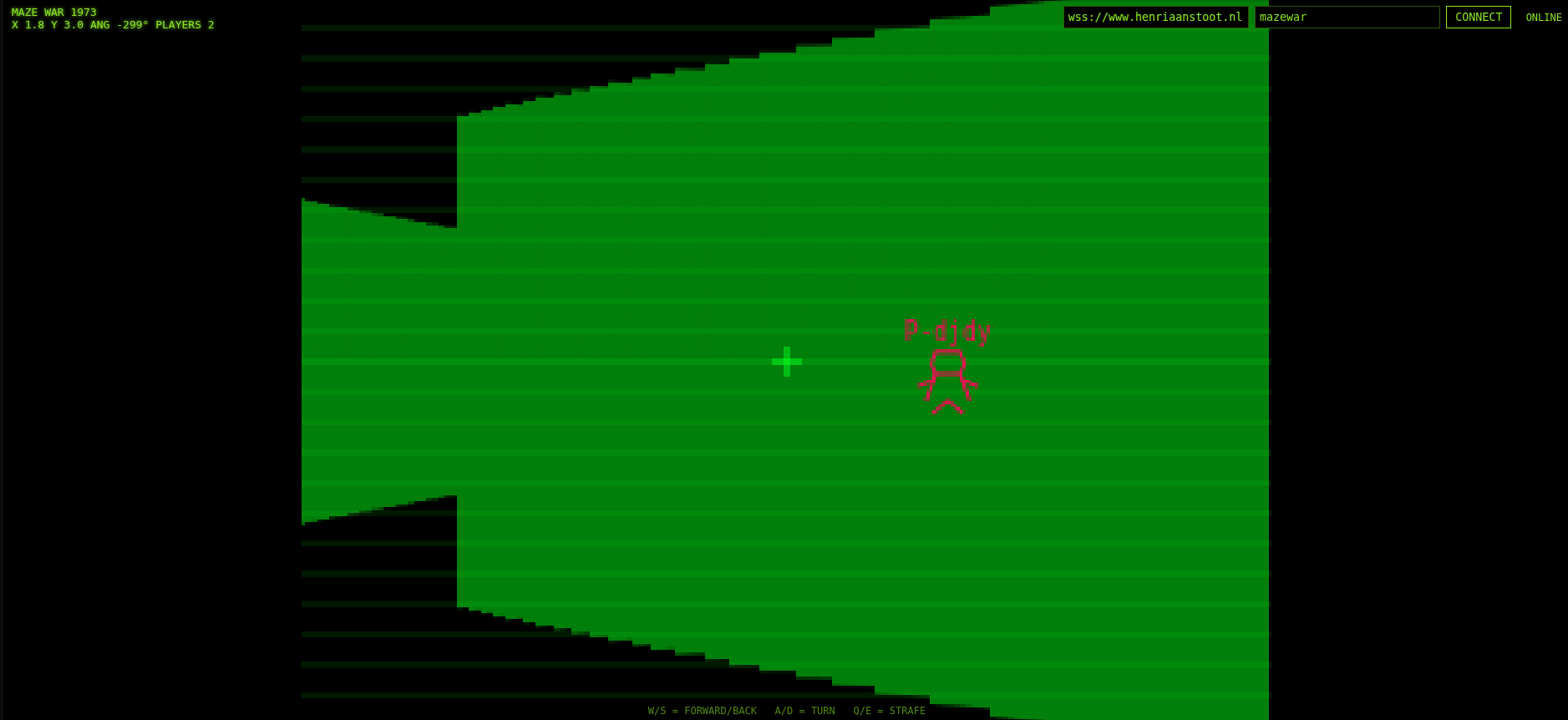
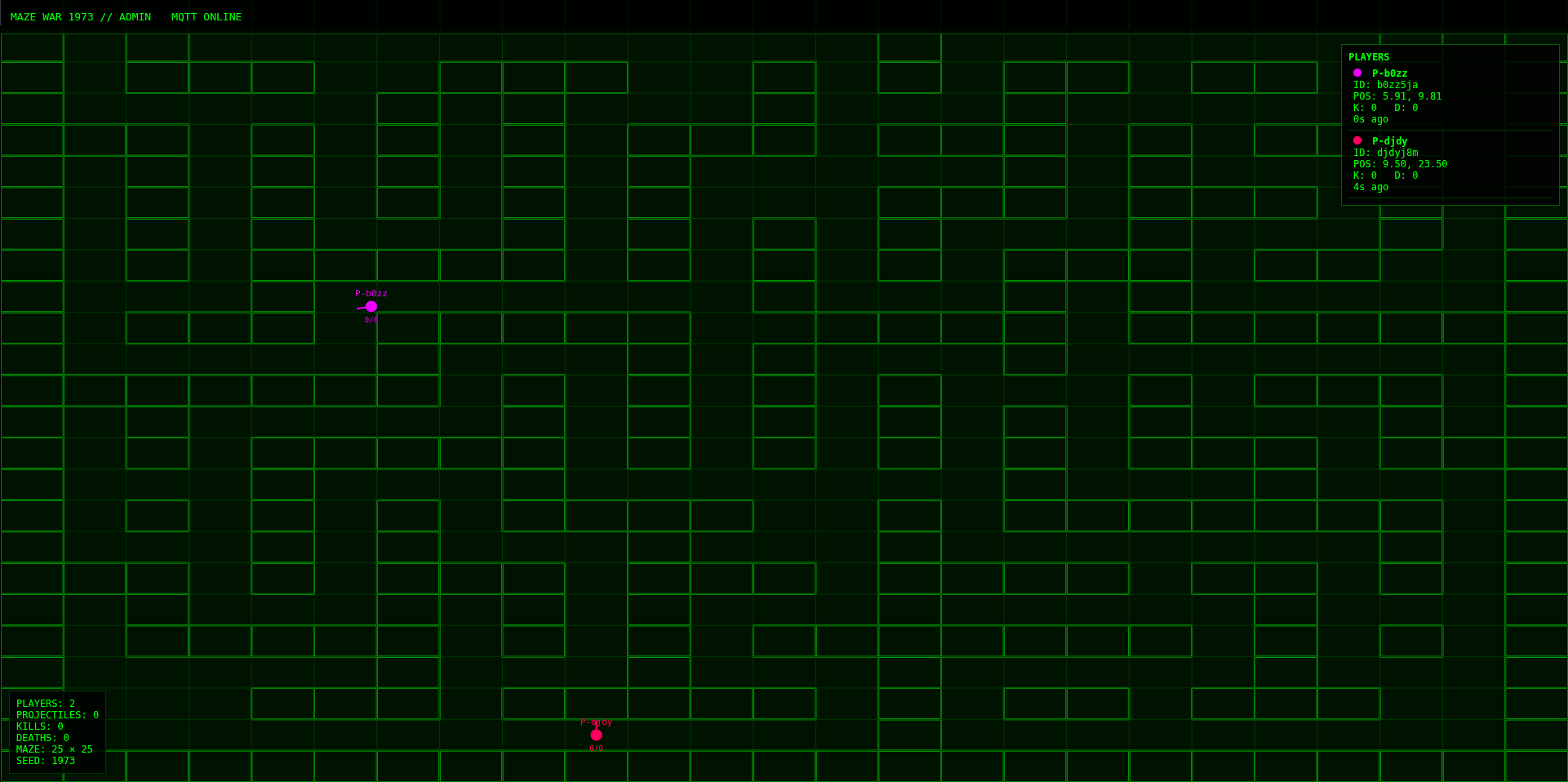
Works:
- Mqtt websocket
- Multiuser
- Keyboard control
- Fire/kill detection
- Admin view
No working / needs work / nice to have:
- Restart after kill, resets score
- Set own username
- Sound effects?
- Degrees are > 360 .. lol
UPDATE: 20280828
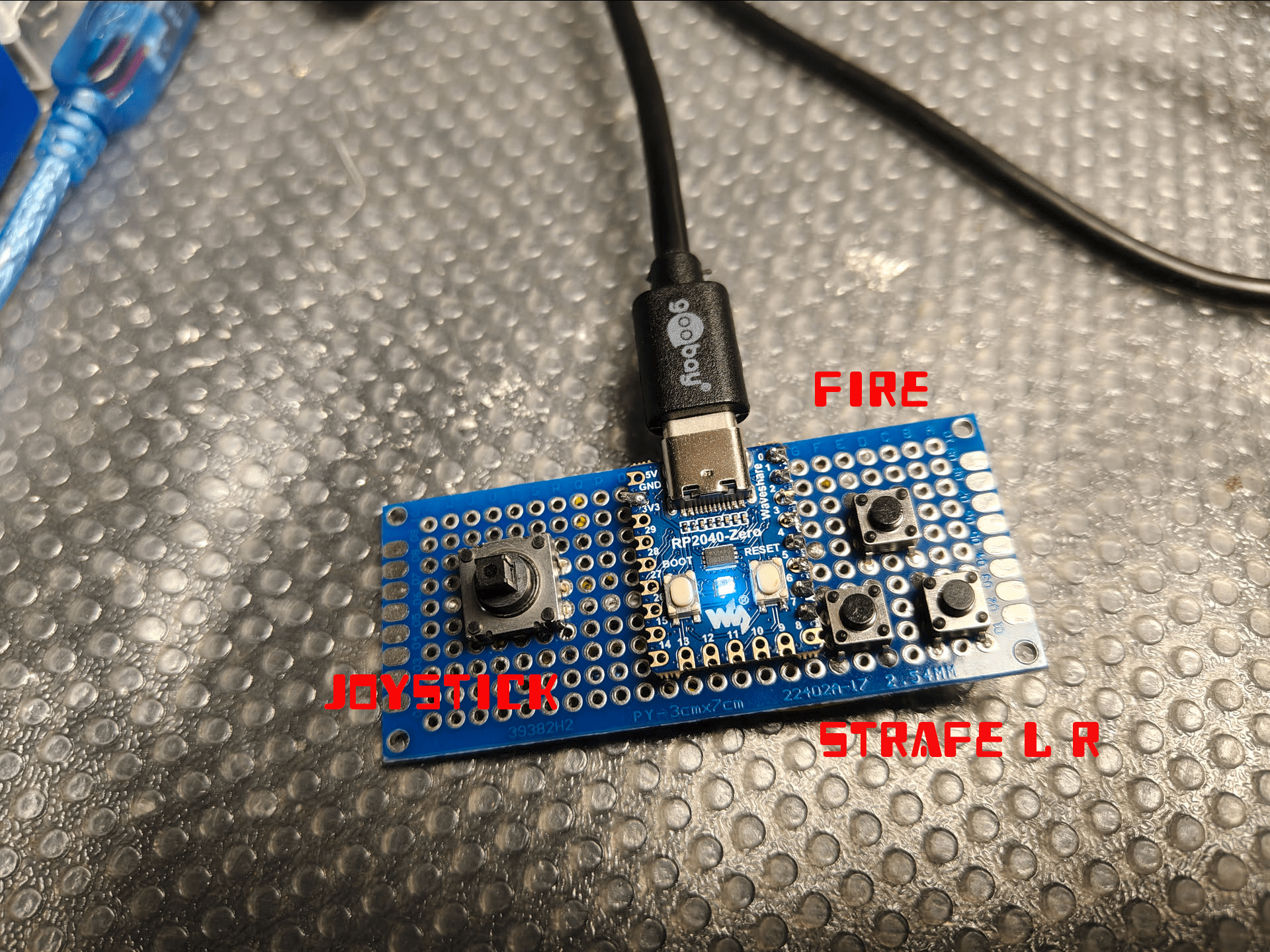
import time
import board
import digitalio
import usb_hid

from adafruit_hid.keyboard import Keyboard
from adafruit_hid.keycode import Keycode


# GPIO -> tactile switch -> GND
BUTTONS = {
    board.GP2: Keycode.UP_ARROW,
    board.GP4: Keycode.DOWN_ARROW,
    board.GP3: Keycode.LEFT_ARROW,
    board.GP1: Keycode.RIGHT_ARROW,
    board.GP0: Keycode.SPACE,
    board.GP5: Keycode.Q,
    board.GP7: Keycode.E,
}


keyboard = Keyboard(usb_hid.devices)

inputs = {}

for pin, key in BUTTONS.items():
    button = digitalio.DigitalInOut(pin)
    button.direction = digitalio.Direction.INPUT
    button.pull = digitalio.Pull.UP
    inputs[pin] = (button, key)


# Remember previous state
last_state = {}

for pin, (button, key) in inputs.items():
    last_state[pin] = button.value

while True:

    for pin, (button, key) in inputs.items():

        state = button.value

        # Button changed
        if state != last_state[pin]:

            if not state:
                # Press
                keyboard.press(key)

            else:
                # Release
                keyboard.release(key)

            last_state[pin] = state

    time.sleep(0.005)