Last Updated or created 2026-11-17
I have a bunch of panorama’s, made with phones or my Nikon DLSR stitched with Hugin.
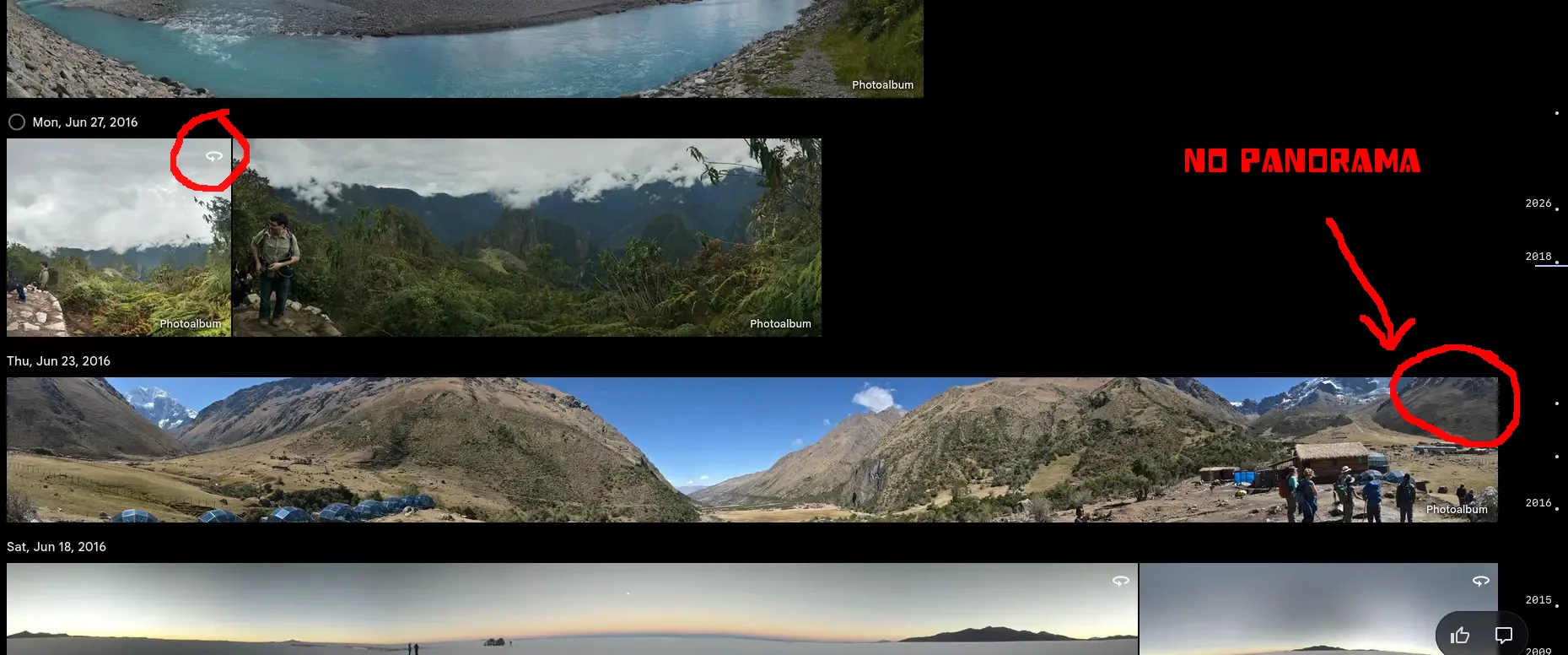
These are not being detected as panorama by Immich, due to missing panorama tags …
Here is my fix
./makepanorama2.sh '750_5488_resize - 750_5532_resize.jpg' --flip
Input:       750_5488_resize - 750_5532_resize.jpg
Orientation: Horizontal (normal)
Applying EXIF orientation...
Flipping image vertically...
Image size:  8712 x 846
Full panorama: 8712 x 4356
Crop:          8712 x 846
Crop top:      1755
    1 image files updated

Created: ./injected-750_5488_resize - 750_5532_resize.jpg

GPano:
[File]          ImageWidth                      : 8712
[File]          ImageHeight                     : 846
[IFD0]          Orientation                     : Rotate 180
[XMP-GPano]     ProjectionType                  : equirectangular
[XMP-GPano]     FullPanoWidthPixels             : 8712
[XMP-GPano]     FullPanoHeightPixels            : 4356
[XMP-GPano]     CroppedAreaImageWidthPixels     : 8712
[XMP-GPano]     CroppedAreaImageHeightPixels    : 846
[XMP-GPano]     CroppedAreaLeftPixels           : 0
[XMP-GPano]     CroppedAreaTopPixels            : 1755
From:
To: