Last Updated or created 2024-11-30
After a long time, another post!
We have been to 4 states on the west coast of America for almost 4 weeks, after that a pneumonia kept me from doing stuff.
Slowly, I started finishing my Workshop/Lab for my new business.
So I didn’t have many things to post about.
So now I’ll post something about this Home Assistant solution, because there was not a decent post to be found about this solution.
Some history: A long time ago I made a 4 button 4 led controller with my friend Duncan.
At that time we were using Domoticz, and used a NodeMcu with ESP Easy to read the button states and made the leds act as status lights.
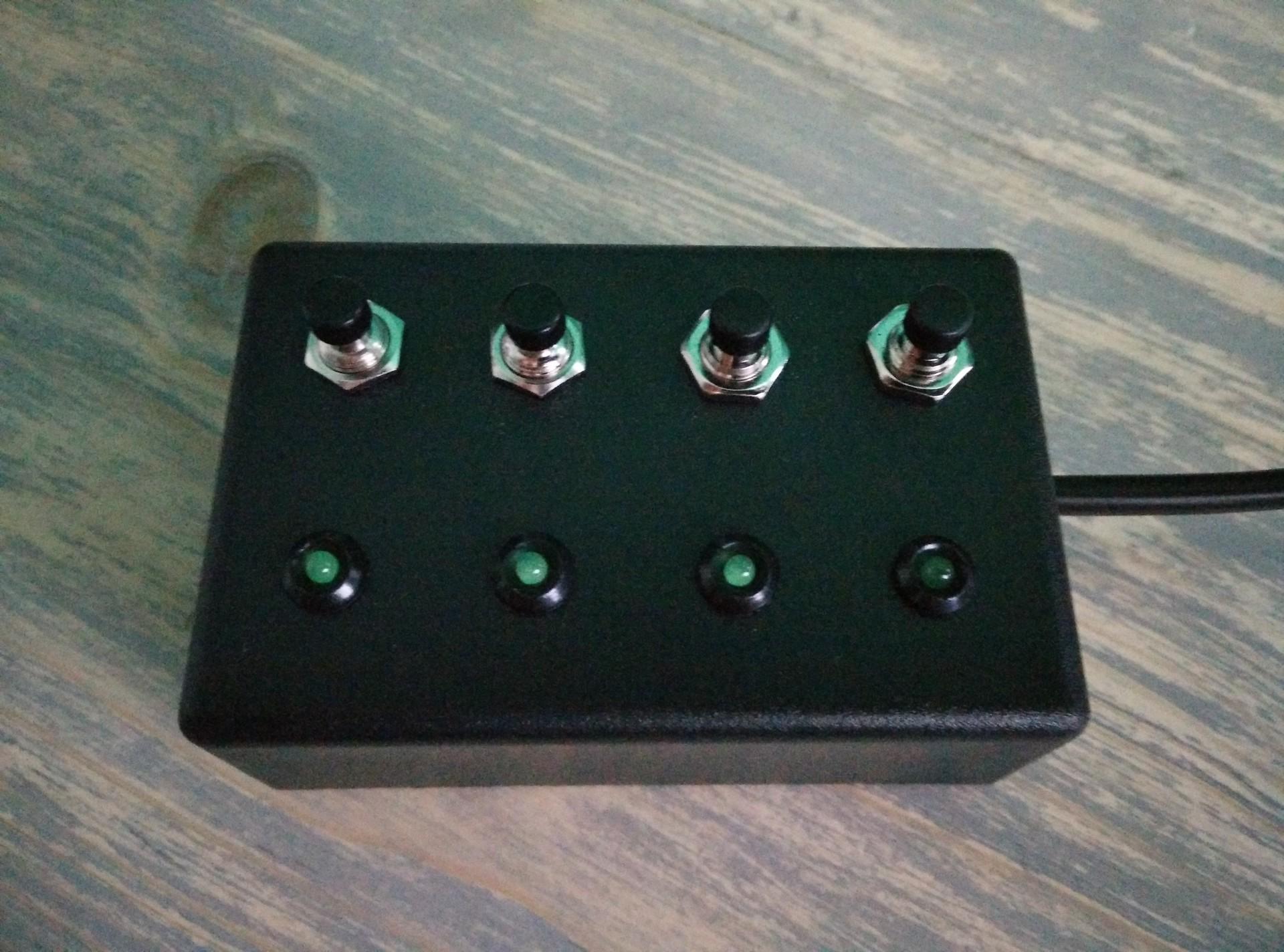
This is made using a NodeMCU (8266) but ESP32, Wemos, whatever will work also.
We wanted to repurpose the old NodeMCU, instead of building a new one.
So Migrating to Home Assistant:
How to install ESPHome is easy to find on the internet.
Below is an example for 4 push buttons which TOGGLE a Home Assistant entity.
And the LEDs will give a feedback of the state of an entity.
Note: There is 1 out of 4 configured like that. The other ones are generic.
One button toggles my shelly lab ledlight, and lights up a led when toggled!
switch.labled_relay_0 = shelly read state for led
on press toggle switch.shellyplug_s_0c5d08
 esphome:
  name: 4butttest
  friendly_name: 4butttest

esp8266:
  board: esp01_1m

# Enable logging
logger:

# Enable Home Assistant API
api:
  encryption:
    key: "xxxxxxxxxxxxxxxxxxxxxxxxxxxxxxxxxx="

ota:
  - platform: esphome
    password: "xxxxxxxxxxxxxxxxxxxxxxxxxxxxxxxxxx"

wifi:
  ssid: !secret wifi_ssid
  password: !secret wifi_password

  # Enable fallback hotspot (captive portal) in case wifi connection fails
  ap:
    ssid: "4Butttest Fallback Hotspot"
    password: "xxxxxxxxxxxxxxxxxxx"

captive_portal:

output:
  - platform: gpio
    id: status_led
    pin: GPIO15

binary_sensor:
  - platform: homeassistant
    id: labledstate
    entity_id: switch.labled_relay_0
    on_state:
      then:
        - lambda: |-
            if (id(labledstate).state) {
              id(status_led).turn_on();
            } else {
              id(status_led).turn_off();
            }
  - platform: gpio
    name: "PinGPIO2"
    pin:
      number: GPIO2
      inverted: true
    on_press:
      - homeassistant.service:
          service: homeassistant.toggle
          data:
            entity_id: switch.shellyplug_s_0c5d08
  - platform: gpio
    name: "PinGPIO0"
    pin:
      number: GPIO0
      inverted: true
  - platform: gpio
    name: "PinGPIO3"
    pin:
      number: GPIO3
      inverted: true
  - platform: gpio
    name: "PinGPIO1"
    pin:
      number: GPIO1
      inverted: true

switch:
  - platform: gpio
    pin: GPIO13
    name: OutGPIO13
  - platform: gpio
    pin: GPIO12
    name: OutGPIO12
  - platform: gpio
    pin: GPIO14
    name: OutGPIO14
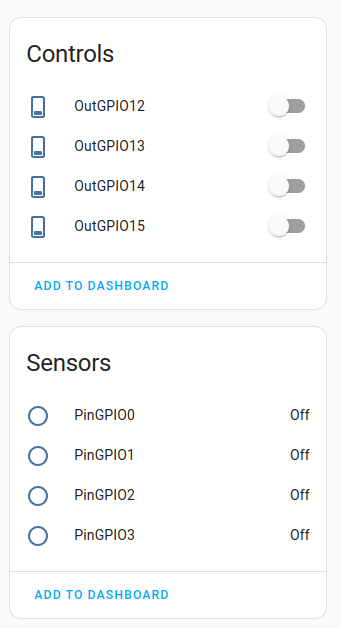
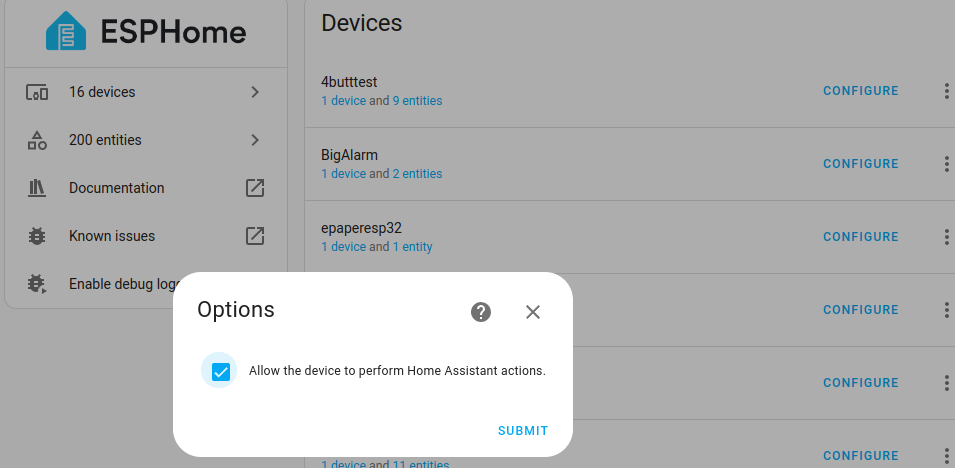
Left the entities and don’t forget right … give the esphome device rights to perform HA actions!
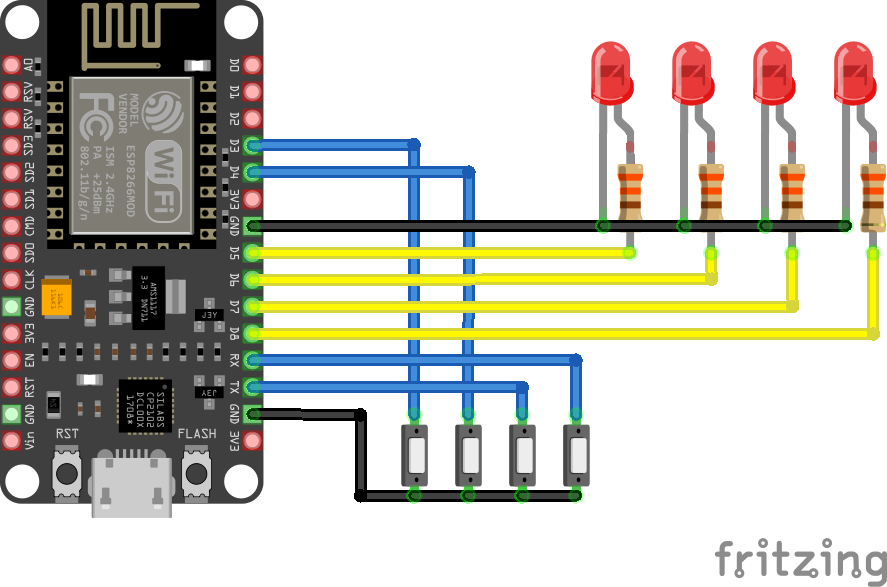
Resistors are 330 ohm (didn’ t want bright leds)