Tag Archives: electronics

Working on a (C64) handheld probe oscilloscope

These will be available in my shop.

Probably a webpage with measured examples are usefull.

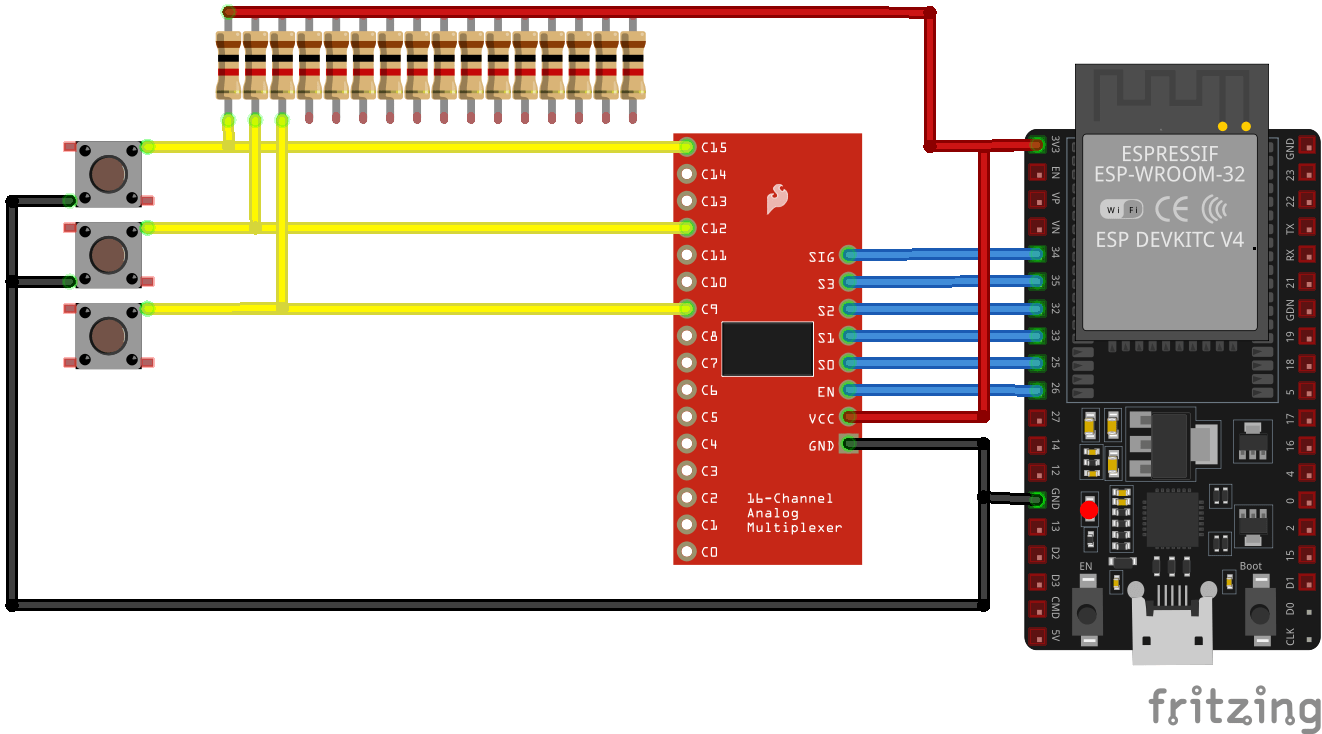
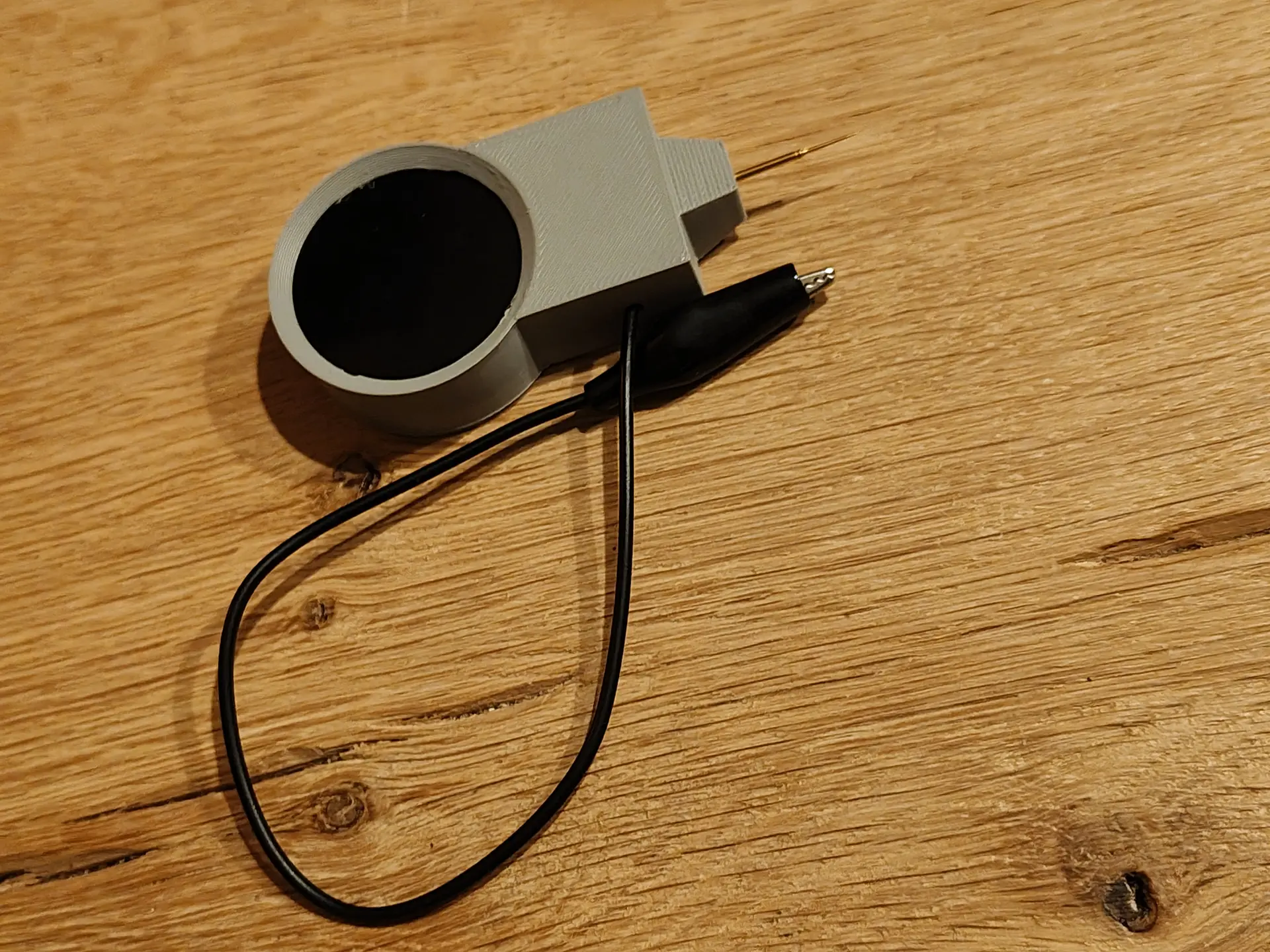
There is a cover for the pogo pin which holds the ground clamp

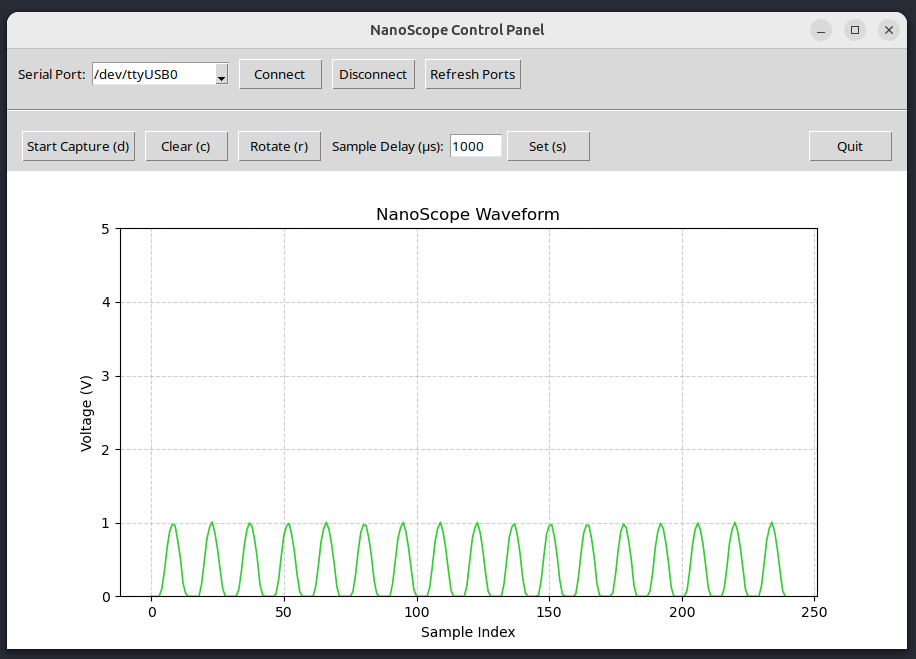
Handheld device to measure voltages and make screenshots using an application.

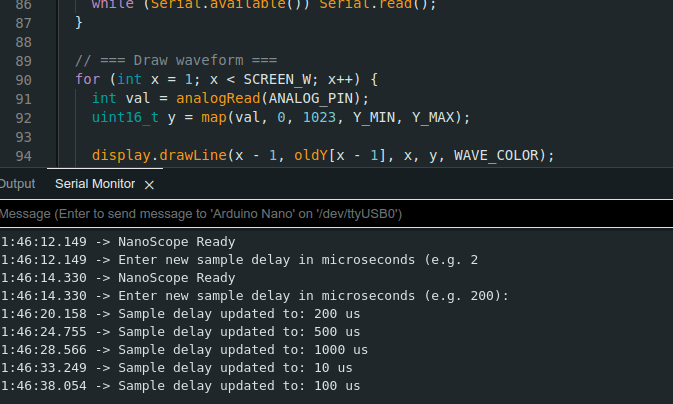
Control over serial

  • Select USB device to connect
  • Start a capture to screen
  • Clear (redraw probe screen)
  • Rotate screen for left/right-handed people and easy reading
  • Sample time speed in microseconds
  • 5V reading but 15 volt tolerant, due to the SID pins
  • ??? love to hear ideas

I’m currently working on streaming output.

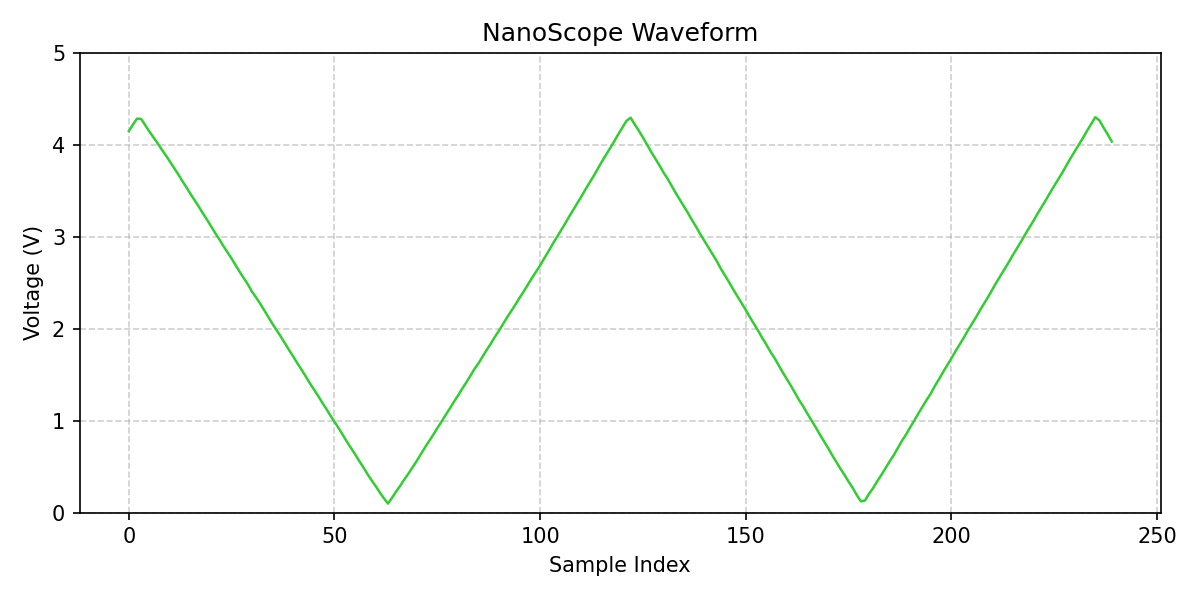
Below, an example of screenshotting.

Below, measuring outputs from a NE555 (dutch comments)

Working on the garden lights POC

Working on my garden lights

Working 12V relay bottom left, and upper right the Raspberry $ compute module board with NodeRed.

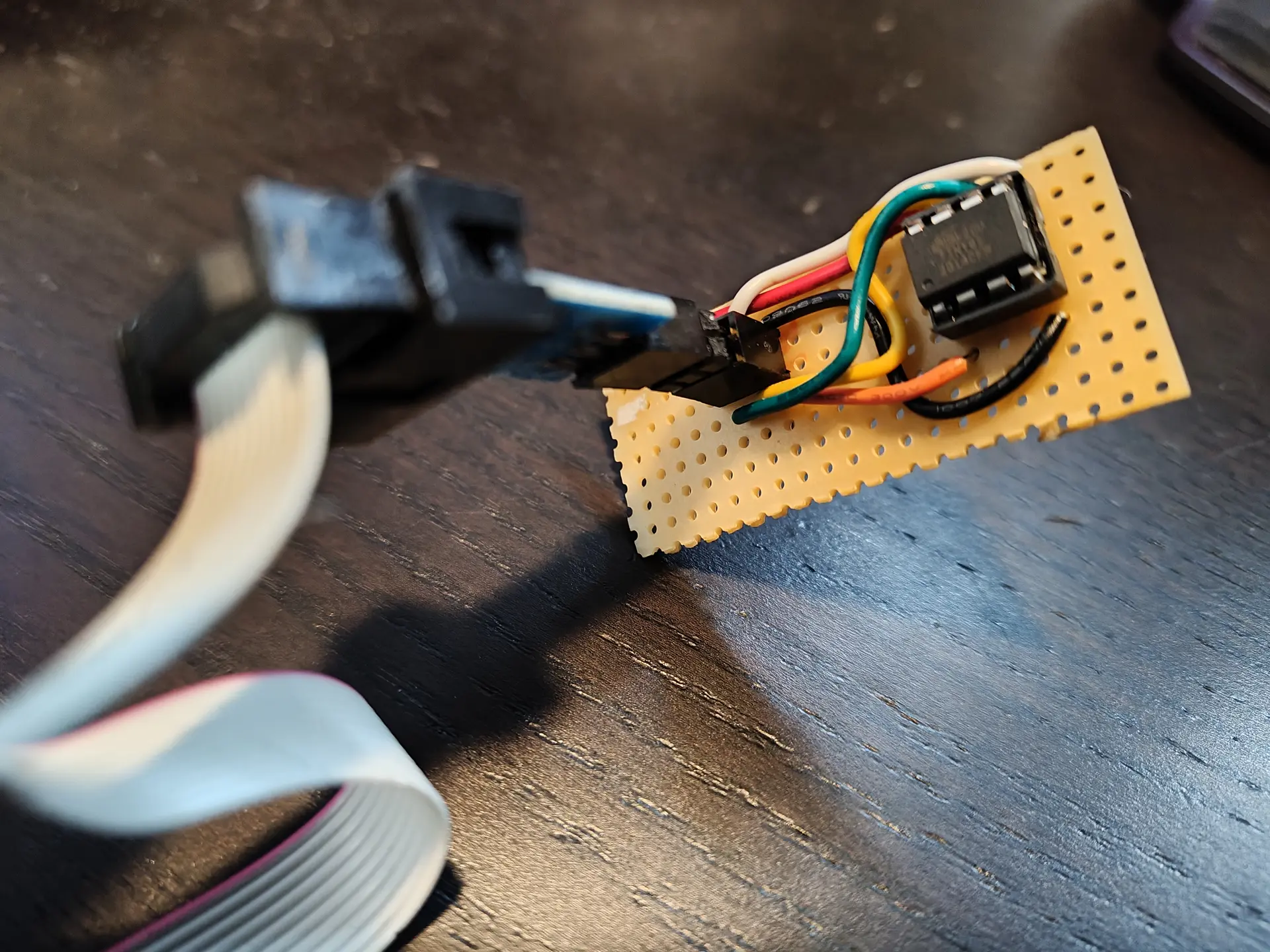
I made a little board to program the ATTiny85.

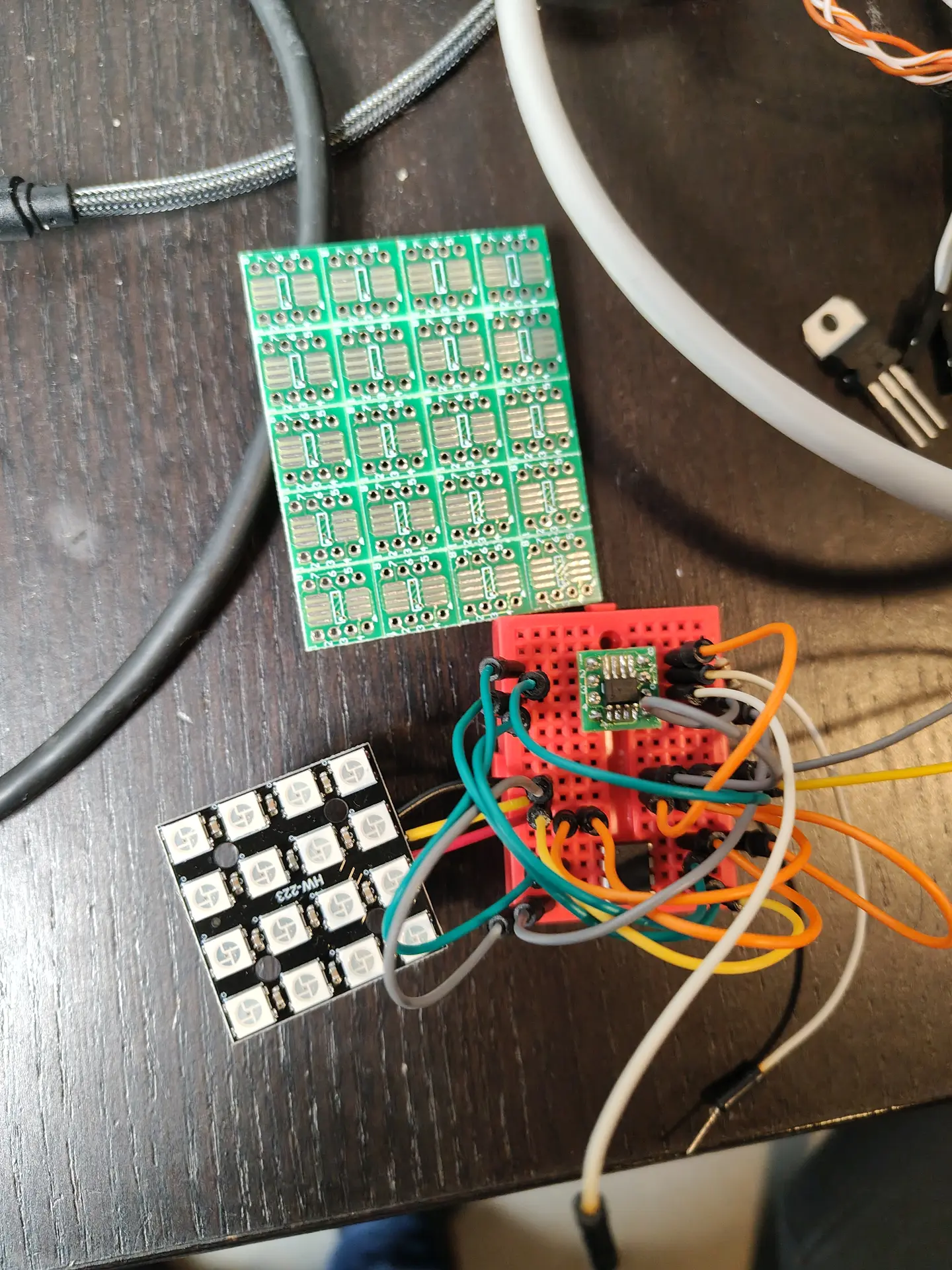
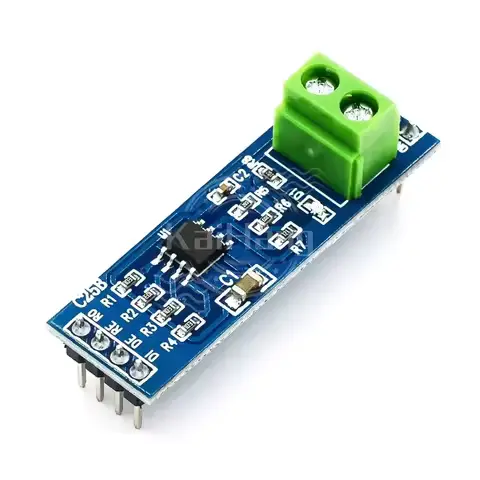
The RS485 chip I wanted to use (SN65HVD3082) came as SMD, luckily I have some SMD to THT/DIL boards. (breakoff)

Above on the breadboard : The SN65HVD3082EP on a little pcb, the ATTiny85 .
4×4 WS2812 led matrix will be my dimmable RGB garden light.

New afvalwijzer using Home Assistant

New version of :

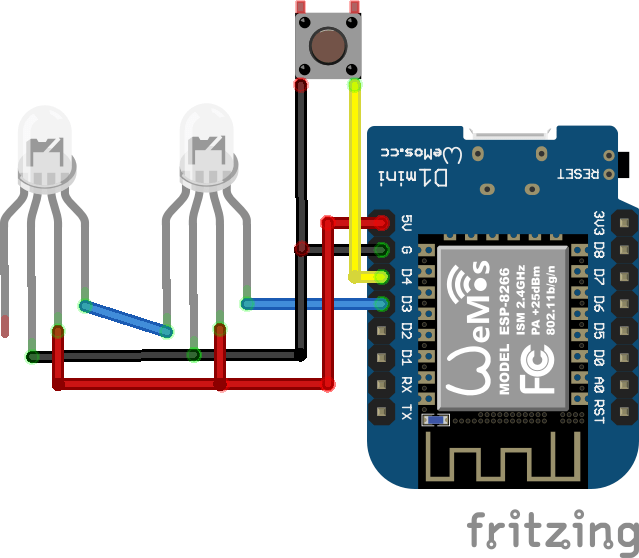
New schematic using ESPHOME and has reset button (pressing the lid).
(Resets the LED when you’ve put the trash at the street curb.)

Above, a simplified version. I’m using 4 ws2812 leds now.

ESPHOME code:

esphome:
  name: afvalwemos
  friendly_name: AfvalWemos
  on_boot:
    priority: 800
    then:
    - delay: 1s
    - light.turn_off: main_leds

esp8266:
  board: d1_mini

# Enable logging
logger:

# Enable Home Assistant API
api:
  encryption:
    key: "bT76oR8vOxxxxxxxxxxxxxxxxxxxxxxxxQbyjY6M="

ota:
  - platform: esphome
    password: "c1dbxxxxxxxxxxxxxxxxxxxxxxxxxx36e75"

wifi:
  ssid: !secret wifi_ssid
  password: !secret wifi_password

  # Enable fallback hotspot (captive portal) in case wifi connection fails
  ap:
    ssid: "Afvalwemos Fallback Hotspot"
    password: "vVxxxxxxxxxxxxxxaw"

captive_portal:

# LED strip definition
light:
  - platform: neopixelbus
    type: RGB
    variant: WS2812
    pin: D5
    num_leds: 4
    name: "All LEDs"
    id: main_leds
    restore_mode: ALWAYS_OFF   # ensures all LEDs start off


  # Individual LED partitions
  - platform: partition
    name: "LED 1"
    segments:
      - id: main_leds
        from: 0
        to: 0

  - platform: partition
    name: "LED 2"
    segments:
      - id: main_leds
        from: 1
        to: 1

  - platform: partition
    name: "LED 3"
    segments:
      - id: main_leds
        from: 2
        to: 2

  - platform: partition
    name: "LED 4"
    segments:
      - id: main_leds
        from: 3
        to: 3


# Physical button on D6 to turn off all LEDs
binary_sensor:
  - platform: gpio
    pin:
      number: D6
      mode: INPUT_PULLUP
      inverted: True
    name: "All Off Button"
    on_press:
      - logger.log: "Button pressed — turning all LEDs OFF"
      - light.turn_off: main_leds

Home Assistant automation:

alias: Afvalwijzer Plastic
description: Afvalwijzer leds
triggers:
  - at: "18:00:00"
    trigger: time
conditions:
  - condition: template
    value_template: >
      {% set raw = states('sensor.gad_pmd') %} {% if raw not in ['unknown',
      'unavailable', 'none', ''] %}
        {% set clean = raw.replace('Tomorrow, ', '').replace('Today, ', '').strip() %}
        {% set parts = clean.split(', ') %}
        {% set date_part = parts[-1] if parts|length > 1 else clean %}
        {% set pmd_date = strptime(date_part, '%d-%m-%Y').date() %}
        {% set tomorrow = (now().date() + timedelta(days=1)) %}
        {{ pmd_date == tomorrow }}
      {% else %}
        false
      {% endif %}
actions:
  - action: light.turn_on
    target:
      entity_id: light.afvalwemos_led_3
    data:
      rgb_color:
        - 236
        - 199
        - 14
mode: single

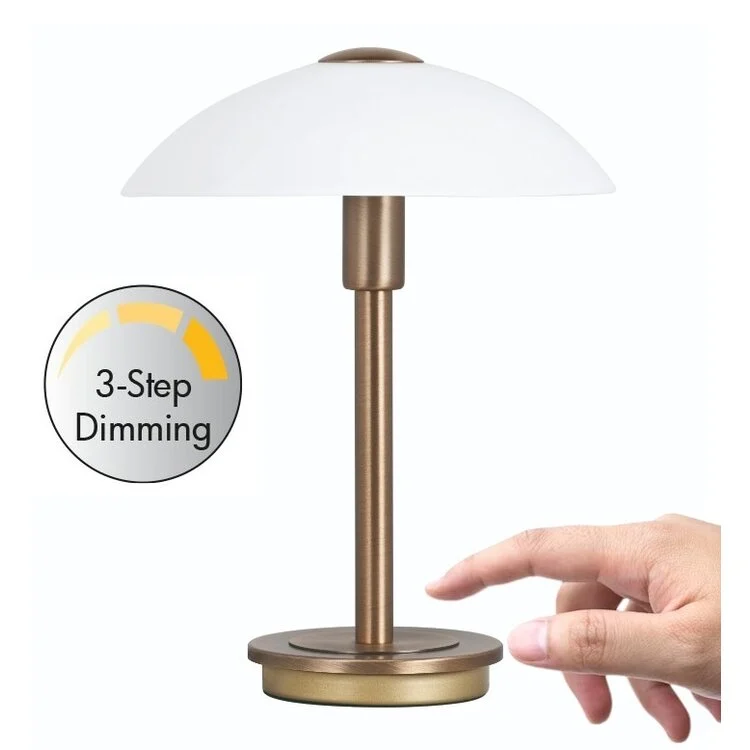
Easy cheap touch light

Remember those expensive touch lights you can buy?

This is a less than 5 euro version.

Warning : Some tricks I used

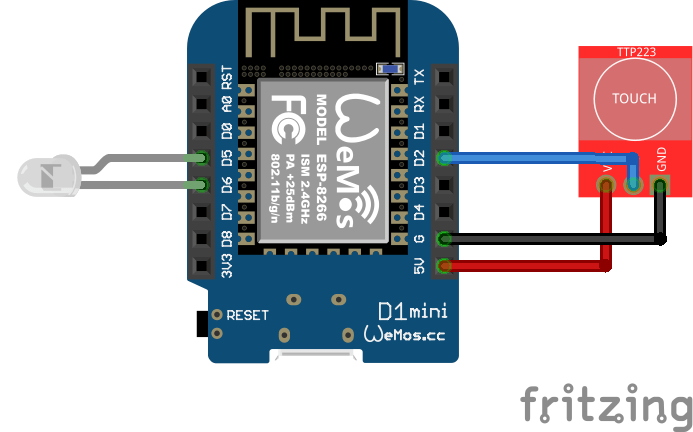
  • Using D5 as GND (I didn’t want to splice GND Wire.)
  • Using PWM for dimming
  • Using 5V led, use resistor if using a generic LED (220ohm)

TTP223 sensors are only a few cents!
And react even without touching (< 5mm)
So, you can build this in a case or behind fabric!

NOTE: If you are using an ESP32 you can configure a pin as touch!!!
So no TTP223 needed.
But ESP32 are more expensive as Wemos mini.

Code:

#define TOUCH_PIN D2 // My video has D7
#define LED_PIN   D6
#define FAKE_GND D5

// Brightness steps (0 = off, 255 = full bright)
int brightnessLevels[] = {0, 25, 125, 255};
int currentLevel = 0;
bool lastTouchState = LOW;

void setup() {
  
  pinMode(TOUCH_PIN, INPUT);
  pinMode(LED_PIN, OUTPUT);
  pinMode(FAKE_GND, OUTPUT);

  digitalWrite(FAKE_GND, LOW);  
  analogWrite(LED_PIN, brightnessLevels[currentLevel]);  // start OFF
}

void loop() {
  bool touchState = digitalRead(TOUCH_PIN);

    if (touchState == HIGH && lastTouchState == LOW) {
      // Advance brightness step
      currentLevel = (currentLevel + 1) % 4;  // 0-3 steps
      int pwmValue = brightnessLevels[currentLevel];
      analogWrite(LED_PIN, pwmValue);
    }

  lastTouchState = touchState;
}

Dim levels less obvious on recording, but you can change the levels in the code!

DIY Garden Lights.

We are planning to redo our garden. And I am making a water and light plan for it.

I thought I could do it myself using 12V and RS485/Modbus.

So these are my plans. (NOTE, this is a work in progress)

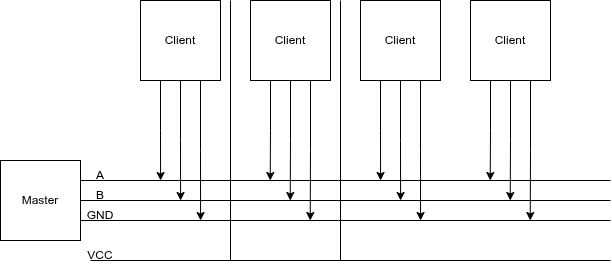
I’m going to put 4-wire ground cable in our garden, and a RS485/Modbus master controller in my shed.
4 Wires will have 12V low voltage, ground and RS485 A/B wires.
This way I can control till 64 devices on a single cable.

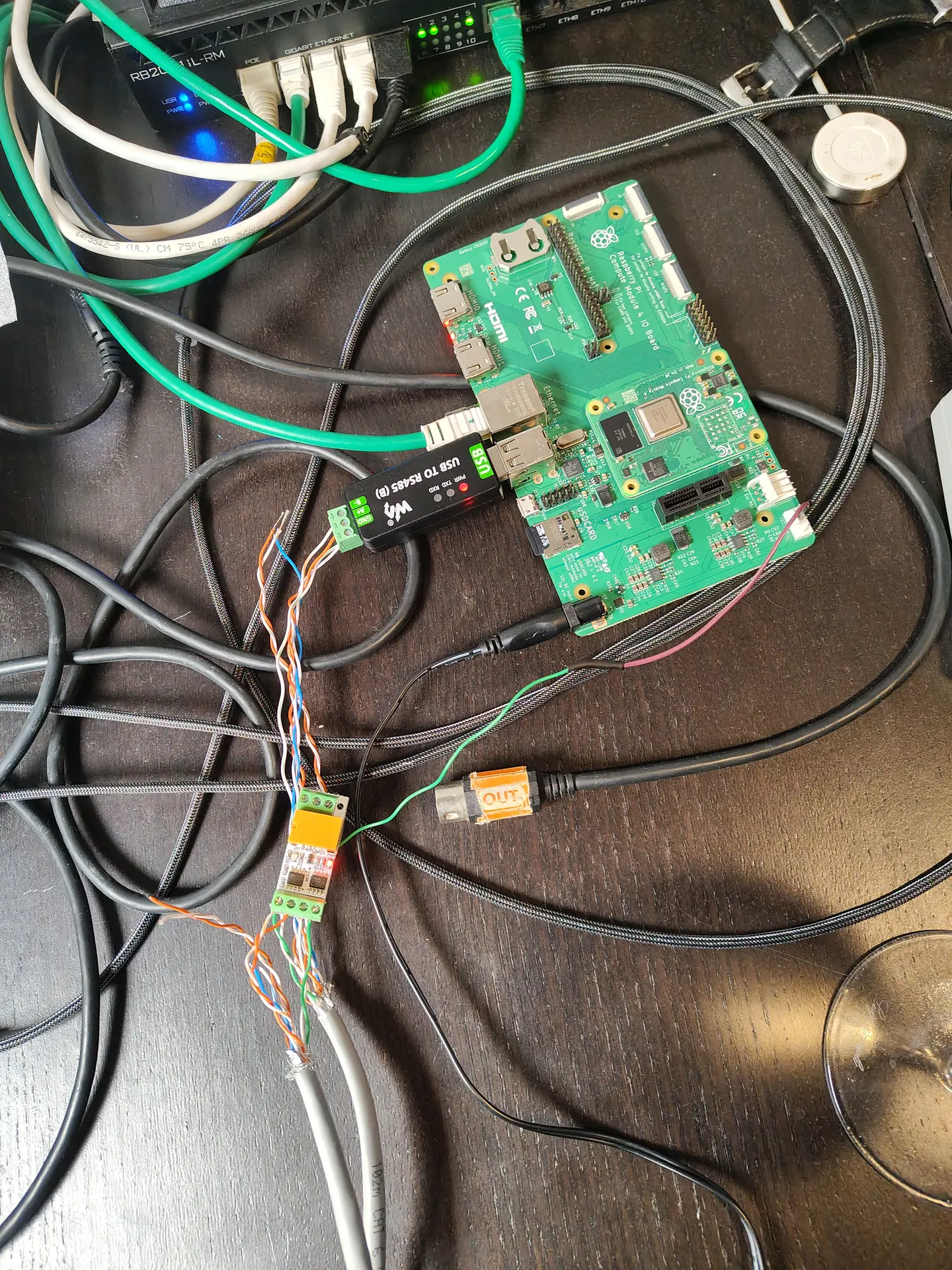
Below, a USB stick to connect the RS485 cables to a Raspberry Pi?
Software is probably going to be a NodeRed instance connected to Home Assistant.

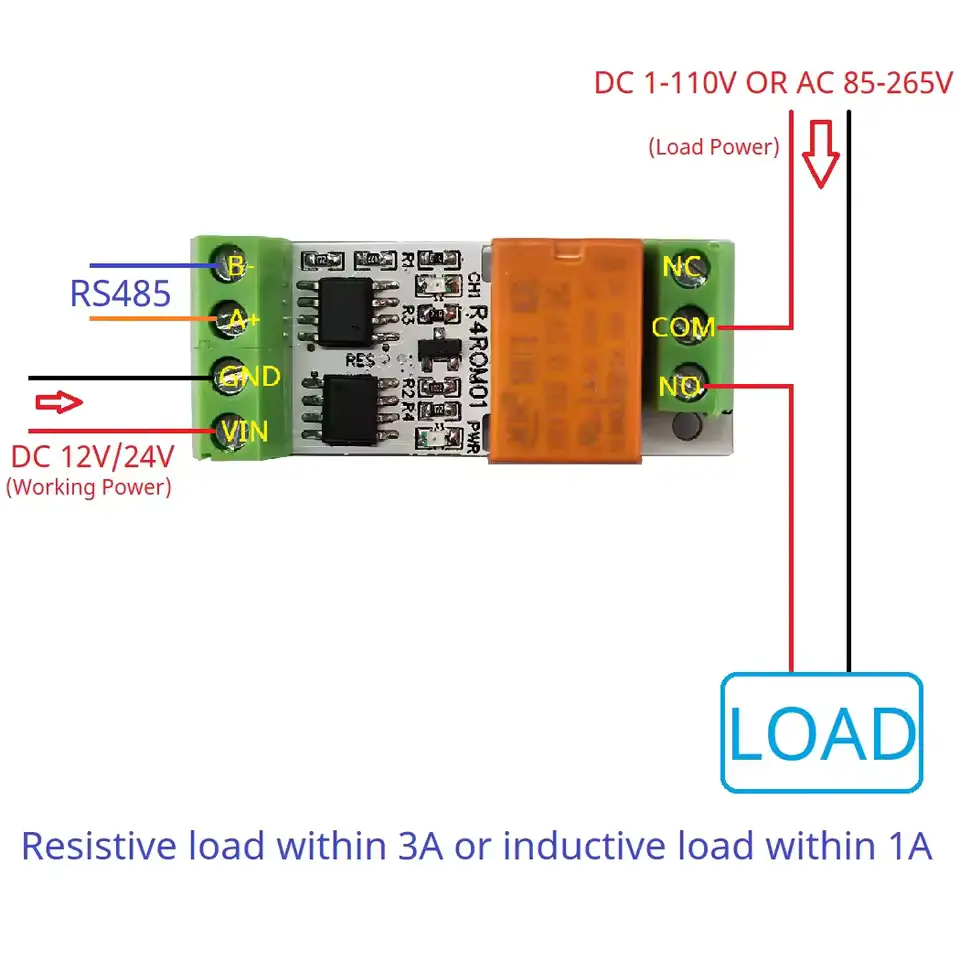
On/Off lights using a RS485 board and relay. These can be bought on a single PCB and can control 220V. I am probably going to use generic outside lamps and refit them for 12V led or 220v, with those RS485 controllers.

The above left part will be encased in resin or alike.
Right PCB is for testing only.

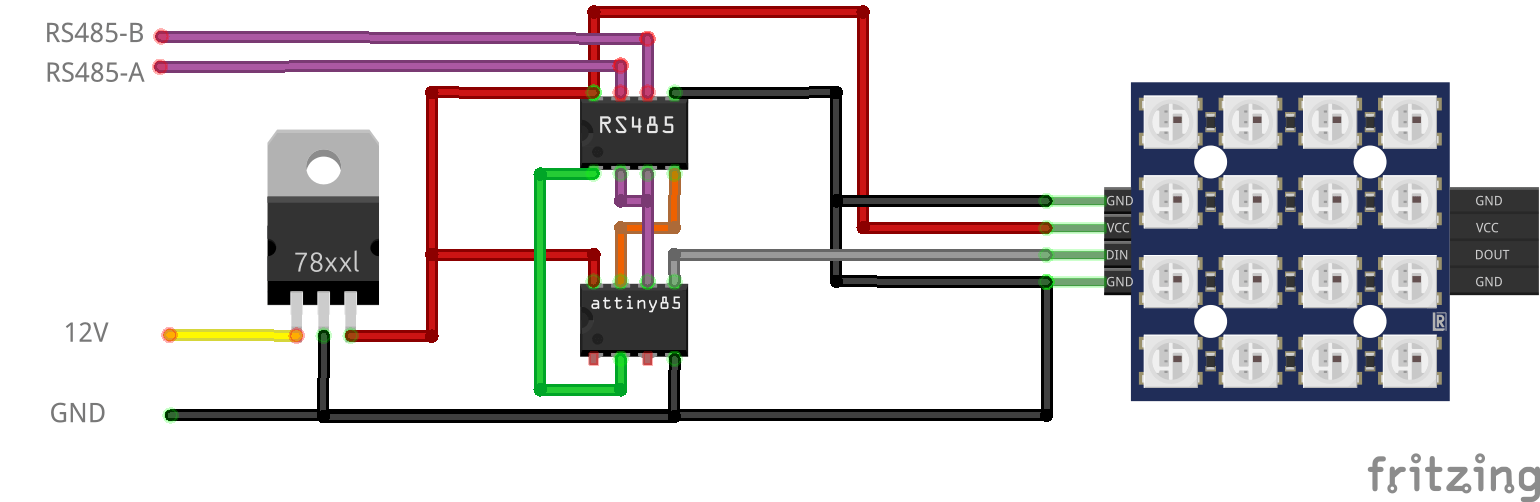
For dimming RGB lights, I made the below design.

NOTE: This needs 120ohm end resistor and capacitors over the 7805.

12V to 5V using a 7805, RS485 8pin DIL/DIP and a ATTiny85 8pin DIL/DIP. Plus a 4×4 RGB Matrix.
These also encased in resin.

More information on the ATTiny85 and programmer can be found here:

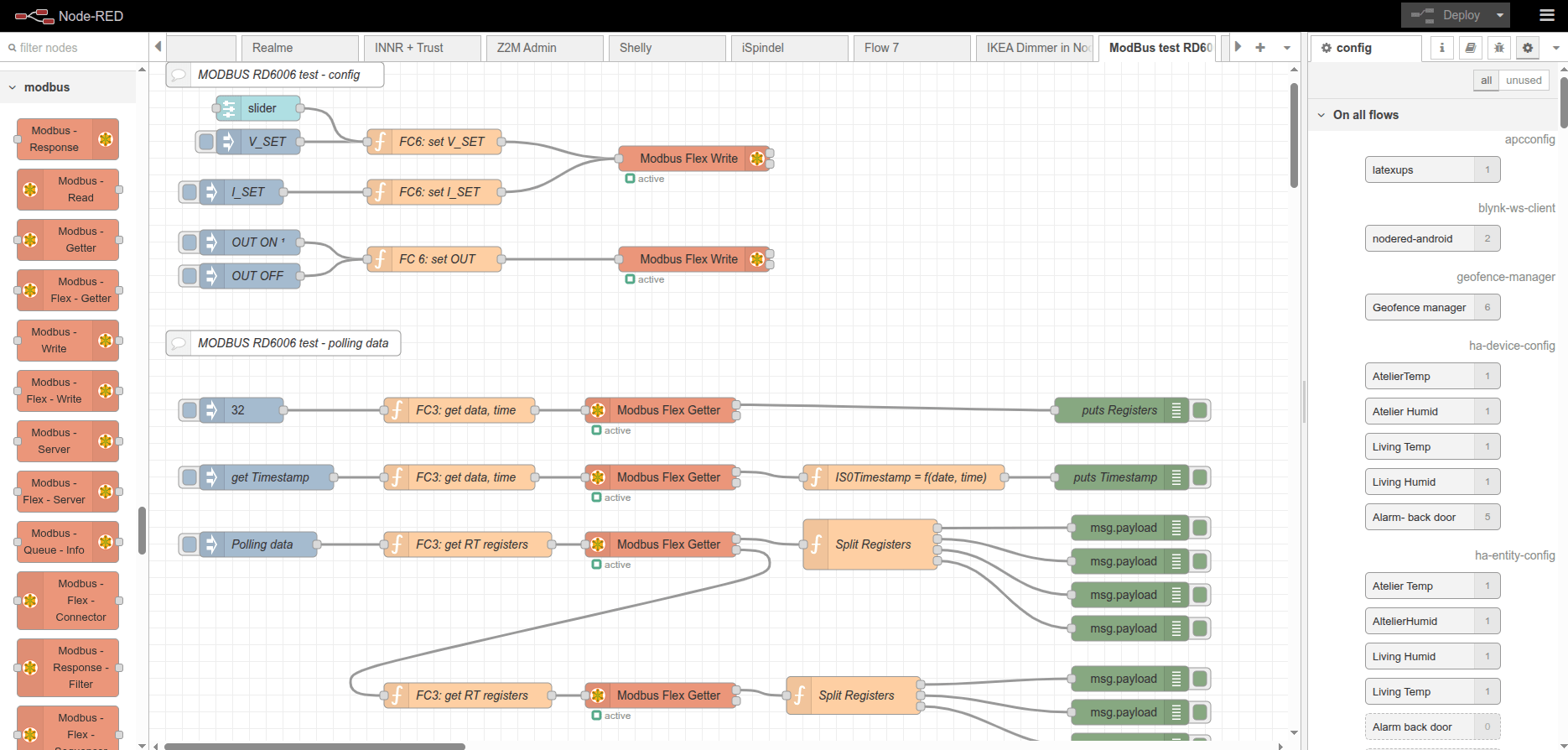
Modbus using NodeRed (I’ve used this to control my RD6006 Lab Power Supply)

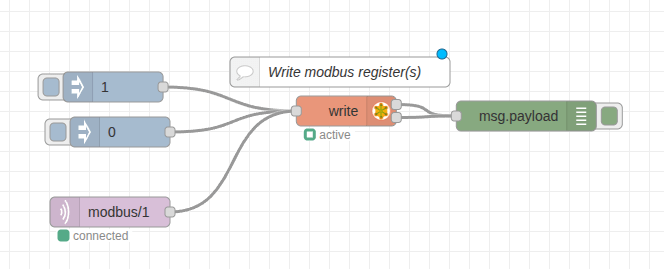
Bare minimal to control the relay.

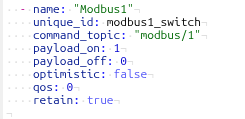
HA control via MQTT

Three display C64 audio monitor

While I made this for my Commodore C64, it is applicable for many things.

It started with some cheap displays from Ali, and some leftover Wemos D1 from my Pressure Lab project.

I Started measuring the audio output from sound devices and from my C64.
I soon discovered that I needed some way to get the offset and amplification correct for the analogue input of a Wemos. (0-3v3)

So a little op-amp circuit was born, but not without some struggles.
I forgot many things about amplifiers. It was one of the first school books I got rid of. (Sorry mister Rafaela)

After searching the internet and posting a question on Reddit I ended up with the following.

R1 and R2 are 100M. The potentiometer P1 allows me to set the offset.
R3 is 1M
C1 is 100nF to decouple the audio signal from the RCA.

R4 is 47K and C2 is 330nF (thanks tycho205)
Cimportant=1/(2Ï€fR2)
where f is the lowest frequency of interest. In this case Cimportant should be about 330nF

LM324 is a quad amplifier, leftover from another project.
Note, the SINGLE RAIL power.

P2 potentiometer is 2M (leftover) and gives me a variable amplifying opportunity.


A = Audio input

B = Setting the offset with P1

C = Setting the amplification

Below input signal (note negative values) above amplified signal with offset!

The displays are 3 Wemos controllers with a cheap I2C display.
These are just fast enough to do FFT.

Analogue in is the output from the OP-amp offsetter ..

CODE

Needs cleaning up, and a better stabilize routine.

Busy .. work and play

While working on my clients projects, I’ve been busy with other Fun stuff.

All will be posted more about soon

  • Designing 3D models for printing
  • Testing Arduino Code for RS485!
  • Creating T-shirt prints using 3D printing and bleach/paint with Vincent !
  • Transforming my Lab
  • Testing UM25C logging possibilities
  • Testing queries on overpass-turbo.eu (So much fun)
  • Playing chiptune music using Synthcart + Midi
  • Made V2 displayer on my 64×64 HUB75 led display
  • Bought a directional Wi-Fi antenna, tweaking wireshark to pinpoint rogue access points and clients.

March stuff, being busy

Working for clients, so fragmented personal stuff.
New workplace setup so even more space!

My BBQ monitor V3

As posted before, but now an esphome version, with big-ass buzzer

Code available soon, when made generic.

4Button controller using ESPHOME

Code allready posted

STL FILE https://media.henriaanstoot.nl/4buttons.stl

Flash trick for XYUSB

Flashing this to ESPHOME, use sowing pins!

CODE

substitutions:
  name: usb-relay
  friendly_name: "USB Relay"
  default_state: "RESTORE_DEFAULT_OFF"


esphome:
  name: xyusb1
  friendly_name: xyusb1

esp8266:
  board: esp01_1m

# Enable logging
logger:

# Enable Home Assistant API
api:
  encryption:
    key: "ndm8xxxxxxxxxxxxxxxxxjlvrggJv3a1BkY="

ota:
  - platform: esphome
    password: "12cc9xxxxxxxxxxxxxxxxfb6a01e672"

wifi:
  ssid: !secret wifi_ssid
  password: !secret wifi_password

  # Enable fallback hotspot (captive portal) in case wifi connection fails
  ap:
    ssid: "Xyusb1 Fallback Hotspot"
    password: "xxxxxxxxxxx"

captive_portal:

time:
  - platform: homeassistant

# Blue LED
status_led:
  pin:
    number: GPIO16

# Relay
switch:
  - platform: gpio
    id: switch_relay
    pin: GPIO5

  # Green LED
  - platform: gpio
    pin: GPIO14
    id: green_led
    inverted: true # start on

  # Switch template to link relay and green LED states
  # LED is on when relay is off
  - platform: template
    id: relay
    name: "${friendly_name}"
    lambda: |-
      if (id(switch_relay).state) {
        return true;
      } else {
        return false;
      }
    turn_on_action:
        - switch.turn_on:
            id: green_led
        - switch.turn_on:
            id: switch_relay
    turn_off_action:
        - switch.turn_off:
            id: green_led
        - switch.turn_off:
            id: switch_relay

# Button
binary_sensor:
  - platform: gpio
    id: hardware_button
    pin:
      number: GPIO04
      mode: INPUT_PULLUP
      inverted: True
    on_press:
      - switch.toggle: relay

# WiFi Signal Sensor
sensor:
  - platform: wifi_signal
    name: "WiFi Status"
    update_interval: 60s

# Restart button
button:
  - platform: restart
    name: "Restart"

Reflashed my USB Volume button and added a LED-Ring.

Example is green and blue.

Funny text on box

What is a termianl assortment? LOL

Wireless Temperature/Humidity sensor for ESPHome.

Wemos D1 mini with deep sleep, voltage monitoring using A0 line.
BME280 Temperature/Humidity sensor.
And a 18650 battery with TP4065 battery manager.
Now 3D print a little case.

Made a PCB for a 24 Channel Logic analyzer

See post: