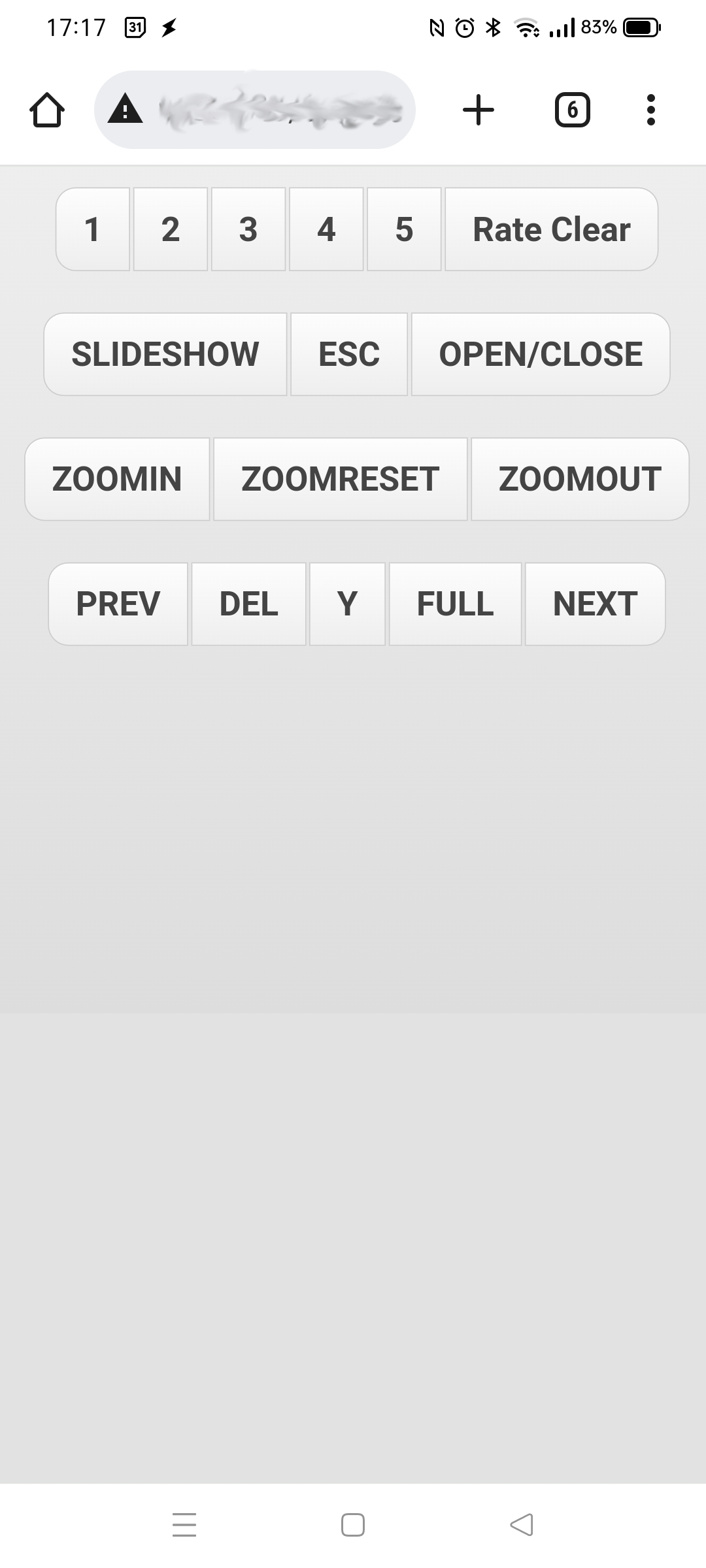
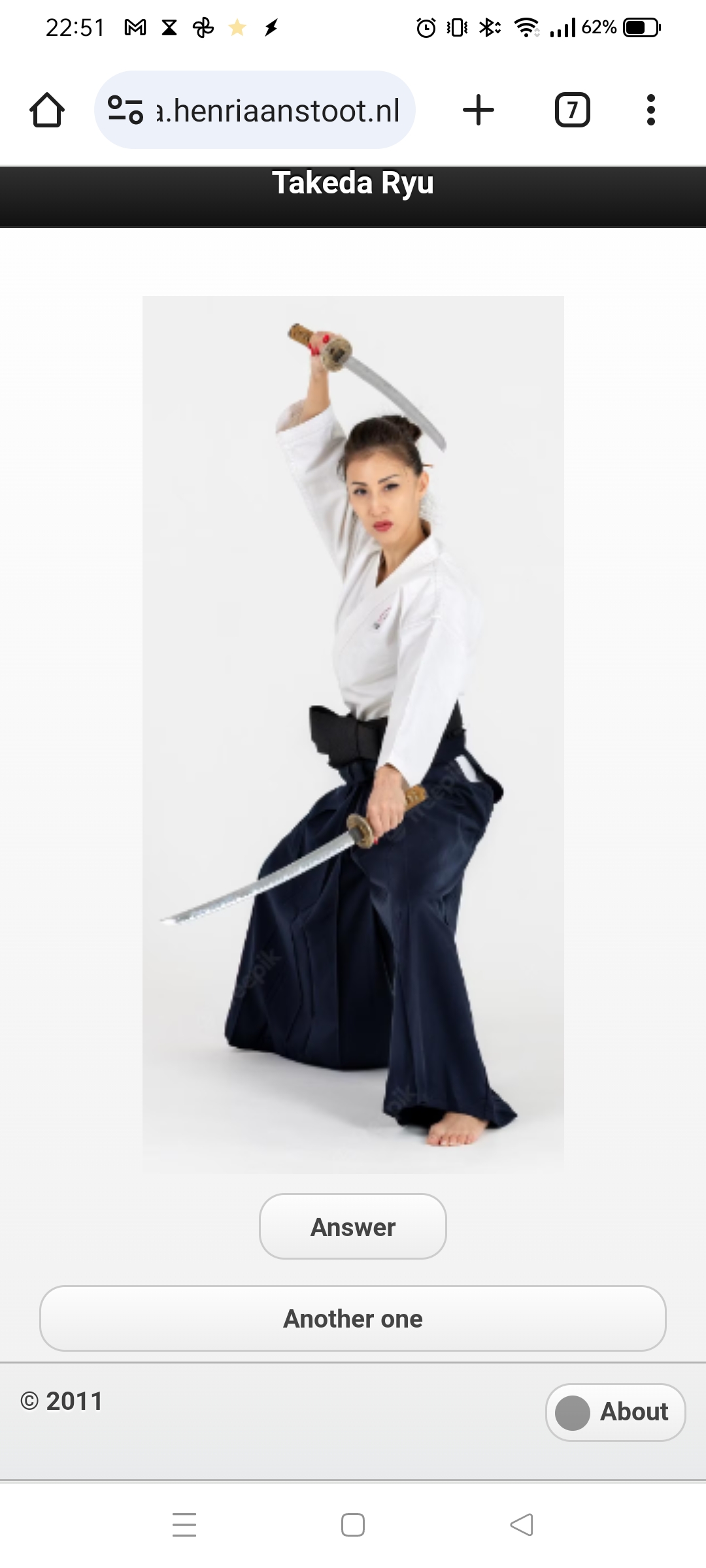
While studying Iaido, i needed a flashcard study thingy.
So I made this:
So I could guess and practice the names of the moves.
Short demo here : https://media.henriaanstoot.nl/websites/takeda/index.php
While studying Iaido, i needed a flashcard study thingy.
So I made this:
So I could guess and practice the names of the moves.
Short demo here : https://media.henriaanstoot.nl/websites/takeda/index.php
Design made with Inkscape
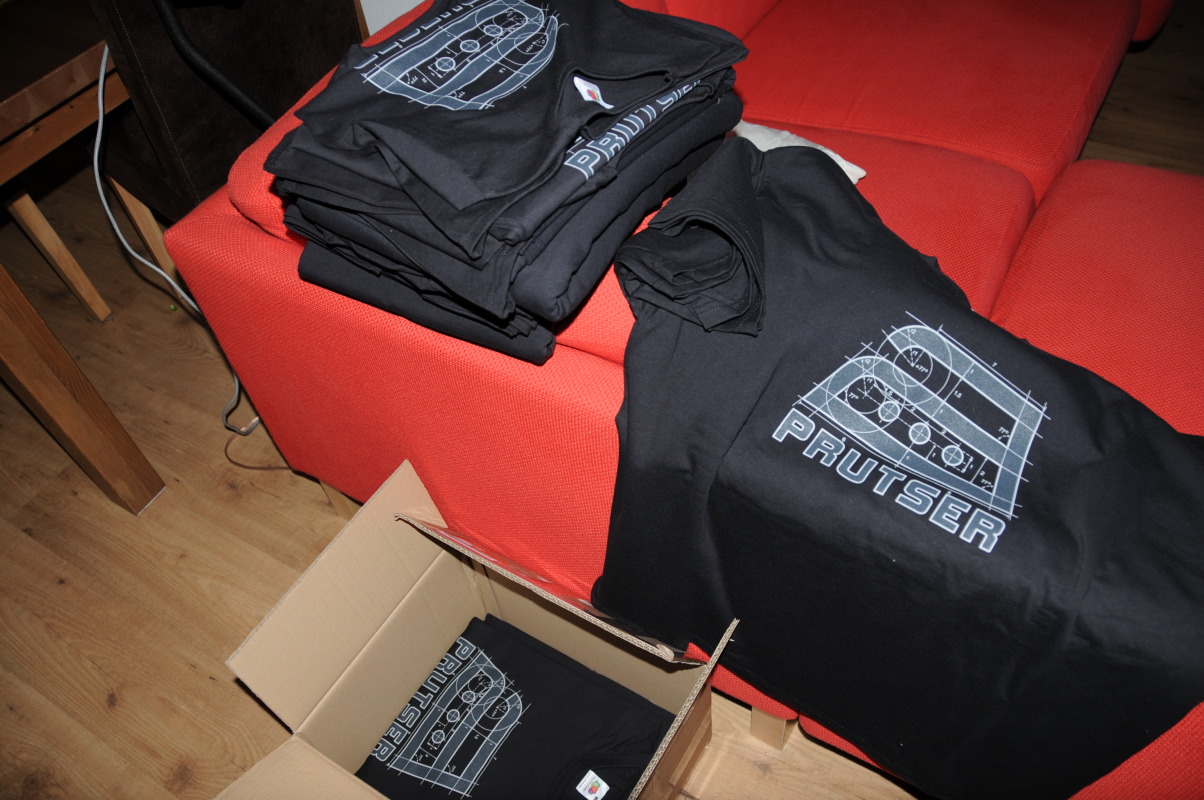
Joke about this: Someone’s granny said: “Indeed prutsers .. 3 is far to hot for those shirts”
Prutser .. as used many times on this site.
Definitions of botcher. someone who makes mistakes because of incompetence. synonyms: blunderer, bumbler, bungler, butcher, fumbler, sad sack, stumbler. type of: incompetent, incompetent person.
Used in our context: Not serious about the things we create, fast fun and easy .. then we take it apart and make something else.
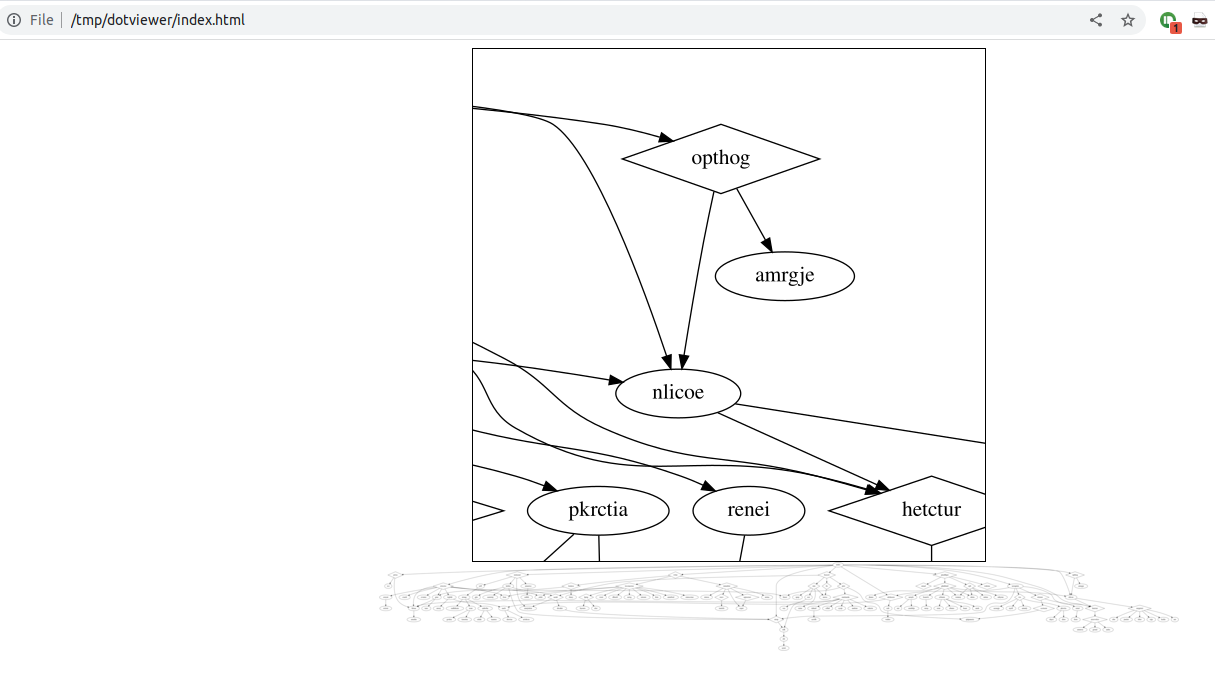
I’ve been using the dotty language for many things, this is a who is who displayer.
iptables rules displayer, open ports, gluster brinks/nodes. netstat ports.,
Wil post more about this later
installing
apt-get install graphviz
View it on a website using mojozoom javascipt
demo : https://media.henriaanstoot.nl/websites/dotviewer/index.html
dot file example (changed names to protect the innocent)
digraph G {
size="960,960"
graph [fontsize=16];
node [fontsize=16];
ericewc [shape=diamond]
notoasat [shape=diamond]
rwke [shape=diamond]
prtsu [shape=diamond]
wkmre [shape=diamond]
hsocol [shape=diamond]
stm [shape=diamond]
scoisenr [shape=diamond]
lpetg [shape=diamond]
ptoi [shape=diamond]
nrnag -> rean;
rean -> grrdea;
rean -> kmoina;
nrnag -> aabrrba;
aabrrba -> edide;
aabrrba -> taamra;
wkmre -> renei;
renei -> ilem;
cpb -> mttne;
cpb -> mhyme;
ghnhlaid -> hsanvk;
hsanvk -> mray;
ghnhlaid -> erbnete -> kene;
erbnete -> ebnno;
erbnete -> hsan;
erbnete -> anek;
nehri -> hetctur;
nlicoe -> hetctur;
ueoqnim -> hetctur;
hetctur -> aisovwkrs;
aisovwkrs -> amnroa;
aisovwkrs -> gioud;
aisovwkrs -> aulra;
rwke -> lemtcu;
lemtcu -> rhary;
lemtcu -> gmc;
prtsu -> ico;
prtsu -> hloaa;
nehri -> prtsu;
}
Making the graphics
dot -Tsvg -obig.svg goed.dot #gs -q -dNOPAUSE -dBATCH -dTextAlphaBits=4 -dGraphicsAlphaBits=4 -sDEVICE=png16m -sOutputFile=big.png big.ps convert big.svg big.png convert -resize 800x800 big.png bigsmall.png
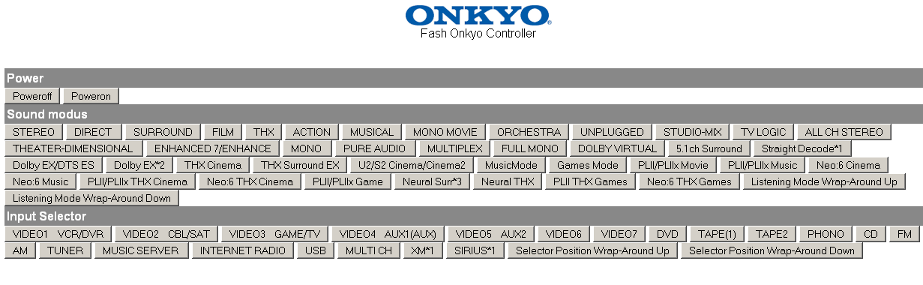
Back in 2009 i’ve posted my web controller for Onkyo in a forum.
Several people build on that source and made android/iphones app using this as example.
It uses pfsockopen with raw packets in php.
Spend a lot of work reverse engineering the tcp headers to be send.
Another fun trick was re-using a trick i’ve used for my ipcam controller and dartabase. (Dart game application)
Below a PDF with first page of forum
I’ve made a alteration in my logitechmediaserver (squeezebox server) which embedded a onkyo volume control part in the gui.
Part of code
<?php
// :colorscheme elflord
// Henri Aanstoot
// Onkyo Reciever Web Interface 2009
// Version 0.6b - 23 Oct 2009
// EDIT THIS
$receiveripnumber="your.onkyo.ip.here";
$receiverlistenport="60128";
// maximum to set volume (0-100)
// !! some have 64 max????
$volumemax=60;
// (i had to enable this port by going onto the menu's on my Onkyo
// ---- NO EDITING BELOW THIS LINE
// trick browser into staying on same page
$ibrowser = strpos($_SERVER['HTTP_USER_AGENT'],"iPhone");
if ($ibrowser == false) {
header("HTTP/1.0 204 No Response");
}
// test write to file
//$fp=fopen("test.txt", "wb");
// write to Receiver
$fp = pfsockopen($receiveripnumber, $receiverlistenport, $errno, $errstr, 30);
//get command from post form
$command=$_POST['cmd'];
//get volume if cmd is numeric
if(is_numeric($command))
{
if ($command > $volumemax) { $command=$volumemax; }
echo $command;
$vol=str_pad(dechex($command), 2, '0', STR_PAD_LEFT);
$command="!1MVL$vol";
}
// Calculate header and datapacket lengths
$length=strlen($command);
$length=$length+1;
$total=$length+16;
$code=chr($length);
// total eiscp packet to send
$line="ISCP\x00\x00\x00\x10\x00\x00\x00$code\x01\x00\x00\x00".$command."\x0D";
#fputs($fp,$line,$total);
// write
fwrite($fp, $line);
// rest status part
// while (!feof($fp)) {
// echo fgets($fp, 128);
// }
fclose($fp);
if ($ibrowser == true) {
print "<html>
<head>
<title>Sending Command...</title>`
<meta http-equiv=\"refresh\" content=\"0;url=index.php\">
</head>
<body></body>
</html>";
}
?>
List of command’s
header,Power !1PWR00,Poweroff !1PWR01,Poweron header,Muting !1AMT00,Audio muting off !1AMT01,Audio muting on !1AMTQSTN,Audio muting stat header, Speaker A/B (Main/Front?) !1SPA00,Speaker A Off !1SPA01,Speaker A On !1SPB00,Speaker B Off !1SPB01,Speaker B On header,Sound modus !1LMD00,STEREO !1LMD01,DIRECT !1LMD02,SURROUND !1LMD03,FILM !1LMD04,THX !1LMD05,ACTION !1LMD06,MUSICAL !1LMD07,MONO MOVIE !1LMD08,ORCHESTRA !1LMD09,UNPLUGGED !1LMD0A,STUDIO-MIX !1LMD0B,TV LOGIC !1LMD0C,ALL CH STEREO !1LMD0D,THEATER-DIMENSIONAL !1LMD0E,ENHANCED 7/ENHANCE !1LMD0F,MONO !1LMD11,PURE AUDIO !1LMD12,MULTIPLEX !1LMD13,FULL MONO !1LMD14,DOLBY VIRTUAL !1LMD40,5.1ch Surround !1LMD40,Straight Decode*1 !1LMD41,Dolby EX/DTS ES !1LMD41,Dolby EX*2 !1LMD42,THX Cinema !1LMD43,THX Surround EX !1LMD50,U2/S2 Cinema/Cinema2 !1LMD51,MusicMode !1LMD52,Games Mode !1LMD80,PLII/PLIIx Movie !1LMD81,PLII/PLIIx Music !1LMD82,Neo:6 Cinema !1LMD83,Neo:6 Music !1LMD84,PLII/PLIIx THX Cinema !1LMD85,Neo:6 THX Cinema !1LMD86,PLII/PLIIx Game !1LMD87,Neural Surr*3 !1LMD88,Neural THX !1LMD89,PLII THX Games !1LMD8A,Neo:6 THX Games !1LMDUP,Listening Mode Wrap-Around Up !1LMDDOWN,Listening Mode Wrap-Around Down header,Input Selector !1SLI00,VIDEO1 VCR/DVR !1SLI01,VIDEO2 CBL/SAT !1SLI02,VIDEO3 GAME/TV !1SLI03,VIDEO4 AUX1(AUX) !1SLI04,VIDEO5 AUX2 !1SLI05,VIDEO6 !1SLI06,VIDEO7 !1SLI10,DVD !1SLI20,TAPE(1) !1SLI21,TAPE2 !1SLI22,PHONO !1SLI23,CD !1SLI24,FM !1SLI25,AM !1SLI26,TUNER !1SLI27,MUSIC SERVER !1SLI28,INTERNET RADIO !1SLI29,USB !1SLI30,MULTI CH !1SLI31,XM*1 !1SLI32,SIRIUS*1 !1SLIUP,Selector Position Wrap-Around Up !1SLIDOWN,Selector Position Wrap-Around Down
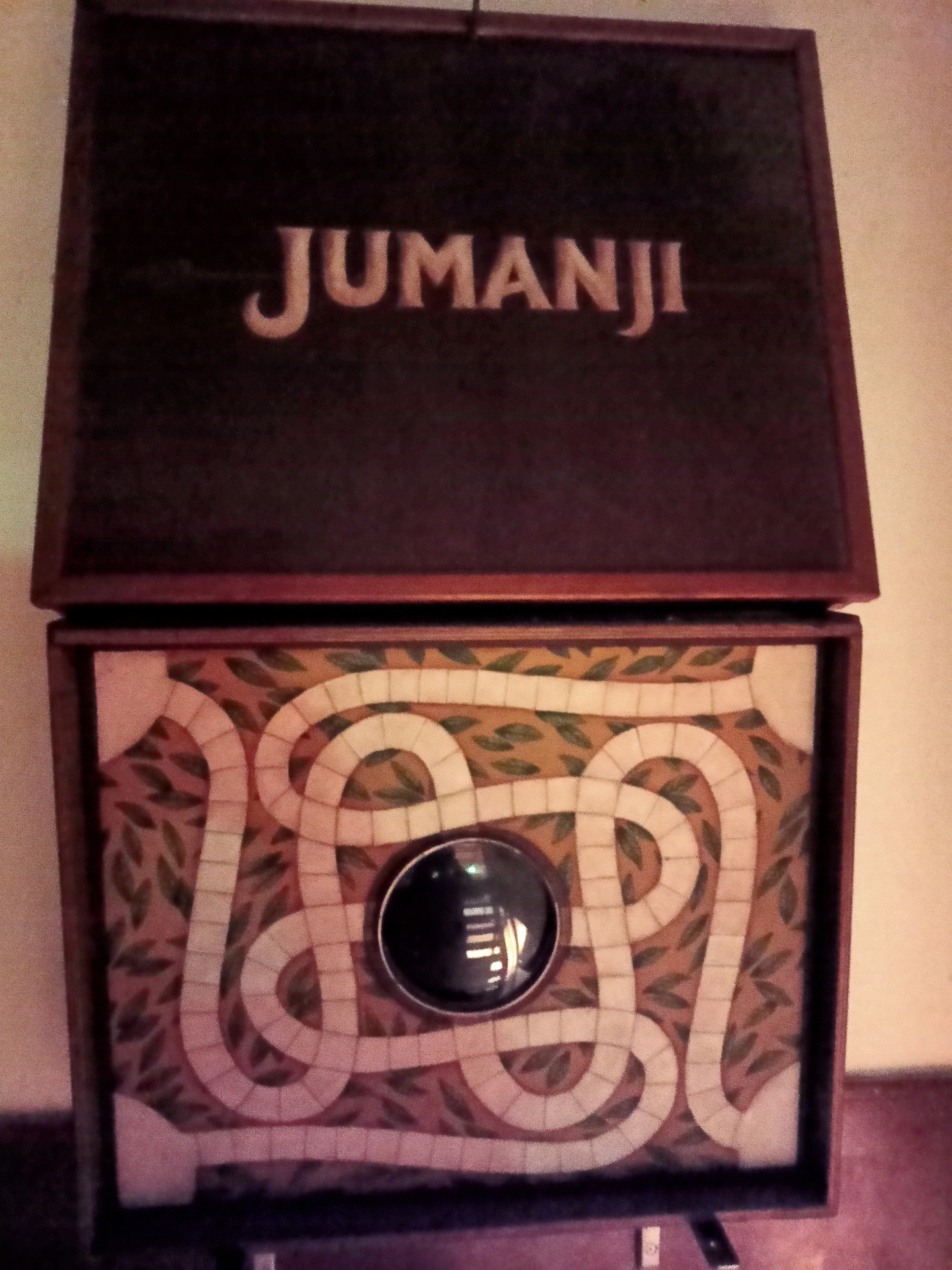
Maybe you also have a white area to fill, here is a suggestion.
For years we collected picture frames, weird and ugly.
We wanted to have a collection of images in our staircase, to fill the white area.
The images are all something we like, have interest in or are personal.
It needed to be on 3 walls, so here was my first design.


I worked for a highly secure position in a financial place.
We had to use so-called RSA keys.
These keys we needed to get access to the servers.
That morning i came in office and had the following conversation with the manager:
ME: It’s far too easy to lose my RSA key, so I left it at home.
Manager: So how are you getting any work done?
ME: Well … i can get the login codes from here, while opening a browser to a popular social site. Here is my webcam, pointing to my RSA key.
(For everyone to see)
Manager: …. blank stare
ME: Now i can access it from anywhere!
Manager: … buttt
I recorded the key, so it displayed only a few old codes.
(It was a looping animated GIF, which looked like a webcam picture)
When explaining he laughed. A two minute joke, two hours making it ..
Don’t know bios passwd anymore?
start debug.exe
o = out port 0x0070-0x0071 The CMOS and RTC registers (more info below) # Does not seem related but it works! -o 70 2E -o 71 FF -q OR -o 70 17 -o 71 17 -q
Other fixes i’ve used:
Remove cmos battery .. and short the connections with wire.
This CAN completely reset your Bios settings!
0070-007F ---- CMOS RAM/RTC (Real Time Clock MC146818) 0070 w CMOS RAM index register port (ISA, EISA) bit 7 = 1 NMI disabled = 0 NMI enabled bit 6-0 CMOS RAM index (64 bytes, sometimes 128 bytes) any write to 0070 should be followed by an action to 0071 or the RTC wil be left in an unknown state. 0071 r/w CMOS RAM data port (ISA, EISA) RTC registers: 00 current second in BCD 01 alarm second in BCD 02 current minute in BCD 03 alarm minute in BCD 04 current hour in BCD 05 alarm hour in BCD 06 day of week in BCD 07 day of month in BCD 08 month in BCD 09 year in BCD (00-99) 0A status register A bit 7 = 1 update in progress bit 6-4 divider that identifies the time-based frequency bit 3-0 rate selection output frequency and int. rate 0B status register B bit 7 = 0 run = 1 halt bit 6 = 1 enable periodic interrupt bit 5 = 1 enable alarm interrupt bit 4 = 1 enable update-ended interrupt bit 3 = 1 enable square wave interrupt bit 2 = 1 calendar is in binary format = 0 calendar is in BCD format bit 1 = 1 24-hour mode = 0 12-hour mode bit 0 = 1 enable daylight savings time. only in USA. useless in Europe. Some DOS versions clear this bit when you use the DAT/TIME command. 0C status register C bit 7 = interrupt request flag bit 6 = peridoc interrupt flag bit 5 = alarm interrupt flag bit 4 = update interrupt flag bit 3-0 reserved 0D status register D bit 7 = 1 Real-Time Clock has power bit 6-0 reserved 0E diagnostics status byte bit 7 = 0 RTC lost power bit 6 = 1 CMOS RAM checksum bad bit 5 = 1 invalid configuration information at POST bit 4 = 1 memory size error at POST bit 3 = 1 fixed disk/adapter failed initialization bit 2 = 1 CMOS RAM time found invalid bit 1 = 1 adapters do not match configuration (EISA) bit 0 = 1 time out reading an adapter ID (EISA) 0F shutdown status byte 00 = normal execution of POST 01 = chip set initialization for real mode reentry 04 = jump to bootstrap code 05 = issue an EOI an JMP to Dword ptr at 40:67 06 = JMP to Dword ptrv at 40:67 without EOI 07 = return to INT15/87 (block move) 08 = return to POST memory test 09 = return to INT15/87 (block move) 0A = JMP to Dword ptr at 40:67 without EOI 0B = return IRETS through 40:67 10 diskette drive type for A: and B: bit 7-4 drive type of drive 0 bit 3-0 drive type of drive 1 = 0000 no drive = 0001 360K = 0010 1M2 = 0011 720K = 0100 1M44 = 0101-1111 reserved 11 reserved / AMI Extended CMOS setup (AMI Hi-Flex BIOS) bit 7 = 1 Typematic Rate Programming bit 6-5 = 00 Typematic Rate Delay 250 mSec bit 4-0 = 00011 Typematic Rate 21.8 Chars/Sec 12 fixed disk drive type for drive 0 and drive 1 bit 7-4 drive type of drive 0 bit 3-0 drive type of drive 1 if either of the nibbles equals 0F, then bytes 19 an 1A are valid 13 reserved / AMI Extended CMOS setup (AMI Hi-Flex BIOS) bit 7 = 1 Mouse Support Option bit 6 = 1 Above 1 MB Memory Test disable bit 5 = 1 Memory Test Tick Sound disable bit 4 = 1 Memory Parity Error Check enable bit 3 = 1 Hit <ESC> Message Display disabled bit 2 = 1 Hard Disk Type 47 Data Area at address 0:300 bit 1 = 1 Wait For <F1> If Any Error enabled bit 0 = 1 System Boot Up Num Lock is On 14 equipment byte bit 7-6 diskette drives installed = 00 1 drive installed = 01 2 drives installed = 10 reserved = 11 reserved bit 5-4 primary display = 00 adapter card with option ROM = 01 40*25 color = 10 80*25 color = 11 monochrome bit 3-2 reserved bit 1 = 1 coprocessor installed (non-Weitek) bit 0 diskette drive avaliable for boot 15 LSB of systemn base memory in Kb 16 MSB of systemn base memory in Kb 17 LSB of total extended memory in Kb 18 MSB of total extended memory in Kb 19 drive C extension byte 1A drive D extension byte 1B-27 reserved 1B/1C word to 82335 RC1 roll compare register at [24] (Phoenix) 1D/1E word to 82335 RC2 roll compare register at [26] (Phoenix) 28 HP-Vectra checksum over 29-2D 29-2D reserved 29/2A word to Intel 82335 CC0 compare register at [28](Phoenix) 2B/2C word send to 82335 CC1 compare register at [2A] (Phoenix) 2D AMI Extended CMOS setup (AMI Hi-Flex BIOS) (Phoenix BIOS checks for the values AA or CC) bit 7 = 1 Weitek Processor Absent bit 6 = 1 Floppy Drive Seek At Boot disabled bit 5 = 1 System Boot Up Sequence C:, A: bit 4 = 1 System Boot Up Speed is high bit 3 = 1 Cache Memory enabled bit 2 = 1 Internal Cache Memory <1> bit 1-0 reserved 2E CMOS MSB checksum over 10-2D 2F CMOS LSB checksum over 10-2D 30 LSB of extended memory found above 1Mb at POST 31 MSB of extended memory found above 1Mb at POST 32 date century in BCD 33 information flags bit4 = bit4 from CPU register CR0 (Phoenix) this bit is only known as INTEL RESERVED 34-3F reserved 34 bit4 bit5 (Phoenix BIOS) 3D/3E word to 82335 MCR memory config register at [22](Phoenix) 3D bit3 base memsize 512/640 (Phoenix) 3E bit7 = 1 relocate enable (Phoenix) bit1 = 1 shadow video enable (Phoenix) bit0 = 1 shadow BIOS enable (Phoenix) User Definable Drive Parameters are also stored in CMOS RAM: AMI (386sx BIOS 1989) first user definable drive (type 47) 1B L cylinders 1C H cylinders 1D heads 1E L Write Precompensation Cylinder 1F H Write Precompensation Cylinder 20 ?? 21 L cylinders parking zone 22 H cylinders parking zone 23 sectors AMI (386sx BIOS 1989) second user definable drive (type 48) 24 L cylinders 25 H cylinders 26 heads 27 L Write Precompensation Cylinder 28 H Write Precompensation Cylinder 29 ?? 2A L cylinders parking zone 2B H cylinders parking zone 2C sectors Phoenix (386BIOS v1.10.03 1988) 1st user definable drv (type48) 20 L cylinders 21 H cylinders 22 heads 23 L Write Precompensation Cylinder 24 H Write Precompensation Cylinder 25 L cylinders parking zone 26 H cylinders parking zone 27 sectors Phoenix (386BIOS v1.10.03 1988) 2nd user definable drv (type49) (when PS/2-style password option is not used) 35 L cylinders 36 H cylinders 37 heads 38 L Write Precompensation Cylinder 39 H Write Precompensation Cylinder 3A L cylinders parking zone 3B H cylinders parking zone 3C sectors
I’ve got a large Folk Music collection. And i wanted to have an overview of the Audio CD’s (mp3/flac) i’ve got from every Band or Artist.
So I made some PHP scripts and a scraping tool. To get a nice overview.
A part of it looks like this:
Most is auto-generated:
The scraper part needs eyed3 (made at a later date)
PHP Files
::::::::::::::
artist.php
::::::::::::::
<html><head><title></title>
<style type="text/css">
img.clams { border: black dotted 1px; }
</style>
</head><body vlink=black alink=black link=black>
<? $filebak=$file; ?>
<center><P>
<table border=2><tr><td bgcolor="#cccccc">
<P>
<?php include "list.php"; ?>
</td></tr></table>
<P>
<table>
<?php
$file=$filebak;
echo "<tr><td bgcolor=black><a name=\"$file\"><font color=white face=tahoma><b>$file</b></font></a></td></tr>"; include "readcovers.php";
?>
</table>
<P>
<?php if (file_exists("thumbs/$file/info.txt")){ include "thumbs/$file/info.txt"; } ?>
</body></html>
::::::::::::::
index.php
::::::::::::::
<html><head><title></title>
<style type="text/css">
img.clams { border: black dotted 1px; }
</style>
</head><body vlink=black alink=black link=black>
<a name="top">
<font face=tahoma color=red>missing</font> ::
<font face=tahoma color=orange>not complete</font> ::
<font face=tahoma color=blue>special</font> ::
<font face=tahoma color=green>got this one</font><P>
<center><P>
<font face=Tahoma>TODO: List artists, per-page covers (per artist)<BR>
Sort A-Z<BR>Counters<BR>filter <i>got this one / Missing</i>
<table border=2><tr><td bgcolor="#cccccc">
<P>
<?php include "list.php"; ?>
</td></tr></table>
<P>
<table>
<?php
$dir = "thumbs/";
// Open a known directory, and proceed to read its contents
if (is_dir($dir)) {
$dh = opendir($dir);
while (($file = readdir($dh)) !==false) {
#echo "filename: $file : filetype: " . filetype($dir . $file) . "\n";
if (filetype($dir . $file)=="dir" && $file!=="." && $file!=="..") { echo "<tr><td bgcolor=black><a name=\"$file\"><font color=white face=tahoma><b>$file</b></font></a><a href=\"#top\"> <f
ont face=tahoma color=\"grey\"><small>(top)</small></a></td></tr>"; include "readcovers.php"; }
}
}
closedir($dh);
?>
</table>
</body></html>
::::::::::::::
list.php
::::::::::::::
<html><head><title></title>
<style>
<!--
A:link {text-decoration: none; color: "#000000";}
A:visited {text-decoration: none; color: "#000000";}
A:hover {text-decoration: none; }
//-->
</style>
</head><body>
<center><P>
<?php
$countart=0;
$dir = "thumbs/";
// Open a known directory, and proceed to read its contents
if (is_dir($dir)) {
$dh = opendir($dir);
while (($file = readdir($dh)) !==false) {
if (filetype($dir . $file)=="dir" && $file!=="." && $file!=="..") { echo "<a href=\"index.php#$file\"><font color=black face=tahoma><b>$file</b></font></a><a href=\"artist.php?file=$file\
">@</a> "; $countart=$countart+1; if ($countart==4) { $countart=0; echo "<BR>";} else { echo ":: ";} }
}
}
closedir($dh);
?>
</body></html>
::::::::::::::
readcovers.php
::::::::::::::
<tr><td align=left>
<table><tr><td width=30></td>
<?php
$dir1 = "thumbs/$file";
$counter=0;
// Open a known directory, and proceed to read its contents
if (is_dir($dir1)) {
if ($dh1 = opendir($dir1)) {
while (($file1 = readdir($dh1)) !==false) {
#echo "filename: $file : filetype: " . filetype($dir1 . $file) . "<BR>";
$fileinfo="leeg";
if ($counter==7) { echo "</tr><tr><td width=30></td>"; $counter=0; }
if ($file1!=="." && $file1!=="..") {
if (stristr("$file1", ".jpg")) { echo "<td valign=top width=105><center><img src=\"$dir1/$file1\" class=\"clams\">";
$fileinfo = str_replace("jpg", "txt", $file1); $counter=$counter+1;}
if (file_exists("$dir1/$fileinfo")) { echo "<br><font face=tahoma><small>"; include "$dir1/$fileinfo"; }
echo "</small></td>";
}
}
closedir($dh1);
}
}
?>
</tr></table>
</td></tr>
Scraper
mkdir -p /tmp/1 find celtic/Celtic/ -type d | while read ; do countmp3=$(ls "$REPLY" | egrep -i mp3$ | wc -l) if [ $countmp3 -gt 0 ] ; then rm -f /tmp/1/* album=$( echo $REPLY | rev | cut -f1 -d/ | rev) artist=$( echo $REPLY | rev | cut -f2 -d/ | rev) countslash=$(echo "$REPLY" | tr -cd '/' | wc -c) if [ $countslash -lt 4 ] ; then artist=$album album="" fi echo "artist : $artist - Album : $album" mkdir -p "thumbs/$artist" ls "$REPLY" | egrep -i "mp3$|flac$" | while read biggest; do eyeD3 --write-images=/tmp/1 "$REPLY/$biggest" if [ ! "$( ls -A /tmp/1/ )" ] ; then cp empty.jpg /tmp/1/FRONT.jpg ;fi deze=$(ls -S /tmp/1/* | head -1) convert -resize 200x200 "$deze" "thumbs/$artist/$album.jpg" echo "$album" > "thumbs/$artist/$album.txt" done fi done
I’m planning to make an version which shows every individual mp3, and shows me if they are valid mp3’s/flac and have a good cover.
(Using tiny thumbnails) (Made this, didin’t post)