Category Archives: Photography

Ipcam sphere panorama

I made a little script to make a 360 spherical panorama photo, using a remote controlled IP cam,

Looking at the API CGI, i only needed to control the movement of the camera and getting a snapshot.

  • Point camera down
  • Point camera maximal left
  • Take picture
  • Point a little to the right
  • Take picture, loop until max right
  • Point a little more up and go max left
  • Doing same loop as above, until pointing maximal up
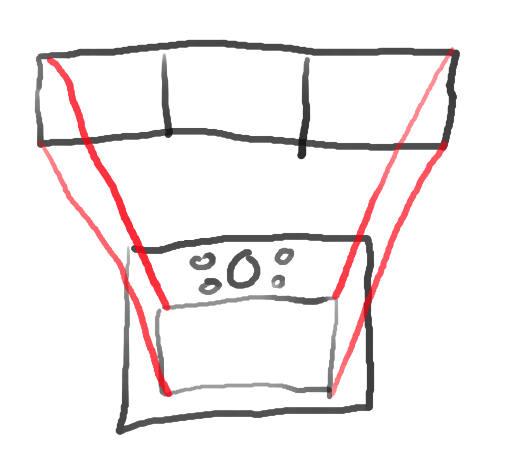
Made a little animation in blender

After getting all those pictures, i only needed to stitch them using Hugin.
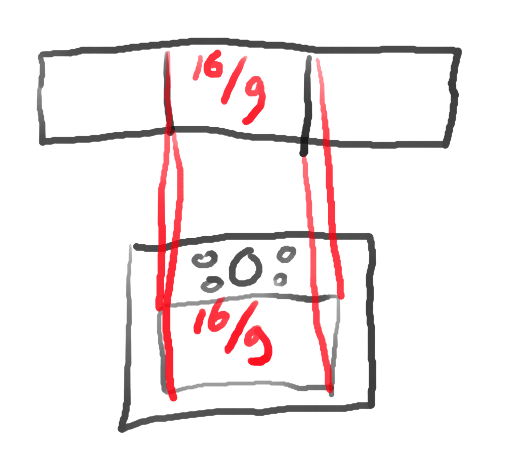
When viewing the image with VR Glasses, i could look around my room, without image distortion, like below flattend example.

The ipcam generates a token, which you have to use in your curl commands.

TOKEN PART

token=$( curl -s -d  '[{"cmd":"Login","action":0,"param":{"rs": "abcd", "User":{"userName":"admin","password":"SECRETPASSWORD"}}}]'  "http://camera.ip.number.here/cgi-bin/api.cgi?cmd=Login&token=null"  -H 'Content-Type: application/json' | grep name | cut -f4 -d\" )

GETTING A IMAGE FROM IPCAM

wget "http://camera.ip.number.here/cgi-bin/api.cgi?cmd=Snap&channel=0&rs=123asd&user=admin&password=SECRETPASSWORD" -O output.jpg

CONTROLLING MOVEMENT

curl -X POST  -d '[{"cmd":"PtzCtrl","action":0,"param":{"rs": "abcd", "channel":0,"op":"Left","speed":1,"id":1}}]' "http://camera.ip.number.here/cgi-bin/api.cgi?cmd=PtzCtrl&token=$token"

COMPLETE SCRIPT

#!/bin/bash
token=$( curl -s -d  '[{"cmd":"Login","action":0,"param":{"rs": "abcd", "User":{"userName":"admin","password":"SECRETPASSWORD"}}}]'  "http://camera.ip.number.here/cgi-bin/api.cgi?cmd=Login&token=null"  -H 'Content-Type: application/json' | grep name | cut -f4 -d\" )
echo $token

if [ $2 == "max" ]; then
curl -X POST  -d '[{"cmd":"PtzCtrl","action":0,"param":{"rs": "abcd", "channel":0,"op":"'$1'","speed":1,"id":1}}]' "http://camera.ip.number.here/cgi-bin/api.cgi?cmd=PtzCtrl&token=$token"
exit 0
fi


for x in $(seq -w 1 25) ; do
	for y in $(seq -w 1 12) ; do
                wget "http://camera.ip.number.here/cgi-bin/api.cgi?cmd=Snap&channel=0&rs=123asd&user=admin&password=SECRETPASSWORD" -O ${x}${y}.jpg
		curl -X POST  -d '[{"cmd":"PtzCtrl","action":0,"param":{"rs": "abcd", "channel":0,"op":"Right","speed":1,"id":1}}]' "http://camera.ip.number.here/cgi-bin/api.cgi?cmd=PtzCtrl&token=$token"
		sleep 0.5
		curl -X POST  -d '[{"cmd":"PtzCtrl","action":0,"param":{"rs": "abcd", "channel":0,"op":"Stop","speed":1,"id":1}}]' "http://camera.ip.number.here/cgi-bin/api.cgi?cmd=PtzCtrl&token=$token"
		sleep 5
	done

	curl -X POST  -d '[{"cmd":"PtzCtrl","action":0,"param":{"rs": "abcd", "channel":0,"op":"Left","speed":1,"id":1}}]' "http://camera.ip.number.here/cgi-bin/api.cgi?cmd=PtzCtrl&token=$token"
	sleep 30
	curl -X POST  -d '[{"cmd":"PtzCtrl","action":0,"param":{"rs": "abcd", "channel":0,"op":"Stop","speed":1,"id":1}}]' "http://camera.ip.number.here/cgi-bin/api.cgi?cmd=PtzCtrl&token=$token"
	sleep 1
        curl -X POST  -d '[{"cmd":"PtzCtrl","action":0,"param":{"rs": "abcd", "channel":0,"op":"Up","speed":1,"id":1}}]' "http://camera.ip.number.here/cgi-bin/api.cgi?cmd=PtzCtrl&token=$token"
	sleep 0.5
	curl -X POST  -d '[{"cmd":"PtzCtrl","action":0,"param":{"rs": "abcd", "channel":0,"op":"Stop","speed":1,"id":1}}]' "http://camera.ip.number.here/cgi-bin/api.cgi?cmd=PtzCtrl&token=$token"
sleep 5
done
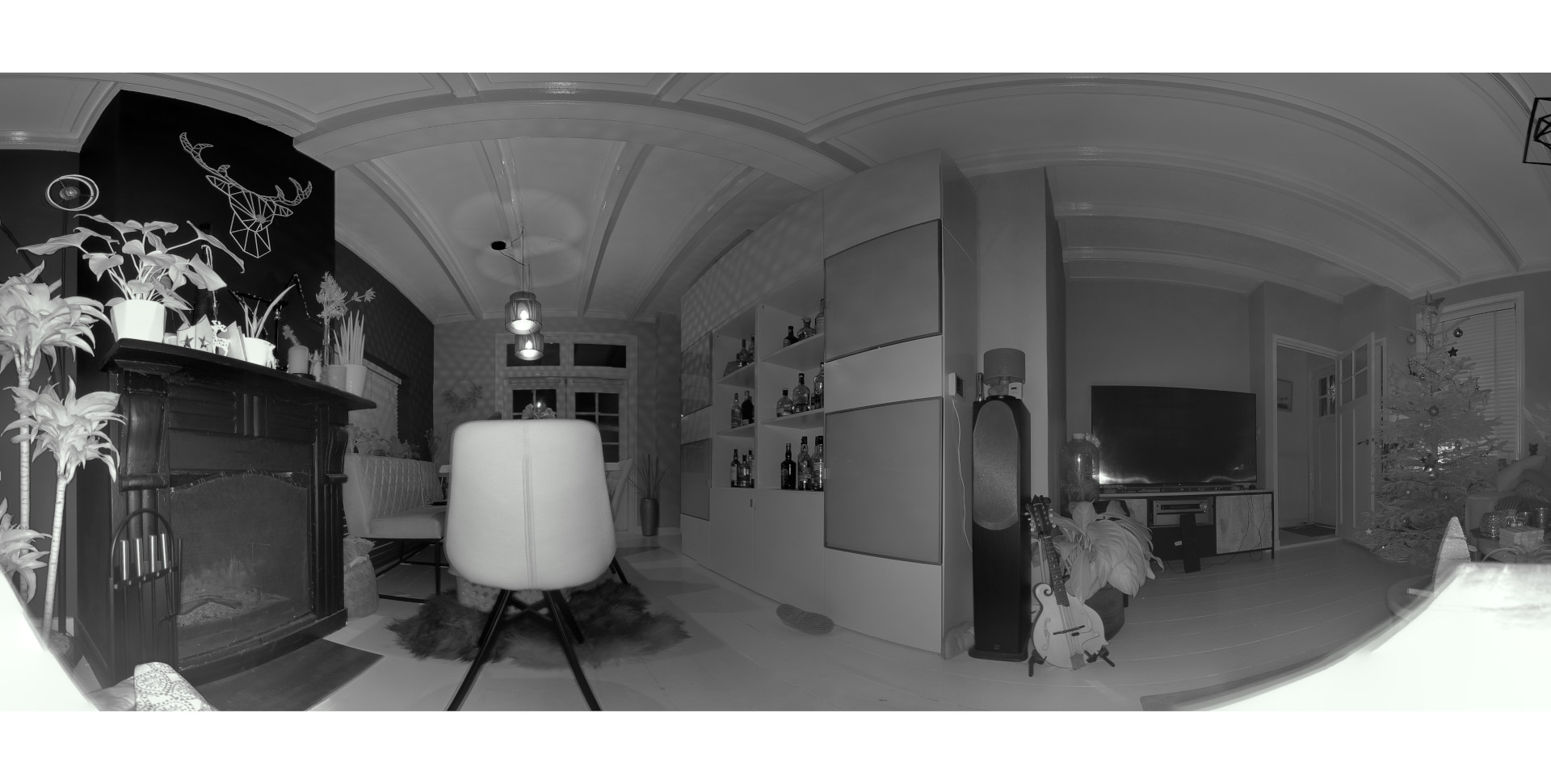
1st panorama (Black and White due to night mode camera)

Bluetooth Macro Keyboard for Photo Management

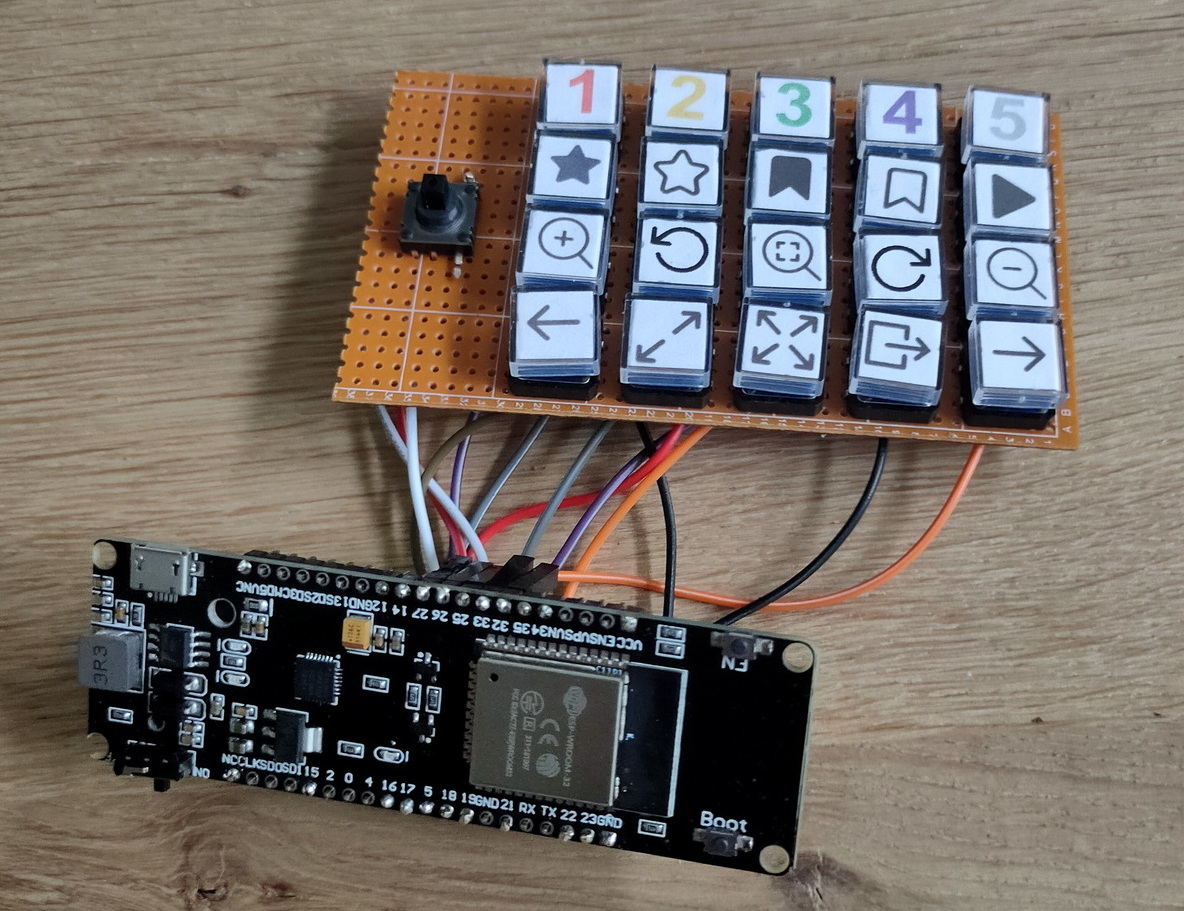
Arduino Bluetooth Photo view marco keyboard
  • Cursor pad on the left
  • 1 till 5 (see below)
  • star + 1-5, rates 1 till 5 stars
  • outline star – removes rating
  • bookmark + 1-5, color marks image
  • Triangle – start slideshow
  • zoom-in, rotate CCW, reset zoom, rotate CW, zoom-out
  • previous image, open image, fullscreen, exit fullscreen to manager and next image

I’ve used a esp32 with 18650 battery holder.

I still have to 3d print a case 🙂

Code:

#include <BleConnectionStatus.h>
#include <BleKeyboard.h>
#include <KeyboardOutputCallbacks.h>

#define DEBUG 0micro joystick
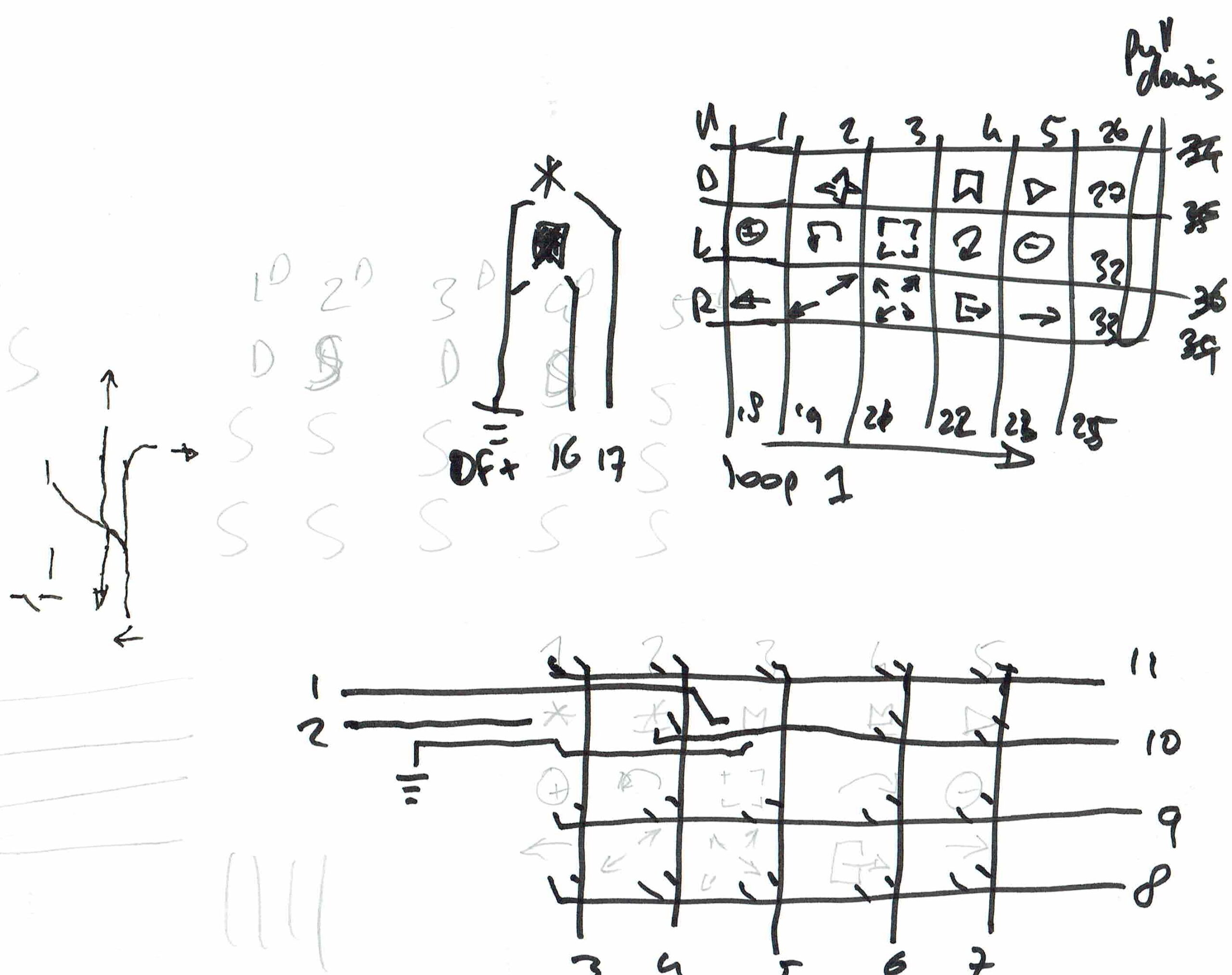
#define STAR 16
#define FLAG 17
#define COL1 18
#define COL2 19
#define COL3 21
#define COL4 22
#define COL5 23
#define COL6 25
#define ROW1 26
#define ROW2 27
#define ROW3 32
#define ROW4 33

int flagstate = 0;
int starstate = 0;
int row1state = 0;
int row2state = 0;
int row3state = 0;
int row4state = 0;
int col1state = 0;
int col2state = 0;
int col3state = 0;
int col4state = 0;
int col5state = 0;
int col6state = 0;

int colstate = 1;

BleKeyboard bleKeyboard;

void setup() {
#ifdef DEBUG
  Serial.begin(9600);
#endif
  bleKeyboard.begin();
  pinMode(STAR, INPUT_PULLUP);
  pinMode(FLAG, INPUT_PULLUP);
  pinMode(ROW1, INPUT_PULLUP);
  pinMode(ROW2, INPUT_PULLUP);
  pinMode(ROW3, INPUT_PULLUP);
  pinMode(ROW4, INPUT_PULLUP);
  pinMode(COL1, OUTPUT);
  pinMode(COL2, OUTPUT);
  pinMode(COL3, OUTPUT);
  pinMode(COL4, OUTPUT);
  pinMode(COL5, OUTPUT);
  pinMode(COL6, OUTPUT);
}
void loop() {
#ifdef DEBUG
  Serial.print("Colstate : ");
  Serial.print(colstate);
  Serial.print('\n');
#endif

  if (colstate == 1) {
    digitalWrite(COL1, LOW);
    digitalWrite(COL2, HIGH);
    digitalWrite(COL3, HIGH);
    digitalWrite(COL4, HIGH);
    digitalWrite(COL5, HIGH);
    digitalWrite(COL6, HIGH);
  }
  if (colstate == 2) {
    digitalWrite(COL1, HIGH);
    digitalWrite(COL2, LOW);
    digitalWrite(COL3, HIGH);
    digitalWrite(COL4, HIGH);
    digitalWrite(COL5, HIGH);
    digitalWrite(COL6, HIGH);
  }
  if (colstate == 3) {
    digitalWrite(COL1, HIGH);
    digitalWrite(COL2, HIGH);
    digitalWrite(COL3, LOW);
    digitalWrite(COL4, HIGH);
    digitalWrite(COL5, HIGH);
    digitalWrite(COL6, HIGH);
  }
  if (colstate == 4) {
    digitalWrite(COL1, HIGH);
    digitalWrite(COL2, HIGH);
    digitalWrite(COL3, HIGH);
    digitalWrite(COL4, LOW);
    digitalWrite(COL5, HIGH);
    digitalWrite(COL6, HIGH);
  }
  if (colstate == 5) {
    digitalWrite(COL1, HIGH);
    digitalWrite(COL2, HIGH);
    digitalWrite(COL3, HIGH);
    digitalWrite(COL4, HIGH);
    digitalWrite(COL5, LOW);
    digitalWrite(COL6, HIGH);
  }
  if (colstate == 6) {
    digitalWrite(COL1, HIGH);
    digitalWrite(COL2, HIGH);
    digitalWrite(COL3, HIGH);
    digitalWrite(COL4, HIGH);
    digitalWrite(COL5, HIGH);
    digitalWrite(COL6, LOW);
  }
  delay (100);
  flagstate = digitalRead(FLAG);
  starstate = digitalRead(STAR);
  row1state = digitalRead(ROW1);
  row2state = digitalRead(ROW2);
  row3state = digitalRead(ROW3);
  row4state = digitalRead(ROW4);
#ifdef DEBUG
  Serial.print("Rowstates : ");
  Serial.print(row1state);
  Serial.print(row2state);
  Serial.print(row3state);
  Serial.print(row4state);
  Serial.print('\n');
#endif
  // ROW1 = UP,DOWN,LEFT,RIGHT
  if (bleKeyboard.isConnected() && colstate == 1) {
    // UP
#ifdef DEBUG
    Serial.print("Up Pressed ");
    Serial.print('\n');
#endif

    if (row1state == 0) {
      bleKeyboard.press(KEY_UP_ARROW);
      delay (100);
      bleKeyboard.releaseAll();
    }
    // DOWN
    if (row2state == 0) {
      bleKeyboard.press(KEY_DOWN_ARROW);
      delay (100);
      bleKeyboard.releaseAll();
    }
    // LEFT
    if (row3state == 0) {
      bleKeyboard.press(KEY_LEFT_ARROW);
      delay (100);
      bleKeyboard.releaseAll();
    }
    // RIGHT
    if (row4state == 0) {
      bleKeyboard.press(KEY_RIGHT_ARROW);
      delay (100);
      bleKeyboard.releaseAll();
    }
  }
  // ROW2 = (1),(star),ZOOMIN,PREVIOUS
  if (bleKeyboard.isConnected() && colstate == 2) {
    // 1 - star
    if (row1state == 0 && starstate == 0) {
      bleKeyboard.press(KEY_LEFT_CTRL);
      bleKeyboard.press('1');
      delay (100);
      bleKeyboard.releaseAll();
    }
    // 1 - flag
    if (row1state == 0 && flagstate == 0) {
      bleKeyboard.press(KEY_LEFT_ALT);
      bleKeyboard.press('1');
      delay (100);
      bleKeyboard.releaseAll();
    }
    // NO ROWSTATE2

    // zoom in
    if (row3state == 0) {
      bleKeyboard.press('+');
      delay (100);
      bleKeyboard.releaseAll();
    }
    // PREVIOUS
    if (row4state == 0) {
      bleKeyboard.press(KEY_LEFT_CTRL);
      bleKeyboard.press(KEY_LEFT_ARROW);
      delay (100);
      bleKeyboard.releaseAll();
    }
  }
  // ROW3 = (2),unstar,CCWrotate,open
  if (bleKeyboard.isConnected() && colstate == 3) {
    // 2 - star
    if (row1state == 0 && starstate == 0) {
      bleKeyboard.press(KEY_LEFT_CTRL);
      bleKeyboard.press('2');
      delay (100);
      bleKeyboard.releaseAll();
    }
    // 2 - flag
    if (row1state == 0 && flagstate == 0) {
      bleKeyboard.press(KEY_LEFT_ALT);
      bleKeyboard.press('2');
      delay (100);
      bleKeyboard.releaseAll();
    }
    // unstar
    if (row2state == 0) {
      bleKeyboard.press(KEY_LEFT_CTRL);
      bleKeyboard.press('0');
      delay (100);
      bleKeyboard.releaseAll();
    }
    // CCW rotate
    if (row3state == 0) {
      bleKeyboard.press(KEY_LEFT_CTRL);
      bleKeyboard.press(KEY_LEFT_ALT);
      bleKeyboard.press(KEY_LEFT_ARROW);
      delay (100);
      bleKeyboard.releaseAll();
    }
    // open
    if (row4state == 0) {
      bleKeyboard.press(KEY_RETURN);
      delay (100);
      bleKeyboard.releaseAll();
    }
  }

  // ROW4 = (3),(flag),zoom,fullscreen
  if (bleKeyboard.isConnected() && colstate == 4) {
    // 3 - star
    if (row1state == 0 && starstate == 0) {
      bleKeyboard.press(KEY_LEFT_CTRL);
      bleKeyboard.press('3');
      delay (100);
      bleKeyboard.releaseAll();
    }
    // 3 - flag
    if (row1state == 0 && flagstate == 0) {
      bleKeyboard.press(KEY_LEFT_ALT);
      bleKeyboard.press('3');
      delay (100);
      bleKeyboard.releaseAll();
    }
    // NO ROWSTATE2

    // zoom reset
    if (row3state == 0) {
      bleKeyboard.press('*');
      delay (100);
      bleKeyboard.releaseAll();
    }
    // fullscreen
    if (row4state == 0) {
      bleKeyboard.press('f');
      delay (100);
      bleKeyboard.releaseAll();
    }
  }

  // ROW5 = (4),unflag,CWrotate,exit
  if (bleKeyboard.isConnected() && colstate == 5) {
    // 4 - star
    if (row1state == 0 && starstate == 0) {
      bleKeyboard.press(KEY_LEFT_CTRL);
      bleKeyboard.press('4');
      delay (100);
      bleKeyboard.releaseAll();
    }
    // 4 - flag
    if (row1state == 0 && flagstate == 0) {
      bleKeyboard.press(KEY_LEFT_ALT);
      bleKeyboard.press('4');
      delay (100);
      bleKeyboard.releaseAll();
    }
    // unflag
    if (row2state == 0) {
      bleKeyboard.press(KEY_LEFT_ALT);
      bleKeyboard.press('0');
      delay (100);
      bleKeyboard.releaseAll();
    }
    // CW rotate
    if (row3state == 0) {
      bleKeyboard.press(KEY_LEFT_CTRL);
      bleKeyboard.press(KEY_LEFT_ALT);
      bleKeyboard.press(KEY_RIGHT_ARROW);
      delay (100);
      bleKeyboard.releaseAll();
    }
    // exit
    if (row4state == 0) {
      bleKeyboard.press(KEY_ESC);
      delay (100);
      bleKeyboard.releaseAll();
    }
  }

  // ROW6 = (5),slideshow,zoomout,next
  if (bleKeyboard.isConnected() && colstate == 6) {
    // 5 - star
    if (row1state == 0 && starstate == 0) {
      bleKeyboard.press(KEY_LEFT_CTRL);
      bleKeyboard.press('5');
      delay (100);
      bleKeyboard.releaseAll();
    }
    // 5 - flag
    if (row1state == 0 && flagstate == 0) {
      bleKeyboard.press(KEY_LEFT_ALT);
      bleKeyboard.press('5');
      delay (100);
      bleKeyboard.releaseAll();
    }
    // slideshow
    if (row2state == 0) {
      bleKeyboard.press(KEY_ESC);
      bleKeyboard.press(KEY_LEFT_CTRL);
      bleKeyboard.press('s');
      delay (100);
      bleKeyboard.releaseAll();
    }
    // zoom out
    if (row3state == 0) {
      bleKeyboard.press('-');
      delay (100);
      bleKeyboard.releaseAll();
    }
    // next
    if (row4state == 0) {
      bleKeyboard.press(KEY_LEFT_CTRL);
      bleKeyboard.press(KEY_RIGHT_ARROW);
      delay (100);
      bleKeyboard.releaseAll();
    }
  }
  colstate++;
  if (colstate == 7) {
    colstate = 1;
  }
}
Keyboard layout

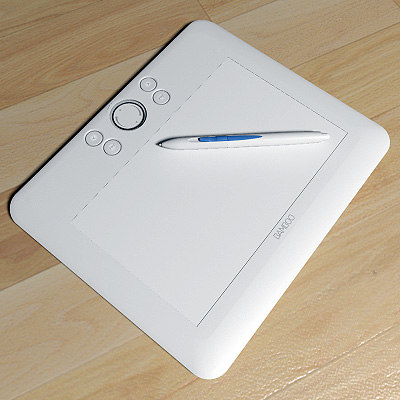
Wacom tablet doesn’t behave

Changed some code controlling my wacom drawing tablet.
I use this one to draw Art, diagrams and touch up photo’s.

When using multiple screens, i had the problem it would stretch the draw area over multiple screens, streching the ratio. Or it took the work screen to work on.

#!/bin/bash
# using xinput here, check post about two mouses/keyboards on one machine

# Use xrandr to check names check 
MONITOR="DP-1"
PAD_NAME='Wacom BambooFun 6x8 Pad pad'

#undo
xsetwacom --set "$PAD_NAME" Button 1 "key +ctrl +z -z -ctrl" 
xsetwacom --set "$PAD_NAME" Button 2 "key e"
xsetwacom --set "$PAD_NAME" Button 3 "key h"

ID_STYLUS=`xinput | grep "Pen stylus" | cut -f 2 | cut -c 4-5`
xinput map-to-output $ID_STYLUS $MONITOR
ID_STYLUS_2=`xinput | grep "Pen eraser" | cut -f 2 | cut -c 4-5`
xinput map-to-output $ID_STYLUS_2 $MONITOR

exit 0

Most of the times i use Krita and Gimp.

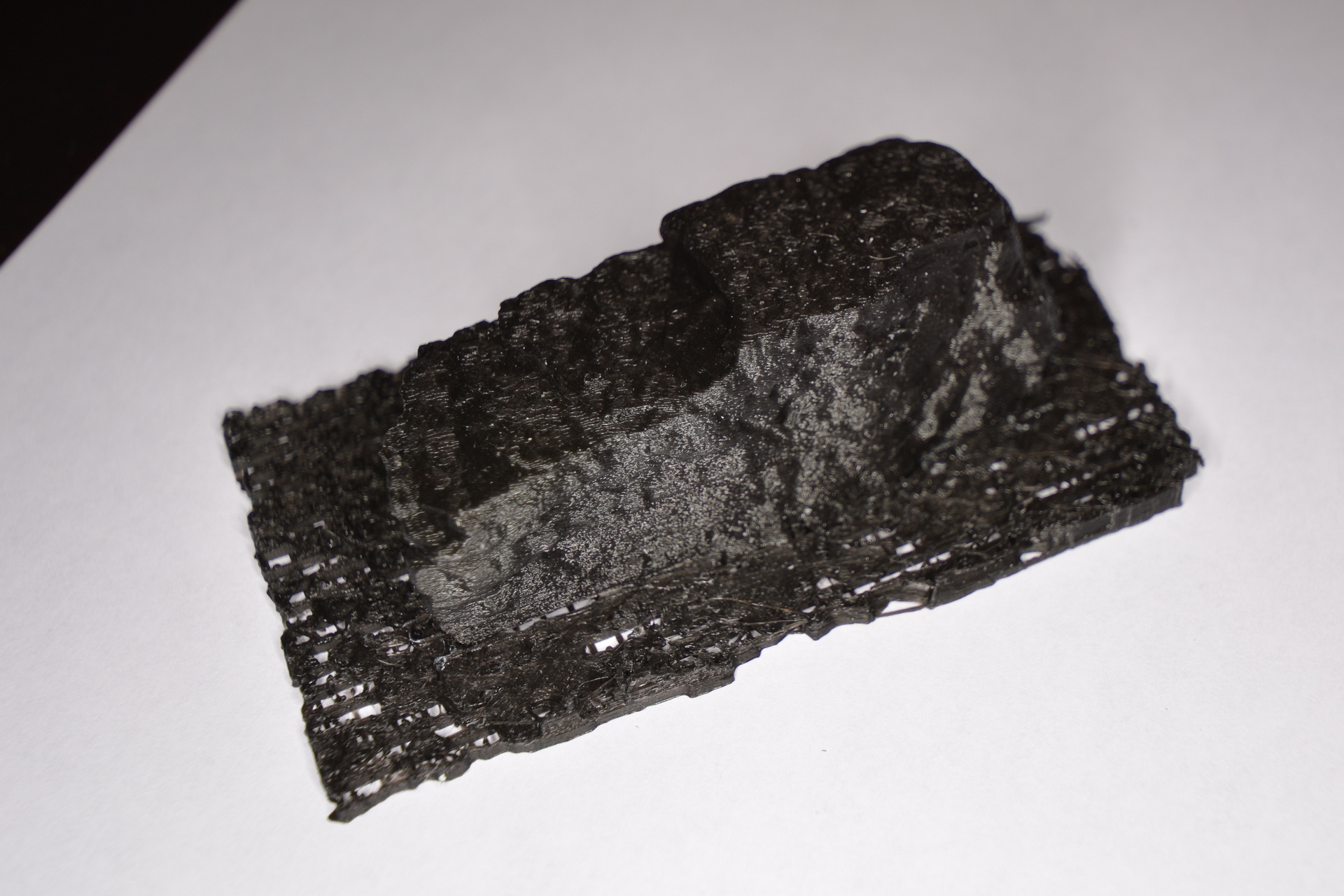
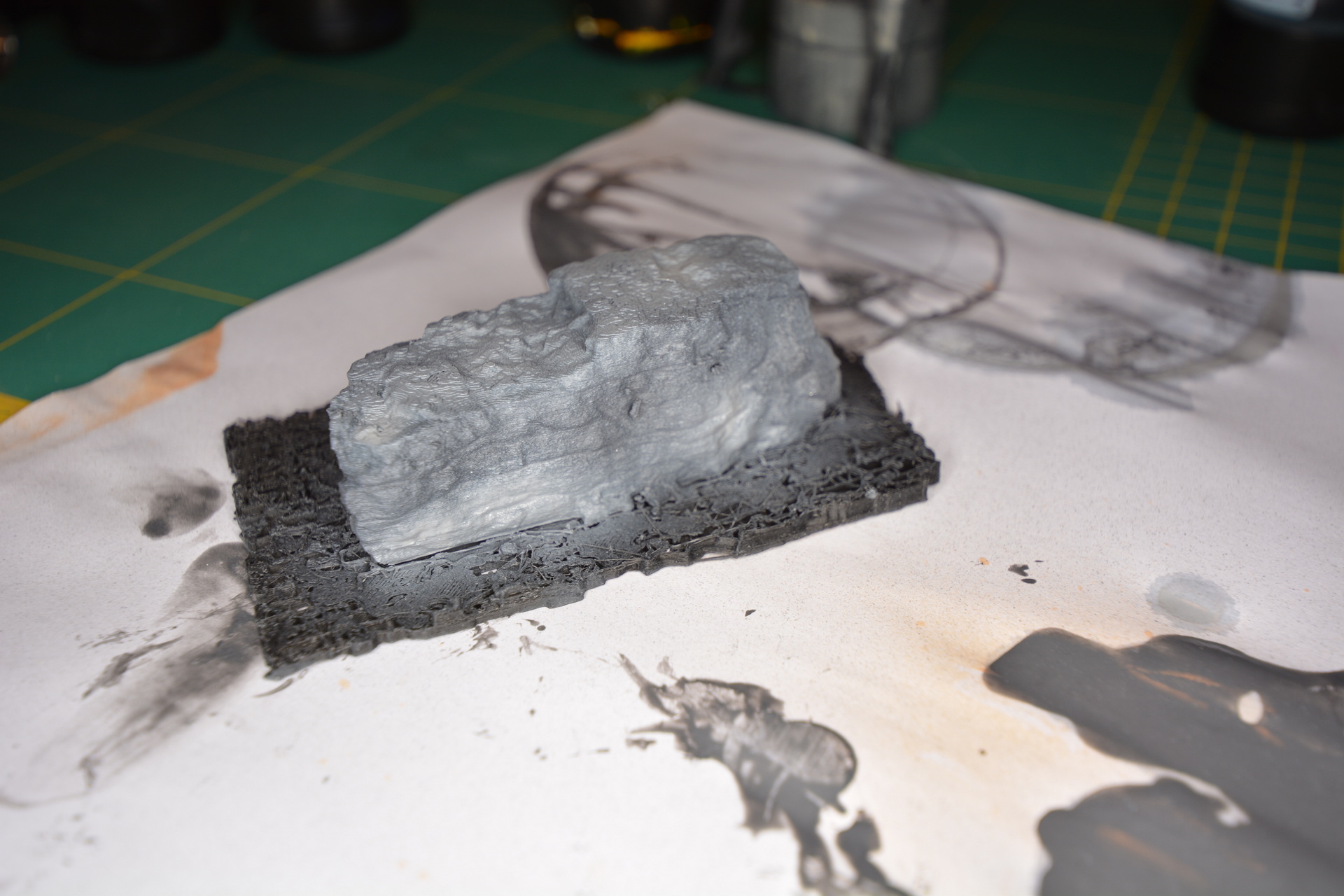
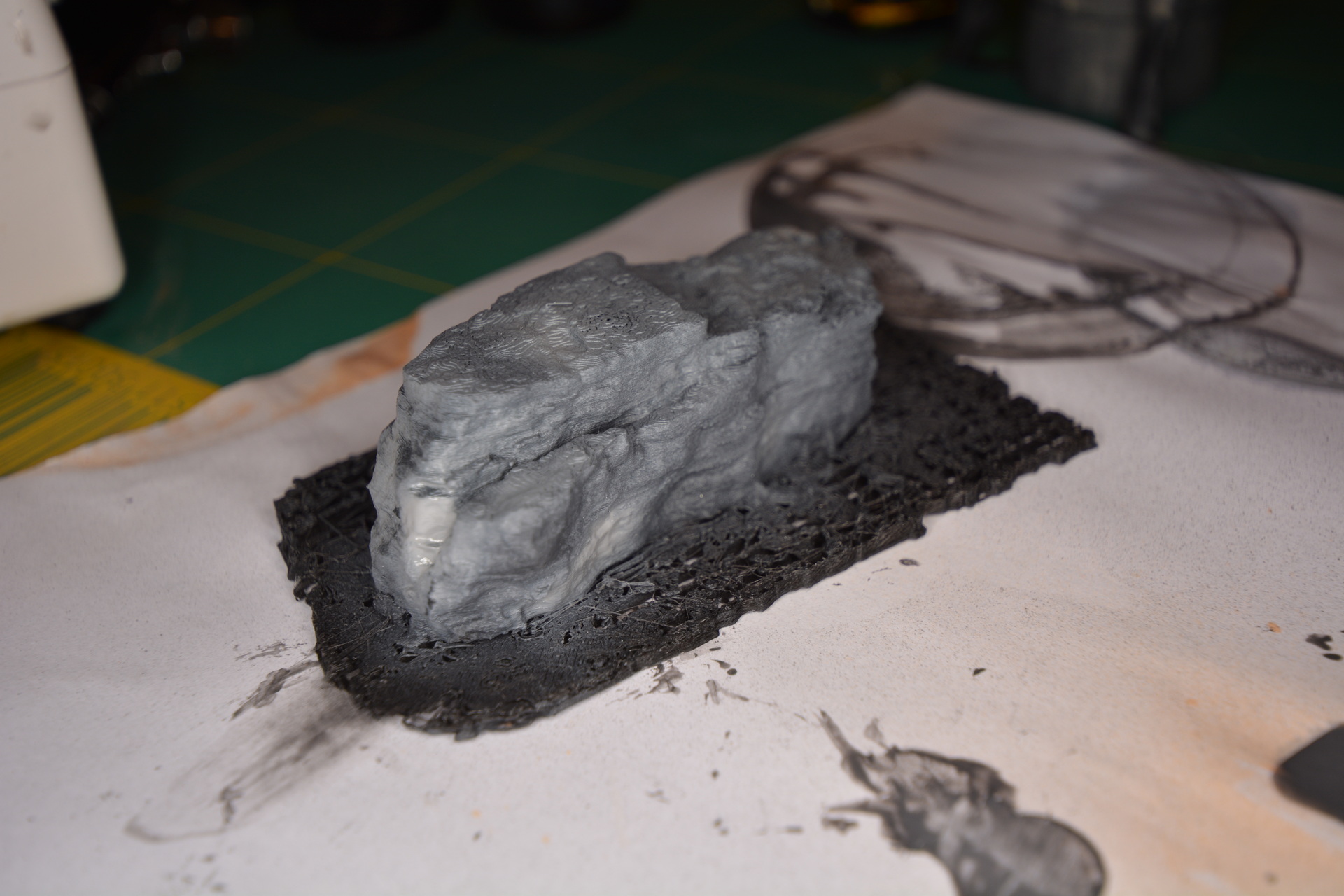
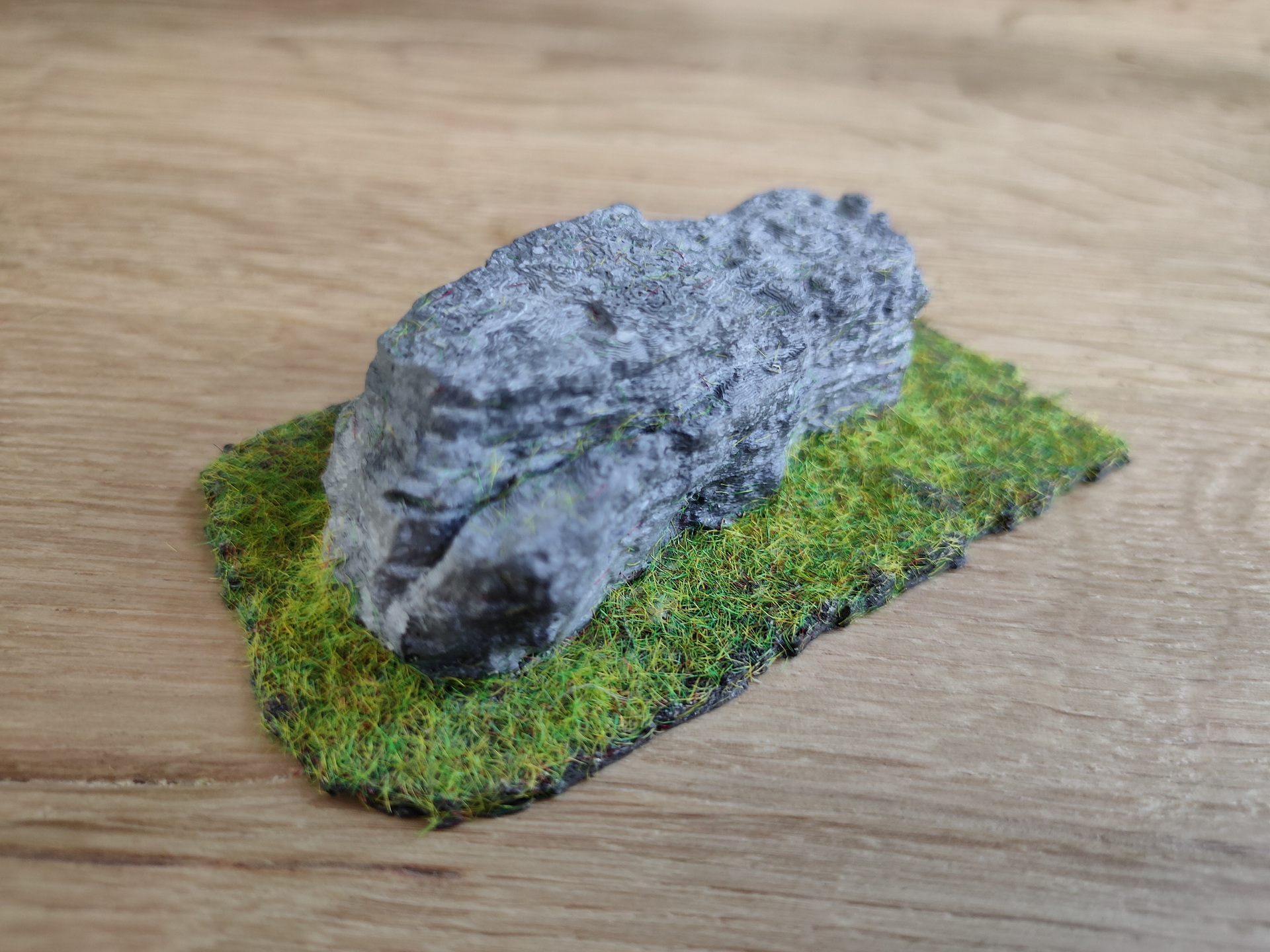
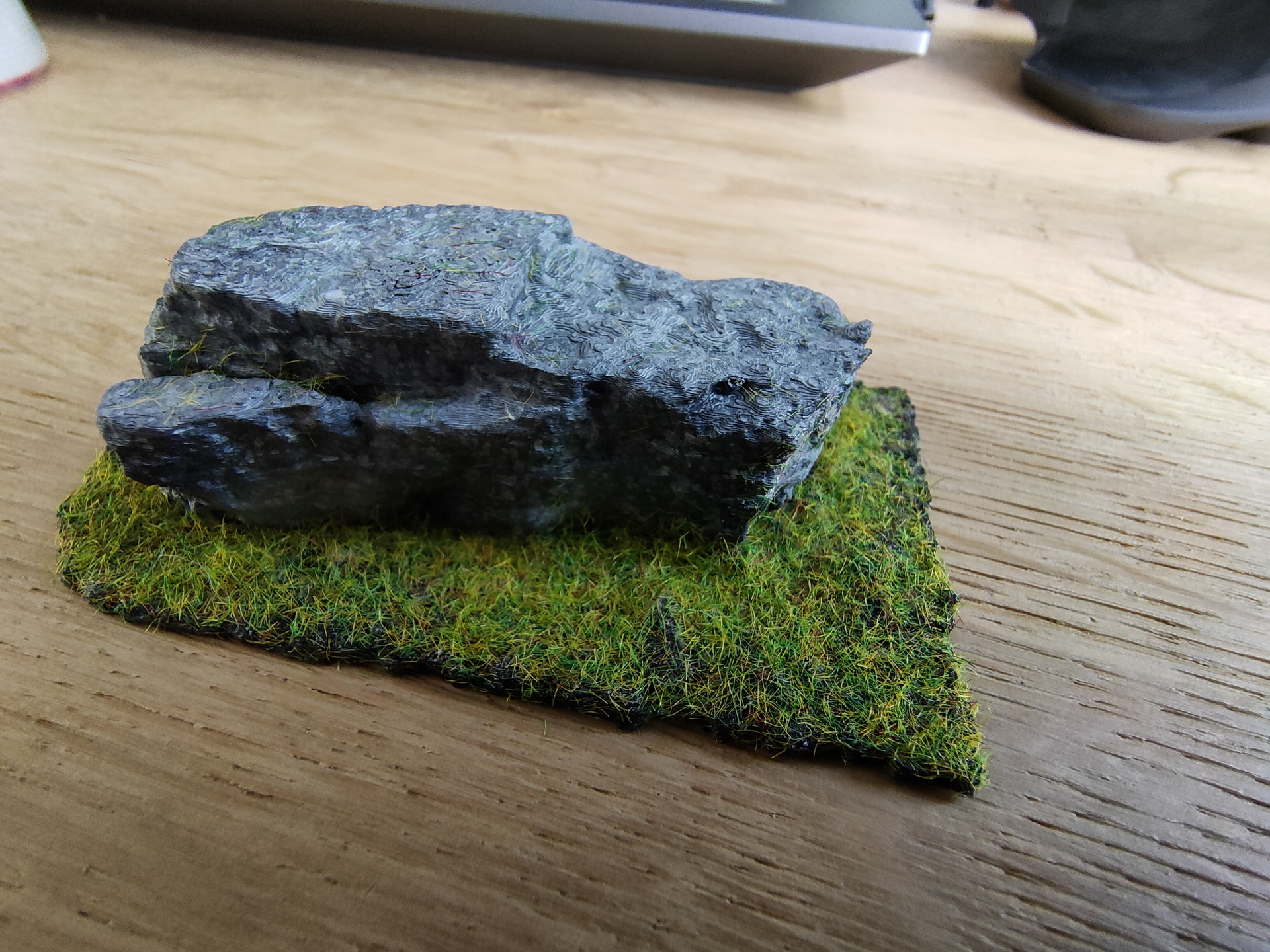
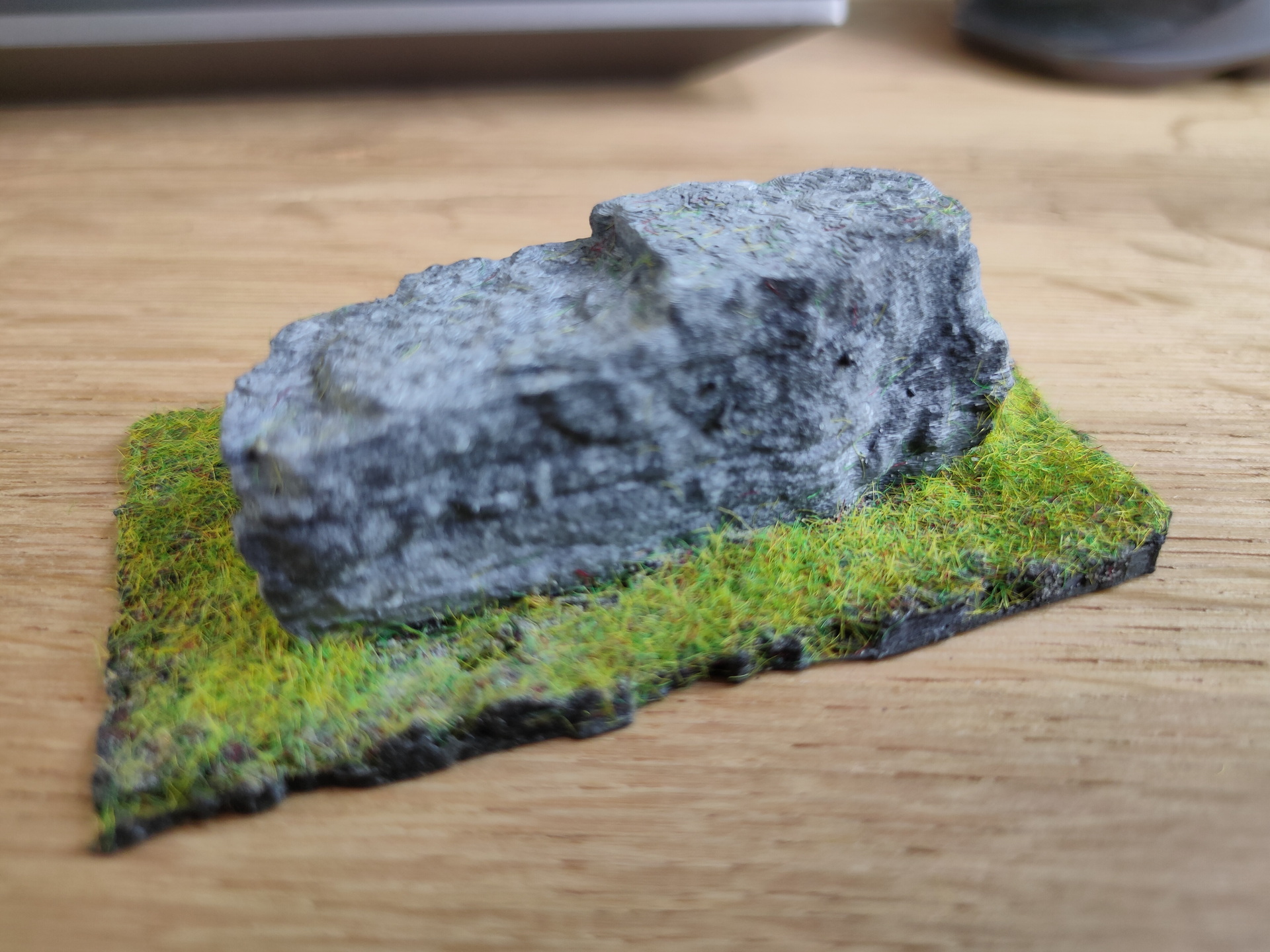
3D printed a stone

Why? Because i can

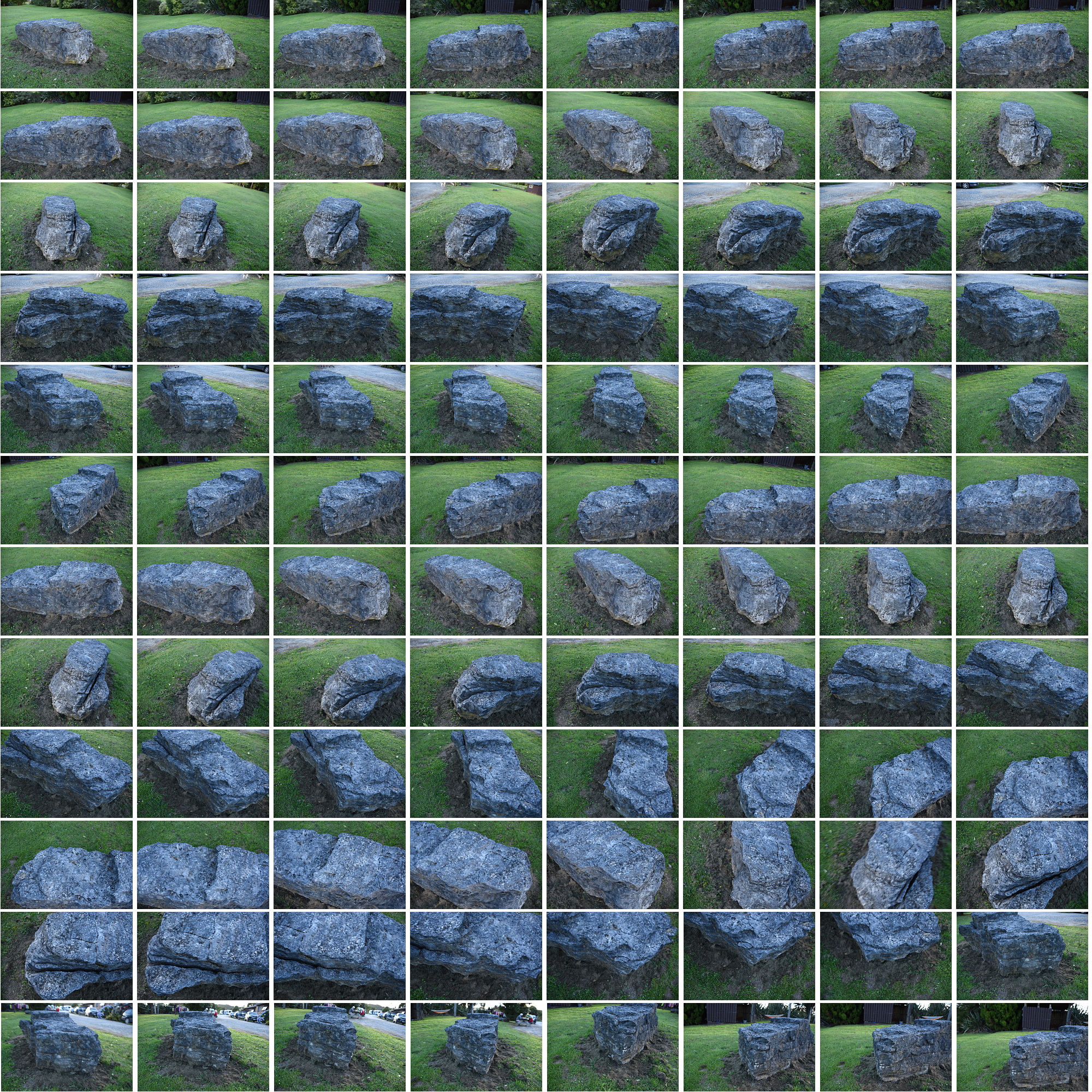
While on holiday in New Zealand i made photos of a rock i found on the campsite we where. Nothing special about the rock, but it was a nice subject to try to replicate.

So i took many many pictures of the stone from all sides.

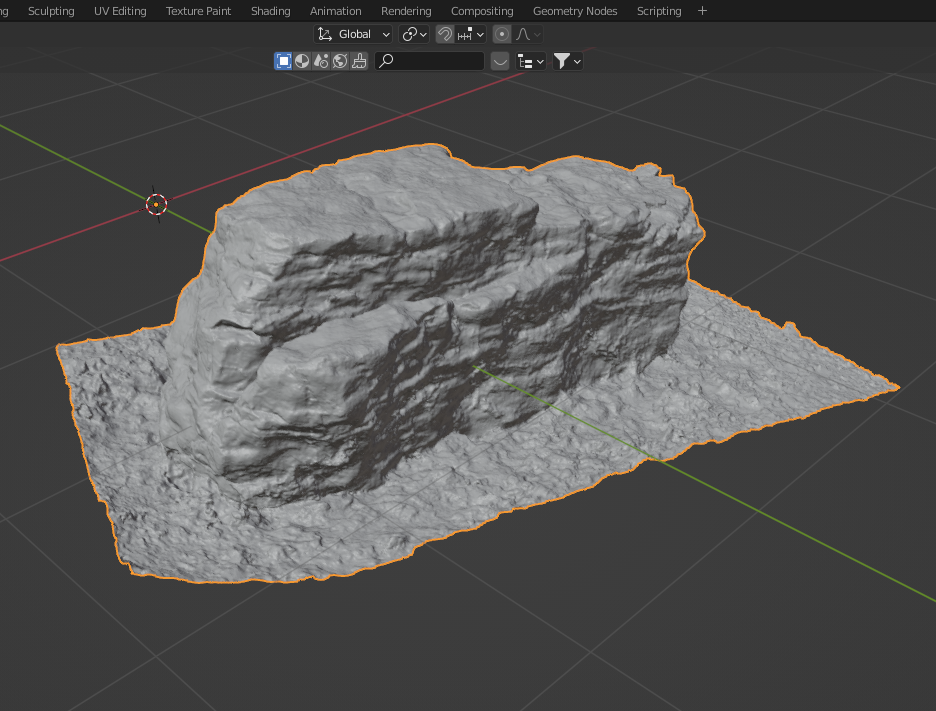
Imported those images in meshroom and convered it to a 3D stl object.

Blender object

Printing and airbrushing

Added some grass from our clock project

Mount Taranaki New Zealand

While traveling New Zealand we went to see Mt Taranaki

Mount Taranaki (Māori: Taranaki Maunga), also known as Mount Egmont, is a dormant stratovolcano in the Taranaki region on the west coast of New Zealand’s North Island. It is the second highest point in the North Island, after Mount Ruapehu.

I made this timelapse using a Nikon D750.

Convert a series of jpgs into a mp4

ffmpeg -f image2 -r 24 -start_number 8296 -i "750_%04d.JPG"  -vcodec libx264 -profile:v high444 -refs 16 -crf 0 -preset ultrafast -vf scale=1920:1080 output.mp4

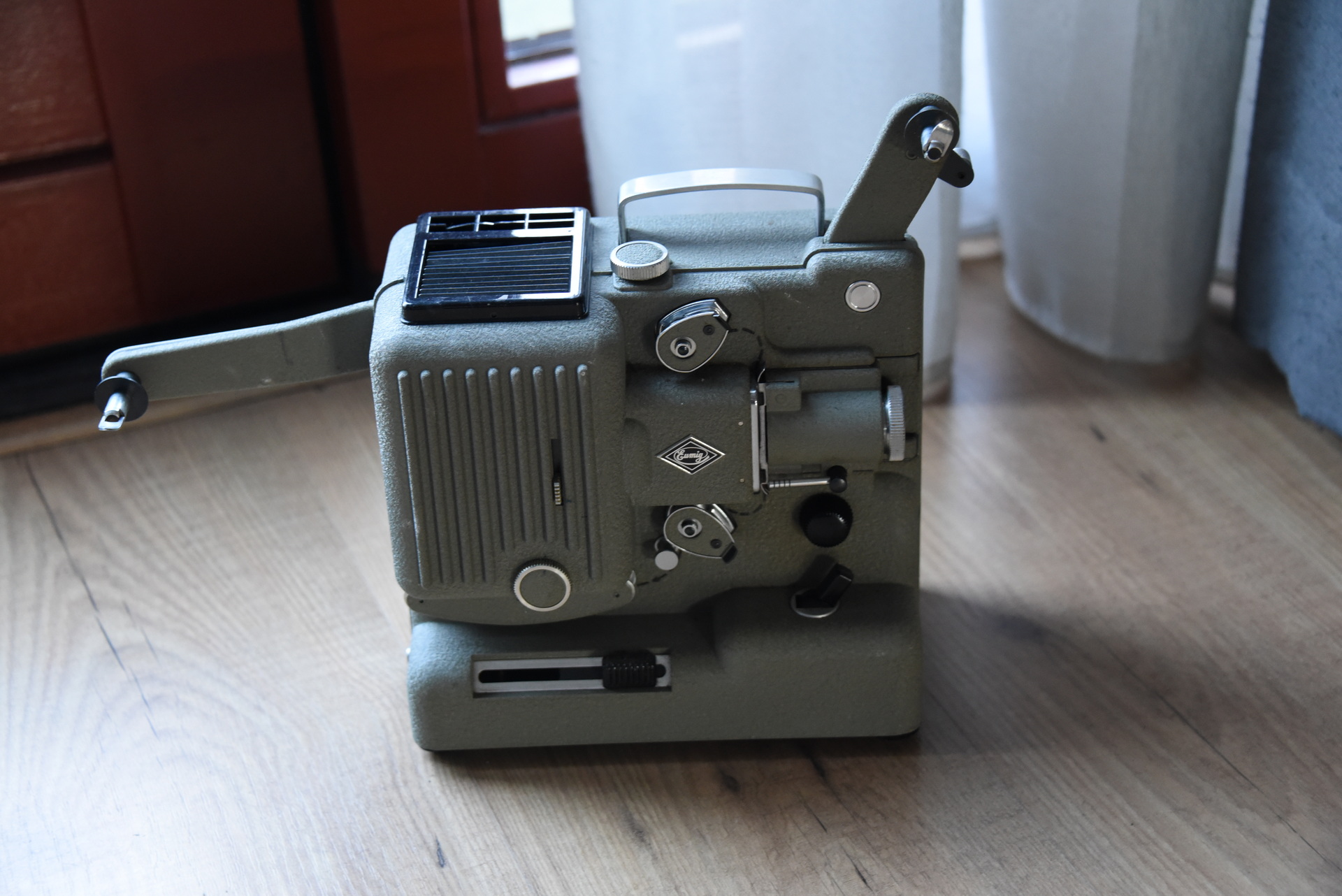
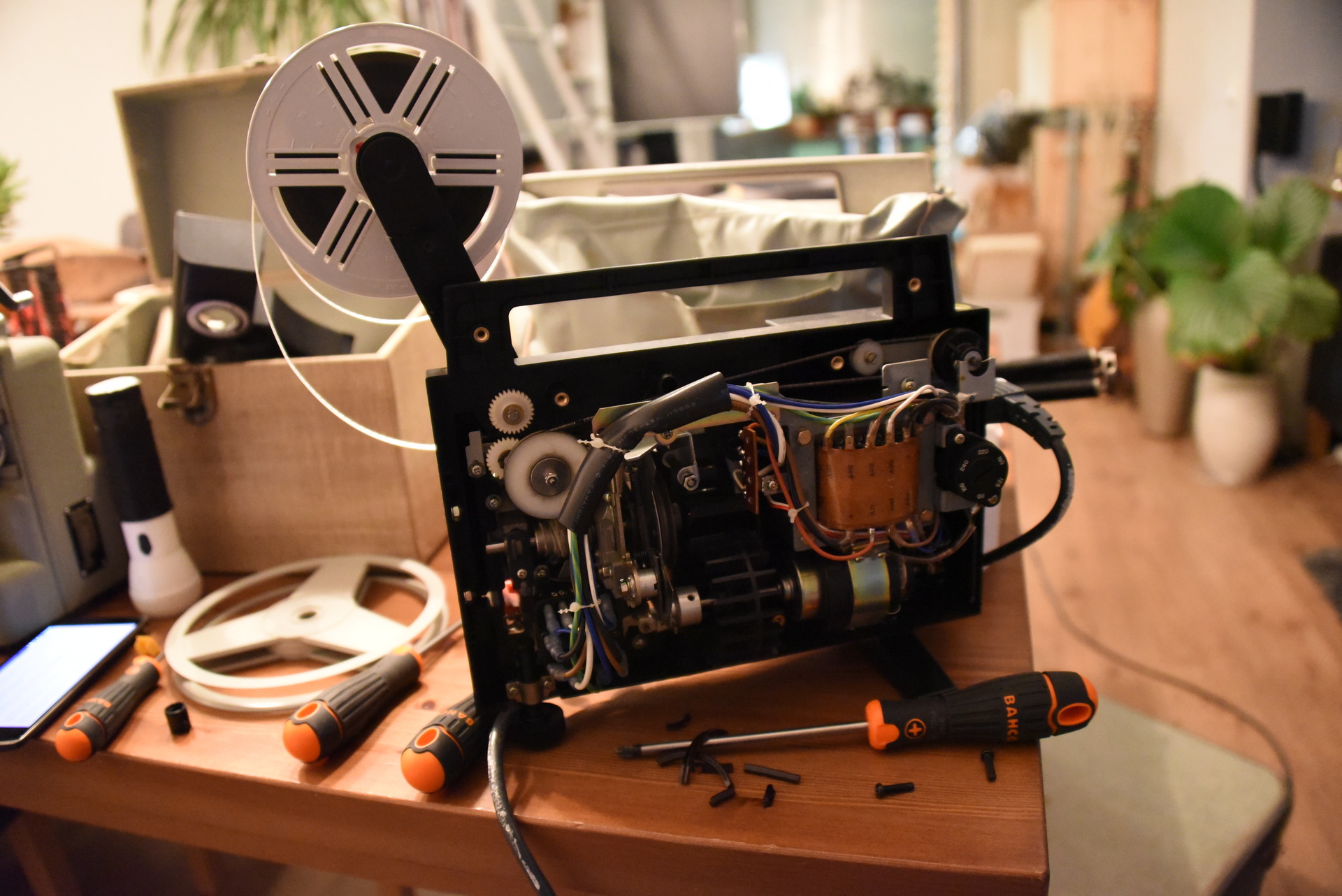
Working on 8mm film projectors

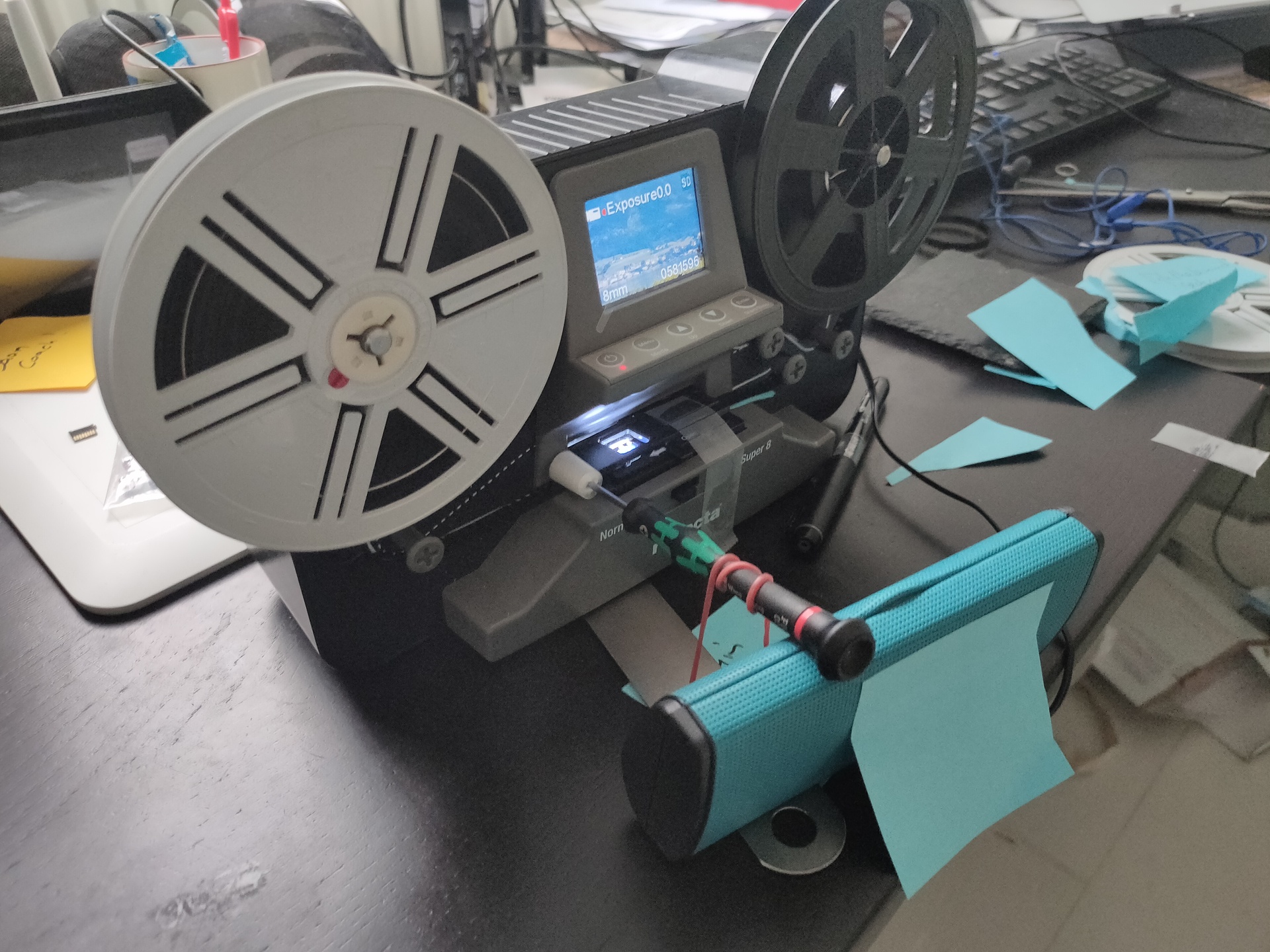
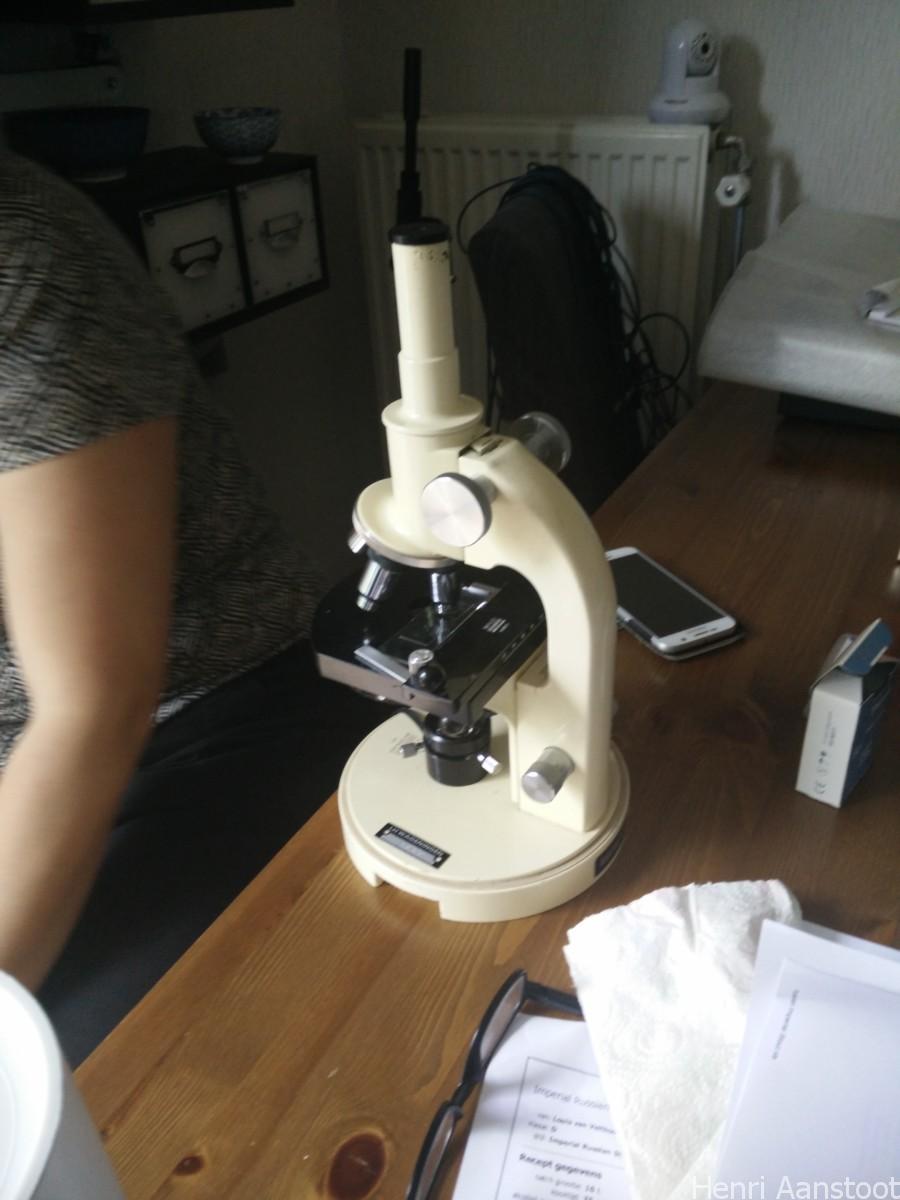
I’ve got some old 8mm film from my father. And i wanted to digitise them.
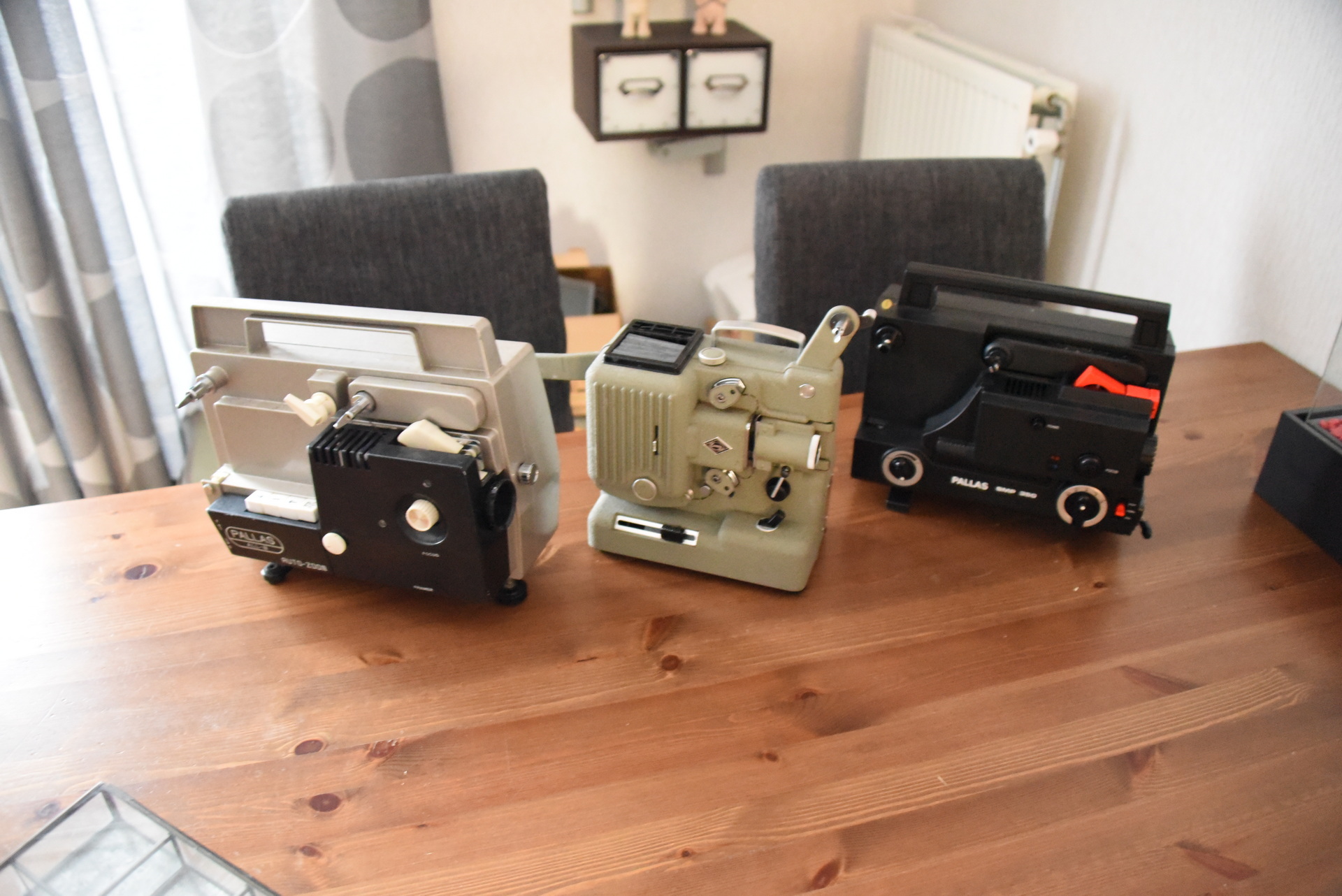
Luckily he had some projectors. One was his own and a borrowed one.
Don’t know about the third one.

Not being used for 30+ years, none of them worked.

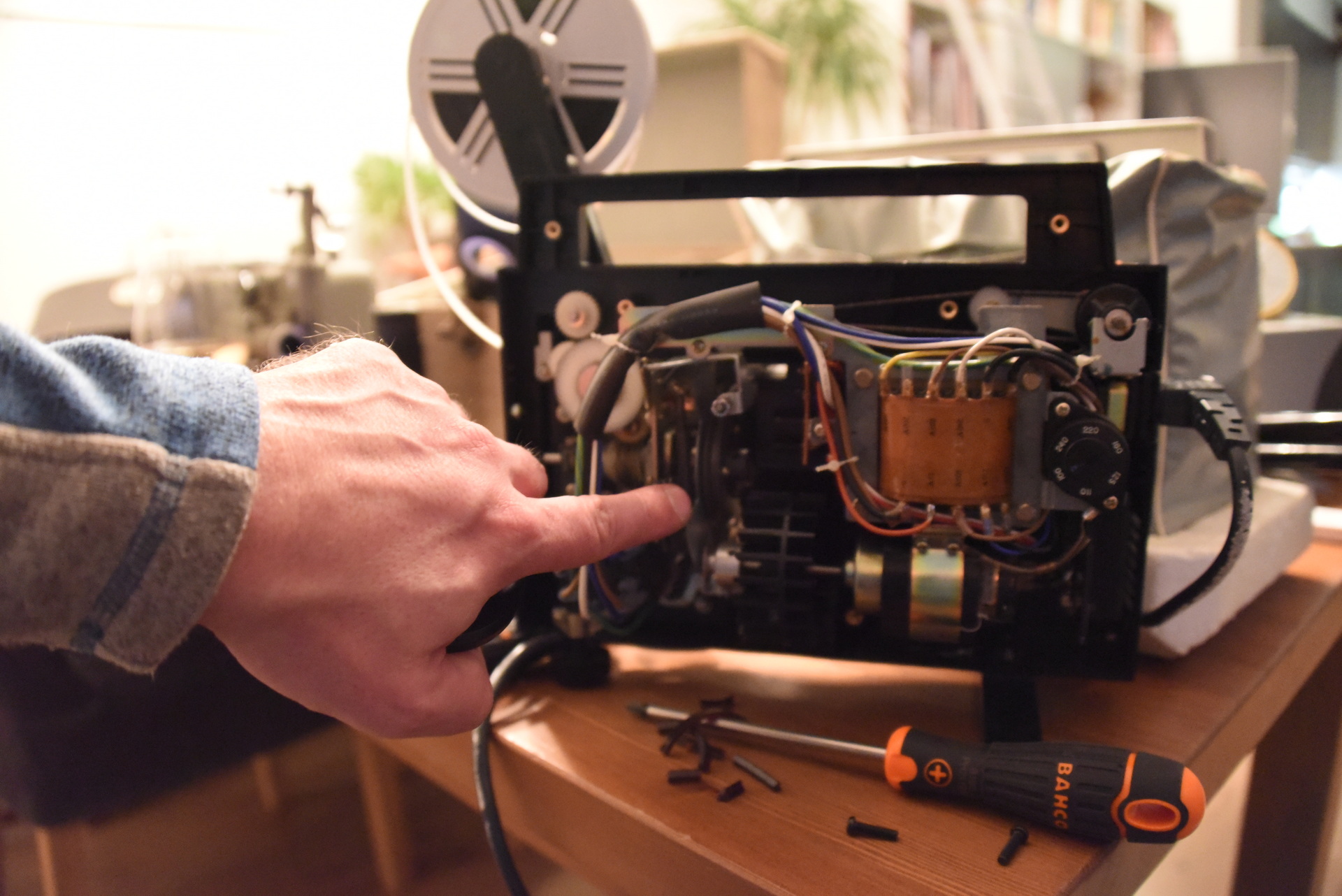
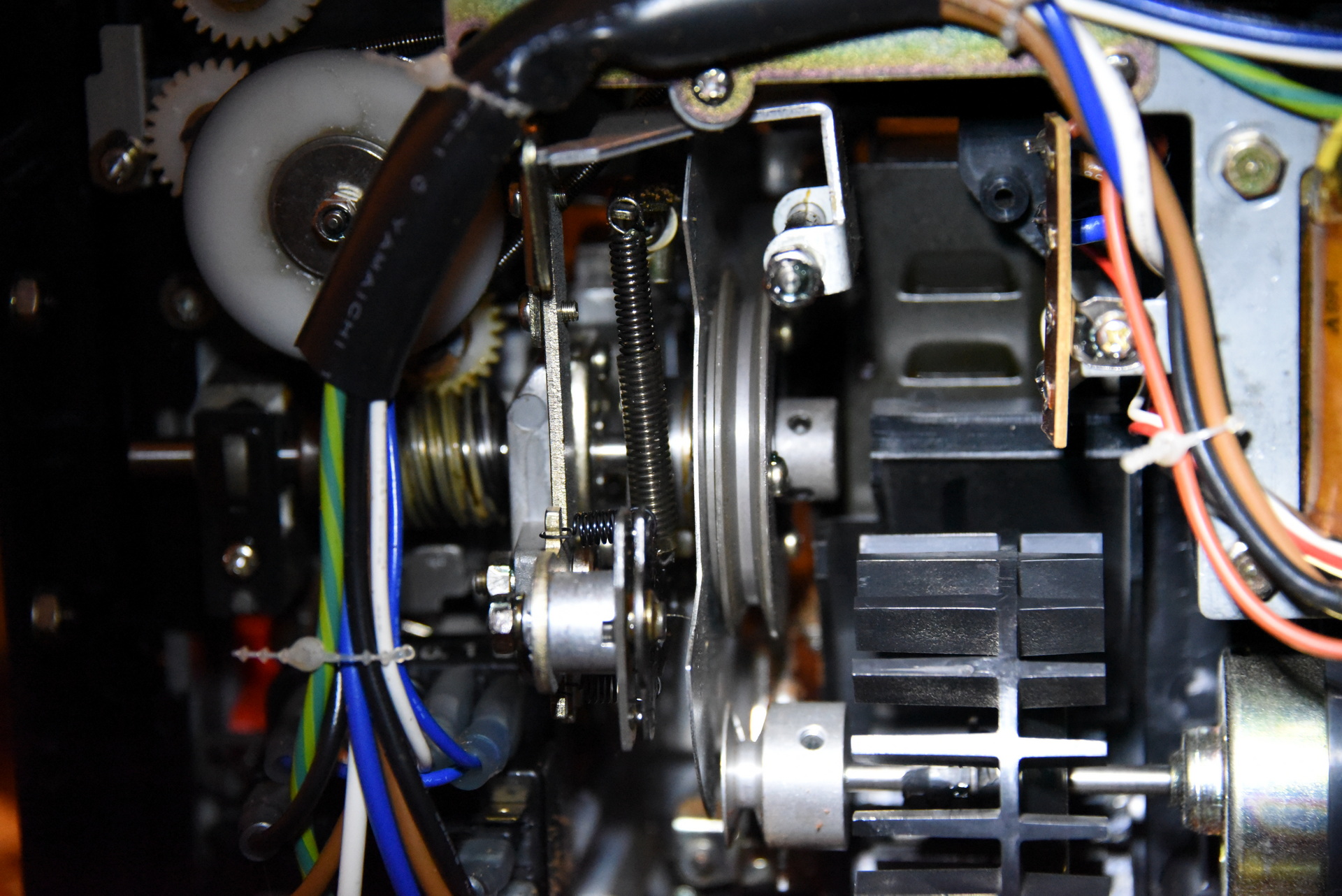
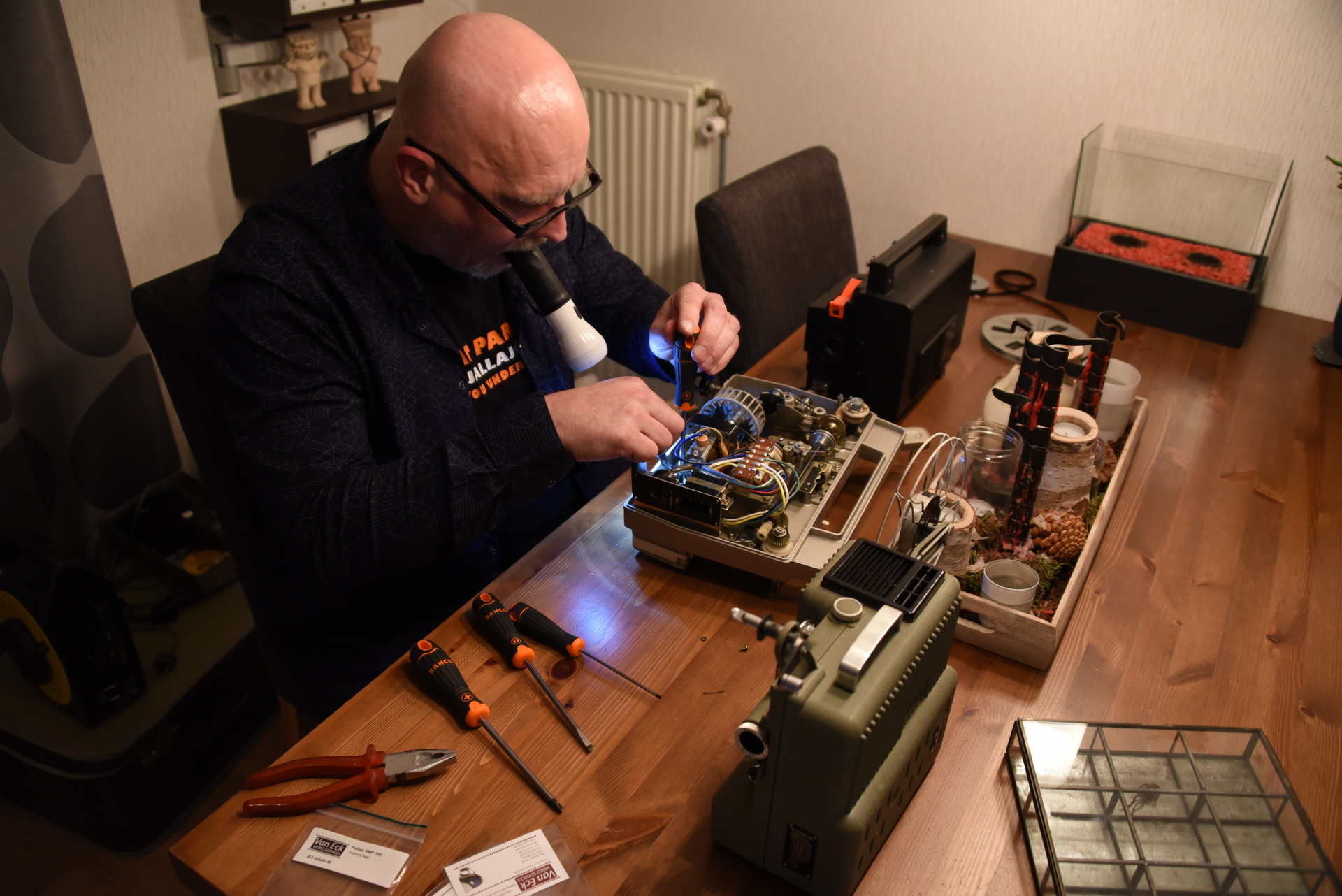
So i took them apart and tried to fix them.

Most of them had a driving belt issue, and two of them needed a new bulb.

In the end I had three working projectors. Let the digitising begin!

I started off with putting a Nikon camera beside it and selecting 24 frames/second and putting the speed dial just right .. i got a decent recording.

Tips:

Most drive belts still can be bought, sometimes you have to search for an alternative with same dimensions.

Measure the resistance of the power connector. The old transformers could have a shorted connection. (cause: dried out insulation of copper wires)

Use a pressurized can of air to clean the insides.

Keep track of the parts when disassembling. Those things are not made to be easy fixed.

Below a uncut/unaltered recording, so the media needs some cropping!
I love the authentic shutter sound!

Stabilise and speedup movie – Death road Bolivia

This year we spend our vacation in Peru and Bolivia with Arja. (20160606-20160704)

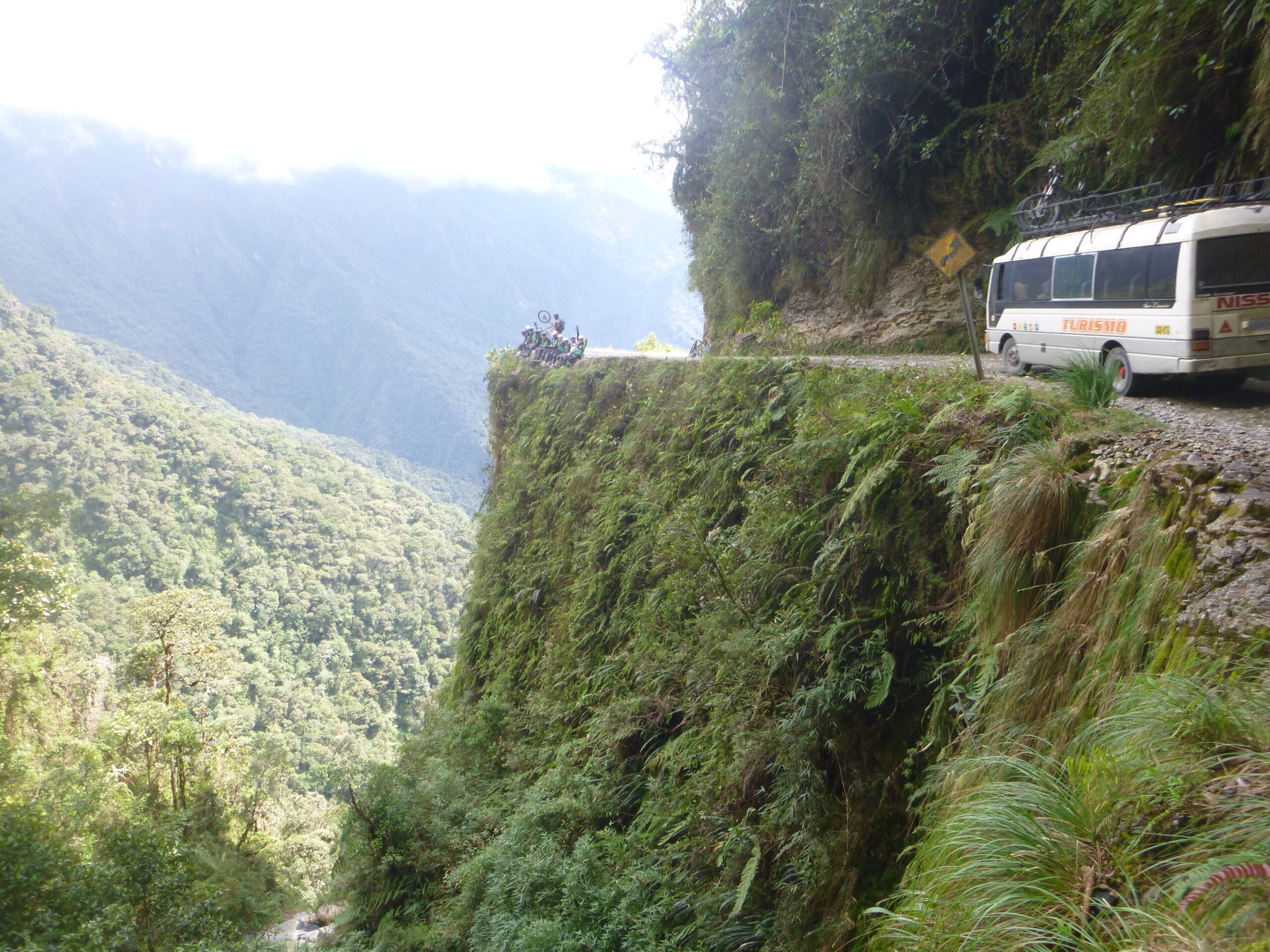
We did the Death road in Bolvia, wellll Arja and me. Coline fell ill the day before.

I tried to get a sense of what it was using a action cam mounted on my helmet and speeding it up in afterprocessing.
Shamefully i have to admit, that most of the times my camera was recording my frontwheel ..

To post: script/program to create this effect

This movie has been stabilized and sped up.

See https://en.wikipedia.org/wiki/Yungas_Road for more information.

Starting at 4700 meters and on the good parts going down @70km/h. Then the dangerous parts started. Feeling like ‘offroad’ narrow corners, where you can expect to see a minivan coming around the corner anytime. Steep drops without barriers. Water and land slides.

(Whole story in dutch)

Us at a bend in the ‘road’

Nikon Lenses

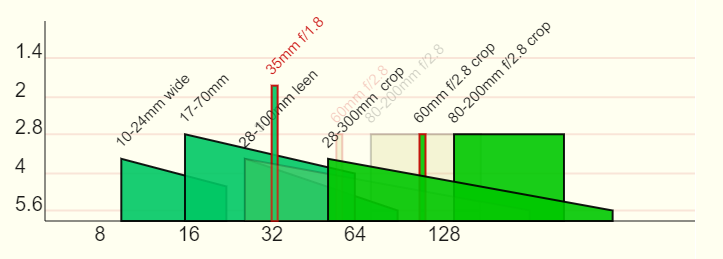
Created a graph for my Nikon lenses. It shows me what lens i can use at what Aperture / Range.

( https://media.henriaanstoot.nl/websites/lenses/ )

It uses canvas to draw lines and text, but thats only interesting for static stuff. ( https://www.w3schools.com/graphics/canvas_drawing.asp )
My example uses a php script to load information from a csv file. And loops though those entries and draw lens info.

Piece of canvas script to draw 17-70mm lens info.

ctx.fillStyle = 'rgba(0, 200, 100, 0.9)';
ctx.lineWidth=2;
ctx.beginPath();
ctx.moveTo(189.98560128675,163.25813588993);
ctx.lineTo(359.81942904592,202.49237972319);
ctx.lineTo(359.81942904592,250);
ctx.lineTo(189.98560128675,250);
ctx.strokeStyle="rgba(0,0,0,0.9)";
ctx.closePath();
ctx.fill();
ctx.stroke();
ctx.fillStyle = 'rgba(0,0,0,0.9';
ctx.save();
ctx.translate( 189.98560128675,153.25813588993);
ctx.rotate(-Math.PI / 4);
ctx.fillText("17-70mm", 0,0);
ctx.restore();

CSV lenses info

80;200;2.8;2.8;FX;80-200mm f/2.8
10;24;3.5;4.5;DX;10-24mm wide
28;100;3.5;5.6;;28-100mm leen
17;70;2.8;4;DX;17-70mm
35;35;1.8;1.8;DX;35mm f/1.8
60;60;2.8;2.8;FX;60mm f/2.8
28;300;3.5;5.6;FX;28-300mm

PHP Code to generate


<!DOCTYPE html>
<html>
<head>
  <meta http-equiv="content-type" content="text/html; charset=UTF-8">
  <title>Lens</title>
  <style type='text/css'>
    body{ background-color: ivory; }
#canvas{border:1px solid white;}

  </style>
<script type='text/javascript'>//<![CDATA[
window.onload=function(){
var canvas=document.getElementById("canvas");
var ctx=canvas.getContext("2d");
<?PHP
$log=yes;

print "ctx.strokeStyle = 'rgba(200, 0, 0, 0.1)';";
print "ctx.fillStyle = 'rgba(0, 0, 0, 0.9)';";
$apes=array(1.4,2,2.8,4,5.6);
$count=0;
foreach ($apes as &$value) {
$height=log($value)*110;
$count=$count+1;
$height=$height+50;
print "ctx.font = '20px Arial';";
print "ctx.fillText(\"$value\", 20, $height);";
print "ctx.lineWidth=2;";
print "ctx.moveTo(50, $height);";
print "ctx.lineTo(900, $height);";
}
print "ctx.stroke();";
$count=0;
$apes=array(8,16,32,64,128);
foreach ($apes as &$value) {
$width=log($value)*120;
$count=$count+1;
$width=$width-150;
print "ctx.fillText(\"$value\", $width, 270);";
}
print "ctx.font = '15px Arial';";
?>
ctx.beginPath();
ctx.moveTo(50,250);
ctx.lineTo(900,250);
ctx.moveTo(50,50);
ctx.lineTo(50,250);
ctx.lineWidth=1;
ctx.strokeStyle="rgba(0, 0, 0, 0.9)";
ctx.stroke();
<?PHP

$configfile="lenses.csv";

$config=get2DArrayFromCsv($configfile,";");

        foreach ($config as $value) {
$fp1=$value[0];
$fp2=$value[1];
$ap1=$value[2];
$ap2=$value[3];
$x1=(log($fp1)*120)-150;
$x2=(log($fp2)*120)-150;
$y1=(log($ap1)*110)+50;
$y2=(log($ap2)*110)+50;
if ( $x1 == $x2 ) { $color="200,0,0"; } else { $color="0,0,0"; }
if ( $x1 == $x2 ) { $x2 = $x2 + 6; }
$green=200;
$xx1=(log($fp1*2)*120)-150;
$xxx1=(log($fp1*2)*120)-160;
$xx2=(log($fp2*2)*120)-150;
$yy1=$y1-10;
$yyy1=$y1+10;

if ( $xx1 == $xx2 ) { $xx2 = $xx2 + 6; }
if ( $value[4] == "FX" ) { $col="200"; $trans=0.2; } else { $col="0";$trans=0.9;  }
?>

ctx.fillStyle = 'rgba(<?PHP print $col; ?>, <?PHP print $green; ?>, 100, <?PHP print $trans; ?>)';
ctx.lineWidth=2;
ctx.beginPath();
ctx.moveTo(<?PHP print "$x1"; ?>,<?PHP print "$y1"; ?>);
ctx.lineTo(<?PHP print "$x2"; ?>,<?PHP print "$y2"; ?>);
ctx.lineTo(<?PHP print "$x2"; ?>,<?PHP print "250"; ?>);
ctx.lineTo(<?PHP print "$x1"; ?>,<?PHP print "250"; ?>);
ctx.strokeStyle="rgba(<?PHP print "$color"; ?>,<?PHP print $trans;  ?>)";
ctx.closePath();
ctx.fill();
ctx.stroke();
ctx.fillStyle = 'rgba(<?PHP print "$color"; ?>,<?PHP print $trans;  ?>';
ctx.save();
ctx.translate( <?PHP print "$x1"; ?>,<?PHP print "$yy1"; ?>);
ctx.rotate(-Math.PI / 4);
ctx.fillText("<?PHP print "$value[5]"; ?>", 0,0);
ctx.restore();
<?PHP

if ( $value[4] == "FX" ) {
?>
ctx.fillStyle = 'rgba(0, <?PHP print "200"; ?>, 0, 0.9)';
ctx.beginPath();
ctx.moveTo(<?PHP print "$xx1"; ?>,<?PHP print "$y1"; ?>);
ctx.lineTo(<?PHP print "$xx2"; ?>,<?PHP print "$y2"; ?>);
ctx.lineTo(<?PHP print "$xx2"; ?>,<?PHP print "250"; ?>);
ctx.lineTo(<?PHP print "$xx1"; ?>,<?PHP print "250"; ?>);
ctx.strokeStyle="rgba(<?PHP print "$color"; ?>,0.9";
ctx.closePath();
ctx.fill();
ctx.stroke();
ctx.fillStyle = 'rgba(0, 0, 0, 0.9)';
ctx.save();
ctx.translate( <?PHP print "$xx1"; ?>,<?PHP print "$yy1"; ?>);
ctx.rotate(-Math.PI / 4);
ctx.fillText("<?PHP print "$value[5]"; ?> crop", <?PHP print "0"; ?>, <?PHP print "0"; ?>);
ctx.restore();
<?PHP
}
}
?>

ctx.fillStyle = 'rgba(0, 0, 0, 0.5)';
ctx.font = 'bold 10pt Calibri';

}//]]>

</script>

</head>
<body><small>
  <canvas id="canvas" width=700 height=300></canvas>
<P>
<?PHP
$configfile="lenses.csv";

   function get2DArrayFromCsv($file,$delimiter) {
       if (($handle = fopen($file, "r")) !== FALSE) {
           $i = 0;
           while (($lineArray = fgetcsv($handle, 4000, $delimiter)) !== FALSE) {
               for ($j=0; $j<count($lineArray); $j++) {
                   $data2DArray[$i][$j] = $lineArray[$j];
               }
               $i++;
           }
           fclose($handle);
       }
       return $data2DArray;
   }

$config=get2DArrayFromCsv($configfile,";");

        foreach ($config as $value) {
            print "<B>Lens = $value[5] </B><BR>";
            print "Focal min = $value[0] <BR>";
            print "Focal max = $value[1] <BR>";
            print "Arp min = $value[2] <BR>";
            print "Arp max = $value[3] <BR>";
            print "Crop (FX/DX) = $value[4] <P>";
        }


?>

</body>

</html>