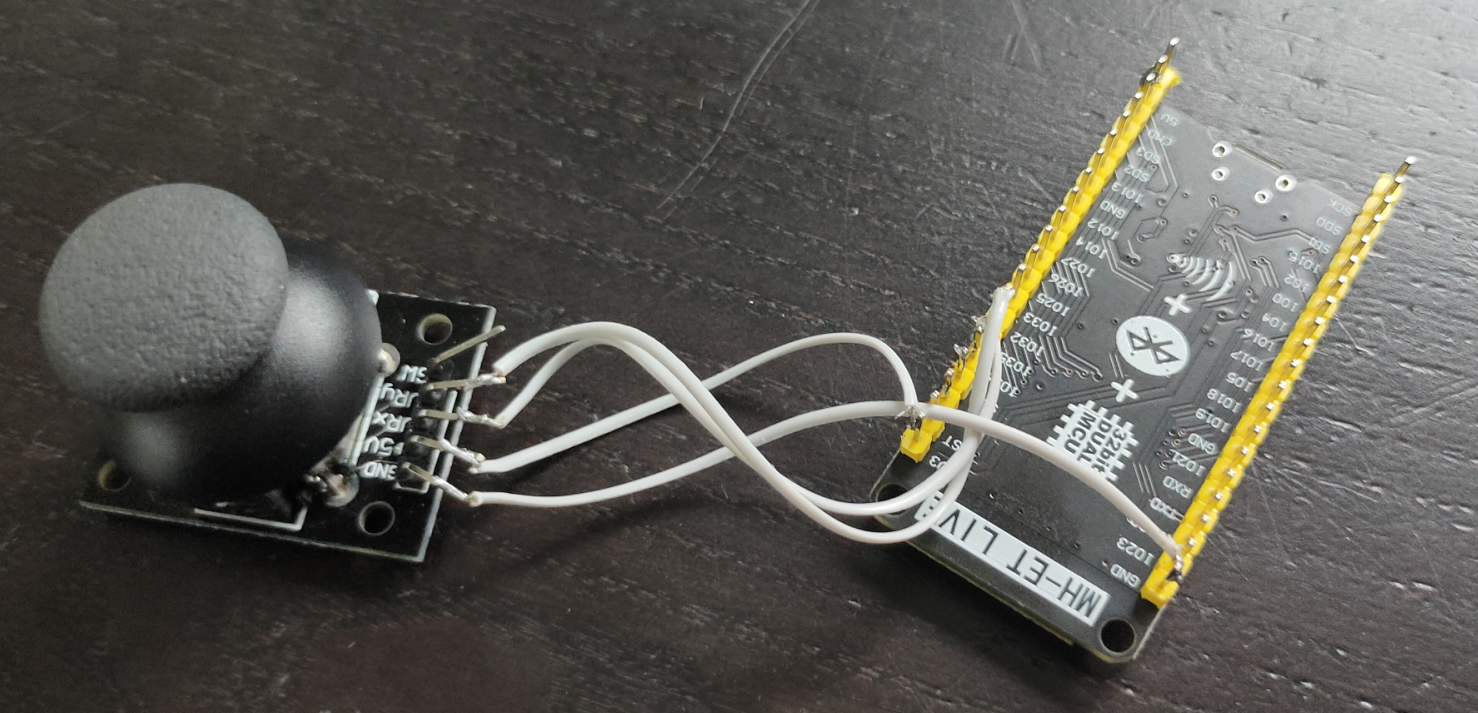
Mini DF MP3 player with MQTT control

Resistor is 1K, speaker is 4 ohm

I’ve got the DFPlayer with the GD3200B instead of the better YX5200, but it works.

As part of my game, so MQTT controlled.

First sound is low in volume.

Code

I’m using Soft Serial

// based on code from: 
// https://github.com/Makuna/DFMiniMp3/blob/master/examples/PlayMp3/PlayMp3.ino
// above example has no wifi/mqtt and is missing the SoftSerial include line
#include <ESP8266WiFi.h>
#include <PubSubClient.h>
#include <WiFiClient.h>
#include <DFMiniMp3.h>
#include "SoftwareSerial.h"
#include <Ethernet.h>

#define wifi_ssid "SSID"
#define wifi_password "SSIDPASS"
#define mqtt_server "MQTTSERVER"
#define mqtt_port 1883

WiFiClient espClient;
EthernetClient ethClient;
PubSubClient mqtt(espClient);

class Mp3Notify; 

SoftwareSerial secondarySerial(D6, D5); // RX, TX
typedef DFMiniMp3<SoftwareSerial, Mp3Notify> DfMp3;
DfMp3 dfmp3(secondarySerial);

class Mp3Notify
{
public:
  static void PrintlnSourceAction(DfMp3_PlaySources source, const char* action)
  {
    if (source & DfMp3_PlaySources_Sd) 
    {
        Serial.print("SD Card, ");
    }
    if (source & DfMp3_PlaySources_Usb) 
    {
        Serial.print("USB Disk, ");
    }
    if (source & DfMp3_PlaySources_Flash) 
    {
        Serial.print("Flash, ");
    }
    Serial.println(action);
  }
  static void OnError([[maybe_unused]] DfMp3& mp3, uint16_t errorCode)
  {
    // see DfMp3_Error for code meaning
    Serial.println();
    Serial.print("Com Error ");
    Serial.println(errorCode);
  }
  static void OnPlayFinished([[maybe_unused]] DfMp3& mp3, [[maybe_unused]] DfMp3_PlaySources source, uint16_t track)
  {
    Serial.print("Play finished for #");
    Serial.println(track);  

    // start next track
    track += 1;
    // this example will just start back over with 1 after track 3
    if (track > 3) 
    {
      track = 1;
    }
    dfmp3.playMp3FolderTrack(track);  // sd:/mp3/0001.mp3, sd:/mp3/0002.mp3, sd:/mp3/0003.mp3
  }
  static void OnPlaySourceOnline([[maybe_unused]] DfMp3& mp3, DfMp3_PlaySources source)
  {
    PrintlnSourceAction(source, "online");
  }
  static void OnPlaySourceInserted([[maybe_unused]] DfMp3& mp3, DfMp3_PlaySources source)
  {
    PrintlnSourceAction(source, "inserted");
  }
  static void OnPlaySourceRemoved([[maybe_unused]] DfMp3& mp3, DfMp3_PlaySources source)
  {
    PrintlnSourceAction(source, "removed");
  }
};

void setup_wifi() {
  delay(10);
  WiFi.mode(WIFI_STA);
  WiFi.begin(wifi_ssid, wifi_password);
  while (WiFi.status() != WL_CONNECTED) {
    delay(500);
  }
}

void setup() 
{
  setup_wifi();
  mqtt.setServer(mqtt_server, mqtt_port);
  mqtt.setCallback(callback);
  Serial.begin(115200);
  Serial.println("initializing...");

  WiFiClient espClient;
  PubSubClient mqtt(espClient);

  mqtt.setClient(espClient);
  mqtt.setServer(mqtt_server, 1883);
    
  mqtt.setCallback(callback);
  mqtt.subscribe("escape/soundin");
  
  dfmp3.begin();

  uint16_t volume = dfmp3.getVolume();
  Serial.print("volume ");
  Serial.println(volume);
  dfmp3.setVolume(24);
  
  uint16_t count = dfmp3.getTotalTrackCount(DfMp3_PlaySource_Sd);
  Serial.print("files ");
  Serial.println(count);
  
  Serial.println("starting...");

  // start the first track playing
  // dfmp3.playMp3FolderTrack(1);  // sd:/mp3/0001.mp3
}

void reconnect() {
  // Loop until we're reconnected
  while (!mqtt.connected()) {
    // Create a random client ID
    String clientId = "ESP8266Client-";
    clientId += String(random(0xffff), HEX);
    // Attempt to connect
    if (mqtt.connect(clientId.c_str())) {
      // Once connected, publish an announcement...
      mqtt.publish("escape", "sound connected");
      // ... and resubscribe
      mqtt.subscribe("escape/soundin");
    } else {
      // Wait 5 seconds before retrying
      delay(5000);
    }
  }
}


void callback(char* topic, byte* payload, unsigned int length) {
    //  digitalWrite(led, HIGH);

    String topicStr = topic;
      byte value = atoi((char*)payload);
dfmp3.playMp3FolderTrack(value);  // sd:/mp3/0001.mp3
  Serial.println(value);
}

void waitMilliseconds(uint16_t msWait)
{
  uint32_t start = millis();

  while ((millis() - start) < msWait)
  {
    dfmp3.loop(); 
    delay(1);
  }
}

void loop() 
{
  
  if (!mqtt.connected()) {
    reconnect();
  }
    mqtt.loop();
  waitMilliseconds(100);
}

Wemos with Keypad, led and 7 segment display using MQTT

Warning, read the notes!

There are several caveats.

  • I was needing ALL GPIO pins, even RX/TX ( see trick below)
    When doing so, you can’t use serialprint.
    Do NOT enable, your sketch won’t work!
  • Don’t use pullup on D8, you can’t upload to the wemos if you do that
  • Due to library conflicts in keypad.h, DON’T change the order in the source. You will end up with compile errors!
  • The keypad has a weird pinout, but there are similar keypads with alternative layouts. Measure this using a multimeter.
  • The pull-up resistors will help fighting ghost key presses!
  • I2C needs D1/D2

To use RX/TX as GPIO pins you need to do the following:

//Define pins
  int led = 1; //tx
  int col = 3; //rx

// Change to function mode 3
// see https://www.esp8266.com/wiki/doku.php?id=esp8266_gpio_pin_allocations
  pinMode(1, FUNCTION_3);
  pinMode(3, FUNCTION_3);
 
// Revert to normal mode
// pinMode(1, FUNCTION0);

// Define mode input/output
// i'm using led to control the led so thats an output
// I'm using col for the keypad column scanner, that's an input
  pinMode(led, OUTPUT);
  pinMode(col, INPUT);

Complete code

The (*) clears input
The (#) sends the pin code using MQTT

Sending a 0 or 1 to escape/keypadin topic will toggle the led

#include <ESP8266WiFi.h>
#include <PubSubClient.h>
#include <WiFiClient.h>
// Do not change order!
#include "Keypad.h"
#include <TM1637Display.h>
#include <Ethernet.h>

#define wifi_ssid "SSID"
#define wifi_password "SSIDPASS"
#define mqtt_server "MQTTSERVER"
#define mqtt_port 1883

#define MSG_BUFFER_SIZE  (50)
char msg[MSG_BUFFER_SIZE];
int value = 0;

const byte ROWS = 4; //four rows
const byte COLS = 3; //four columns

int led = 1; //tx
int col = 3; //rx

#define CLK D1
#define DIO D2
#define TEST_DELAY   2000
TM1637Display display(CLK, DIO);

char keys[ROWS][COLS] = {
  {'1', '2', '3'},
  {'4', '5', '6'},
  {'7', '8', '9'},
  {'*', '0', '#'}
};
byte rowPins[ROWS] = {D3, D5 , D6 , D7 };
byte colPins[COLS] = {D4 , col, D8 };

Keypad keypad = Keypad(makeKeymap(keys), rowPins, colPins, ROWS, COLS);
int keyNum = 0;
WiFiClient espClient;
EthernetClient ethClient;

PubSubClient mqtt(espClient);

void setup_wifi() {
  delay(10);
  WiFi.mode(WIFI_STA);
  WiFi.begin(wifi_ssid, wifi_password);
  while (WiFi.status() != WL_CONNECTED) {
    delay(500);
  }
}


void setup() {
  setup_wifi();
  mqtt.setServer(mqtt_server, mqtt_port);
  mqtt.setCallback(callback);
  
  pinMode(1, FUNCTION_3);
  pinMode(3, FUNCTION_3);
  pinMode(led, OUTPUT);
  pinMode(col, INPUT);
  // using above? .. then disable serial!
  // Serial.begin(9600);
display.showNumberDec(0, true);
delay(TEST_DELAY);
WiFiClient espClient;
PubSubClient mqtt(espClient);

 mqtt.setClient(espClient);
 mqtt.setServer(mqtt_server, 1883);
    
mqtt.setCallback(callback);
mqtt.subscribe("escape/keypadin");

}

void callback(char* topic, byte* payload, unsigned int length) {
    //  digitalWrite(led, HIGH);

    String topicStr = topic;
      byte value = atoi((char*)payload);
       if (value == 1){
    digitalWrite(led, HIGH);

 }else if (value == 0){
    digitalWrite(led, LOW);
 }
    

}

void reconnect() {
  while (!mqtt.connected()) {
    // Create a random client ID
    String clientId = "ESP8266Client-";
    clientId += String(random(0xffff), HEX);
    if (mqtt.connect(clientId.c_str())) {
      mqtt.publish("outTopic", "hello world");
      mqtt.subscribe("escape/keypadin");
    } else {
      delay(5000);
    }
  }
}


void loop() {

  if (!mqtt.connected()) {
    reconnect();
  }
    mqtt.loop();

  // put your main code here, to run repeatedly:
  char key = keypad.getKey();

  if (key) {

    if(key=='*'){
      keyNum = 0;
    } else if (key=='#'){
         ++value;
  snprintf (msg, MSG_BUFFER_SIZE, "#%1d", keyNum);
        mqtt.publish("escape/keypad", msg);
    }
    
       else{
      if(keyNum<=999){
        keyNum = (keyNum*10) + (int(key)-48);
      }
    }
    
    //  Serial.println(key);
    display.setBrightness(0x0f);

    uint8_t data[] = { 0x0, 0x0, 0x0, 0x0 };
    display.setSegments(data);

    display.setSegments(data);
    display.showNumberDec(keyNum);

  }

}

Scraping authenticated websites

A friend needed to scrape data from an authenticated website.
This needs to be scripted and processed without human intervention.

Following steps are needed to get the correct curl commands (one time only)

Login page
Press F12 or right-click inspect
Click network and reload using ctrl-r
Select the start page and right click
copy as cURL (bash)

next steps

save curl command in a file

remove –compresssion and -H ‘Cookie: JSESSIONID=?????????????????????????????’

add just after curl

-k (no certificate check) and
–cookie-jar tmpcookiefile

excecute this. It will give you a file with a session id and a true field.
(This will change at every login)
but is needed for subsequential requests

Next: use this sessioncookie to get the next authenticated request

So to scrape with login, you need two lines in your script.
One to get the session cookie. (YOUR username/pass will be in here!!)
And the second to get the needed page using the cookie

#!/bin/bash
#authenticate and save sessioncookie
curl -k --cookie-jar part1.cookie 'https://xxx.xxxxx.xxx/site/dologin'   -H 'Accept: text/html,application/xhtml+xml,application/xml;q=0.9,image/avif,image/webp,image/apng,*/*;q=0.8,application/signed-exchange;v=b3;q=0.7'   -H 'Accept-Language: en-GB,en;q=0.9,nl-NL;q=0.8,nl;q=0.7'   -H 'Cache-Control: max-age=0'   -H 'Connection: keep-alive'   -H 'Content-Type: multipart/form-data; boundary=----WebKitFormBoundaryb1chvkAVZSF3hPSu'    -H 'Origin: https://xxx.xxxxx.xxx'   -H 'Referer: https://xxx.xxxxx.xxx/site/loginform'   -H 'Sec-Fetch-Dest: document'   -H 'Sec-Fetch-Mode: navigate'   -H 'Sec-Fetch-Site: same-origin'   -H 'Upgrade-Insecure-Requests: 1'   -H 'User-Agent: Mozilla/5.0 (Windows NT 10.0; Win64; x64) AppleWebKit/537.36 (KHTML, like Gecko) Chrome/110.0.0.0 Safari/537.36'   -H 'sec-ch-ua: "Chromium";v="110", "Not A(Brand";v="24", "Google Chrome";v="110"'   -H 'sec-ch-ua-mobile: ?0'   -H 'sec-ch-ua-platform: "Windows"'   --data-raw $'------WebKitFormBoundaryb1chvkAVZSF3hPSu\r\nContent-Disposition: form-data; name="form[username]"\r\n\r\nusername\r\n------WebKitFormBoundaryb1chvkAVZSF3hPSu\r\nContent-Disposition: form-data; name="form[password]"\r\n\r\npassword\r\n------WebKitFormBoundaryb1chvkAVZSF3hPSu\r\nContent-Disposition: form-data; name="form[refname]"\r\n\r\n\r\n------WebKitFormBoundaryb1chvkAVZSF3hPSu\r\nContent-Disposition: form-data; name="form[refid]"\r\n\r\n\r\n------WebKitFormBoundaryb1chvkAVZSF3hPSu\r\nContent-Disposition: form-data; name="form[refmod]"\r\n\r\n\r\n------WebKitFormBoundaryb1chvkAVZSF3hPSu\r\nContent-Disposition: form-data; name="form[csrf_hash]"\r\n\r\ncsrf_ab09f7887d9dacfe1489b68b64fe6a01\r\n------WebKitFormBoundaryb1chvkAVZSF3hPSu--\r\n'
#get data from second page
curl -k -l --cookie part1.cookie  https://xxx.xxxxx.xxx/subscriber/overview

Mikrotik and Home Assistant

A friend of mine remembered me of the Mikrotik addons in HA.
I forgot all about this.

I’ve got two integrations running. (Installed via HACS)

Don´t forget to enable the API on your devices.

/ip services
set api disabled=no port=8728

The addons/integrations extract a lot of information from the MT devices.

This integration will also let you know that your MT Router can be updated.

This is part if the presence detector/Device locator.
My roaming wifi network will give false locations. My laptop never left the same spot!

I will add to this page, after testing for a while

DNS / DHCP

Today i’ve migrated my DNS/DHCP to a Mikrotik router.
See post

I’m planning to replace my main firewall/dhcp/dns/web/irc/mail/ids whatever more .. to virtual machines and a mikrotik router.

Having used bind and isc-dhcp-server for many years, i had to try some alternatives.

  • DNS in FreeIPA
  • Unbound with zone/dns
  • Phpipam with powerdns

And now DNS/DHCP in a Mikrotik router!

I still use Phpipam as cmdb.
So i’m planning to use ansible to synchronize phpipam and the mikrotik.

Nice .. no seach domain needed …
nslookup webserver, resolves webserver.dmz
If there are 2 hosts with the same hostname, you have to add a domain.

Bread from beer waste

Last saturday we were brewing beer, ending up with a lot of spent grain. (Bier borstel in Dutch)
These are the processed grains from the brewing.

Well, let’s bake a delicious bread, very tasty with, for example, salted butter.

Preparation time : 135 minutes
Baking time : 60 minutes

What do you need
225 grams of spent grain from the brewing
400 grams of flour
200 ml beer ( I use Leffe Blond)
7 grams of baker’s yeast
50ml olive oil

Put the brewer’s grains in the food processor. (Removes the sharp edges of the malt.)
Put the yeast and a little sugar in the beer. This causes the yeast to become active.
Knead all ingredients together until it becomes an airy ball.
Then let this dough rise for an hour and a half in a warm place in a bowl that is covered with plastic.
Then knead the dough briefly and let it rest for another half hour.
Preheat the oven to 200º C.
Pour the batter into a greased baking pan.
Then place the dough in the center of the oven.
After about an hour the bread should be ready. You can check this by knocking on the bread. If it sounds hollow, the bread is ready.

Shelly Devices

I love shellies, easy to implement and hacker friendly.

MQTT out of the box.
Curl in and out – you can switch it on/off using curl, but it can send a http command also.
I’ve used this with Domoticz and Home Assistant.
It has a webinterface, with timers, and there is also a client for Android/Iphone
You’ve got some own gpio pins to your disposal and the unit is flash-able!

curl -X POST https://shellydevice/device/relay/control -d "channel=IDHERE&turn=on&id=ID&auth_key=AUTH"

The device is not isolated from the mains. To flash it, the mains must be disconnected.

SHELLY 1

I use this for simple on/off switches around the house.
Using it with a physical switch and MQTT (Nodered)

SHELLY 2 PM

Same as above but this one has a build in power meter

SHELLY DIMMER

Generic dimmer

Dimmer with low voltage rotary encoder!
https://www.instructables.com/Shelly-Dimmer-Wall-Switch-With-Rotary-Knob-and-Hom/

SHELLY RGBW2

A RGBW / 4 Channel controller
You can connect RGB strips, but also dimmable white strips in 4 channels. 12V or 24V.
NOTE! : There is a common 12V connection, and GND will be controlled!

SHELLY PLUG S

I love these small wall plugs, i’ve used these also to find power consuming devices around the house.

For example, i made a nodered flow, to see if the washing machines are running or not.

SHELLY BUTTON

This became my all purpose alarm thinghy

SHELLY DOORSENSOR

A door sensor WITH temperature and light sensor build in!

Home Assistant example

SHELLY WATER SENSOR

This one lays below our washing machine

SHELLY SMOKE ALARM

(Preordered)

SHELLY PM4

A four channel power measure/switch for your fuse box


GENERIC SHELLY STUFF
A smart doorbell schematic i found

https://www.thingiverse.com/thing:5756154
Very nice .. printable cases for your shellies!

At last .. my own lasercutter

I did a lot of lasercutting at Fablab Utrecht, but they stopped a few years ago, and I moved to Hilversum.

I loved making this at this Fablab.

  • Lasercutting : Boxes, A cryptex of my own design, Xmas ornaments, Shogi game, things in acrylic, Rubber stamps
  • Cutting plotter ( Nae Bother Case logo’s )
  • CNC Machines
  • Vacuum form

Then i bought a mini engraver, which you can attach to your 3D printer.

But I really wanted a cutter, so there it is … the Sculptfun S9

First test. crafting paper. No burning and a really high resolution!

This laser module has a new optical design, so it can cut wood as thick as 10+ mm.
It can engrave metal, cut non-transparant acrylic, leather and more.

Software:

I’m using Inkscape, with the lasercutter tool plugin from Jtech.
https://jtechphotonics.com/

I’ve also tested with LaserGRBL, which can be run under linux using Wine.

I’m trail testing LightBurn. (Native Linux App)

I will post my findings and test on this post.

UPDATE: 20230221

A stone slate engraved
Speed3000 mm/s
Laser Power100%
Lines per mm10

UPDATE: 20230306

Calibrate your machine! .. But NOT as found on YouTube using a 10x10mm or 1 inch by 1 inch. square.
As big as you can. This is far more precise!

My list of settings (Work in progress)

I have to check mm/s versus mm/minute!

MaterialSpeedPowerLines/mmPasses
Slate (engrave)
(using lasergrbl)
3000 mm/s100%101
3mm Plywood (cut)20 mm/s90%x8?
Craftpaper1500mm/s70%x1
Cardboard10 mm/s100%x4
Leather
Cork (6mm)

"If something is worth doing, it's worth overdoing."