Kodi and categories : Standup and Documentaries
How to get more categories in Kodi, like for Standup and Documentaries
MQTT Keyboard
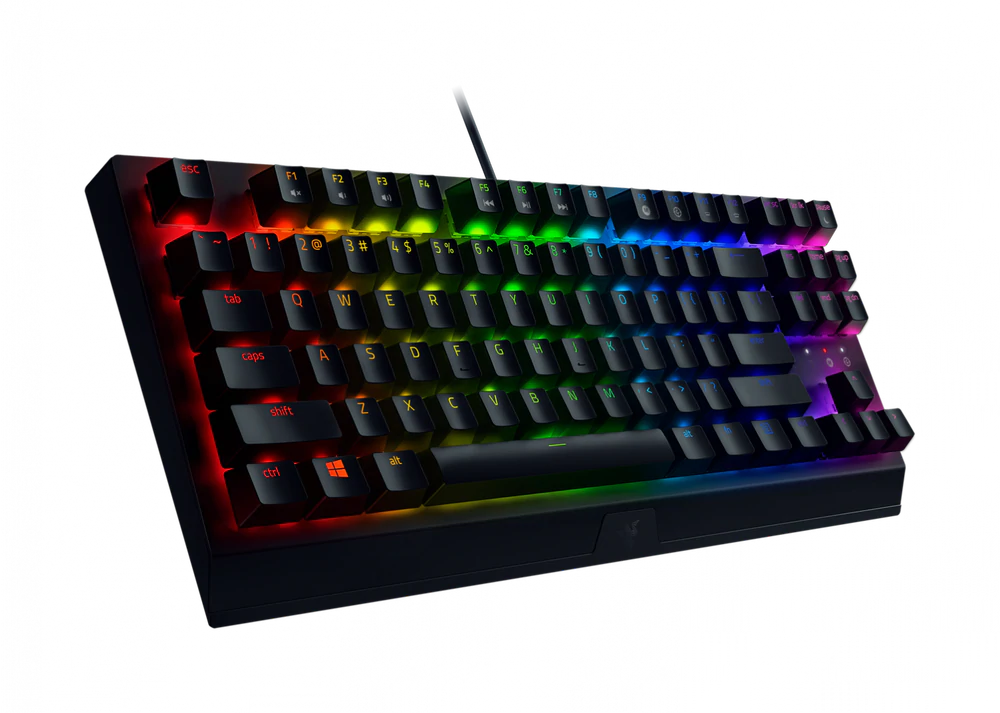
A fancy keyboard….. At last a clickety keyboard. A Razer Blackwidow V3 mechanical keyboard. I’m not a gamer, but i like the clickety sounds. RGB leds are always nice to play with.
One of the nice things about razer is the Linux support!
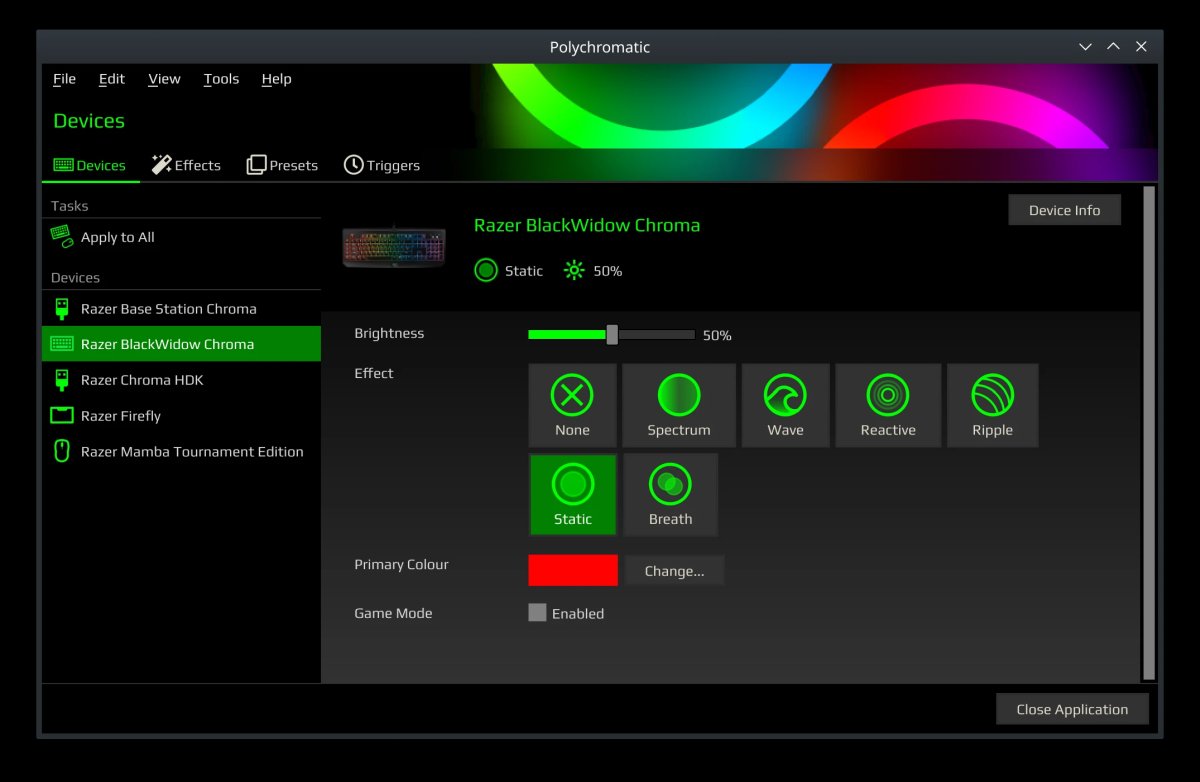
Some nice links:
https://github.com/openrazer/openrazer
Even several python scripts can be found, but no MQTT.
So made a fast ‘n simple hack to control my keyboard with mqtt/nodered.
When someone is at the frontdoor, my keyboard changes from white to red.
Below a node-red example
My python code:
import paho.mqtt.client as mqttClient
import time
import os
import subprocess
import json

def on_connect(client, userdata, flags, rc):
    if rc == 0:
        print("Connected to broker")
        global Connected
        Connected =True
    else:
        print("Connection failed")

def on_message(client, userdata, message):
    subprocess.Popen(["razer-cli", "-c", message.payload])

Connected = False

broker_address = "your.mqtt.brokerip.here"
port = 1883
#user = "user"
#password = "password"
client = mqttClient.Client("mqttrazer")
#client.username_pw_set(user, password=password)
client.on_connect = on_connect
client.on_message = on_message

client.connect(broker_address, port=port)
client.loop_start()

while Connected != True:
    time.sleep(0.1)

client.subscribe('razer/in')

try:
    while True:
        time.sleep(1)

except KeyboardInterrupt:
    print ("exiting")
    client.disconnect()
    client.loop_stop()
Checking SFP connections with phone
Testing my 10gbps fiber
If your mobile doesn’t have a filter, you should be able to see fiber connections using camera.
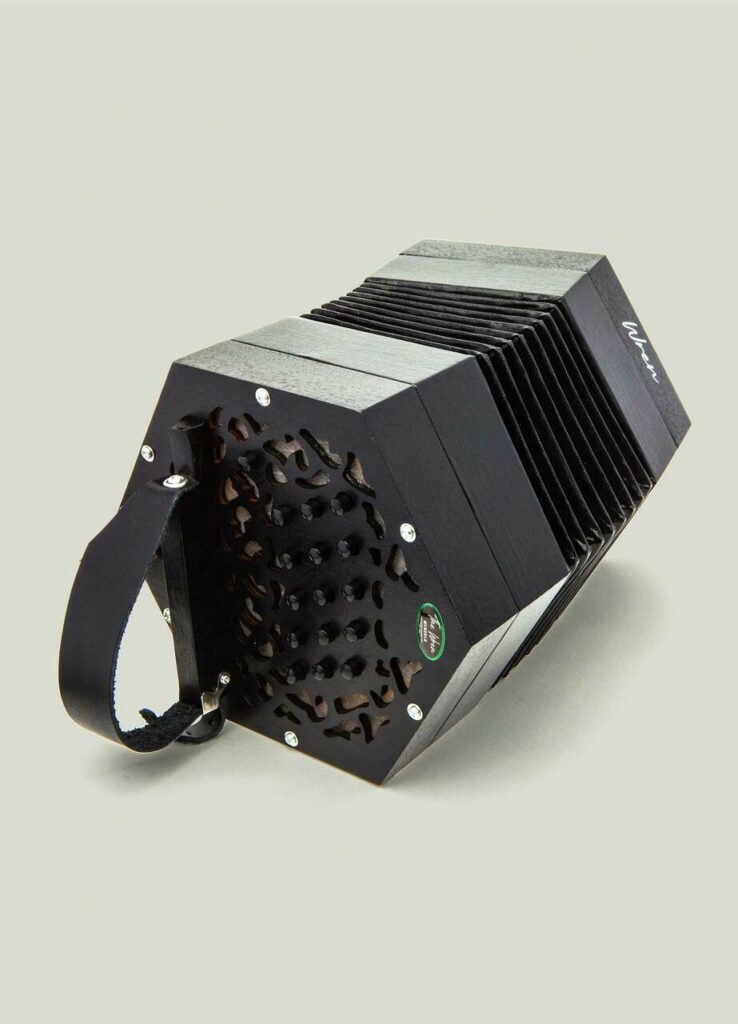
Concertina and Augmented reality
One of the first attempts to do some augmented reality.
Tried to display note buttons realtime on a instrument.
I’m using a image on a screen due to the lighting, i was unable to test my real instrument with the light i had when testing.
Android / Oculus Quest screen record
Needed a way to record stuff from phone and VR set, found scrcpy.
A really usefull tool, you can control you phone, and what i was looking for .. screen record.
Used this to show via Jitsi screen share, how to do stuff on your phone.
scrcpy –record file.mkv
https://github.com/Genymobile/scrcpy#copy-paste
| Switch fullscreen mode | MOD+f |
| Rotate display left | MOD+← (left) |
| Rotate display right | MOD+→ (right) |
| Resize window to 1:1 (pixel-perfect) | MOD+g |
| Resize window to remove black borders | MOD+w | Double-left-click¹ |
Click on HOME | MOD+h | Middle-click |
Click on BACK | MOD+b | Right-click² |
Click on APP_SWITCH | MOD+s | 4th-click³ |
Click on MENU (unlock screen)⁴ | MOD+m |
Click on VOLUME_UP | MOD+↑ (up) |
Click on VOLUME_DOWN | MOD+↓ (down) |
Click on POWER | MOD+p |
| Power on | Right-click² |
| Turn device screen off (keep mirroring) | MOD+o |
| Turn device screen on | MOD+Shift+o |
| Rotate device screen | MOD+r |
| Expand notification panel | MOD+n | 5th-click³ |
| Expand settings panel | MOD+n+n | Double-5th-click³ |
| Collapse panels | MOD+Shift+n |
| Copy to clipboard⁵ | MOD+c |
| Cut to clipboard⁵ | MOD+x |
| Synchronize clipboards and paste⁵ | MOD+v |
| Inject computer clipboard text | MOD+Shift+v |
| Enable/disable FPS counter (on stdout) | MOD+i |
| Pinch-to-zoom | Ctrl+click-and-move |
| Drag & drop APK file | Install APK from computer |
| Drag & drop non-APK file | Push file to device |
Ipcam sphere panorama
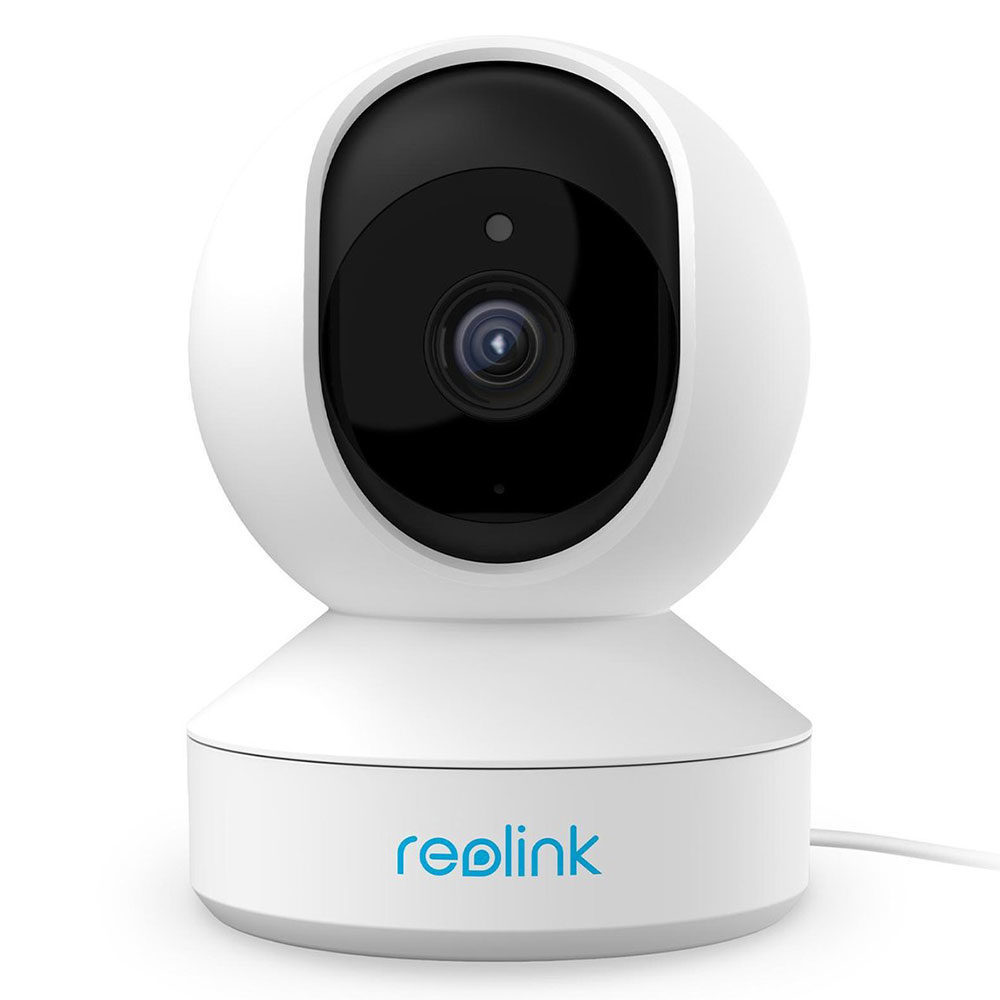
I made a little script to make a 360 spherical panorama photo, using a remote controlled IP cam,
Looking at the API CGI, i only needed to control the movement of the camera and getting a snapshot.
- Point camera down
- Point camera maximal left
- Take picture
- Point a little to the right
- Take picture, loop until max right
- Point a little more up and go max left
- Doing same loop as above, until pointing maximal up
After getting all those pictures, i only needed to stitch them using Hugin.
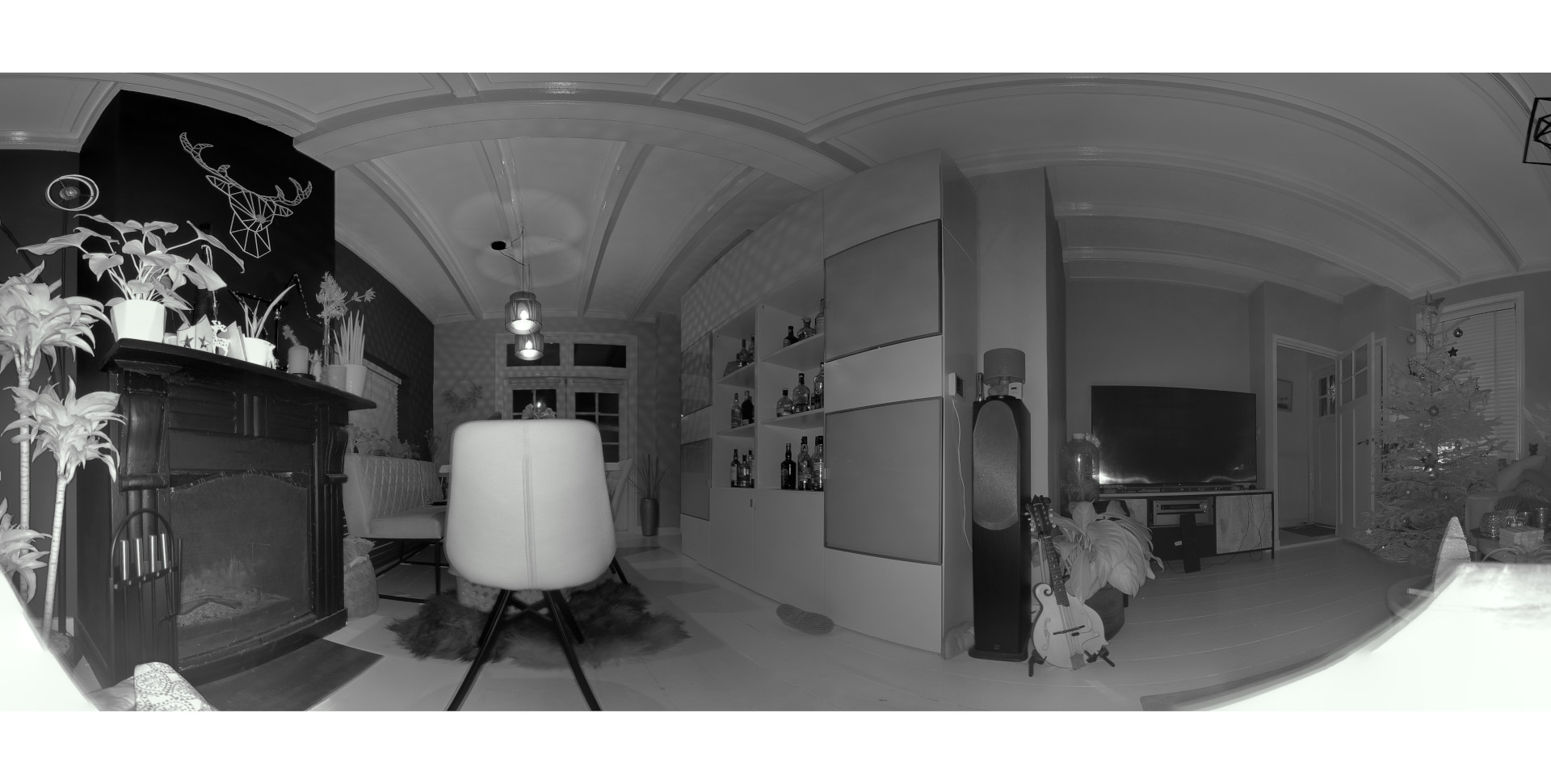
When viewing the image with VR Glasses, i could look around my room, without image distortion, like below flattend example.
The ipcam generates a token, which you have to use in your curl commands.
TOKEN PART
token=$( curl -s -d '[{"cmd":"Login","action":0,"param":{"rs": "abcd", "User":{"userName":"admin","password":"SECRETPASSWORD"}}}]' "http://camera.ip.number.here/cgi-bin/api.cgi?cmd=Login&token=null" -H 'Content-Type: application/json' | grep name | cut -f4 -d\" )GETTING A IMAGE FROM IPCAM
wget "http://camera.ip.number.here/cgi-bin/api.cgi?cmd=Snap&channel=0&rs=123asd&user=admin&password=SECRETPASSWORD" -O output.jpgCONTROLLING MOVEMENT
curl -X POST -d '[{"cmd":"PtzCtrl","action":0,"param":{"rs": "abcd", "channel":0,"op":"Left","speed":1,"id":1}}]' "http://camera.ip.number.here/cgi-bin/api.cgi?cmd=PtzCtrl&token=$token"COMPLETE SCRIPT
#!/bin/bash
token=$( curl -s -d  '[{"cmd":"Login","action":0,"param":{"rs": "abcd", "User":{"userName":"admin","password":"SECRETPASSWORD"}}}]'  "http://camera.ip.number.here/cgi-bin/api.cgi?cmd=Login&token=null"  -H 'Content-Type: application/json' | grep name | cut -f4 -d\" )
echo $token

if [ $2 == "max" ]; then
curl -X POST  -d '[{"cmd":"PtzCtrl","action":0,"param":{"rs": "abcd", "channel":0,"op":"'$1'","speed":1,"id":1}}]' "http://camera.ip.number.here/cgi-bin/api.cgi?cmd=PtzCtrl&token=$token"
exit 0
fi


for x in $(seq -w 1 25) ; do
	for y in $(seq -w 1 12) ; do
                wget "http://camera.ip.number.here/cgi-bin/api.cgi?cmd=Snap&channel=0&rs=123asd&user=admin&password=SECRETPASSWORD" -O ${x}${y}.jpg
		curl -X POST  -d '[{"cmd":"PtzCtrl","action":0,"param":{"rs": "abcd", "channel":0,"op":"Right","speed":1,"id":1}}]' "http://camera.ip.number.here/cgi-bin/api.cgi?cmd=PtzCtrl&token=$token"
		sleep 0.5
		curl -X POST  -d '[{"cmd":"PtzCtrl","action":0,"param":{"rs": "abcd", "channel":0,"op":"Stop","speed":1,"id":1}}]' "http://camera.ip.number.here/cgi-bin/api.cgi?cmd=PtzCtrl&token=$token"
		sleep 5
	done

	curl -X POST  -d '[{"cmd":"PtzCtrl","action":0,"param":{"rs": "abcd", "channel":0,"op":"Left","speed":1,"id":1}}]' "http://camera.ip.number.here/cgi-bin/api.cgi?cmd=PtzCtrl&token=$token"
	sleep 30
	curl -X POST  -d '[{"cmd":"PtzCtrl","action":0,"param":{"rs": "abcd", "channel":0,"op":"Stop","speed":1,"id":1}}]' "http://camera.ip.number.here/cgi-bin/api.cgi?cmd=PtzCtrl&token=$token"
	sleep 1
        curl -X POST  -d '[{"cmd":"PtzCtrl","action":0,"param":{"rs": "abcd", "channel":0,"op":"Up","speed":1,"id":1}}]' "http://camera.ip.number.here/cgi-bin/api.cgi?cmd=PtzCtrl&token=$token"
	sleep 0.5
	curl -X POST  -d '[{"cmd":"PtzCtrl","action":0,"param":{"rs": "abcd", "channel":0,"op":"Stop","speed":1,"id":1}}]' "http://camera.ip.number.here/cgi-bin/api.cgi?cmd=PtzCtrl&token=$token"
sleep 5
done
2 Persons flute design
Design for a 2 persons flute. Still working on it.
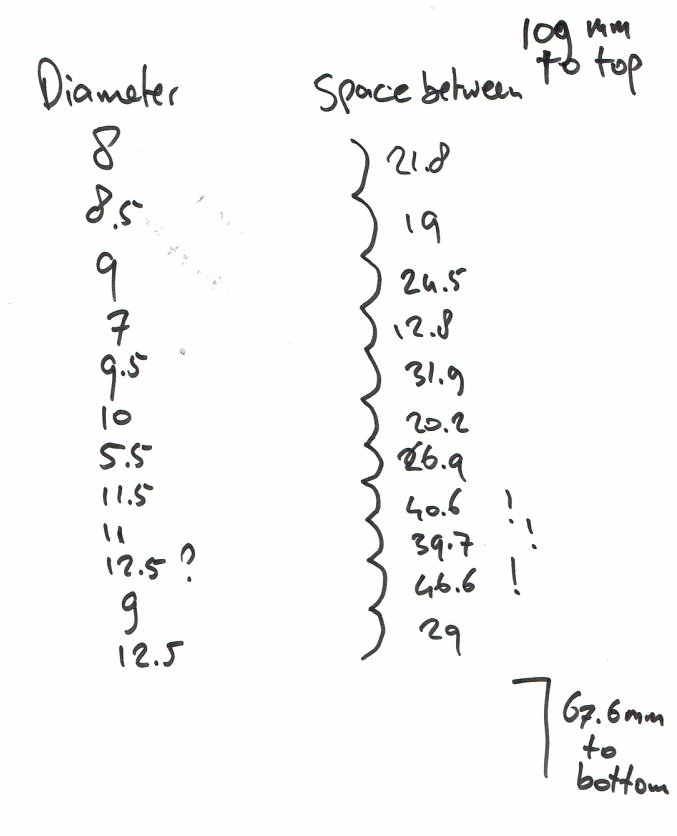
I have to recalculate some stuff, to get the finger distances in a better position.
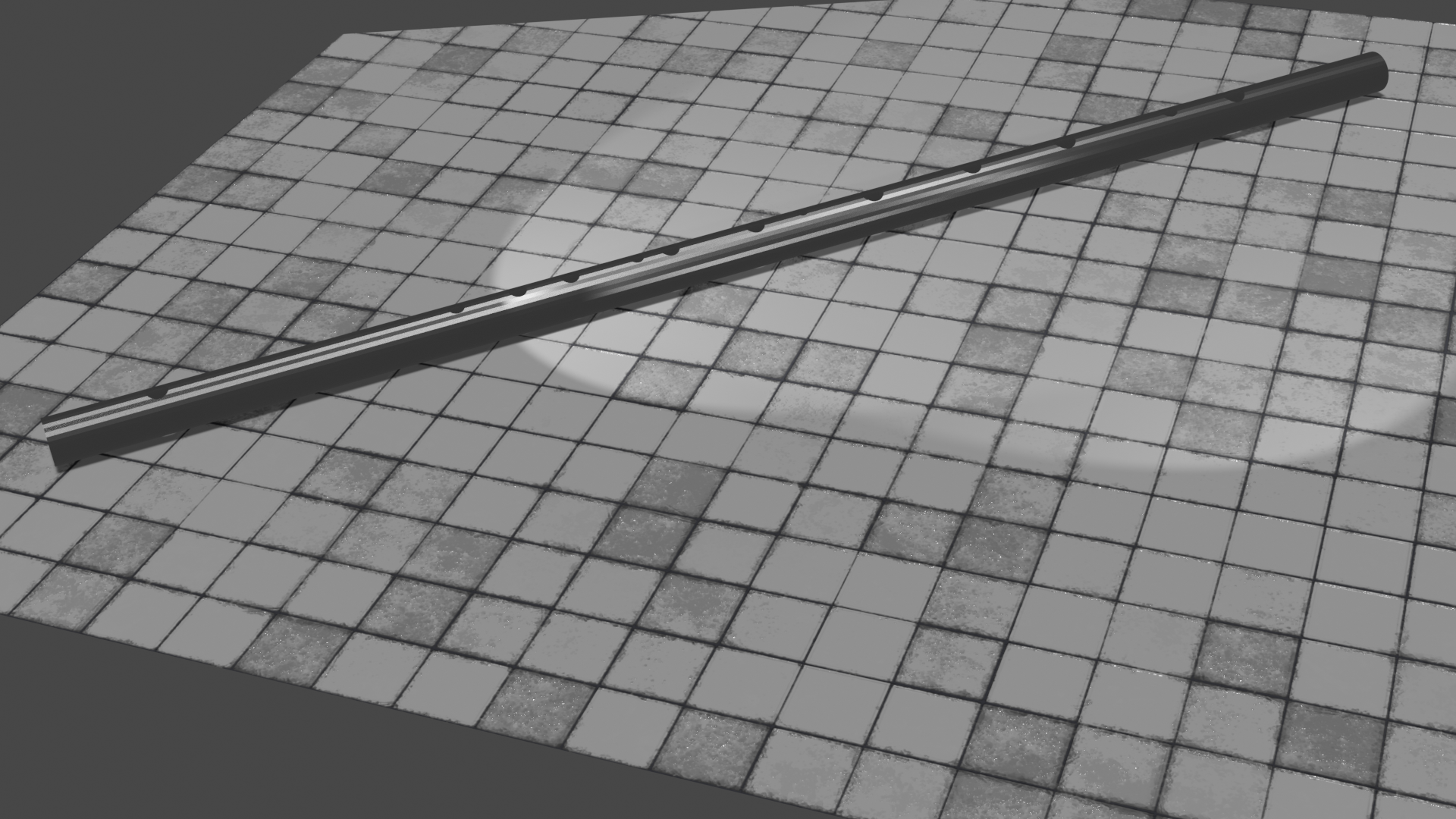
Plan is to 3D print this first to test. Then make it in wood or metal.
Books read / to read (Paper and Calibre)
- Je hebt wel iets te verbergen
- Missing microbe’s
- John Cleese
- Michael McIntyre
- Komt een vrouw bij de hacker
- The cathedral and the bazaar
- Ons feilbare denken
- Singularity is near
- Randall Munro books
- Dat wordt niets met Bert Visscher (read, see other post)
- Ultimate Cigar Book
- Oak Island
But most of the times manuals/howto books about beer, fermenting, computers .. reference guides.
We used to have a lot of books, but when Monique moved out she took a lot with her. And i’ve got a lot of digital versions of books now. We needed the space, so i got rid of the paper ones.
I’m using Calibre and Calibre in server mode, to access my ebooks and comics.
I use fbreader a lot and sometimes the calibre webreader.
My tunebooks are in there also, and i’m using my DIY bluetooth pageflipper to flip though the pages. (Other post)
Calibre in server mode
 ./calibre-server --userdb /home/fash/calibreusers.sqlite  /tank/Calibre/library /tank/Calibre/adult /tank/Calibre/sortedlibrary /tank/Calibre/comics /tank/Calibre/computer /tank/Calibre/manuals /tank/Calibre/PdfMusic /tank/Calibre/Nasla
g --port=8008 --enable-auth --auth-mode 'basic'

# To manage users
# calibre-server --userdb /srv/calibre/users.sqlite --manage-users

# Server is behind a reverse proxy
Some comics i’ve collected are:
- Stamgasten
- Dirkjan
- Storm
- Kuifje (TinTin)
- Klepzeiker
- Koen Hottentot
- Guust Flater
- Maus
- Metal Hurlant
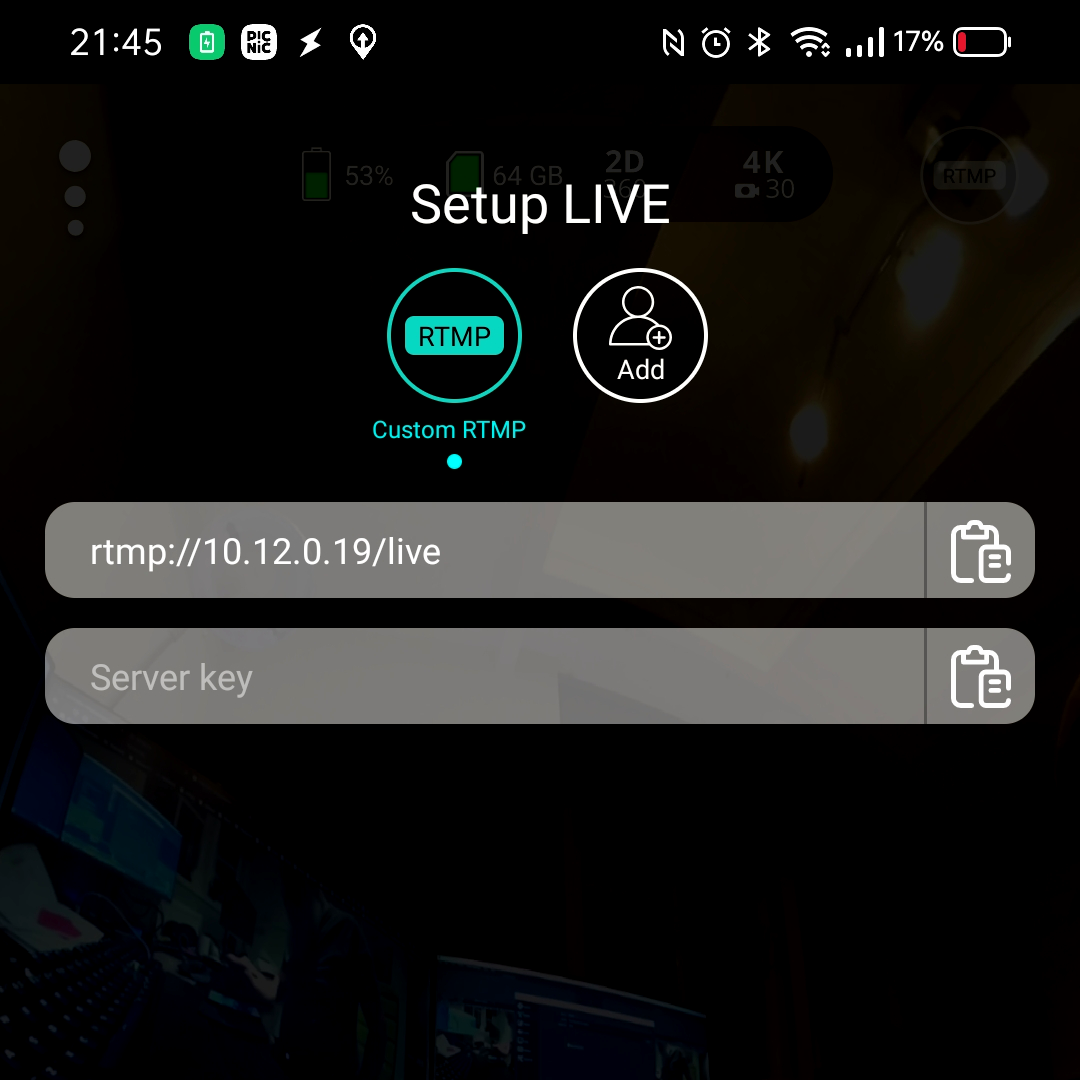
RTMP / RTSP / HLS Streaming video
UPDATE: 20220906 – Started testing with steaming VR/360 also
RTMP stands for Realtime Messaging Protocol
RTSP stands for Realtime Streaming Protocol
HLS is a HTTP Live Streaming method
I needed a way to stream semi-realtime video to a website.
There are multiple use cases.
- Streaming a boardgame online
- Showing my desktop, while i was working on projects.
- Watched (streamed) Curse of Oak Island with some friends while being in a Jitsi meeting at the same time together.
In all cases i used OBS to stream to the website.
Prepare the stream server:
Install nginx, with the rtmp module
wget http://nginx.org/download/nginx-1.9.7.tar.gz
wget https://github.com/arut/nginx-rtmp-module/archive/master.zip
tar -xvf nginx-1.9.7.tar.gz
unzip master.zip
cd nginx-1.9.7
./configure --add-module=../nginx-rtmp-module-master/
make && make install
mkdir -p /HLS/live/test # live is the stream name, test is the pass key
chown -R {nginx user} /HLS
create a config file
worker_processes  1;
error_log  logs/error.log debug;
events {
worker_connections  1024;
}
rtmp {
server {
listen 1935;
allow play all;

application live {
allow play all;
live on;
record all;
record_path /video_recordings;
record_unique on;
hls on;
hls_nested on;
hls_path /HLS/live;
hls_fragment 10s;

}

application vod {
play /video_recordings;
}

http {
include       mime.types;
default_type  application/octet-stream;

server {
listen 80;
server_name www.fash.nu;
add_header Access-Control-Allow-Origin *;

location /live {
types {
application/vnd.apple.mpegurl m3u8;
}
alias /HLS/live;
add_header Cache-Control no-cache;
}

location /mobile {
types {
application/vnd.apple.mpegurl m3u8;
}
alias /HLS/mobile;
add_header Cache-Control no-cache;
}

location / {
root   html;
index  index.html index.htm;
}
}
You need a webpage containing the embedded player
<!-- HTML -->
<video id='hls-example'  class="video-js vjs-default-skin" width="400" height="300" controls>
<source type="application/x-mpegURL" src="http://www.fash.nu:8080/live/test/index.m3u8">
</video>


<!-- JS code -->
<!-- If you'd like to support IE8 (for Video.js versions prior to v7) -->
<script src="https://vjs.zencdn.net/ie8/ie8-version/videojs-ie8.min.js"></script>
<script src="https://cdnjs.cloudflare.com/ajax/libs/videojs-contrib-hls/5.14.1/videojs-contrib-hls.js"></script>
<script src="https://vjs.zencdn.net/7.2.3/video.js"></script>

<script>
var player = videojs('hls-example');
player.play();
</script>
Run the server part:
/usr/local/nginx/sbin/nginx -c /root/stream.confNow you can connect OBS to the streaming server
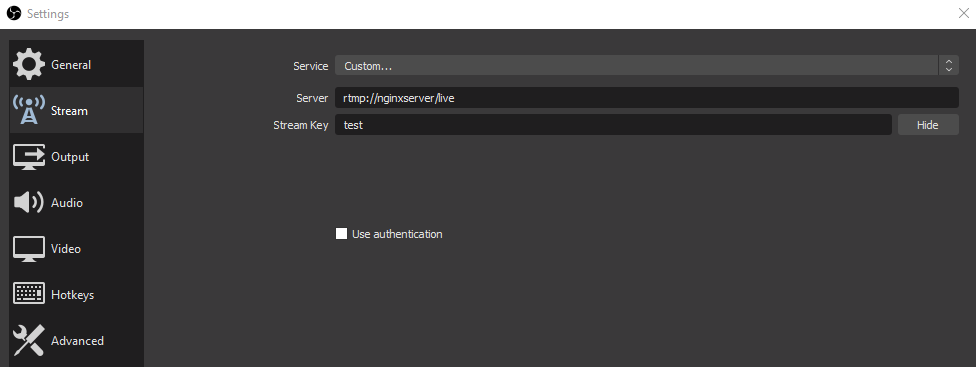
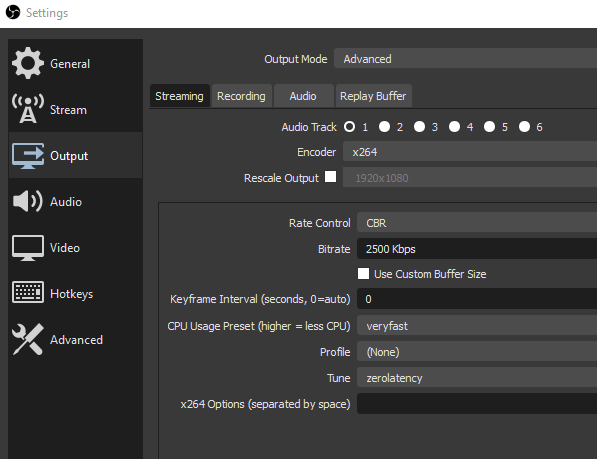
Open the webpage and enjoy!
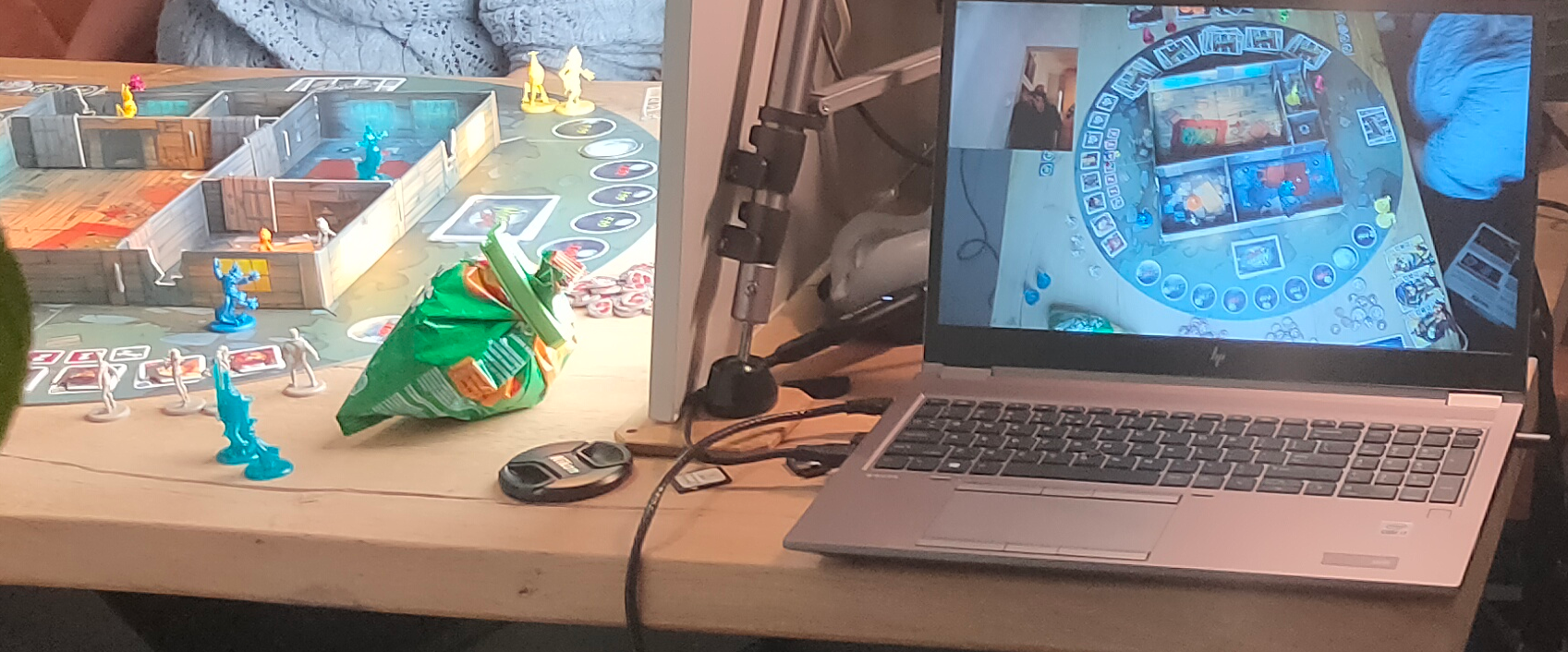
UPDATE: 20220906 – Started testing with steaming VR/360 also
When attending the MCH2022 talk about streaming 360 video, i made a mental note to try this with my Vuze cam, using current setup and the one suggested in the talk : https://www.youtube.com/watch?v=460vo1O5pC4
To check : EGJS