UPDATE 20240122 : below
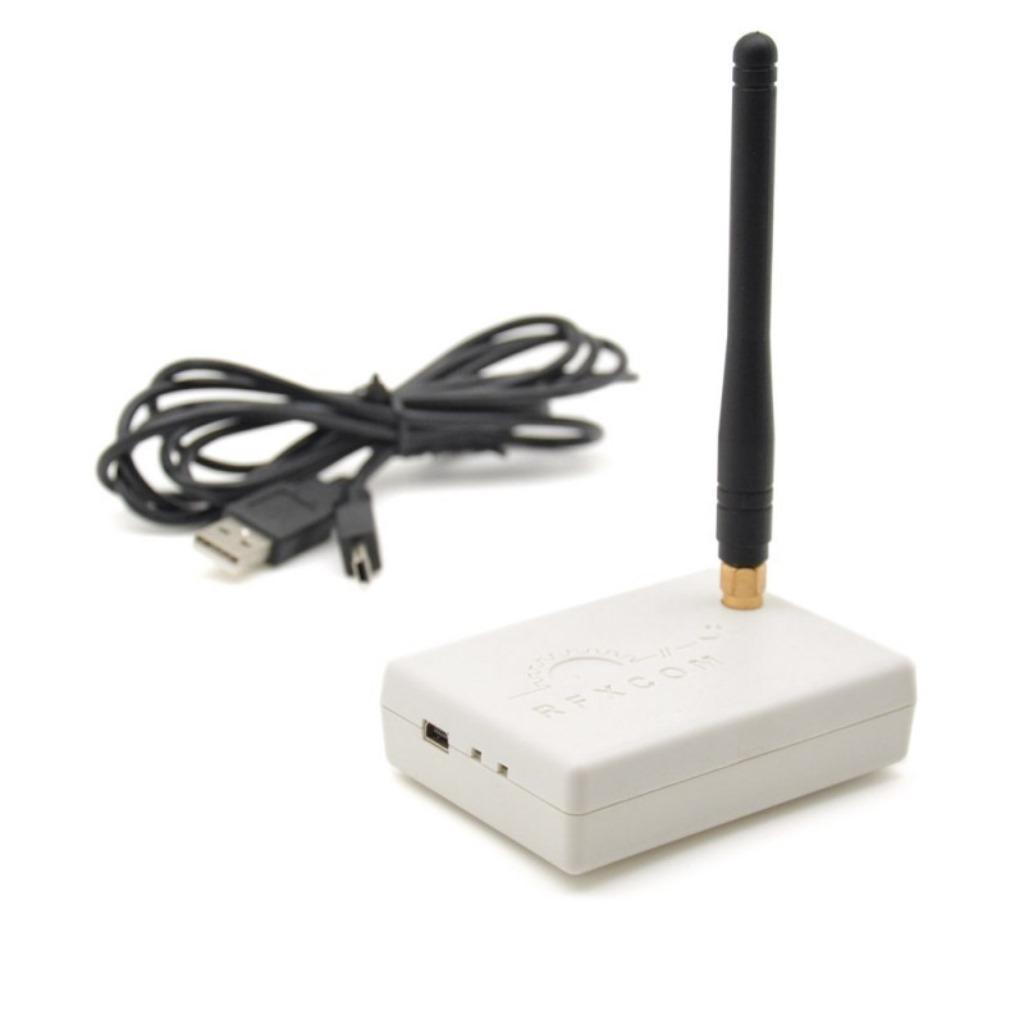
I’ve got my RFXCOM connected to my Domoticz, and not connected to my HA.
RFXCOM 433 Mhz
To have the changes of my IOT devices being known to HomeAssistant I wanted to use mqtt.
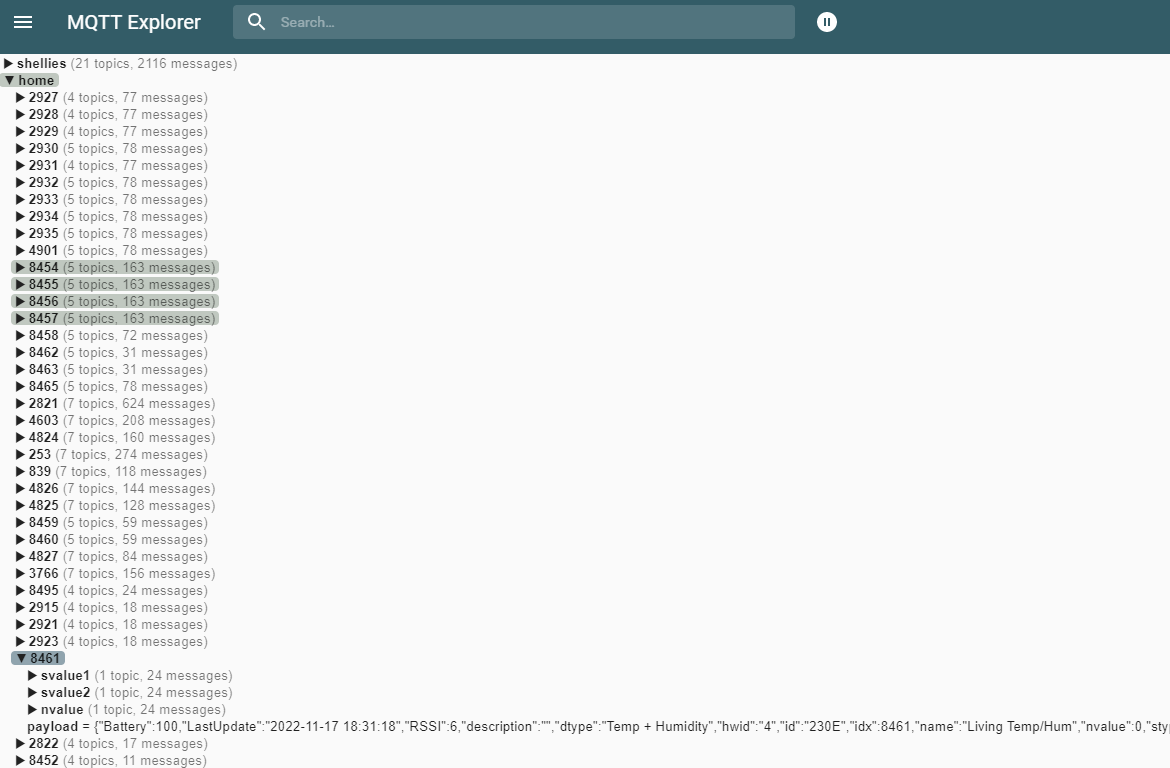
Domoticz writes the mqtt topic (payload) like this
{
	"Battery" : 100,
	"LastUpdate" : "2022-11-17 18:21:59",
	"RSSI" : 6,
	"description" : "",
	"dtype" : "Temp + Humidity",
	"hwid" : "4",
	"id" : "230E",
	"idx" : 8461,
	"name" : "Living Temp/Hum",
	"nvalue" : 0,
	"stype" : "Cresta, TFA TS34C",
	"svalue1" : "20.0",
	"svalue2" : "60",
	"svalue3" : "1",
	"unit" : 1
}
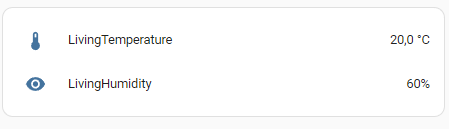
So you can’t see which device it is by the topic name, the idx is in the json (8461)
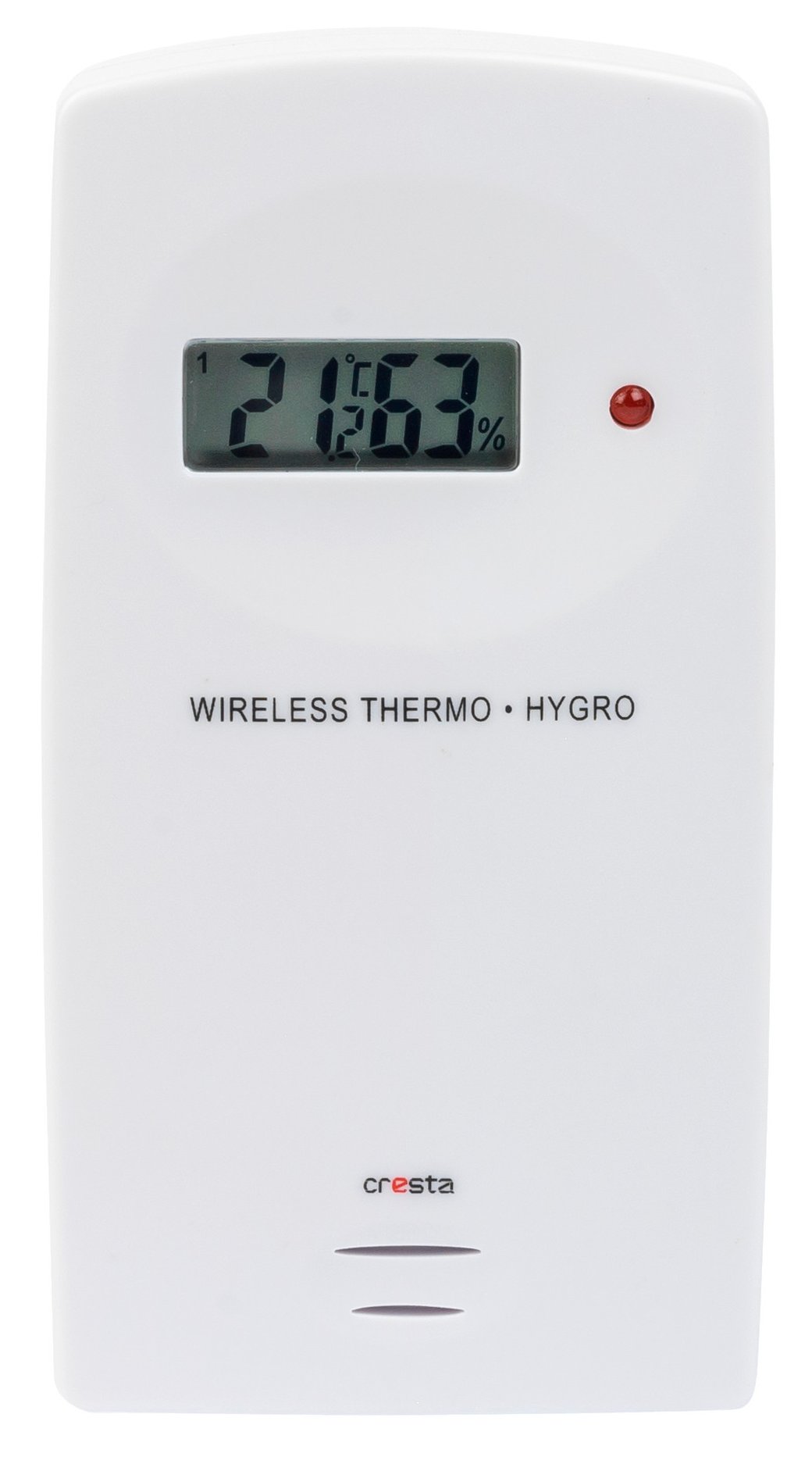
To get this device ( a temperature sensor) into HA using mqtt i rewrote the mqtt topic using NodeRed
Temperature Humidity Sensor
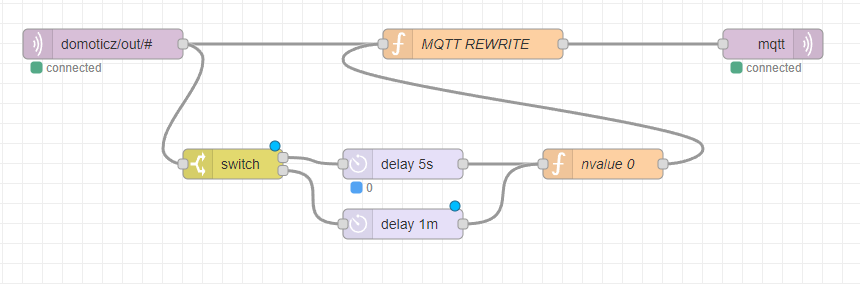
NodeRed flow
[
    {
        "id": "836cc419ddb2ca2b",
        "type": "mqtt in",
        "z": "cfb00976f06591d6",
        "name": "",
        "topic": "domoticz/out/#",
        "qos": "2",
        "datatype": "auto-detect",
        "broker": "8c74c5f6.9a7a48",
        "nl": false,
        "rap": true,
        "rh": 0,
        "inputs": 0,
        "x": 200,
        "y": 140,
        "wires": [
            [
                "dbe628e18027a287"
            ]
        ]
    },
    {
        "id": "a6cb517fd1cc9987",
        "type": "mqtt out",
        "z": "cfb00976f06591d6",
        "name": "",
        "topic": "",
        "qos": "",
        "retain": "",
        "respTopic": "",
        "contentType": "",
        "userProps": "",
        "correl": "",
        "expiry": "",
        "broker": "8c74c5f6.9a7a48",
        "x": 870,
        "y": 140,
        "wires": []
    },
    {
        "id": "dbe628e18027a287",
        "type": "function",
        "z": "cfb00976f06591d6",
        "name": "MQTT REWRITE",
        "func": "var varidx = msg.payload.idx;\nmsg.topic = \"home/\"+varidx+\"/payload\";\nreturn msg;\n",
        "outputs": 1,
        "noerr": 0,
        "initialize": "",
        "finalize": "",
        "libs": [],
        "x": 570,
        "y": 140,
        "wires": [
            [
                "a6cb517fd1cc9987"
            ]
        ]
    },
    {
        "id": "8c74c5f6.9a7a48",
        "type": "mqtt-broker",
        "name": "MQTTSERVERIP",
        "broker": "MQTTSERVERIP",
        "port": "1883",
        "clientid": "",
        "usetls": false,
        "compatmode": true,
        "keepalive": "15",
        "cleansession": true,
        "birthTopic": "",
        "birthQos": "0",
        "birthPayload": "",
        "closeTopic": "",
        "closePayload": "",
        "willTopic": "",
        "willQos": "0",
        "willPayload": ""
    }
]
The function node code ( rewrites the mqtt topic)
var varidx = msg.payload.idx;
msg.topic = "home/"+varidx+"/payload";
return msg;
Now we have a idx separated payload “home/IDX/payload”
Adding the MQTT entries to HomeAssistant configuration.conf
mqtt:
 sensor:
  - name: "LivingTemperature"
    state_topic: "home/8461/payload"
    unit_of_measurement: "°C"
    value_template: "{{ value_json.svalue1 }}"
  - name: "LivingHumidity"
    state_topic: "home/8461/payload"
    unit_of_measurement: "%"
    value_template: "{{ value_json.svalue2 }}"
Now i can add the card to the dashboard.
This should now be a generic mqtt translator
A quick update:
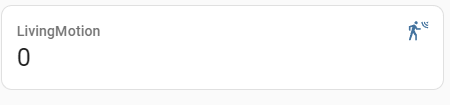
Adding a motion sensor:
Home Assistant
  - name: "LivingMotion"
    state_topic: "home/45/payload"
    value_template: "{{ value_json.nvalue }}"
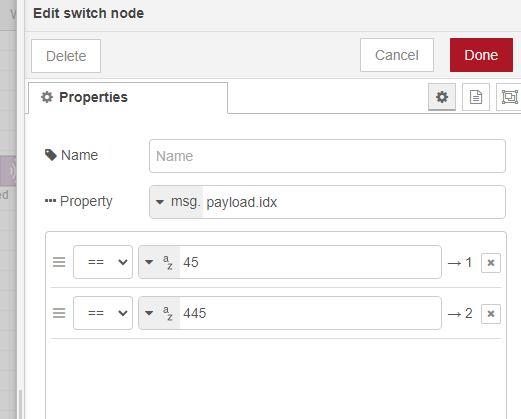
Add sensors to be reset to the switch node
[
    {
        "id": "836cc419ddb2ca2b",
        "type": "mqtt in",
        "z": "cfb00976f06591d6",
        "name": "",
        "topic": "domoticz/out/#",
        "qos": "2",
        "datatype": "auto-detect",
        "broker": "8c74c5f6.9a7a48",
        "nl": false,
        "rap": true,
        "rh": 0,
        "inputs": 0,
        "x": 200,
        "y": 140,
        "wires": [
            [
                "dbe628e18027a287",
                "768bb6e4b6731436"
            ]
        ]
    },
    {
        "id": "a6cb517fd1cc9987",
        "type": "mqtt out",
        "z": "cfb00976f06591d6",
        "name": "",
        "topic": "",
        "qos": "",
        "retain": "",
        "respTopic": "",
        "contentType": "",
        "userProps": "",
        "correl": "",
        "expiry": "",
        "broker": "8c74c5f6.9a7a48",
        "x": 870,
        "y": 140,
        "wires": []
    },
    {
        "id": "dbe628e18027a287",
        "type": "function",
        "z": "cfb00976f06591d6",
        "name": "MQTT REWRITE",
        "func": "var varidx = msg.payload.idx;\nmsg.topic = \"home/\"+varidx+\"/payload\";\nreturn msg;\n",
        "outputs": 1,
        "noerr": 0,
        "initialize": "",
        "finalize": "",
        "libs": [],
        "x": 570,
        "y": 140,
        "wires": [
            [
                "a6cb517fd1cc9987"
            ]
        ]
    },
    {
        "id": "768bb6e4b6731436",
        "type": "switch",
        "z": "cfb00976f06591d6",
        "name": "",
        "property": "payload.idx",
        "propertyType": "msg",
        "rules": [
            {
                "t": "eq",
                "v": "45",
                "vt": "str"
            }
        ],
        "checkall": "true",
        "repair": false,
        "outputs": 1,
        "x": 330,
        "y": 260,
        "wires": [
            [
                "e46fed76a596a719"
            ]
        ]
    },
    {
        "id": "e46fed76a596a719",
        "type": "delay",
        "z": "cfb00976f06591d6",
        "name": "",
        "pauseType": "delay",
        "timeout": "5",
        "timeoutUnits": "seconds",
        "rate": "1",
        "nbRateUnits": "1",
        "rateUnits": "second",
        "randomFirst": "1",
        "randomLast": "5",
        "randomUnits": "seconds",
        "drop": false,
        "allowrate": false,
        "outputs": 1,
        "x": 500,
        "y": 260,
        "wires": [
            [
                "3f7eeffc8d066de3"
            ]
        ]
    },
    {
        "id": "3f7eeffc8d066de3",
        "type": "function",
        "z": "cfb00976f06591d6",
        "name": "nvalue 0",
        "func": "msg.payload.nvalue = 0;\nreturn msg;",
        "outputs": 1,
        "noerr": 0,
        "initialize": "",
        "finalize": "",
        "libs": [],
        "x": 700,
        "y": 260,
        "wires": [
            [
                "dbe628e18027a287"
            ]
        ]
    },
    {
        "id": "8c74c5f6.9a7a48",
        "type": "mqtt-broker",
        "name": "MQTTIP",
        "broker": "MQTTIP",
        "port": "1883",
        "clientid": "",
        "usetls": false,
        "compatmode": true,
        "keepalive": "15",
        "cleansession": true,
        "birthTopic": "",
        "birthQos": "0",
        "birthPayload": "",
        "closeTopic": "",
        "closePayload": "",
        "willTopic": "",
        "willQos": "0",
        "willPayload": ""
    }
]
UPDATE 20240122
I’m using domoticz as a 433->mqtt bridge, and some virtual devices i can toggle with curl (bash scripts)
I needed to make a custom 433 door sensor in Home Assistant with toggles to OFF after a few seconds. (There is NO off signal in this cheap sensor i’m using)
I’m changing the payload complete, to have a payload which matches the device class for door: (state with on/off)
(Whenever the IDX changes, I only have to update this Nodered part)
var nvalue = msg.payload.nvalue;
msg.payload = {};
if(nvalue == 1)
{
msg.payload.state = "ON";
return msg;
}

AND after 5 seconds

msg.payload = {};
msg.payload.state = "OFF";
return msg;
Node-RED Deploy
Export nodes
Export
[
    {
        "id": "d8a1af40d14307a9",
        "type": "mqtt in",
        "z": "a8ec6104.cb08c",
        "name": "",
        "topic": "home/35/payload",
        "qos": "2",
        "datatype": "auto-detect",
        "broker": "8c74c5f6.9a7a48",
        "nl": false,
        "rap": true,
        "rh": 0,
        "inputs": 0,
        "x": 220,
        "y": 720,
        "wires": [
            [
                "ac3f66d770bb8f56"
            ]
        ]
    },
    {
        "id": "31cb1ca9e4060710",
        "type": "delay",
        "z": "a8ec6104.cb08c",
        "name": "",
        "pauseType": "delay",
        "timeout": "5",
        "timeoutUnits": "seconds",
        "rate": "1",
        "nbRateUnits": "1",
        "rateUnits": "second",
        "randomFirst": "1",
        "randomLast": "5",
        "randomUnits": "seconds",
        "drop": false,
        "allowrate": false,
        "outputs": 1,
        "x": 660,
        "y": 760,
        "wires": [
            [
                "dbf50e2146f5e631"
            ]
        ]
    },
    {
        "id": "96d60ca0976c555c",
        "type": "mqtt out",
        "z": "a8ec6104.cb08c",
        "name": "",
        "topic": "home/frontdoor/payload",
        "qos": "",
        "retain": "",
        "respTopic": "",
        "contentType": "",
        "userProps": "",
        "correl": "",
        "expiry": "",
        "broker": "8c74c5f6.9a7a48",
        "x": 1010,
        "y": 720,
        "wires": []
    },
    {
        "id": "ac3f66d770bb8f56",
        "type": "function",
        "z": "a8ec6104.cb08c",
        "name": "If open",
        "func": "var nvalue = msg.payload.nvalue;\nmsg.payload = {};\nif(nvalue == 1)\n{\nmsg.payload.state = \"ON\";\nreturn msg;\n} \n",
        "outputs": 1,
        "noerr": 0,
        "initialize": "",
        "finalize": "",
        "libs": [],
        "x": 490,
        "y": 720,
        "wires": [
            [
                "31cb1ca9e4060710",
                "96d60ca0976c555c"
            ]
        ]
    },
    {
        "id": "dbf50e2146f5e631",
        "type": "function",
        "z": "a8ec6104.cb08c",
        "name": "Send Close",
        "func": "msg.payload = {};\nmsg.payload.state = \"OFF\";\nreturn msg;",
        "outputs": 1,
        "noerr": 0,
        "initialize": "",
        "finalize": "",
        "libs": [],
        "x": 810,
        "y": 760,
        "wires": [
            [
                "96d60ca0976c555c"
            ]
        ]
    },
    {
        "id": "8c74c5f6.9a7a48",
        "type": "mqtt-broker",
        "name": "MQTTSERVER",
        "broker": "MQTTSERVER",
        "port": "1883",
        "clientid": "",
        "usetls": false,
        "compatmode": true,
        "keepalive": "15",
        "cleansession": true,
        "birthTopic": "",
        "birthQos": "0",
        "birthPayload": "",
        "closeTopic": "",
        "closePayload": "",
        "willTopic": "",
        "willQos": "0",
        "willPayload": ""
    }
]
HA Part : Instead of the generic setup above (Old post part)
mqtt:
 binary_sensor:
  - name: "FrontDoor"
    state_topic: "home/frontdoor/payload"
    value_template: "{{ value_json.state }}"
    device_class: door