Category Archives: Music

Computer cards i’ve owned / used

Only cards worth mentioning.
I will add more information to this page

Graphics:

Hercules ???? – Did a lot of machinecode on this one. (Which?)
CGA/EGA Card ??? – Machinecode hacking
VGA .. first card also machine code hacking
Matrox
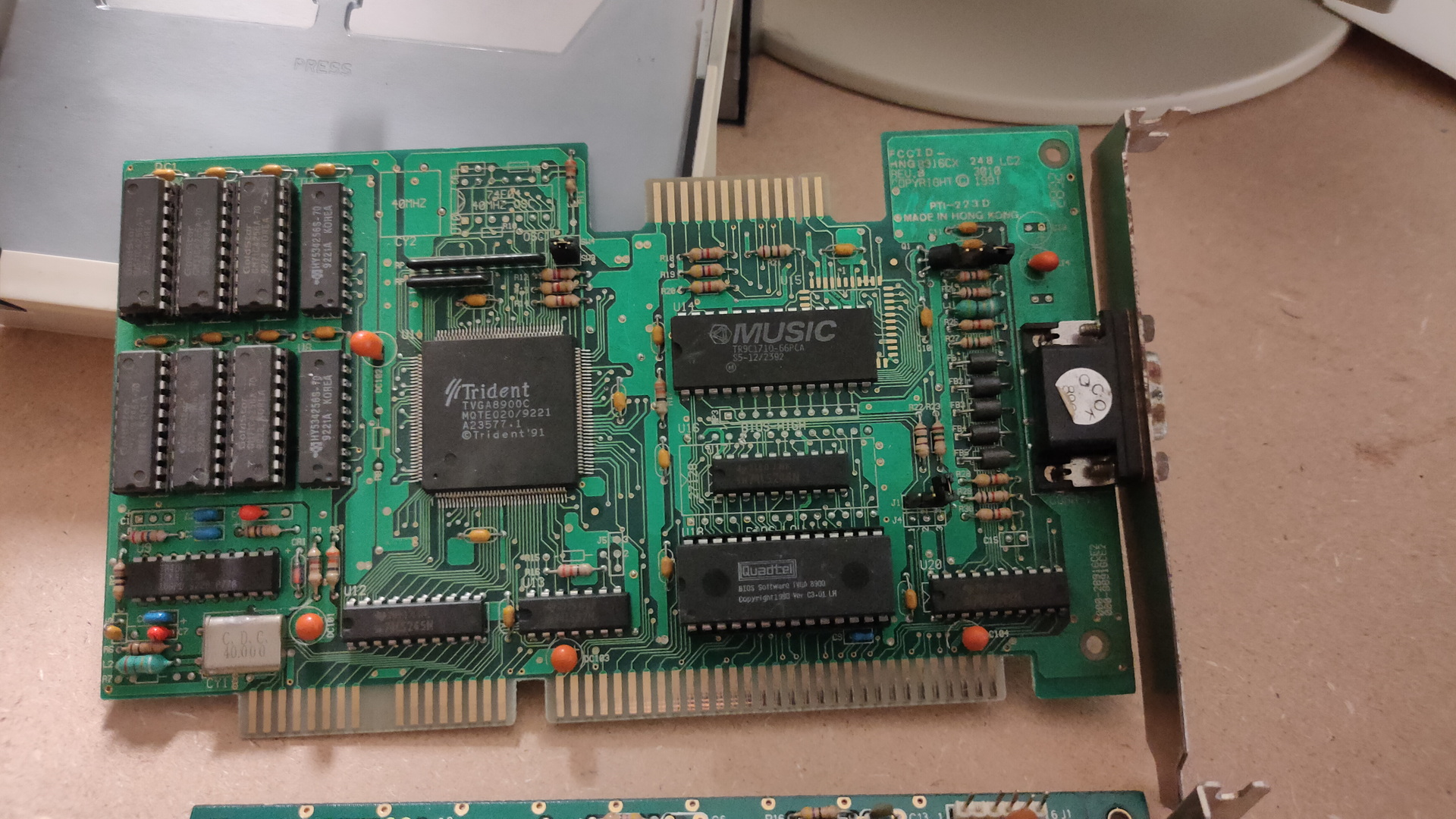
Some cards i knew a lot about, i did some manipulations using assembly that were very interesting, but only worked on that specific brand.

16 Bit ISA VGA card that is compatibe with 8bits slots for my XT.
see https://www.henriaanstoot.nl/2022/11/16/hercules-to-vga/

Sound:

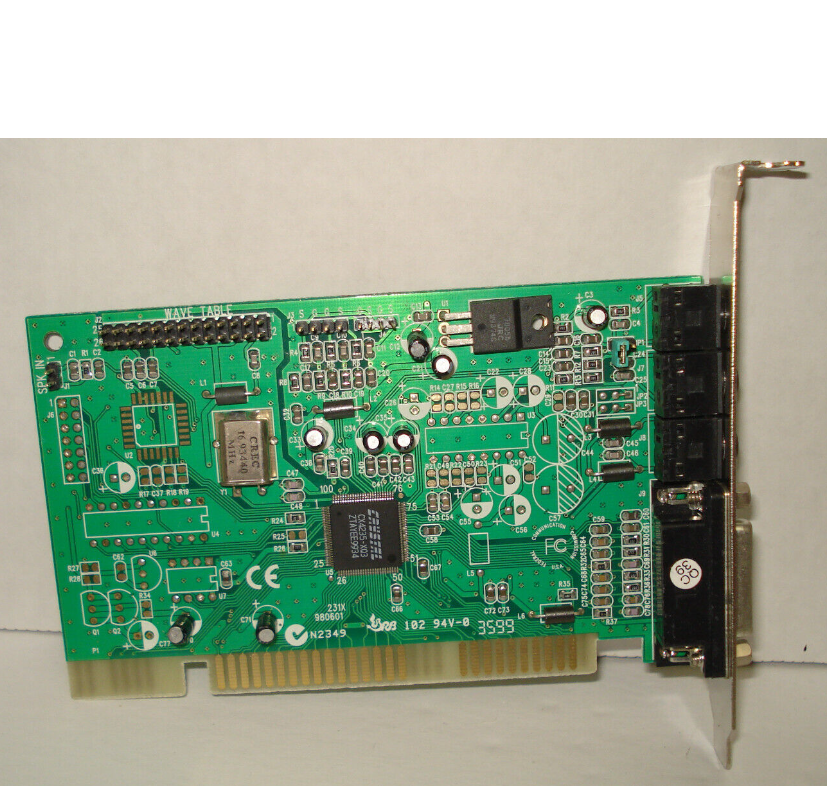
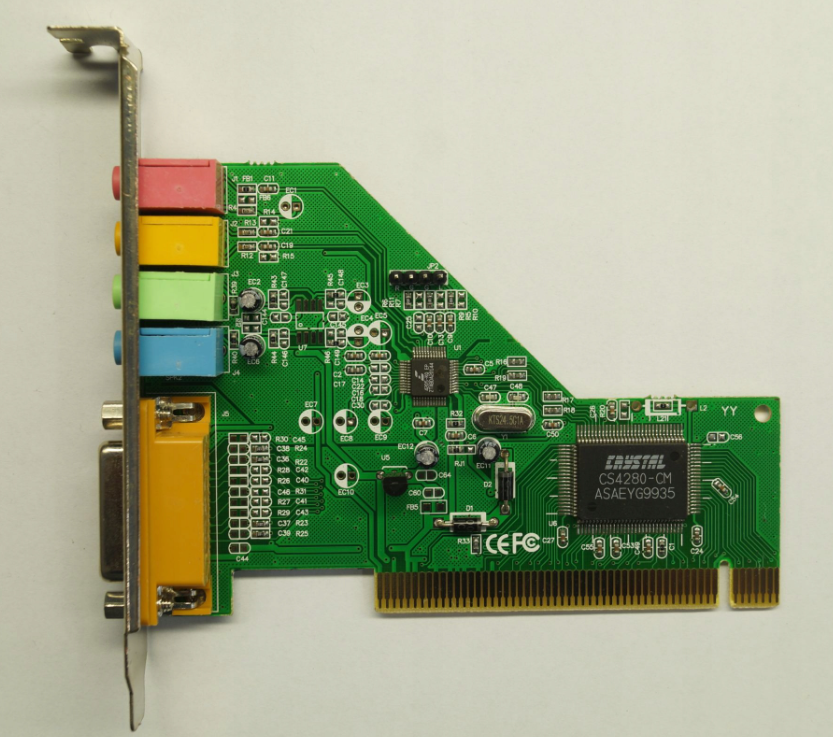
I’ve bought a lot of Crystal Soundcards, there were breeze to install and use under linux, way back when it was hard to get supported hardware.


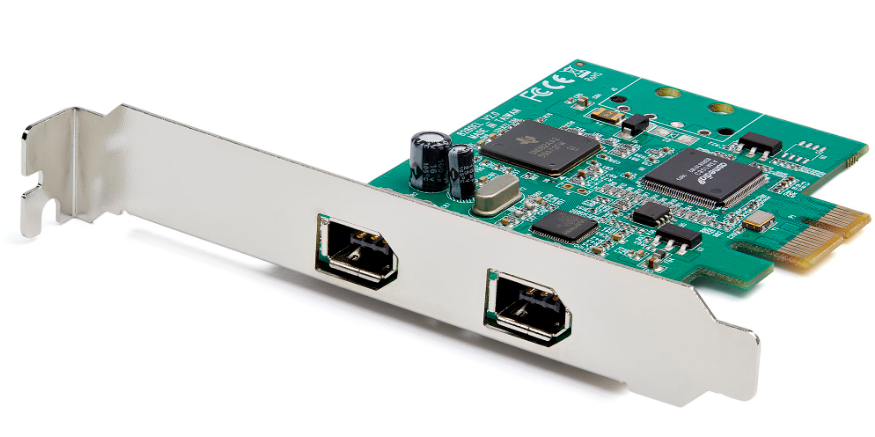
Firewire card (for Studio equipment):

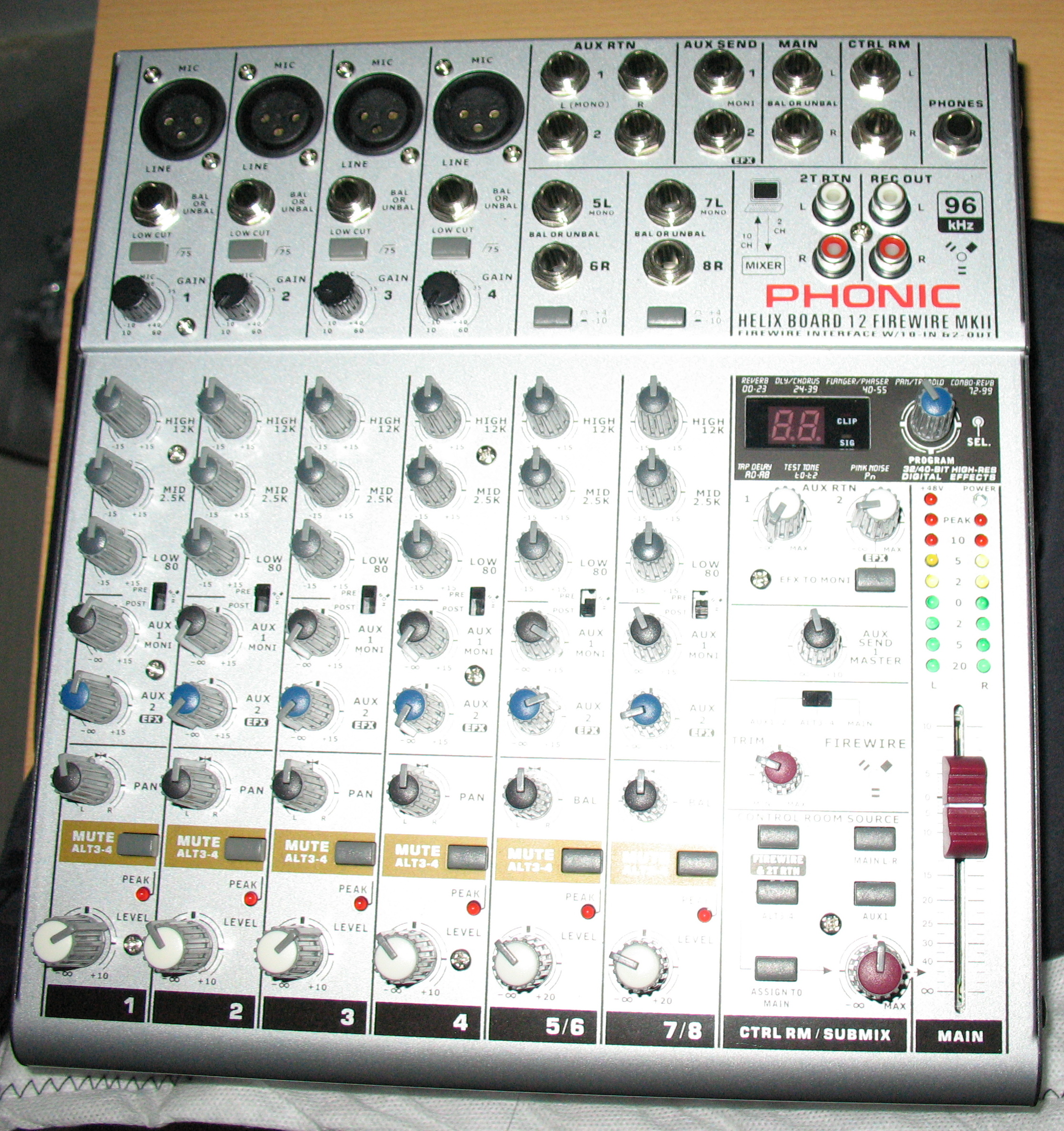
Our old trusty mixer

Videocapture:

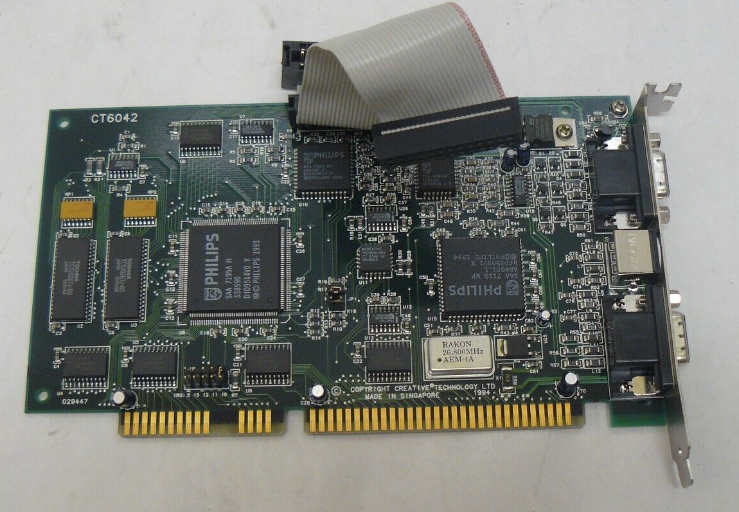
Video blaster – Which i used to record video (Like ‘Sepp en fash vervelen zich nooit’) and my DIY controllable webcam.

Video Blaster


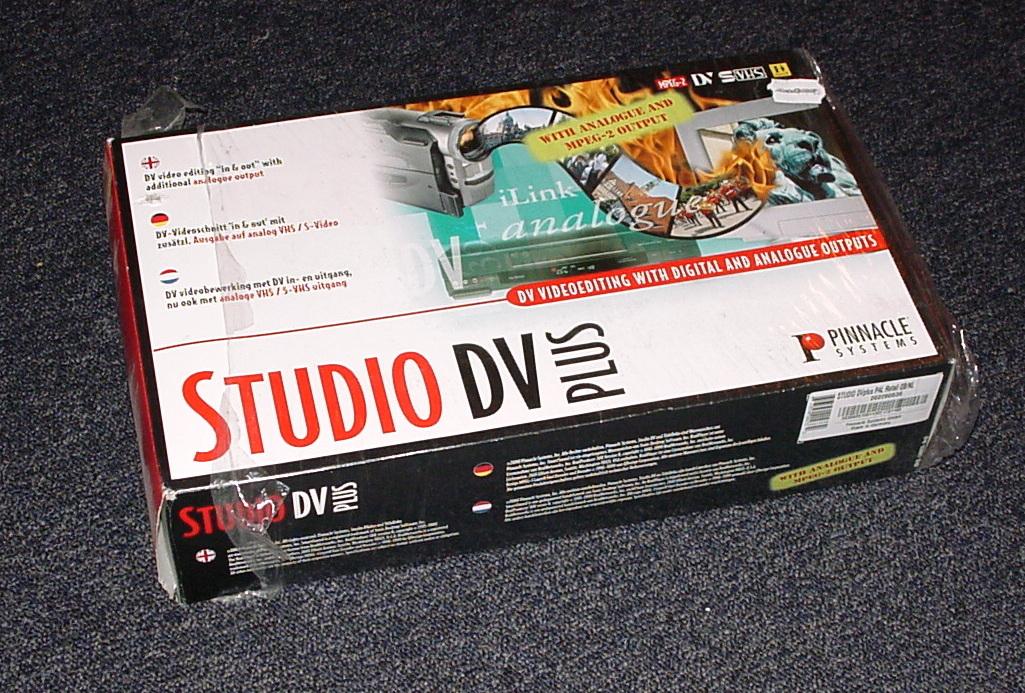
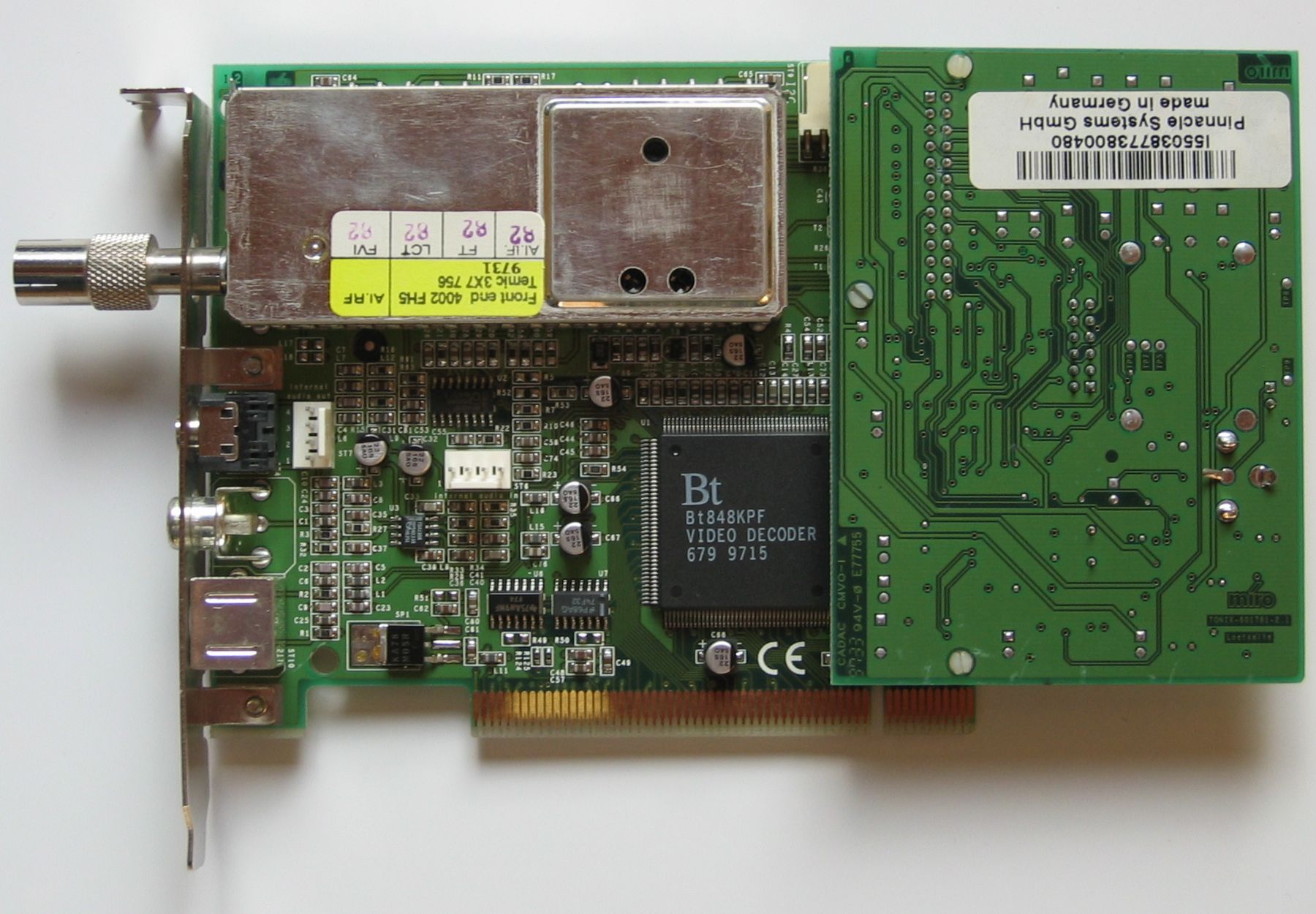
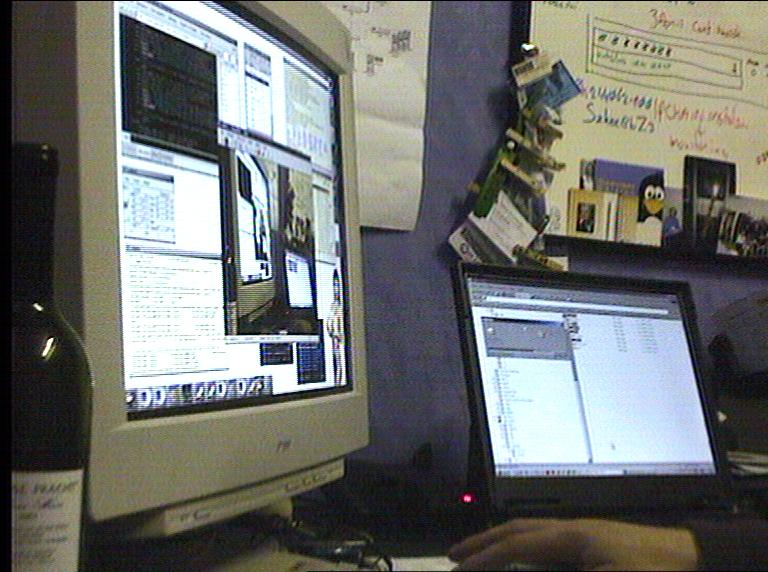
Pinnacle PCTV- Brooktree Bt848

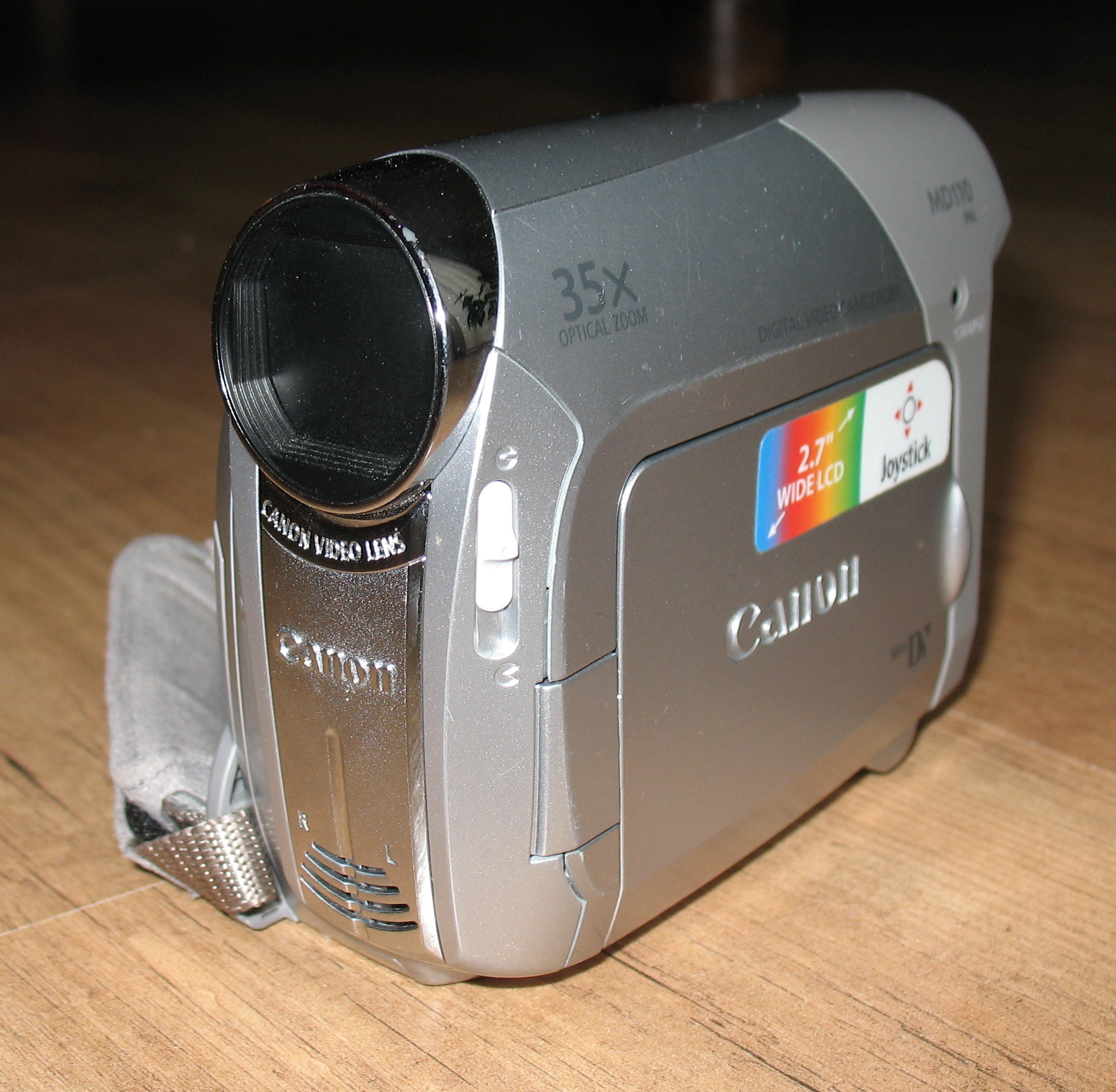
I used the firewire connection to get the footage of my Canon Video Camera

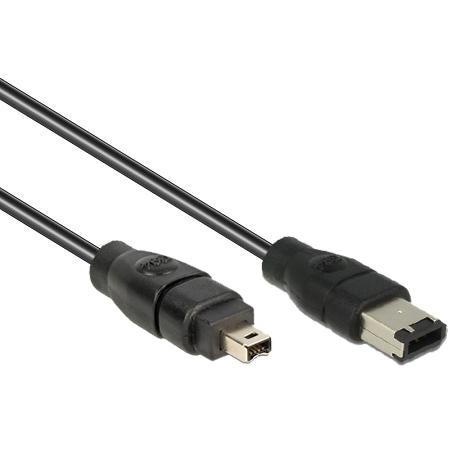
Firewire cable
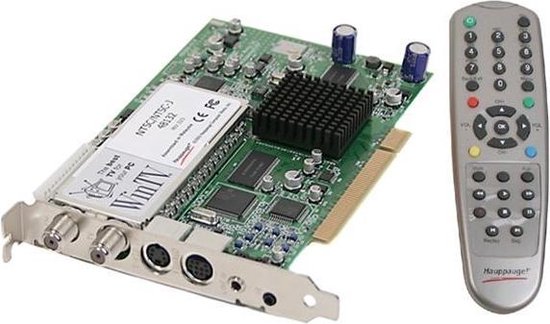
Not my card but comparable


Hauppauge WinTV PVR 350


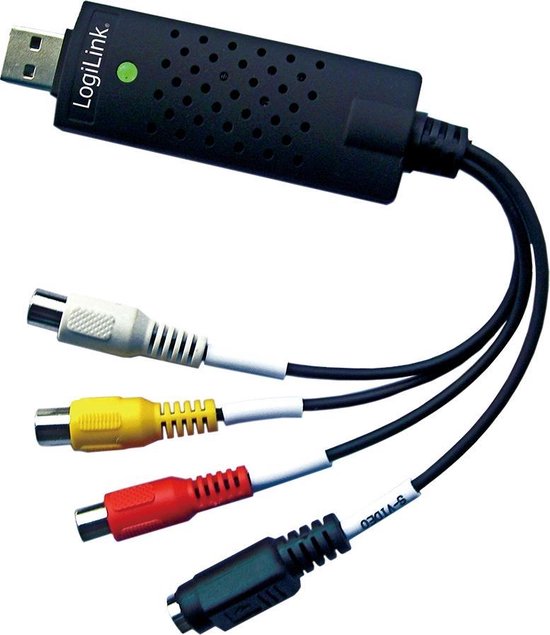
Basetech BR116 (Current) – RCA

Not really a “card”


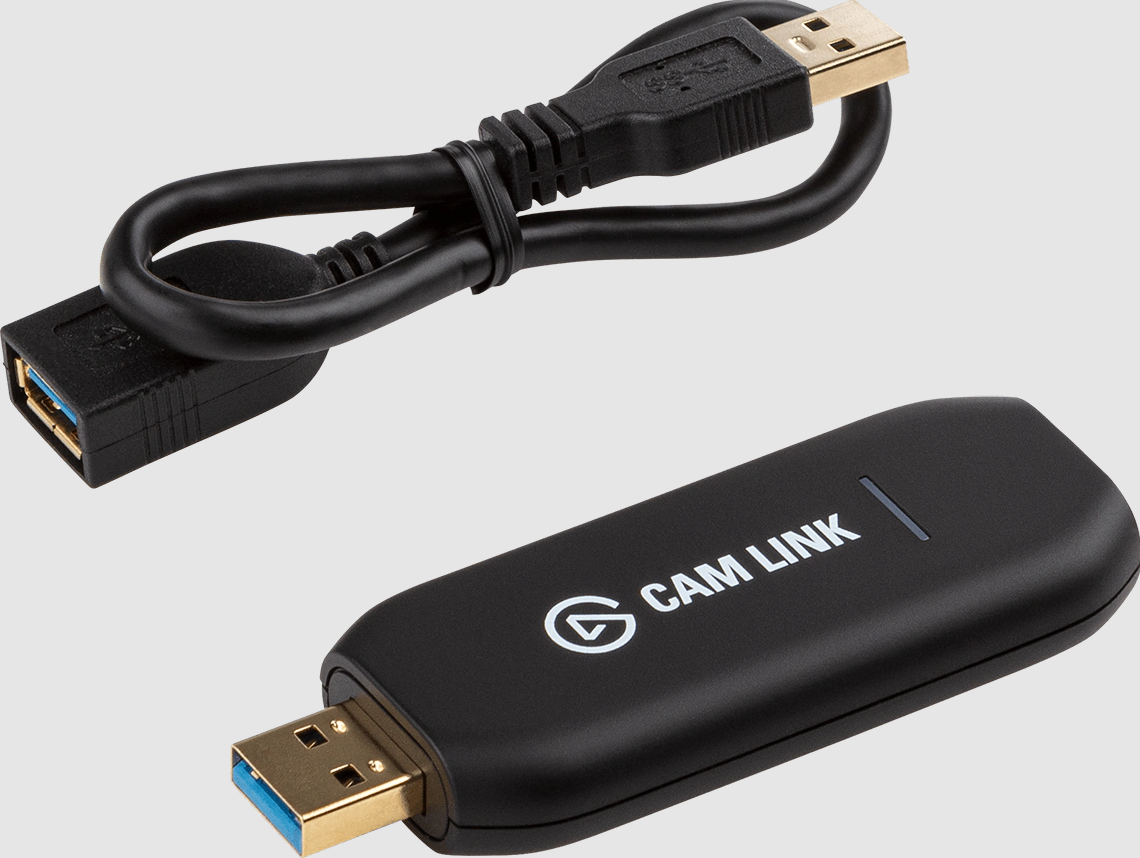
Camlink 4K (Current) – hdmi

Other:

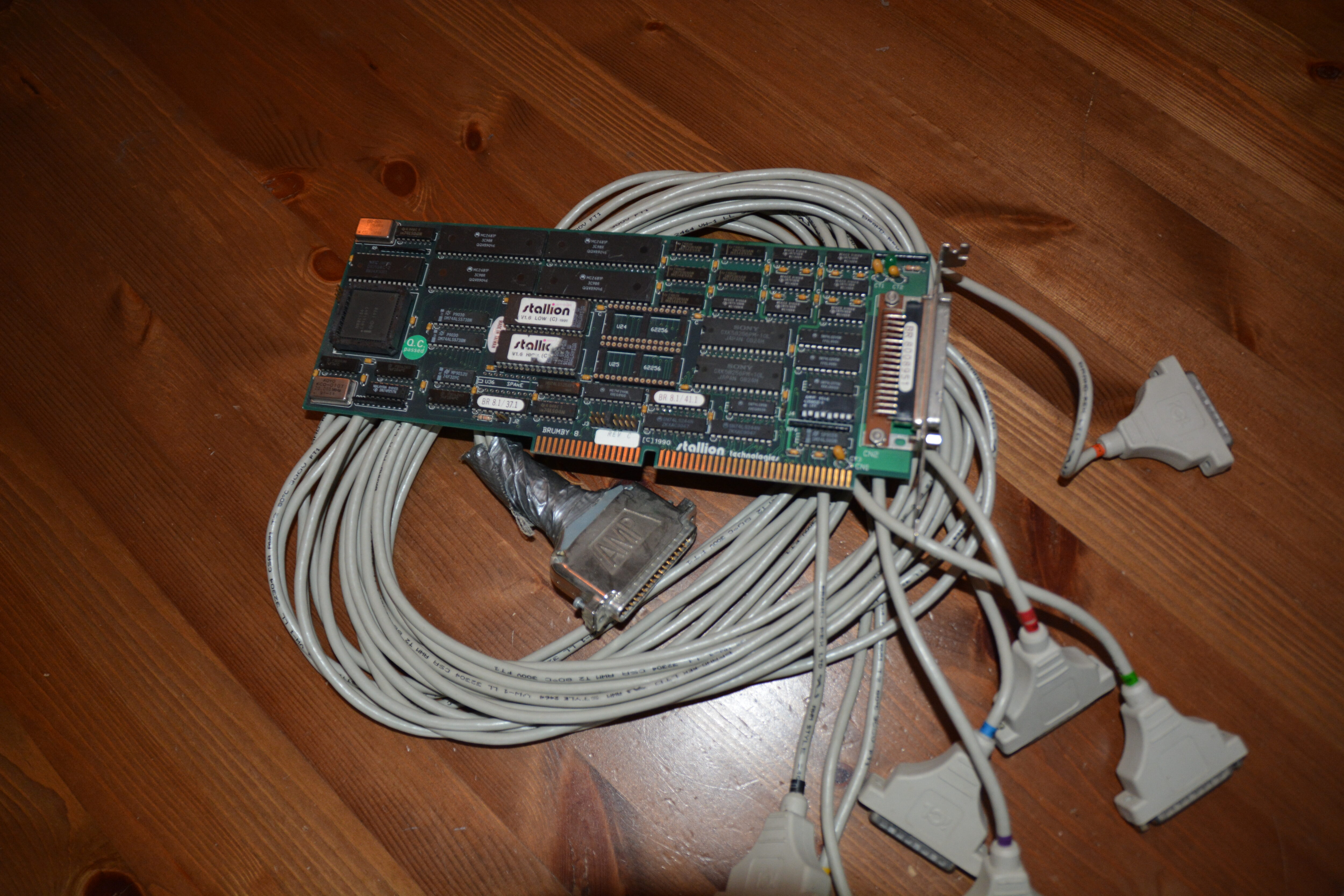
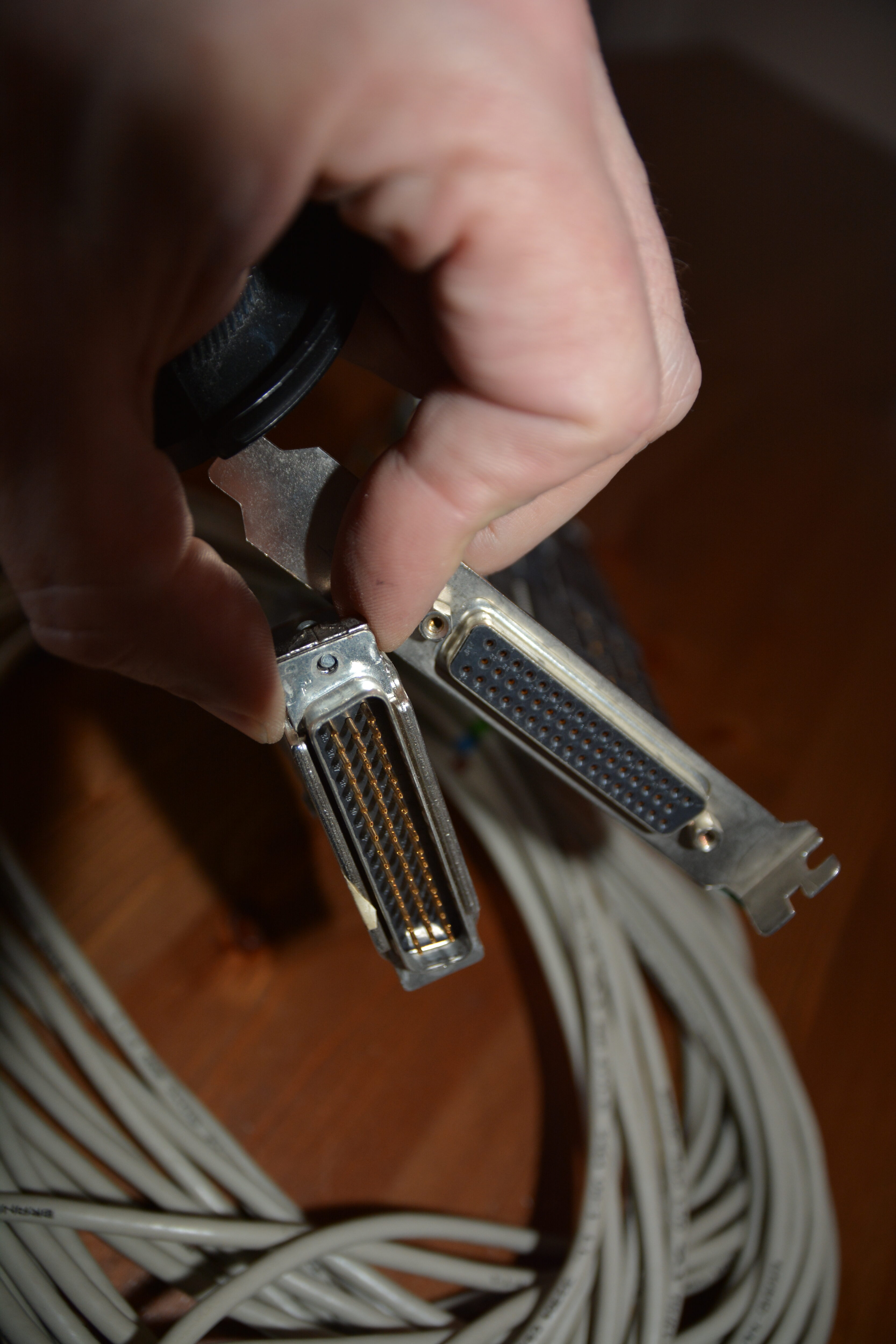
Stallion RS-232 card for connecting multiple serial terminals.
(Icecrew chat server on Lan Parties)

insmod istallion board0=brumby,0x350,0xcc000
/usr/lib/stallion/stlload -i 2681.sys


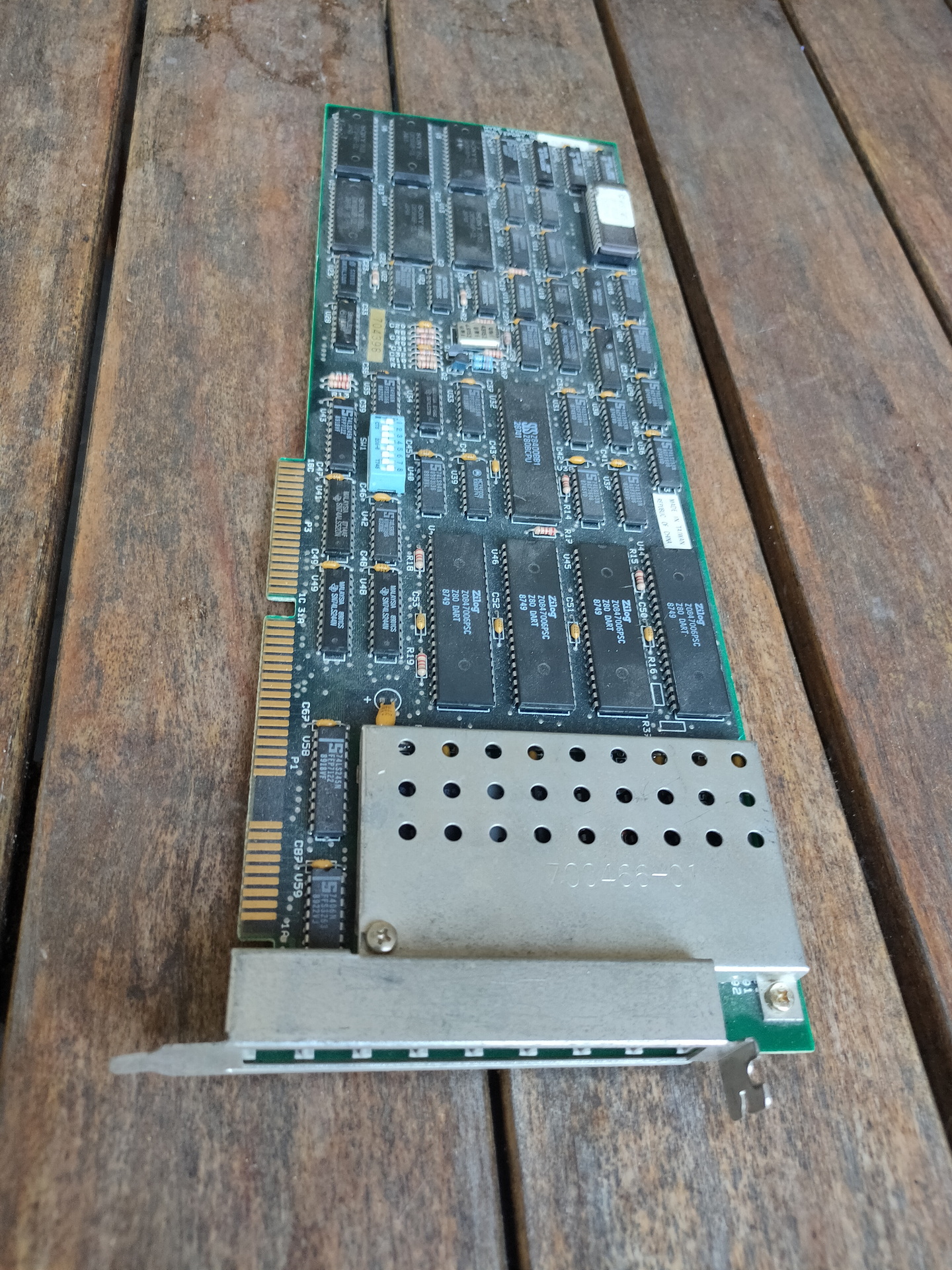
Wyse Multiport Serial Card

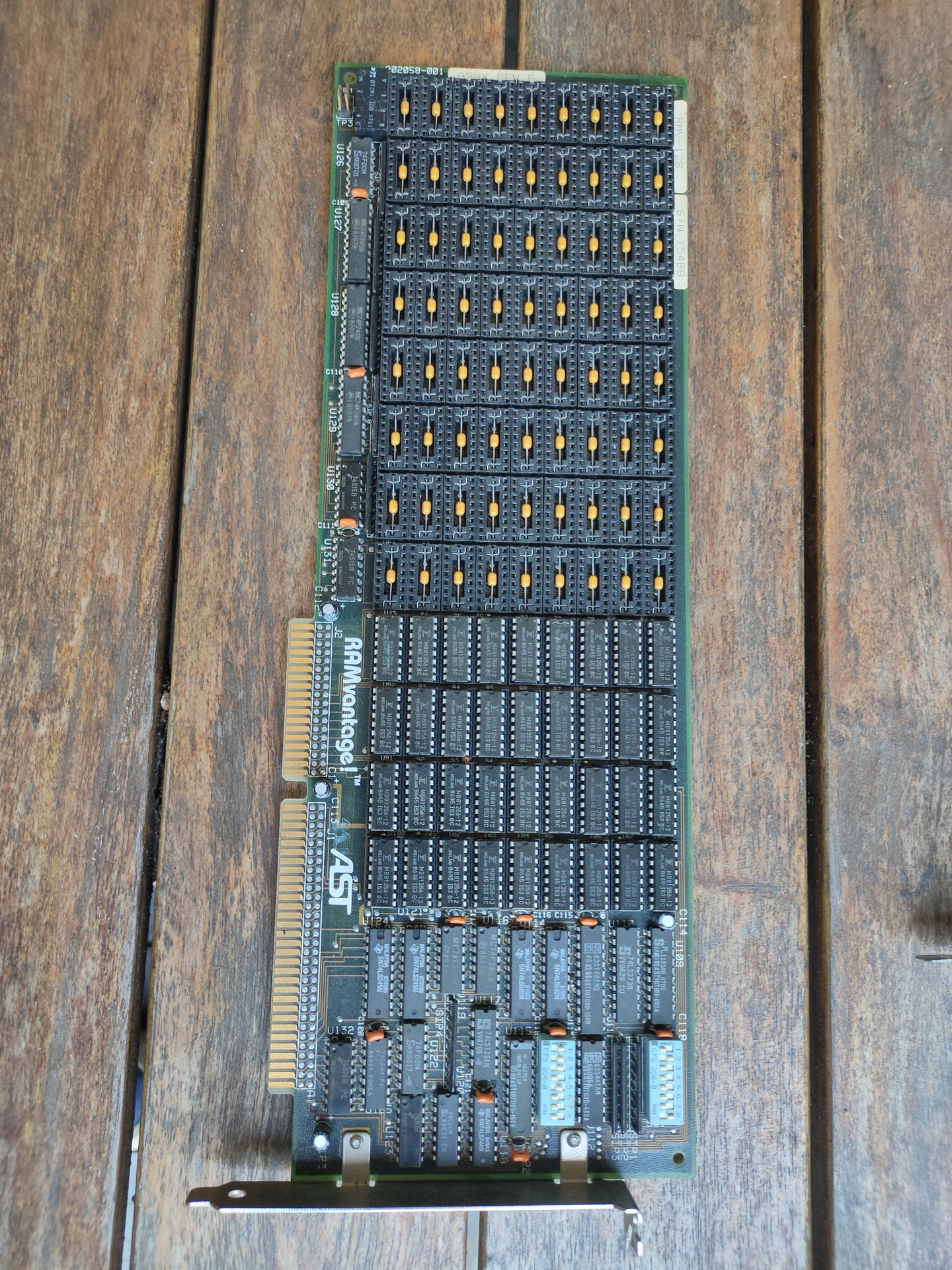
Ramvantage 16bits ISA memory expansion

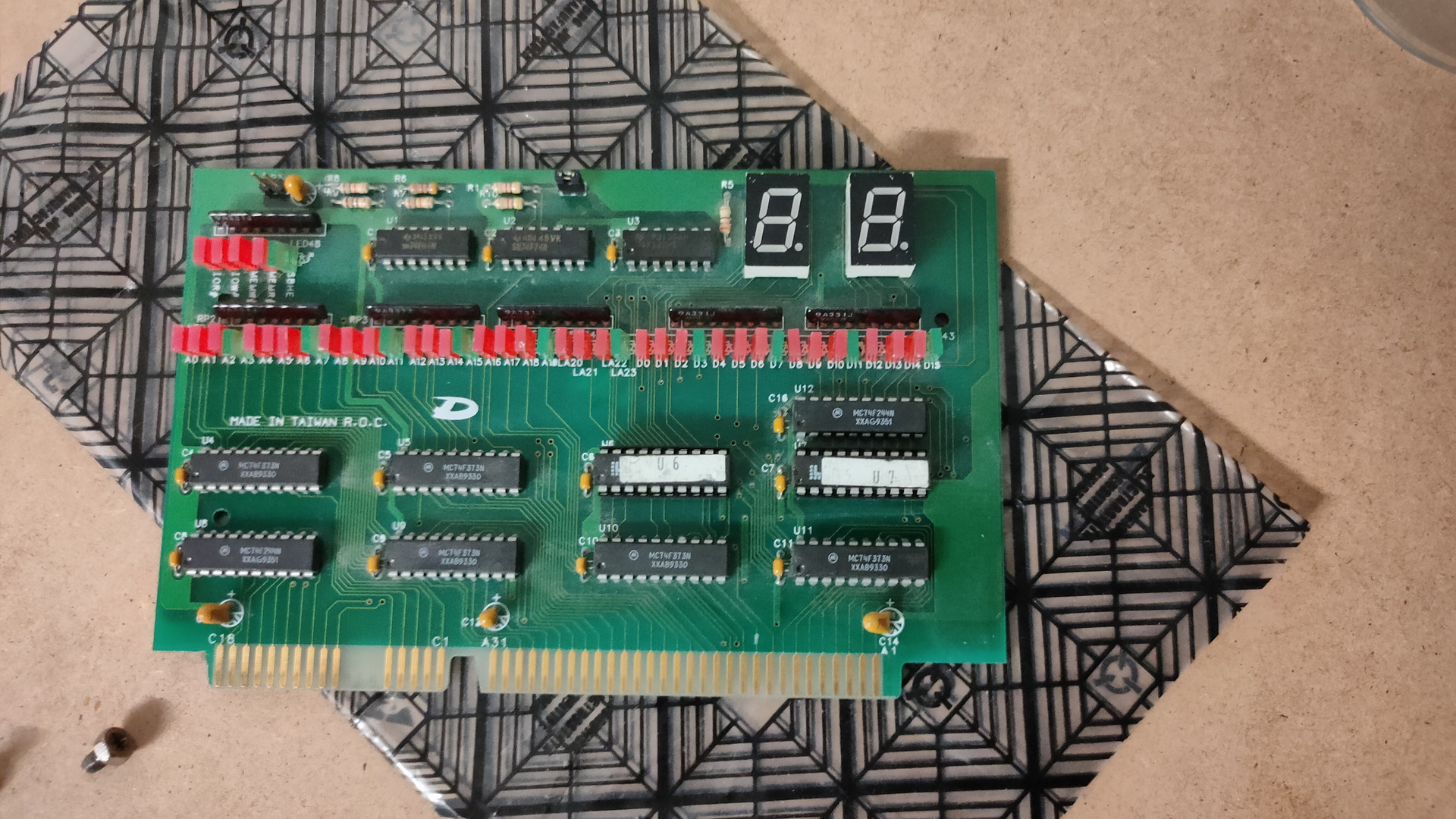
PC Hardware diagnostics card

Could not find any information on this card

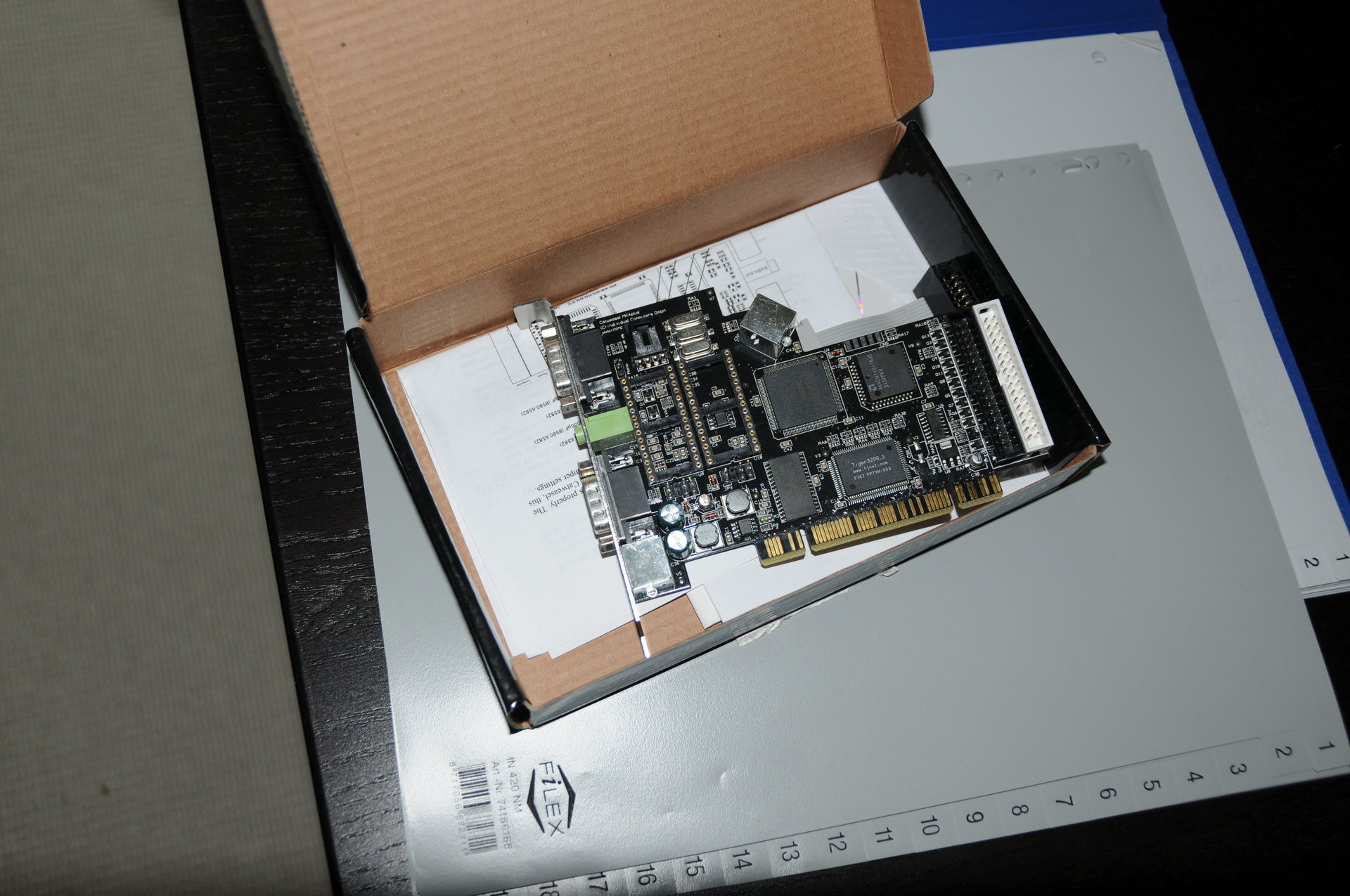
Catweasel

The Catweasel is a family of enhanced floppy-disk controllers from German company Individual Computers. These controllers are designed to allow more recent computers, such as PCs, to access a wide variety of older or non-native disk formats using standard floppy drives.

You could connect joysticks and there is a socket for a SID chip on the card.

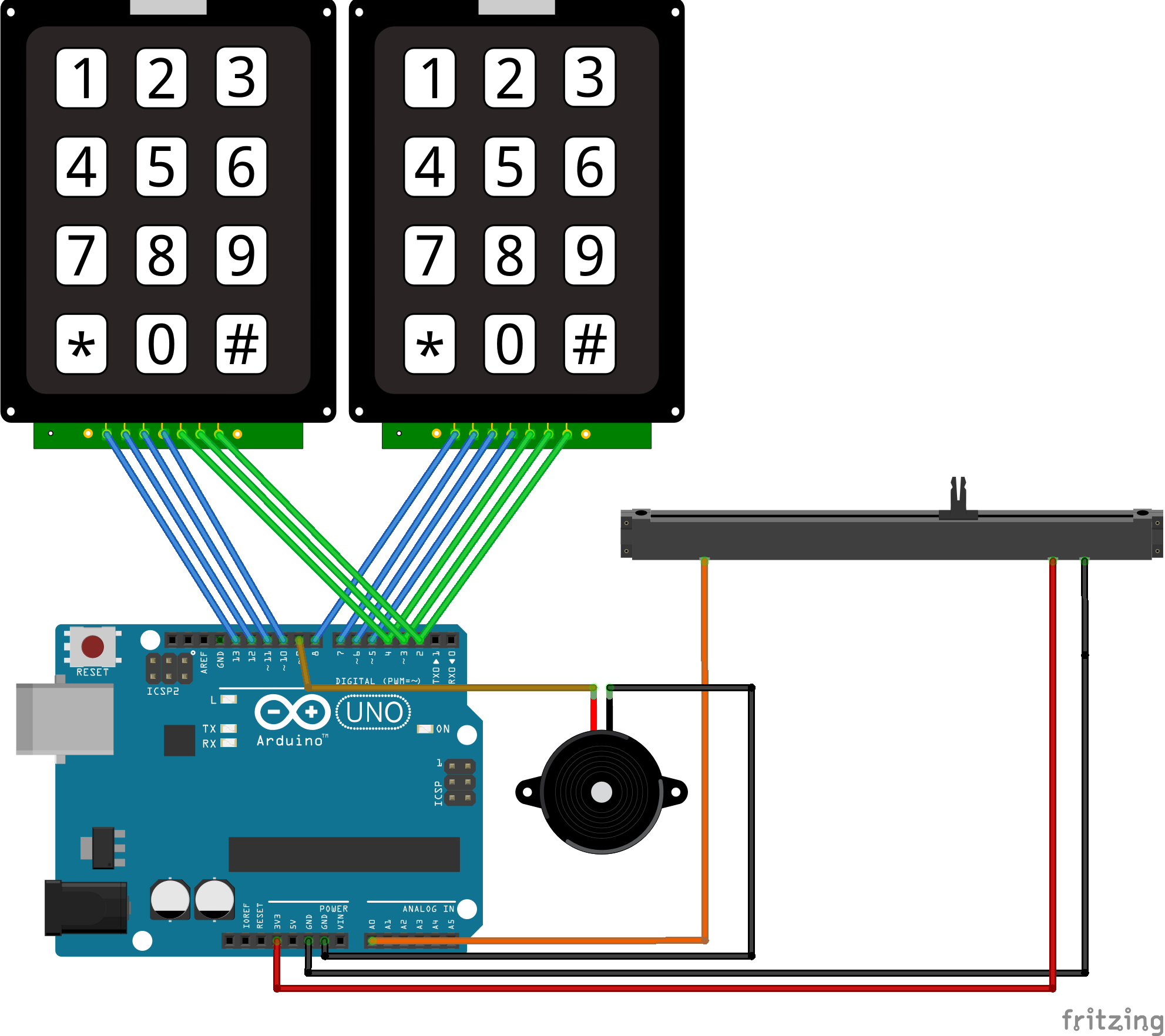
Arduino Concertina – POC

As mentioned in post below

Update: https://www.henriaanstoot.nl/2023/01/17/arduino-concertina-poc-2/

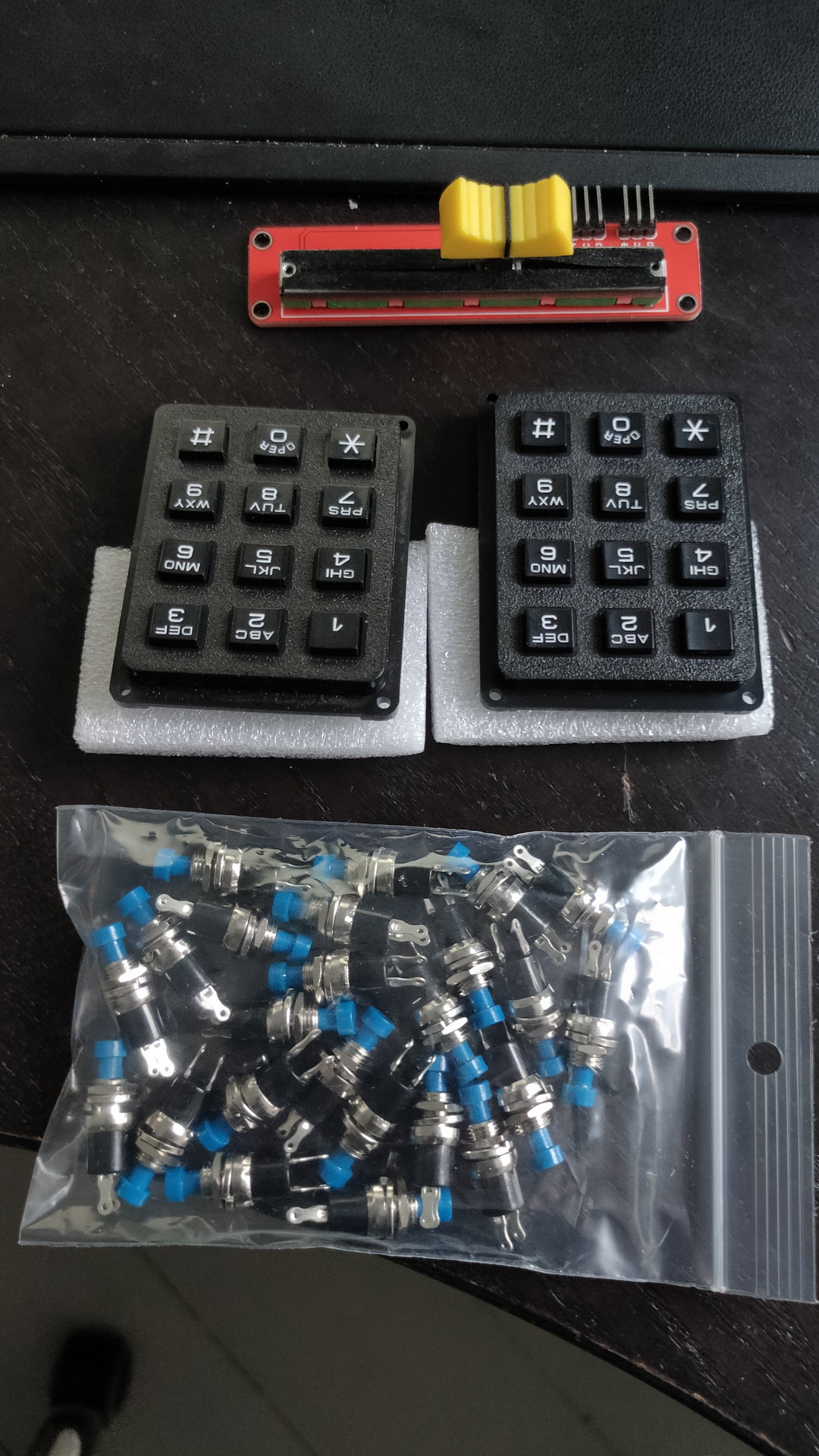
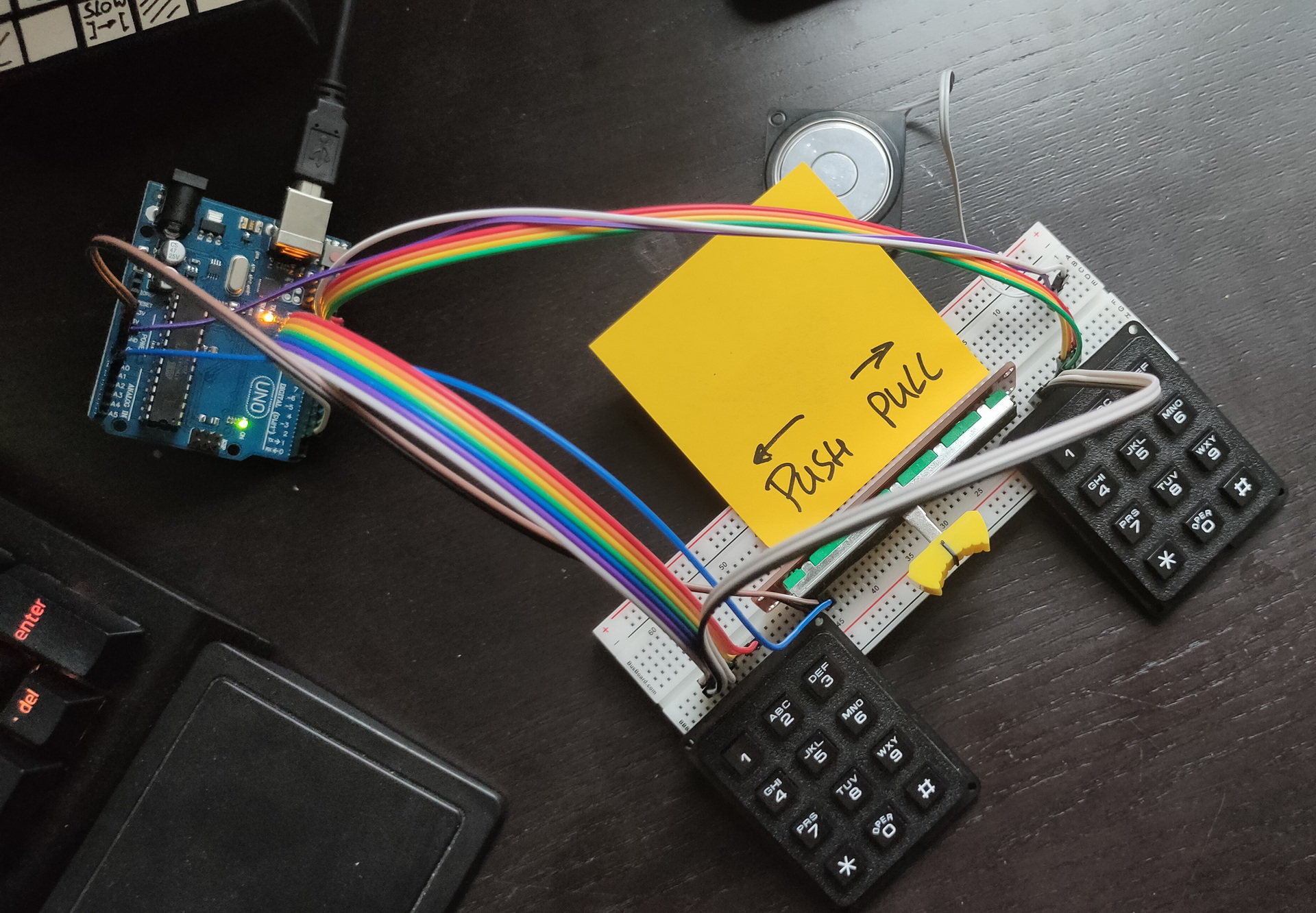
So i’ve bought some needed parts and made a proof of concept.

First to try : 3×4 matrix .. later the full 30 keys version
First part Bella Ciao

Arduino Code
Needs https://playground.arduino.cc/Code/Keypad/ keypad library
Not all buttons are configured with frequencies … yet

#include <Keypad.h>
int buzzer=9;
int lastsensorread;
int prevkey;
int push=400;
int pull=600;

const byte ROWS = 8; //four rows
const byte COLS = 3; //three columns
char keys[ROWS][COLS] = {
  {'1','2','3'},
  {'4','5','6'},
  {'7','8','9'},
  {'#','0','*'},
  {'A','B','C'},
  {'D','E','F'},
  {'G','H','I'},
  {'J','K','L'}
};
byte rowPins[ROWS] = {5, 6, 7, 8, 10, 11, 12, 13}; //connect to the row pinouts of the keypad
byte colPins[COLS] = {2, 3, 4 }; //connect to the column pinouts of the keypad

Keypad keypad = Keypad( makeKeymap(keys), rowPins, colPins, ROWS, COLS );

void setup(){
  Serial.begin(9600);
  pinMode(buzzer,OUTPUT);

}
  
void loop(){
  char key = keypad.getKey();
//  if (key == NO_KEY){
 //   key = prevkey;
   //   }
      
  
 // if (key != NO_KEY){
    int freq = 0;
    int sensorValue = analogRead(A0);
    //sensorValue = ((sensorValue+4)/5)*5;


    if (sensorValue > push && sensorValue < pull   ) {
    // Serial.println("No pull or push");
    noTone(buzzer);
    }
    else 
    {
    if (key == '1' && sensorValue < push ) { tone(buzzer,415); }; // G push
    if (key == '1' && sensorValue > pull ) { tone(buzzer,466); }; // A pull
    if (key == '2' && sensorValue < push ) { tone(buzzer,392); }; // G push
    if (key == '2' && sensorValue > pull ) { tone(buzzer,440); }; // A pull
    if (key == '3' && sensorValue < push ) { tone(buzzer,587); }; // G push
    if (key == '3' && sensorValue > pull ) { tone(buzzer,659); }; // A pull
    
    if (key == '4' && sensorValue < push ) { tone(buzzer,440); };
    if (key == '4' && sensorValue > pull ) { tone(buzzer,392); };
    if (key == '5' && sensorValue < push ) { tone(buzzer,329); };
    if (key == '5' && sensorValue > pull ) { tone(buzzer,349); };
    if (key == '6' && sensorValue < push ) { tone(buzzer,493); };
    if (key == '6' && sensorValue > pull ) { tone(buzzer,523); };
      //8l f/e
    if (key == '8' && sensorValue < push ) { tone(buzzer,261); };
    if (key == '8' && sensorValue > pull ) { tone(buzzer,587); };

    if (key == 'A' && sensorValue < push ) { tone(buzzer,783); };
    if (key == 'A' && sensorValue > pull ) { tone(buzzer,739); };
    if (key == 'B' && sensorValue < push ) { tone(buzzer,523); };
    if (key == 'B' && sensorValue > pull ) { tone(buzzer,493); };

    if (key == 'D' && sensorValue < push ) { tone(buzzer,987); };
    if (key == 'D' && sensorValue > pull ) { tone(buzzer,880); };
    if (key == 'E' && sensorValue < push ) { tone(buzzer,659); };
    if (key == 'E' && sensorValue > pull ) { tone(buzzer,587); };
    
    //tone(buzzer,freq);
    }
    Serial.println(sensorValue);
    Serial.println(key);
    Serial.println(freq);
 //   lastsensorread = sensorValue;
    prevkey = key;
      
 // }
}
Lets make a test holder from pieces of wood, when i’ve got the sizes correct, i’ll 3D print something

ABC to Animation for Concertina

I want to take simple ABC Music notation tunes and convert these to animations which shows you which keys to press and to push or pull.

This is a work in progress.
Script is using ImageMagick and ffmpeg

I started this in bash, and i should rewrite this in python.

Bash script which generates the images

#!/bin/bash
convert -size 800x600 canvas:white white.png
x=55
y=55
draw=""
for xx in $(seq 1 6); do
for yy in $(seq 1 5); do
	startx=$(( $x * $xx + 100))
	starty=$(( $y * $yy + 200))
if [ $xx -gt 3 ] ; then startx=$(($startx + 200)) ;fi
draw="$draw  -draw \"circle $startx,$starty $(( $startx - 10)),$(( $starty - 10 ))\""
done
done
echo convert $draw white.png          draw_circle.png | bash

for xx in $(seq 1 6); do
for yy in $(seq 1 5); do
        startx=$(( $x * $xx + 100))
        starty=$(( $y * $yy + 200))
if [ $xx -gt 3 ] ; then startx=$(($startx + 200)) ;fi
convert -fill white -stroke black $draw  -draw "circle $startx,$starty $(( $startx - 10)),$(( $starty - 10 ))" draw_circle.png $xx-$yy.png
convert  -draw "rectangle 300,50 500,100"  $xx-$yy.png push-$xx-$yy.png
convert  -draw "rectangle 150,50 650,100"  $xx-$yy.png pull-$xx-$yy.png
done
done

Example movie generated using random notes/length pause

for f in $(seq 1 50) ; do
pushpull=$(shuf -n1 -e push pull)
row=$(shuf -n1 -e 1 2 2 2 2 2 3 4 4 5 5 5 6)
col=$(shuf -n1 -e 1 1 1 2 2 3)
pauze=$(shuf -n1 -e 0 0 0 0 0 0 0 0 1 )
length=$(shuf -n1 -e 1 1 1 1 2 2 3 4)
file="$pushpull-$row-$col.png"
if [ $pauze == "1" ]; then
file="draw_circle.png"
fi
for f in $(seq 1 $lenght) ; do
echo "file $file"
echo "duration 0.5"
done
done

list to mp4

ffmpeg -f concat -i list  -vf fps=10 -pix_fmt yuv420p test.mp4

Above movie shows left and right hand. Keys to press.
And the bar above represents PULL/PUSH

Todo/In progress:

  • abc parser ( started )
  • Push/Pull as text in above movie also note to play??
  • Rewrite to python

Bella Ciao on Concertina

In post below i posted the score for Bella Ciao
https://www.henriaanstoot.nl/2022/12/09/generating-pdfs-from-abc-files-to-include-in-tunebooks/

Here is a quick ‘n dirty recording (sound a little distorted)

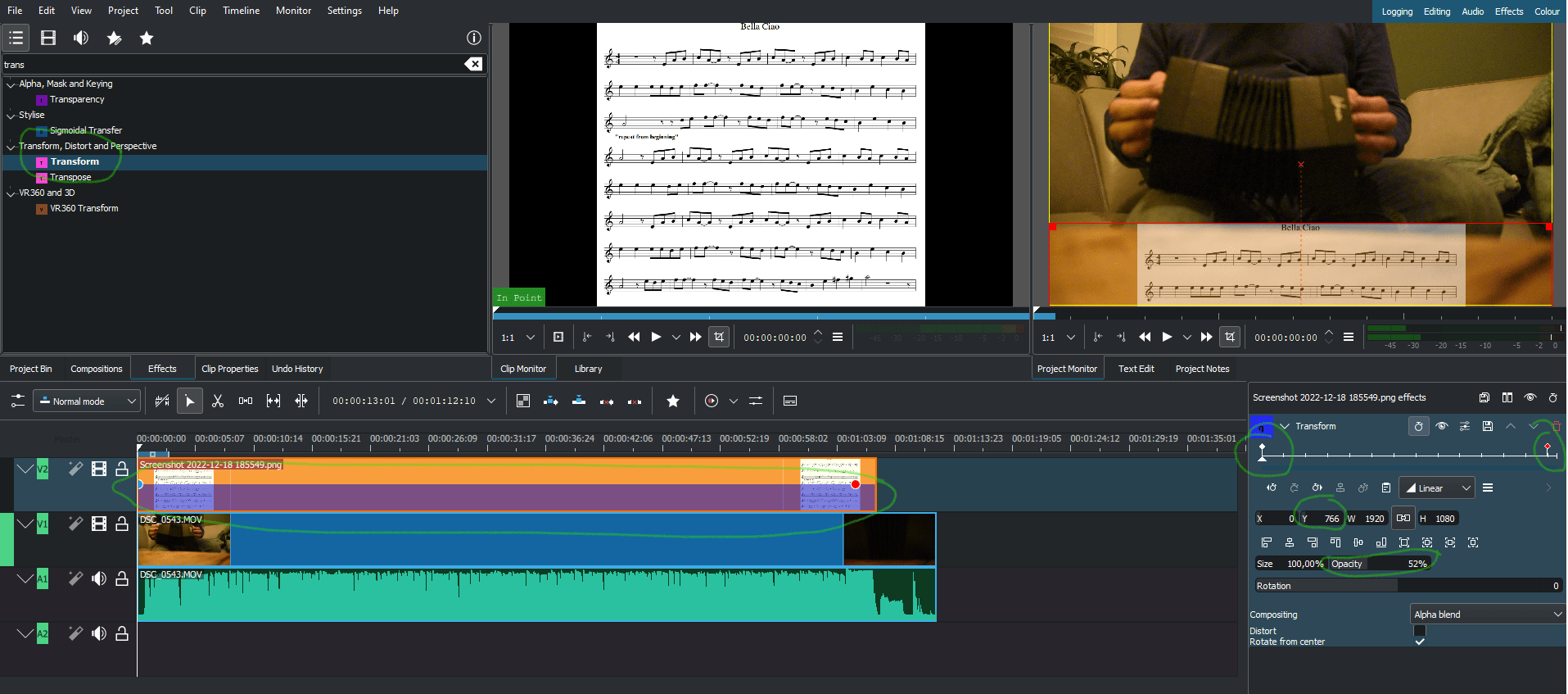
Edited with Kdenlive

I’ve imported the score as an image.
Drag a transform effect on the image.
Move the image to the bottom of the screen.
Add a keyframe.
Move to the end of the movie, add another keyframe.
Adjust the Y position to 0
Set opacity to a nice position and render

Arduino Concertina

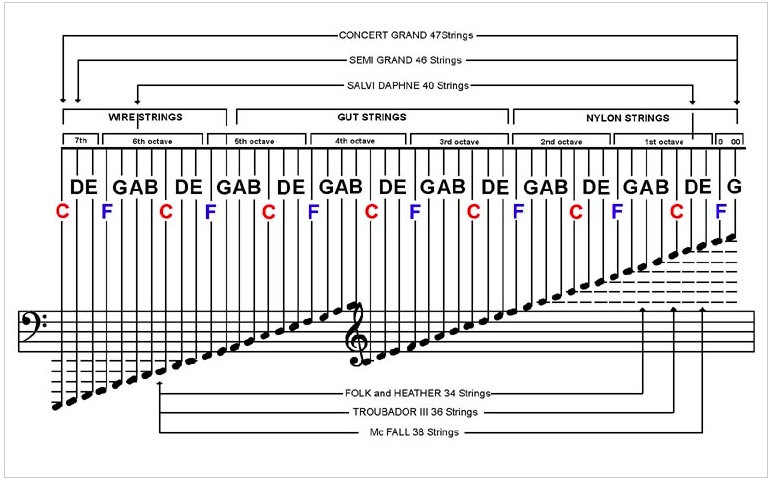
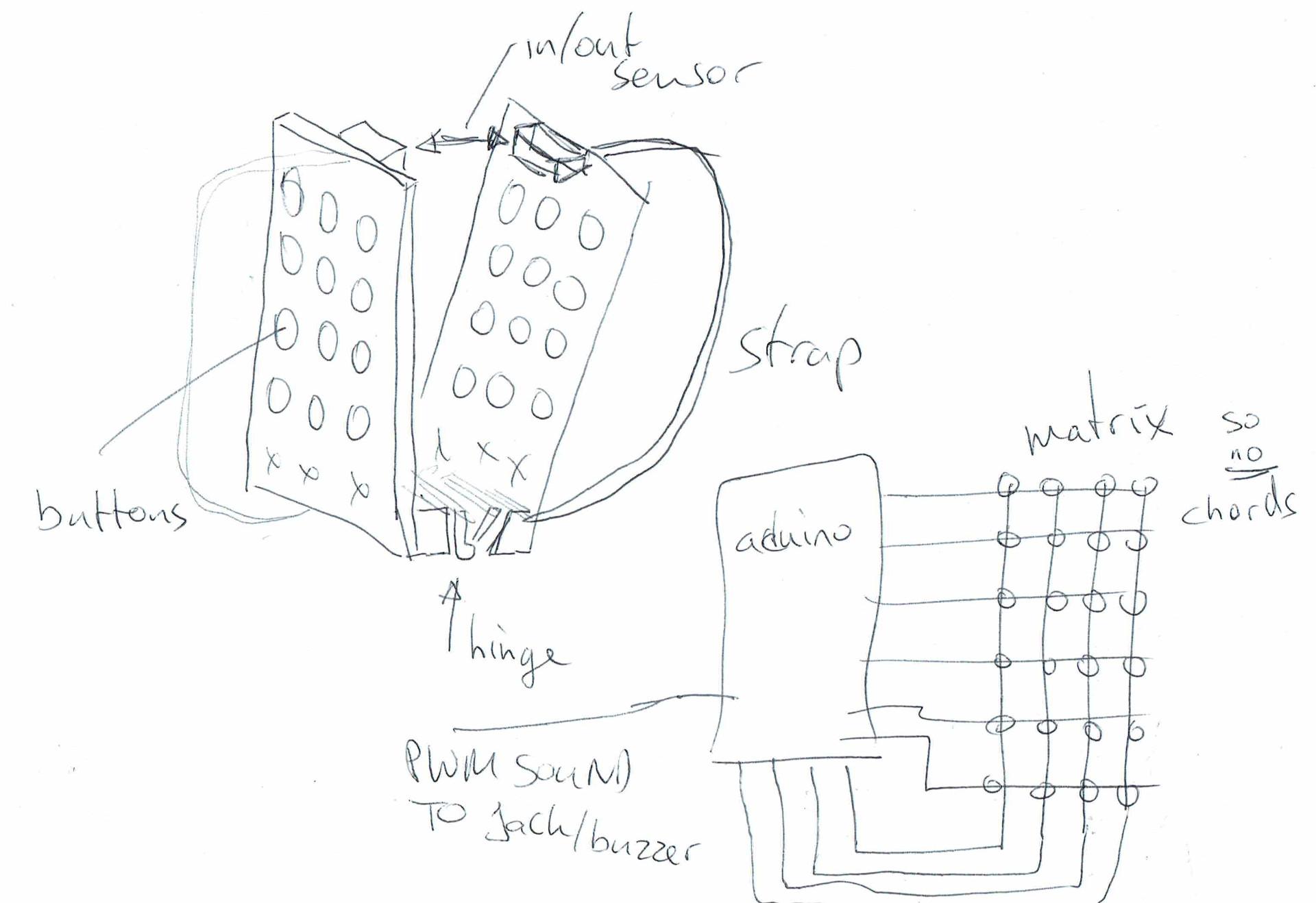
Lets try to make a Electronic Concertina

UPDATE:
https://www.henriaanstoot.nl/2023/01/10/arduino-concertina-poc/
https://www.henriaanstoot.nl/2023/01/17/arduino-concertina-poc-2/

First design

So we need some pushbuttons … at least 14 .. for the most simple tunes.
A sensor for push and pull.
A buzzer or better yet .. a jack for earphones.
Arduino with enough pins to connect a keyboard matrix.
When using a keyboard matrix only single keypresses are detected.
So we cant do chords!

Generating PDFs from abc files to include in tunebooks.

see : https://www.henriaanstoot.nl/2022/11/21/tunebook-generator/

Edit or download a ABC music file

(More info about music notation programs https://www.henriaanstoot.nl/2022/08/24/music-notation-programs/ )

I wanted to learn Bella Ciao on my Concertina. I find the sound of the Concerina fitting the tune. So i used vi and conversion tools to create a pdf for my concertina tunebook.

(While being popular nowadays because it was used in La Casa de Papel (Money Heist). It has a interesting history)
https://en.wikipedia.org/wiki/Bella_ciao

X:
T: Bella Ciao
M: 4/4
L: 1/8
R: reel
K:C 
Zz EAB | cA-A z  EAB | cA-A z  EAB | c2 BA c2 BA | 
e2 e2 eede | ff-f2 z fed | | fe-e z edc | B2 e2 c2 B2 | 
A4 z z de | ff-f2 z fed | fe-e2 z edc | B2 e2 c2 B2 | 
w: "repeat\ from\ beginning"
A4 z EAB | cA-A z  EAB | cA-A z  EAB | c2 BA c2 BA |
e2 e2 e2 de | ff-f2 z fed | fe-e z edc | B2 e2 c2 B2 |
A4 z EAB | cA-A z  EAB | cA-A z  EAB | c2 BA c2 BA |
e2 e2 eede | ff-f2 z fed | fe-e2 z edc | B2 e2 c2 B2 | 
A4 z ede | ff-f2 z fed | fe-e2 z edc | B2 e2 ^f2 ^g2 | a4 Zz |

Using below command, I get a nicely formatted PDF

abcm2ps -x -O - bella.abc | ps2pdf  -sPAPERSIZE=a4 - bella.pdf

I’ll probably automate this, for example include this in the tunebook generator. Something like : “If abc file in subdir create pdf to include”

# Reads every file in abcsources and writes filename.pdf in current directory
ls abcsources/*abc | while read abc ; do  abcm2ps -x -O - "$abc" | ps2pdf  -sPAPERSIZE=a4 - "$(echo  $abc | cut -f2 -d/ | sed 's/abc/pdf/g')" ;done

I admire people who excel at things they do

These are my lists, but i’m open for discussions/questions
Work in progress

Actors

  • Tom Hanks
  • John Lithgow
  • Dennis Lee Hopper
  • Jack Nicholson
  • Clint Eastwood
  • Dustin Hoffman
  • Rutger Hauer (RIP) .. see “De kijk van Koolhoven” why

Art

  • H.R. Giger
  • M.C. Escher
  • César Manrique
  • Chris Foss
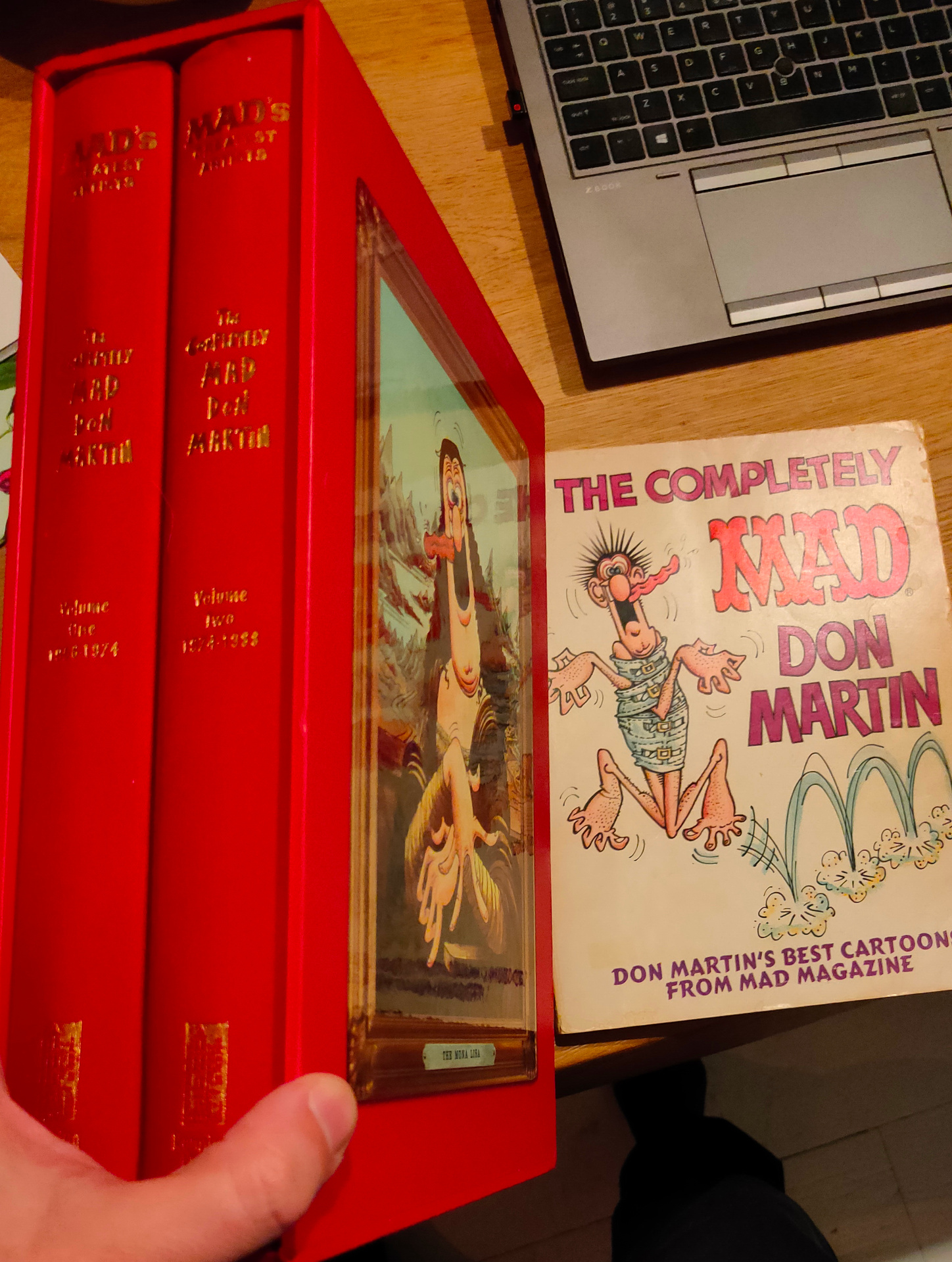
  • Comics ( Details from  André Franquin, Dark Humor Koen Hottentot,  Don Lawrence, Don Martin ) to name a few, they are spot on
One of my comic collections – Don Martin

Classical Music

  • Paganini
  • Ludovico Einaudi

Composers

  • Ennio Morricone
  • Hans Zimmer
  • John Williams ( with a remark )
    Some of the Starwars Suite was taken from already existing music
    ( See https://www.youtube.com/watch?v=DN3vl-JnUF8 ! )
    Gustav Holst – The Planets Suite – Mars part for example

Folk/pipers (composers)

  • Gordon Duncan (RIP)
  • Fred Morrison
  • RS MacDonald
  • Paddy Keenan

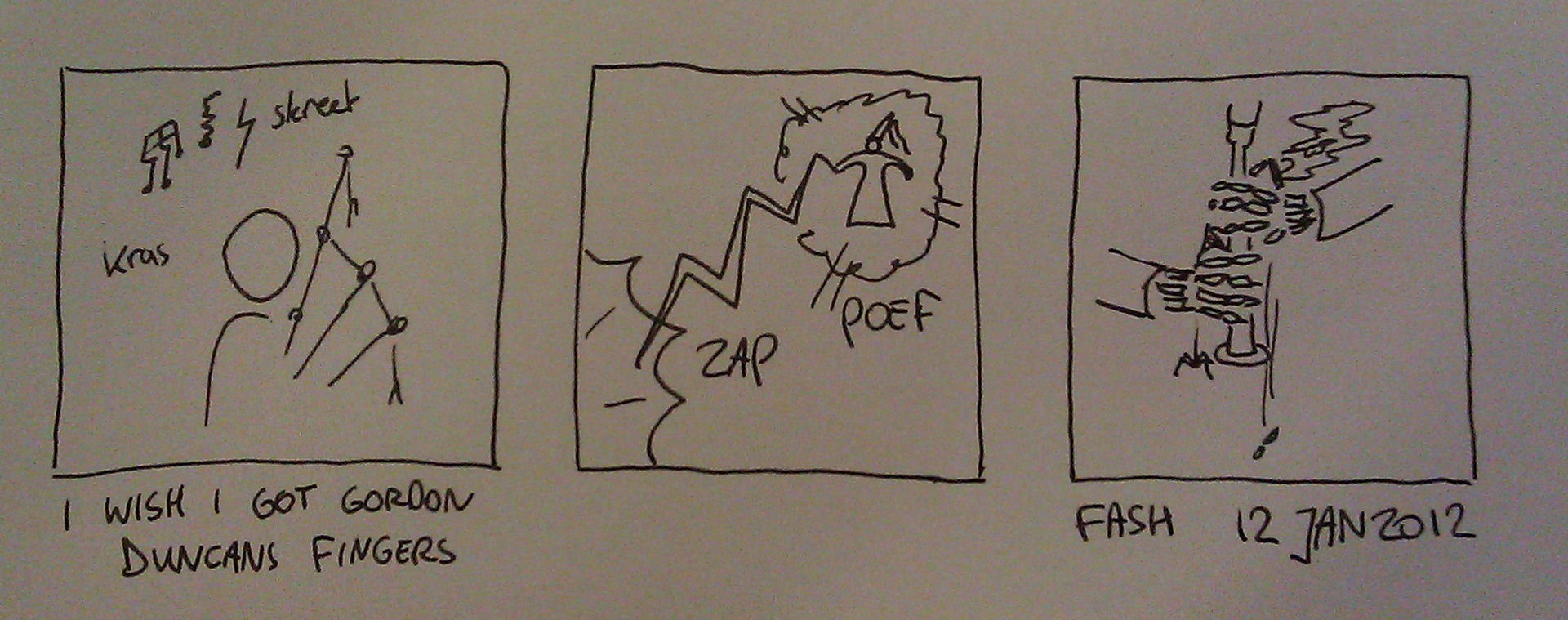
A (bad) comic i drew about Gordon Duncan in 2012

Opera

Bands (non folk)

Rammstein – I know, seems like a obvious populair choice.
But hear me out.

I like classical till metal. But it has to be musically interesting.

Most (non-german) people don’t listen to the lyrics, i did not either.
I found the music okay. Then i started to listen to the lyrics.

The lyrics are surprisingly deep.
Layers in the text, word jokes like:
Du… (you)
Du hast… (you have, but sounds like hasst .. You hate)
Du hast mich… ( You have me, or sounds like you hate me)
Du hast mich…
Du hast mich gefragt… (You have asked me)

Although people think they are fascists or far-right. Coming from the punk scene, they are kind of the opposite.

Everything they do has a meaning, but sometimes you can “paste” different stories about the song.

Listen to Ohne Dich, and then see the Music Video.

Have a good listen to Germany, and Man gegen man.
There are others better in explaining .. see:

And a AI generated Music Video .. perfectly matching the Lyrics

Bonus:
Check out this YT channel, all kinds of musicians .. transcripted (is this a word?) by this dude.

https://www.youtube.com/@GeorgeCollier

Tunebook generator

2023-01-11 Updated the script! More functions

I’m using below scripts to generate tunebooks.
These books I can print OR view on a tablet using my DIY bluetooth page turner. ( see other post )

I often work on tunes, add notes, text or write other versions.
So i needed a fast and simple way to re-generate a tunebook. ( hence the date on the title page and in the name, so i know whats the most recent version )
Now i have a separate tunebook for each instrument, with the same looks

What does this script?

  • Generates a title page using Latex
  • Generates a tune index, with page numbers ( works with multipage tunes )
  • Adds bookmarks to the tunes, so you can use the bookmark link in your reader.
  • Merges all pdf’s into one.
  • Sets title/author
  • Generic setup for multiple tunebooks
  • Generates ABC pdf and includes these

Todo: embed page numbers on every page?

BASH script:

#!/bin/bash
#sudo apt-get install texlive-latex-extra

### REMOVE OLD BOOKMARKS
ls *pdf | while read; do
rm -f "/tmp/$$.pdf"
cp "$REPLY" /tmp/$$.pdf
pdftk A=/tmp/$$.pdf cat A1-end output "$REPLY"
done


### GENERATE ABC 
if [ -d abc ] ; then
ls abc/*abc | while read abc ; do  abcm2ps -x -O - "$abc" | ps2pdf  -sPAPERSIZE=a4 - "$(echo  $abc | cut -f2 -d/ | sed 's/abc/pdf/g')" ;done
fi


nrpdf=$(ls *\.pdf | grep -vi index.pdf | grep -vi title.pdf | grep -v ^00  | wc -l)
echo "Tune PDFs in directory : $nrpdf"
pages=$(( $nrpdf / 126 ))
pages=$(( $pages + 1 ))
echo "Needed index pages : $pages"

# Extra pages : Number 002-999
extrapages=$( ls *pdf | egrep  ^00 | wc -l)
echo "Extra pages : $extrapages"

nr=$((  $extrapages  ))
echo "Total pages for tunes : $nr"
echo "create column page as text"
nr=$(( $nr +1 ))
echo $nr
ls *\.pdf | grep -vi index.pdf | grep -vi title.pdf | grep -v ^00 | sort | while read ; do 
echo "$nr $REPLY" 
next=$(exiftool "$REPLY" | awk -F": " '/Page Count/{print $2}')
nr=$(( $nr + $next ))
done | cut -f1,3- -d" " | cut -f1 -d. | sed s/\ a$//g | sed s/\ b$//g | pr -2 -t > /tmp/col
echo "Create Index pdf"
vim /tmp/col -c "set printfont=courier:h12"  -c":let &printheader = \" \""   -c "hardcopy > 001aIndex.ps | q"; ps2pdf 001aIndex.ps 

echo "Create title page pdf"
pdflatex "000 title.tex" 1>/dev/null

tempPDF=`mktemp`

echo -n "Add bookmarks : "
ls *\.pdf | grep -vi index.pdf | grep -vi title.pdf | grep -v ^00 | sort | while read i ; do
    bookmarkTitle=$( echo $i | cut -f2- -d" " | rev | cut -f2- -d. | rev)
    bookmarkInfo="BookmarkBegin\nBookmarkTitle: $bookmarkTitle\nBookmarkLevel: 1\nBookmarkPageNumber: 1"
    pdftk "$i" update_info_utf8 <(echo -en $bookmarkInfo) output $tempPDF >/dev/null
    mv $tempPDF "$i"
    echo -n "."
done
echo ""
set +x
#ls *\.pdf | grep ^[A-Z] | sort > /tmp/pdflist
name=$(pwd | rev | cut -f2 -d/ | rev)
echo $name
pdftk *pdf cat output "../${name}_$(date +%Y%m%d).pdf"
exiftool -Author="Henri Aanstoot" -Title="$name" "../${name}_$(date +%Y%m%d).pdf"

Needed tex file (named “000 title.tex”)

\documentclass[11pt]{report}
\usepackage[T1]{fontenc}
\usepackage{anyfontsize}
\usepackage[a4paper, total={6in, 8in}]{geometry}

\usepackage[T1]{fontenc}
\usepackage{tgbonum}

\newlength{\drop}

\begin{document}
  \begin{titlepage}
    \drop=0.1\textheight
    \centering
    \vspace*{\baselineskip}
    \rule{\textwidth}{1.6pt}\vspace*{-\baselineskip}\vspace*{2pt}
    \rule{\textwidth}{0.4pt}\\[\baselineskip]
    {\fontsize{50}{60}\selectfont Irish Tunes Test Tunebook}
    \rule{\textwidth}{0.4pt}\vspace*{-\baselineskip}\vspace{3.2pt}
    \rule{\textwidth}{1.6pt}\\[\baselineskip]
    \scshape
	{\large Tunebook}\par
    \vspace*{2\baselineskip}
    {\itshape Henri - Exampletunes\par}
    \vfill
    {\scshape generated:} \\
    \today
  \end{titlepage}
\end{document}

File naming:

000 title
001 index
002 – 099 xyz (extra pages, not in index)
100 – 999 Tunes (sorting)

000 title.pdf
001aIndex.pdf
002 tuneinfo.pdf
100 The Battle of Aughrim.pdf
101 I was born for sports.pdf
105 Cerlew Jig.pdf
110 Chanters Song.pdf
115 Gander at the Pratie Hole.pdf
120 honeymoon.pdf
125 Kitty Goes a-Milking.pdf
130 Terribus.pdf

Output from the script

 ./generatebook
Tune PDFs in directory : 8
Needed index pages : 1
Extra pages : 1
Total pages for tunes : 3
create column page as text
Create Index pdf
Create title page pdf
Add bookmarks : ........

Needed software:

pdftk, pdflatex, vim, exiftool, texlive-fonts-recommended

Avond van de filmmuziek

After 3 times being cancelled due to Covid, it finally happened.

We got to get to the “Evening of the film music”

We held on to our tickets, as apparently 90% of the people!

We love film music, but it is a treat when there is a live orchestra.
(And special effects .. like a stuntman hanging from the roof, fire (not like Rammstein haha), and big displays)

If you get the chance .. go!
Wicked good musicians and singers.
Tania Kross was amazing!

Previous concerts we went to: Jeff Wayne’s War of the Worlds. The star wars suite, and an evening with Hans ZImmer.

  • Richard Strauss – “Also Sprach Zarathustra”
  • The Cinematic Orchestra – “Arrival of the Birds” from Theory of Everything
  • John Williams – “Hedwig’s Theme” from Harry Potter and the Sorcerer’s Stone
  • Ennio Morricone – The Good, the Bad and the Ugly
    • Main title
    • The Ecstasy of Gold
  • Ennio Morricone – Once Upon a Time in the West 
    • Man with a Harmonica
    • Once Upon a Time in the West
  • Hans Zimmer – “Maestro” from The Holiday
  • Thomas Newman – “The Night Window” from 1917
  • Ludovico Einaudi – “Oltremare” from Nomadland
  • Ludovico Einaudi – “Fly” from Intouchables
  • John Williams – “Duel of the Fates” from Star Wars:The Phantom Menace
  • John Williams –  “Main Title” from Star Wars: A New Hope

Intermission

  • Lalo Schifrin and Lorne Balfe – “Fallout” from Mission: Impossible – Fallout
  • Alexandre Desplat – “The Shape of Water” from The Shape of Water
  • Alan Silvestri – “Portals” from Avengers: Endgame
  • Hans Zimmer, Elton John and Lebo M – The Lion King
    • Circle of Life
    • King of the Pride Rock
  • Don Davis and Juno Reactor – “Navras” from The Matrix Revolutions
  • Jerry Goldsmith – Theme from Basic Instinct
  • 60 Years of James Bond
    • James Bond Theme
    • “No Time To Die” from No Time To Die
    • “Skyfall” from Skyfall
    • “A View to a Kill” from A View to a Kill
    • “Goldfinger” from Goldfinger
    • “Live and Let Die” from Live and Let Die
  • John Williams – “The Raiders March” from Raiders of the Lost Ark (encore)

Automating the h*ll out of windows applications using linux

I’m using a windows program for typesetting bagpipe music.
Luckily this runs on Linux using wine.

Sometimes i just want a PDF version of a tune, for example for my tunebook compiler. (Other post)
Or i want to batch convert a lot of bww files.

A long time ago i used a virtual machine with automation software for this.
Why not automate the process on my Laptop?

So i made this script, with a workaround for the xdotool wine problem.
(wine window needs to be active to accept key strokes, other linux xwindows you can use the ID of the window)

#!/bin/bash
# use c for close at the end, without c bgplayer wont be shut down
# bww2pdf path/to/music.bww c
# make tmp file
cat "$1" > /tmp/deze.bww
# start bgplayer if not started .. if not started wait 3 secs
slp=0
pgrep BGPlayer.exe >/dev/null || slp=3
pgrep BGPlayer.exe  >/dev/null|| ( nohup wine ~/.wine/dosdevices/c\:/Program\ Files\ \(x86\)/Bagpipe\ Player/BGPlayer.exe & )
sleep $slp
# get program id
pid=$(pgrep BGPlayer.exe)
# get xwindow id using pid
winid=$(xdotool search --limit 1 --all --pid $pid)
# activate window
xdotool search --desktop 0 --class "BGPlayer.exe" windowactivate
# open file menu and Open file
xdotool key --window $winid "alt+f"
xdotool key --window $winid "o"
# give program time to execute
sleep 1
# open our tmp file
xdotool type '\tmp\deze.bww'
xdotool key KP_Enter
sleep 2
# open file menu select Print and PDF as output
xdotool key "alt+f"
xdotool key "p"
xdotool key "P"
sleep 2
# execute
xdotool key KP_Enter
sleep 1
# File close
xdotool key "alt+f"
xdotool key "c"
sleep 2
# close program when c was added to commandline
mv ~/PDF/deze* "$1.pdf"
if [ "$2" == "c" ] ; then 
	xdotool key "alt+f"
	xdotool key "x"
fi
I’m not touching the keyboard when the program is running, all handled by the script