Design for a 2 persons flute. Still working on it.
I have to recalculate some stuff, to get the finger distances in a better position.
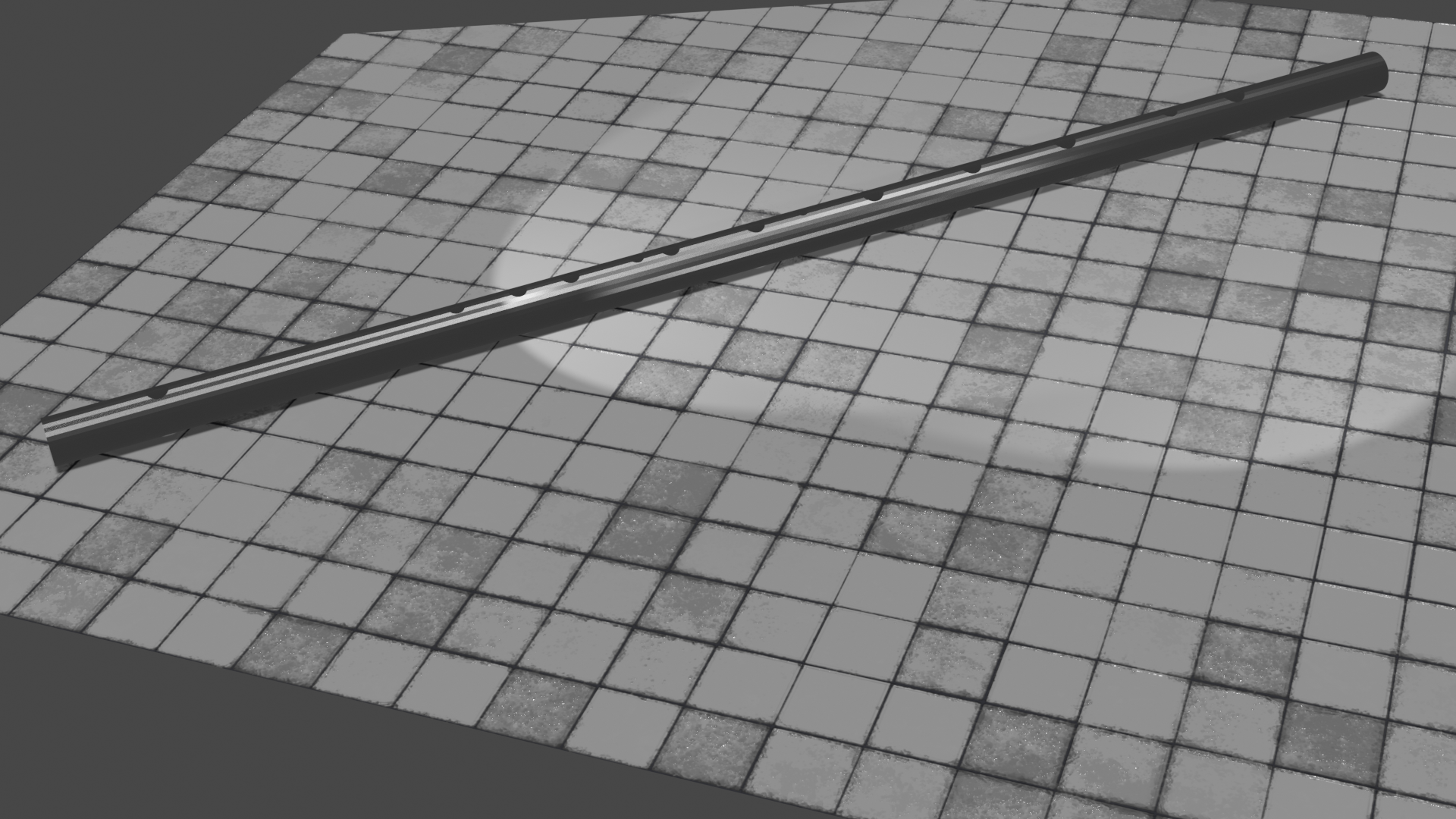
Plan is to 3D print this first to test. Then make it in wood or metal.
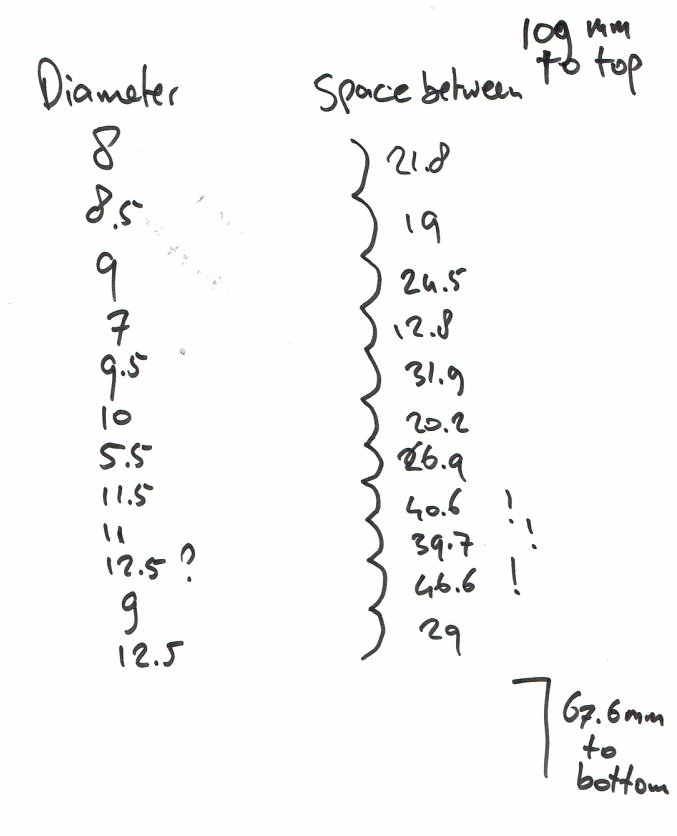
Design for a 2 persons flute. Still working on it.
I have to recalculate some stuff, to get the finger distances in a better position.
Plan is to 3D print this first to test. Then make it in wood or metal.
But most of the times manuals/howto books about beer, fermenting, computers .. reference guides.
We used to have a lot of books, but when Monique moved out she took a lot with her. And i’ve got a lot of digital versions of books now. We needed the space, so i got rid of the paper ones.
I’m using Calibre and Calibre in server mode, to access my ebooks and comics.
I use fbreader a lot and sometimes the calibre webreader.
My tunebooks are in there also, and i’m using my DIY bluetooth pageflipper to flip though the pages. (Other post)
Calibre in server mode
 ./calibre-server --userdb /home/fash/calibreusers.sqlite  /tank/Calibre/library /tank/Calibre/adult /tank/Calibre/sortedlibrary /tank/Calibre/comics /tank/Calibre/computer /tank/Calibre/manuals /tank/Calibre/PdfMusic /tank/Calibre/Nasla
g --port=8008 --enable-auth --auth-mode 'basic'

# To manage users
# calibre-server --userdb /srv/calibre/users.sqlite --manage-users

# Server is behind a reverse proxy
Some comics i’ve collected are:
UPDATE: 20220906 – Started testing with steaming VR/360 also
RTMP stands for Realtime Messaging Protocol
RTSP stands for Realtime Streaming Protocol
HLS is a HTTP Live Streaming method
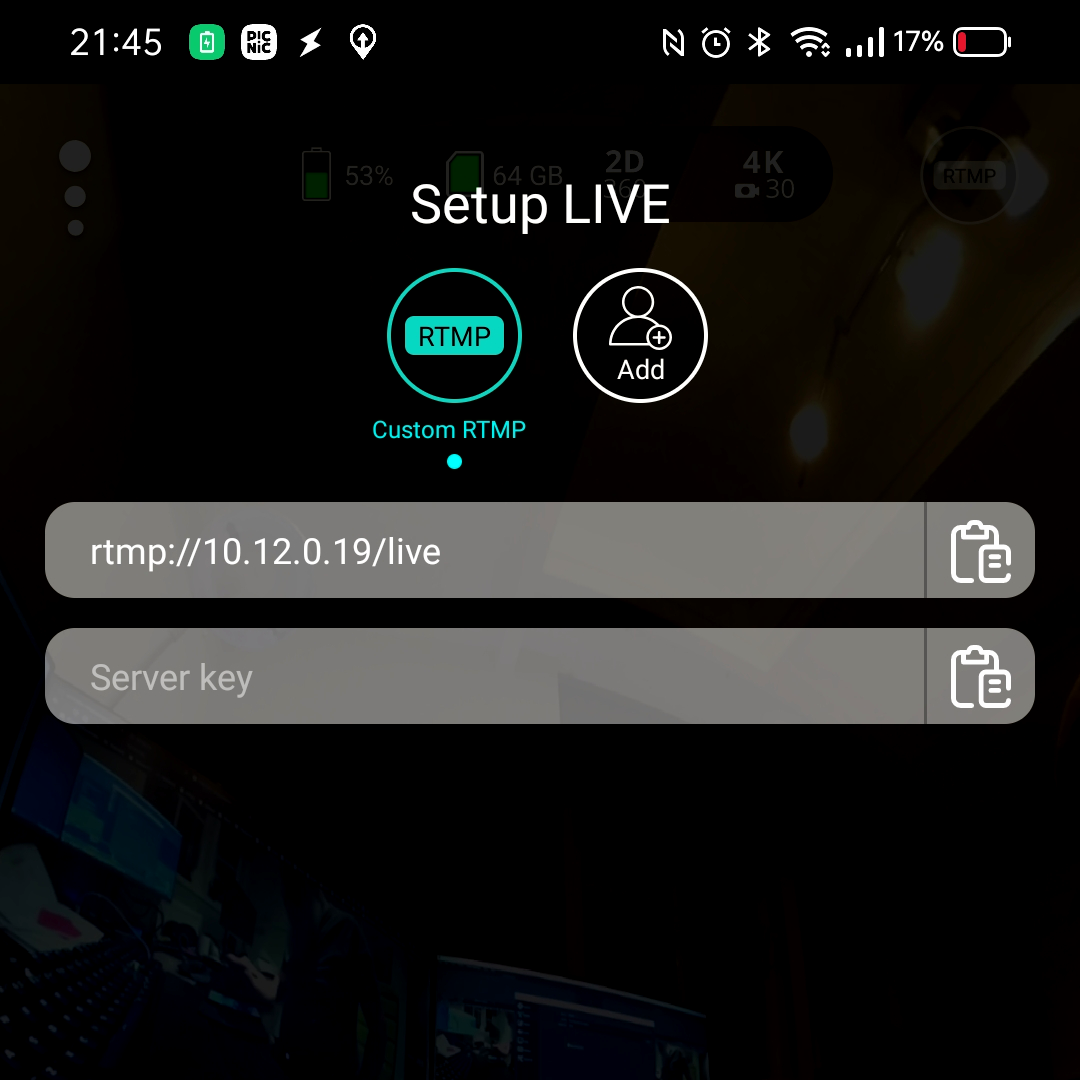
I needed a way to stream semi-realtime video to a website.
There are multiple use cases.
In all cases i used OBS to stream to the website.
Prepare the stream server:
Install nginx, with the rtmp module
wget http://nginx.org/download/nginx-1.9.7.tar.gz
wget https://github.com/arut/nginx-rtmp-module/archive/master.zip
tar -xvf nginx-1.9.7.tar.gz
unzip master.zip
cd nginx-1.9.7
./configure --add-module=../nginx-rtmp-module-master/
make && make install
mkdir -p /HLS/live/test # live is the stream name, test is the pass key
chown -R {nginx user} /HLS
create a config file
worker_processes  1;
error_log  logs/error.log debug;
events {
worker_connections  1024;
}
rtmp {
server {
listen 1935;
allow play all;

application live {
allow play all;
live on;
record all;
record_path /video_recordings;
record_unique on;
hls on;
hls_nested on;
hls_path /HLS/live;
hls_fragment 10s;

}

application vod {
play /video_recordings;
}

http {
include       mime.types;
default_type  application/octet-stream;

server {
listen 80;
server_name www.fash.nu;
add_header Access-Control-Allow-Origin *;

location /live {
types {
application/vnd.apple.mpegurl m3u8;
}
alias /HLS/live;
add_header Cache-Control no-cache;
}

location /mobile {
types {
application/vnd.apple.mpegurl m3u8;
}
alias /HLS/mobile;
add_header Cache-Control no-cache;
}

location / {
root   html;
index  index.html index.htm;
}
}
You need a webpage containing the embedded player
<!-- HTML -->
<video id='hls-example'  class="video-js vjs-default-skin" width="400" height="300" controls>
<source type="application/x-mpegURL" src="http://www.fash.nu:8080/live/test/index.m3u8">
</video>


<!-- JS code -->
<!-- If you'd like to support IE8 (for Video.js versions prior to v7) -->
<script src="https://vjs.zencdn.net/ie8/ie8-version/videojs-ie8.min.js"></script>
<script src="https://cdnjs.cloudflare.com/ajax/libs/videojs-contrib-hls/5.14.1/videojs-contrib-hls.js"></script>
<script src="https://vjs.zencdn.net/7.2.3/video.js"></script>

<script>
var player = videojs('hls-example');
player.play();
</script>
Run the server part:
/usr/local/nginx/sbin/nginx -c /root/stream.confNow you can connect OBS to the streaming server
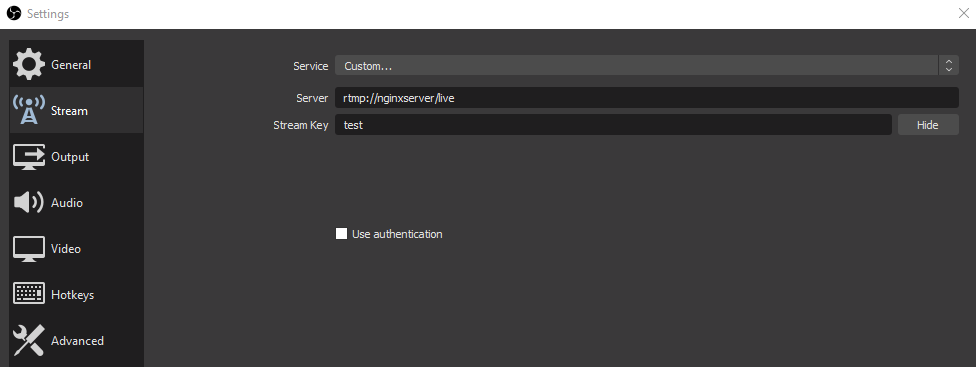
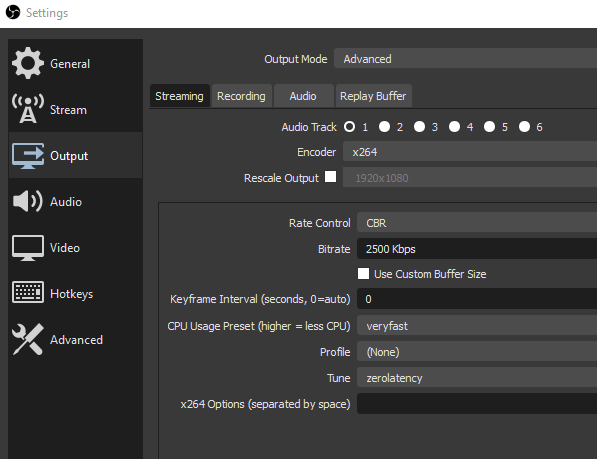
Open the webpage and enjoy!
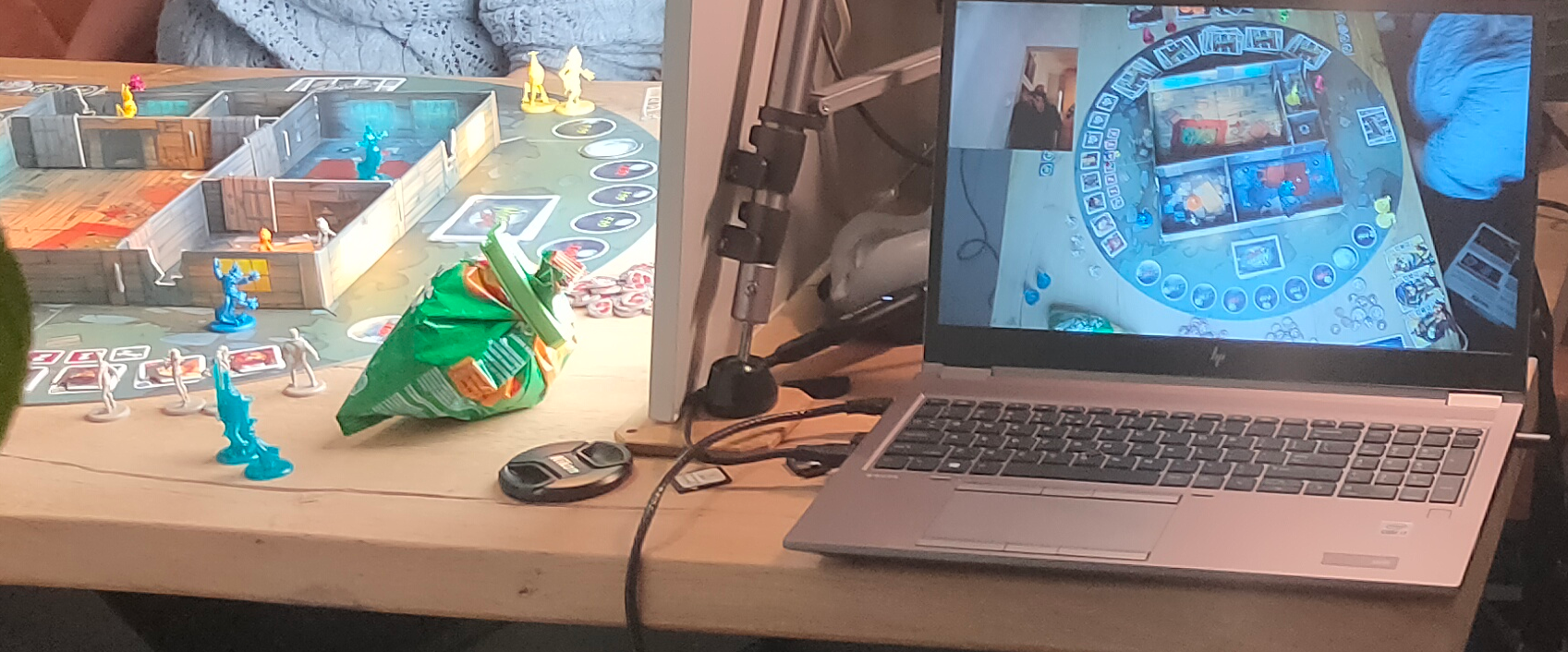
UPDATE: 20220906 – Started testing with steaming VR/360 also
When attending the MCH2022 talk about streaming 360 video, i made a mental note to try this with my Vuze cam, using current setup and the one suggested in the talk : https://www.youtube.com/watch?v=460vo1O5pC4
To check : EGJS
| BEER | BREWER |
| Trinity in black | puhaste estland |
| Funky Falcon | Two chefs brewing |
| Troubadour Magma | The Musketeers |
| Hop zij met ons | Jopen |
| Smoked wheat everyday | Jopen |
| De verloren zoon #7 | Jopen |
| Double denim smoked barley wine | Tempest Brewing |
| Guinness | Guinness |
| Duchesse de bourgogne | Brouwerij Verhaeghe Vichte |
| Westvleteren | Westvleteren |
| Baltic Dubbel | Insel Brauerei |
| Birra Nazionale | Baladin |
| Sans Pardon | Dochter van de korenaar |
| Staal | Bier door mannen |
| Ola dubh 12 | Harviestoun Brewery |
| Dark Island | Orkney Brew |
| Brewer’s Reserve Brandy Barrel Barleywine | Central Waters |
A while back i printed a PCB holder, perfect for accessing contacts on a print, without the need for soldering.
Flashed a doorsensor with Tasmota.
esptool.py --port /dev/ttyUSB0 write_flash -fs 1MB -fm dout 0x0 tasmota.binKeep GND and VCC connected, to keep device awake. Else it’s going into sleep mode.
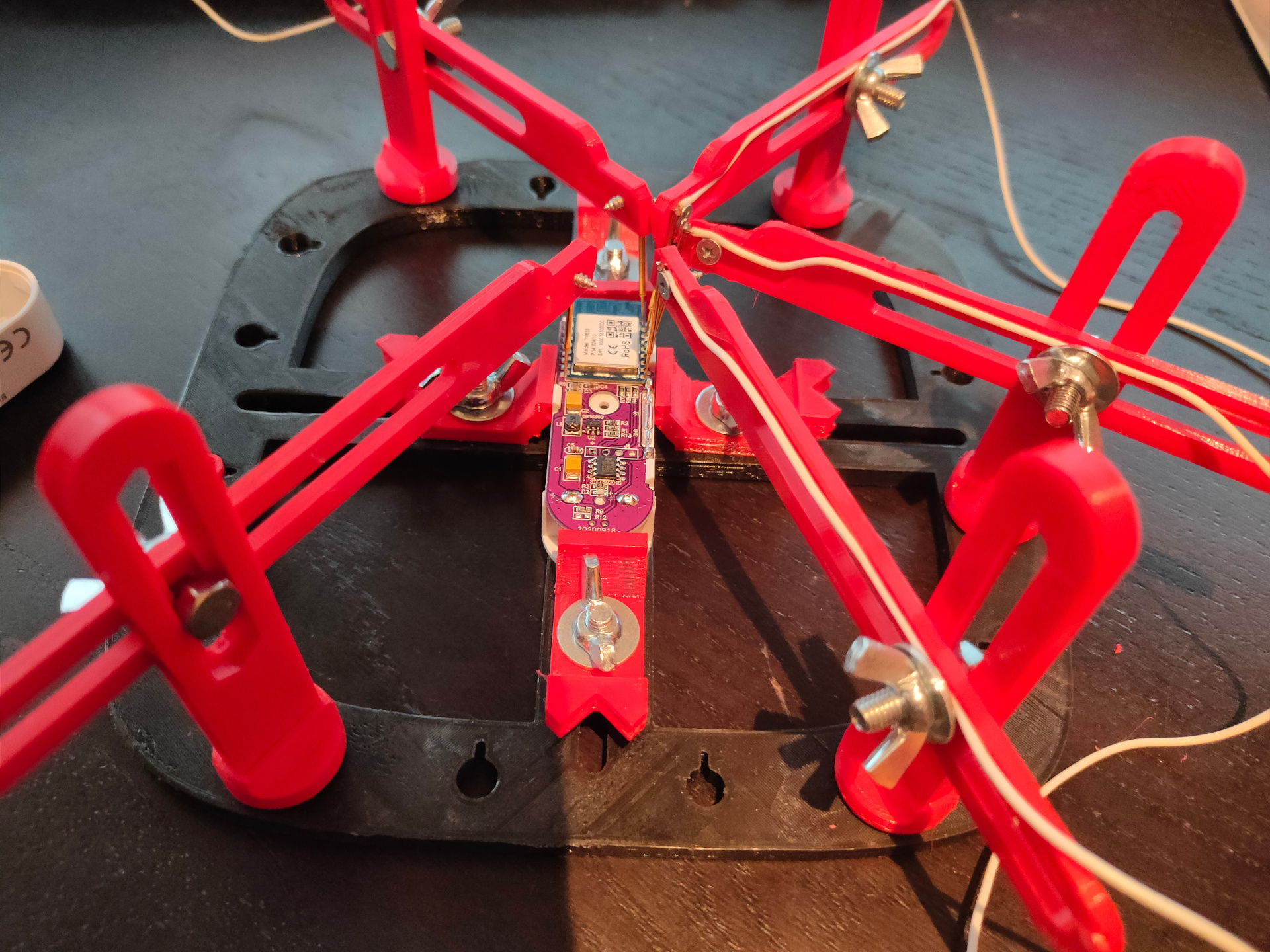
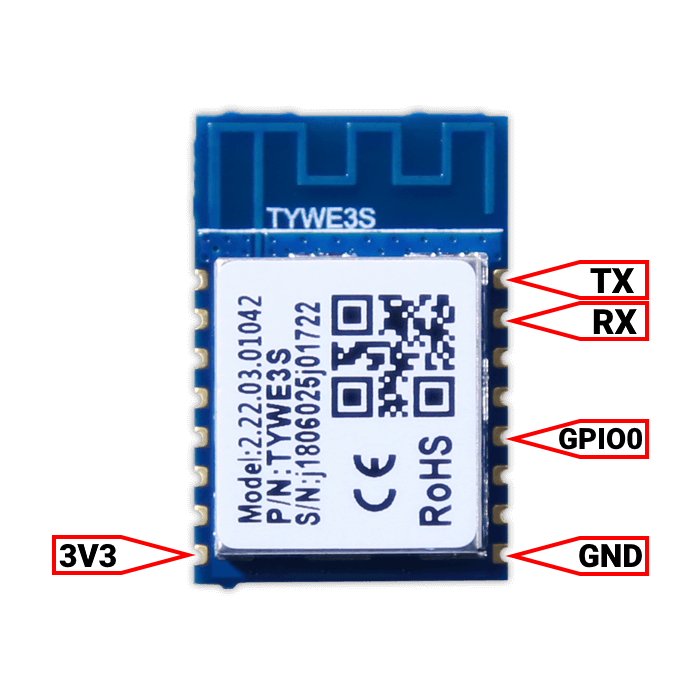
Pull GPio0 to GND @ boottime, to get into flash mode.
3v3 + GND to keep device alive for configuring.
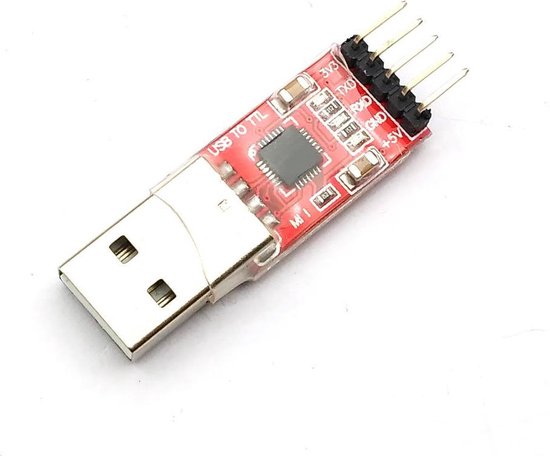
I took a picture, converted it to grayscale.
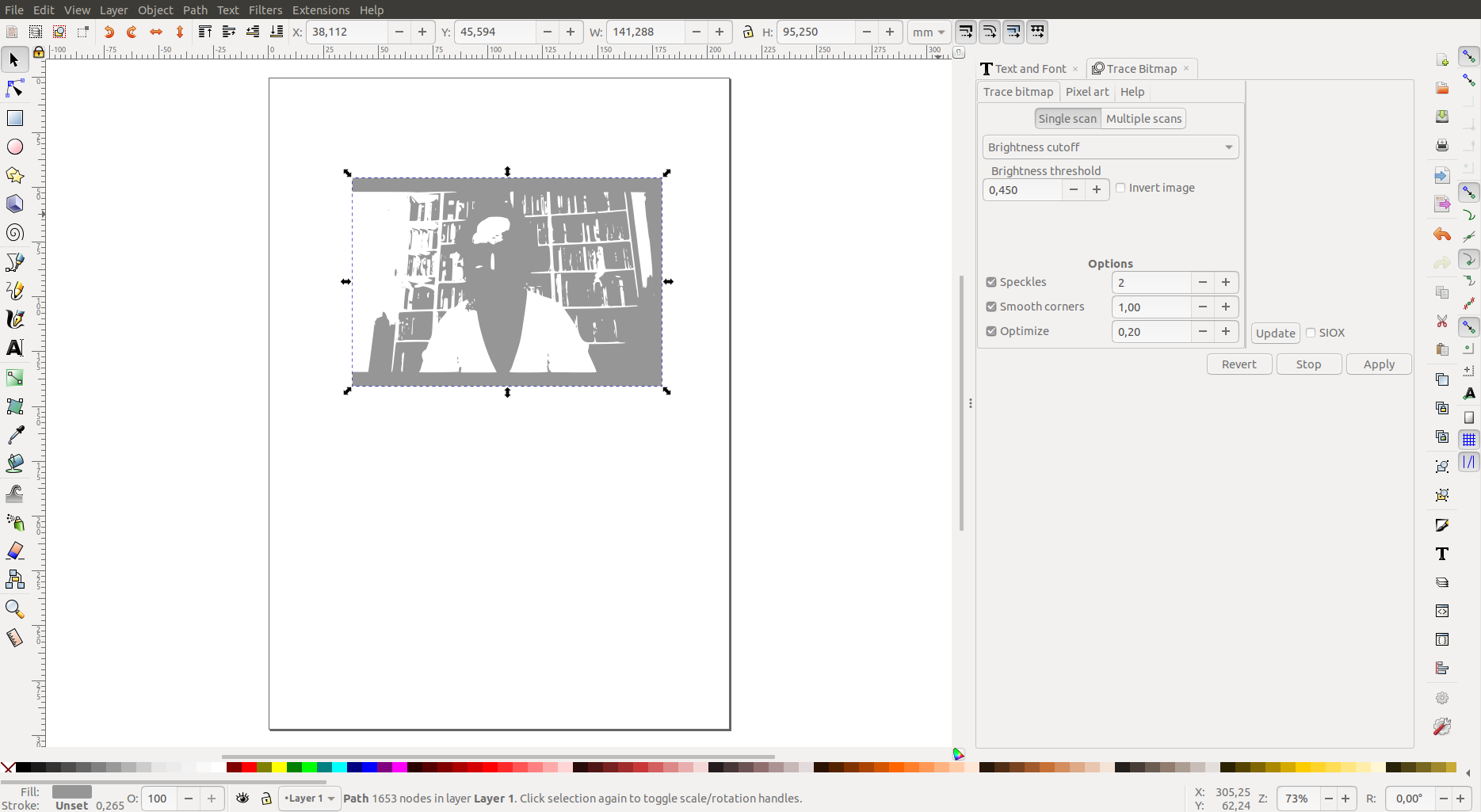
Then used Inkscape trace bitmap, brightness cutoff.
With some other options to get multiple gray layers.
I printed these on transparant sheets, using a laser printer.


Made 7-8 layers with a light behind it, it produces a really cool effect.
ICQ
For ICQ i only could find one that worked for me.
Search for the below file on the internet
IcqHR 1.8f (http://soft.softoogle.com/ap/icqhr-get-4581.shtml)
This will convert XXXXXmsg.dat to a html file.
SIGNAL
I’ve got signal on my linux workstation, so my encryption key lives in
~/.config/Signal/config.json
Install sqlcipher from (https://github.com/sqlcipher/sqlcipher)
And use below script (change paths/keys accordingly)
#!/bin/bash
#set -x
# Get your key from
#cat ~/.config/Signal/config.json
SIGNAL_KEY=XXXXXXXXXXXXXXXXXXXXXXXXXXXXXXXXXXXXXXXXXXXXXXXXXXXXXXXXXXXXXXXXXXXXX

/Projects/sqlcipher/sqlcipher -list -noheader /home/${USER}/.config/Signal/sql/db.sqlite "PRAGMA key = \"x'"${SIGNAL_KEY}"'\";select json from messages;" > /tmp/clear_text_msgs;
cd /tmp
tail -n +2 clear_text_msgs > without_ok
sed '$!s/$/,/' without_ok > with_commas
sed '1 s/^/[\n/' with_commas > with_leading_bracket
echo "]" >> with_leading_bracket
rm without_ok
rm with_commas
mv with_leading_bracket valid.json
cp valid.json /home/%{USER}/signal.$(date +%Y%m%d)
cd -
Google Chat/Talk/Hangouts
Just search for google takeout!
After that convert Hangouts.json to text using
https://github.com/baldybeardedguy/hangouts-json-parser/blob/master/Hangouts_json.py
I’ve got a retro-pi running for some time, now .. posting a little movie.
The gamehat i’ve got a week now.
Retropi met Darish Zone King Image
Own hacks on this system:
I’ve got a bigben controller which i can connect to the Raspberry USB .

UV Frequency meter