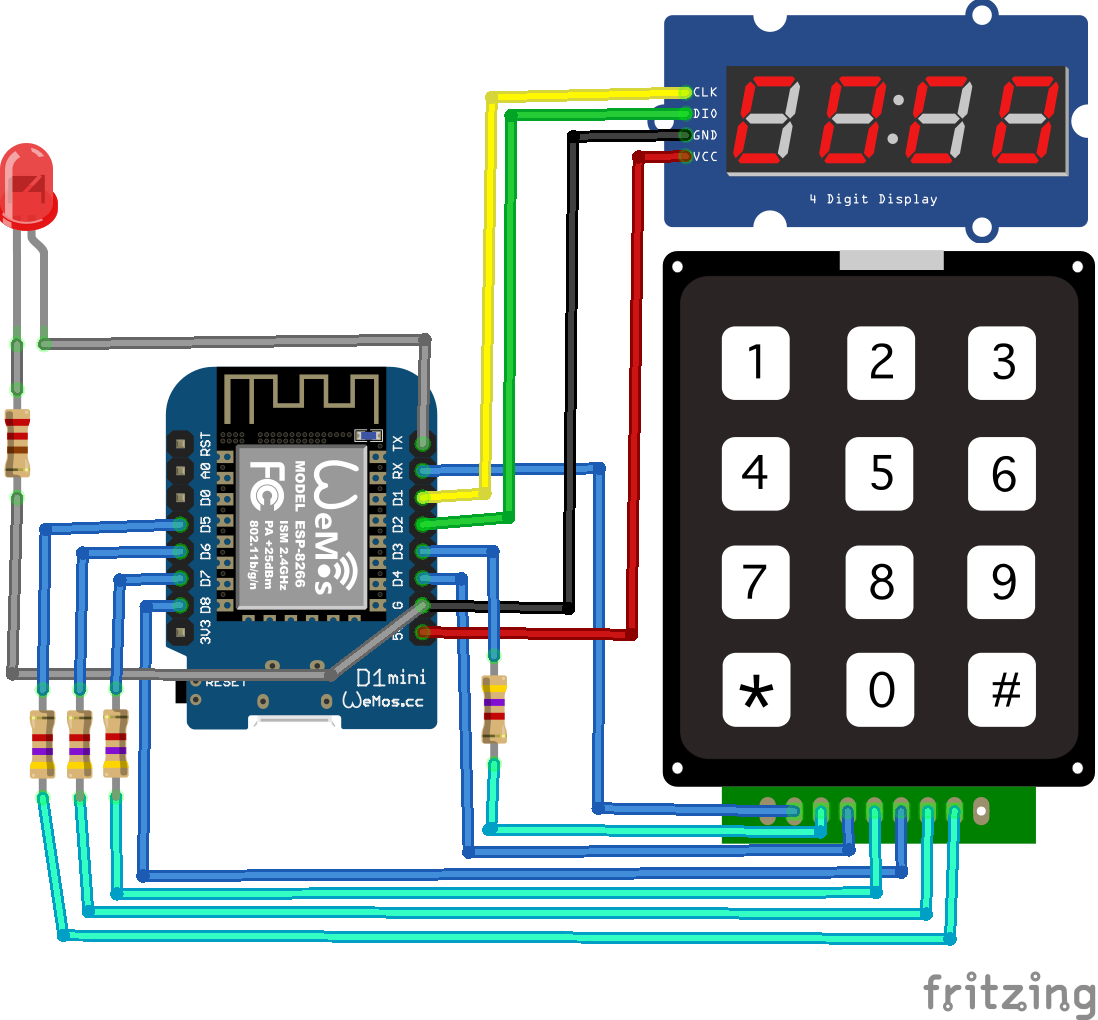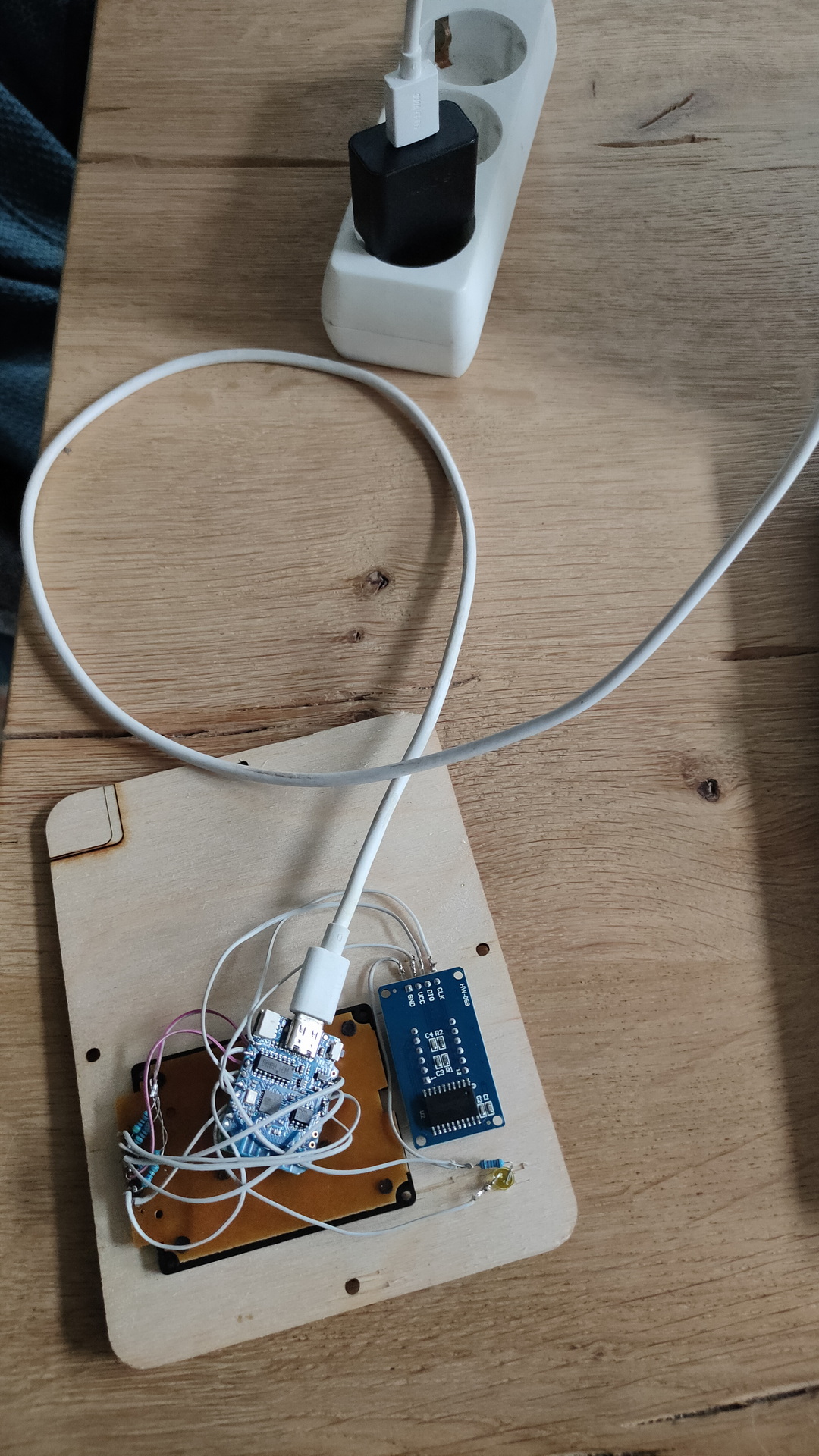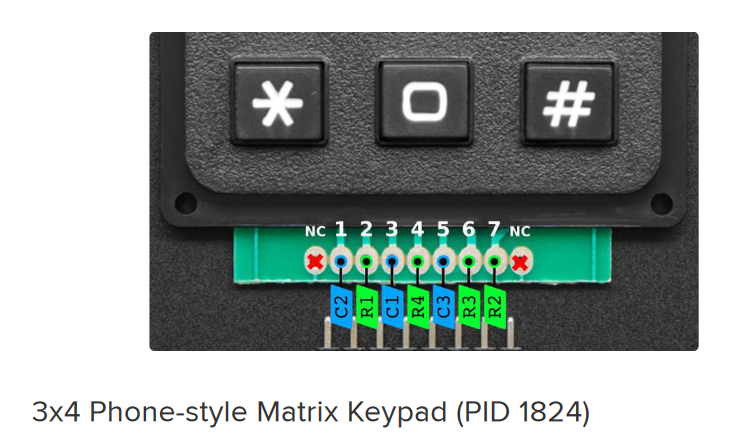
UPDATE another example
DONT WATCH IF YOU WANT TO PLAY MY GAME
Want to replicate this? Here are the files
Explanation: ( The numeric code can be an access code for a panel, or a combination lock.
A switches puzzle
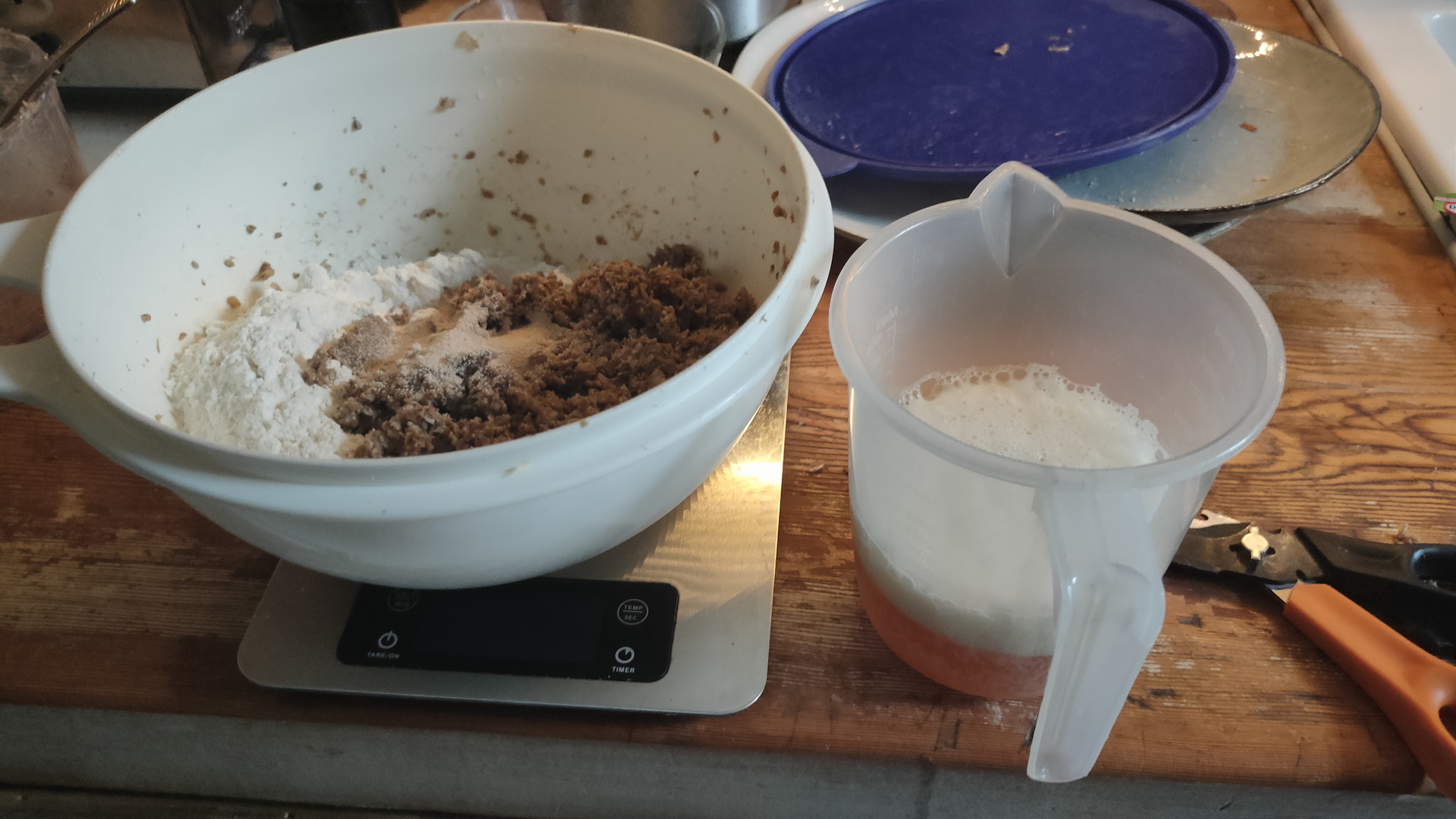
Last saturday we were brewing beer, ending up with a lot of spent grain. (Bier borstel in Dutch)
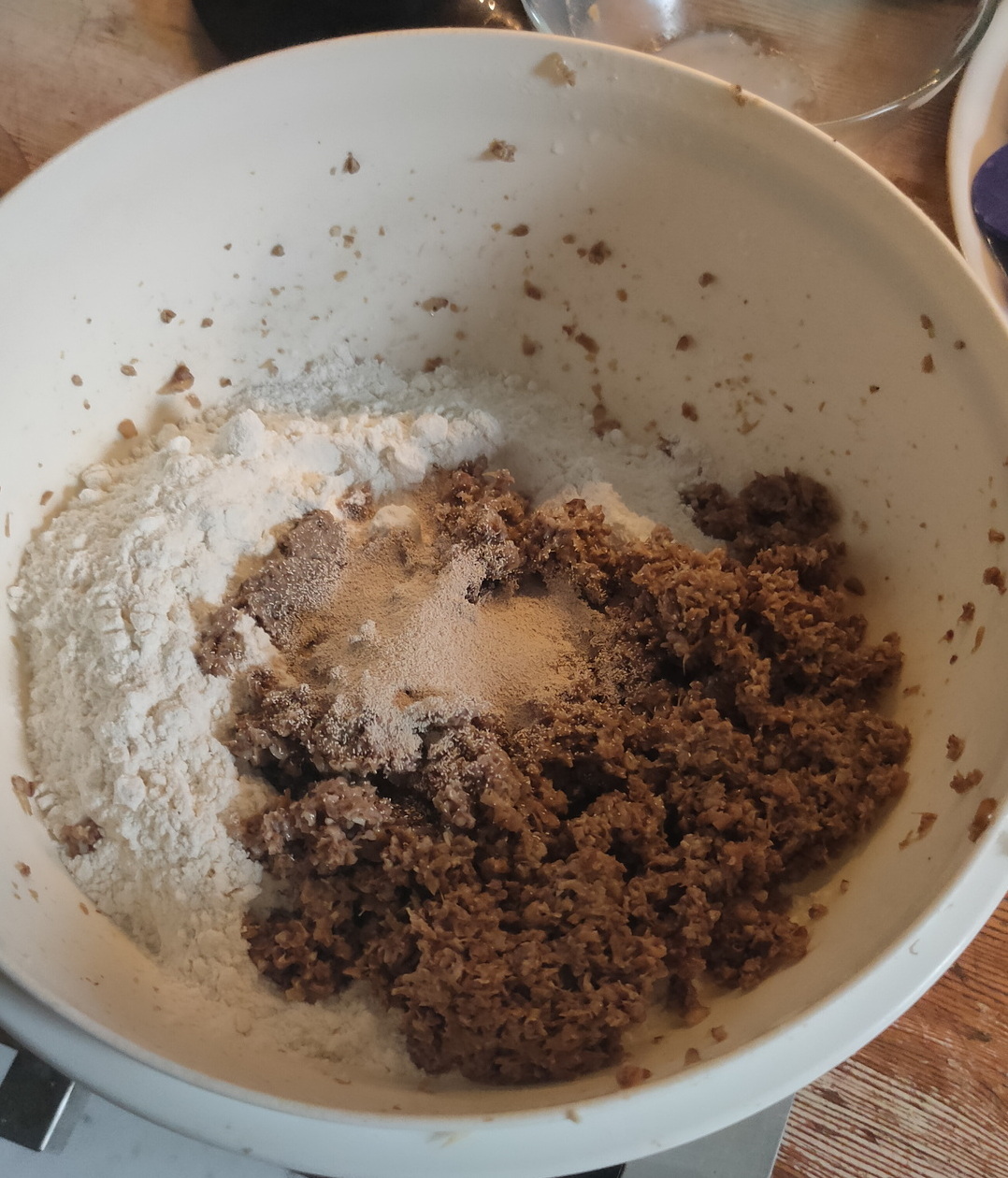
These are the processed grains from the brewing.


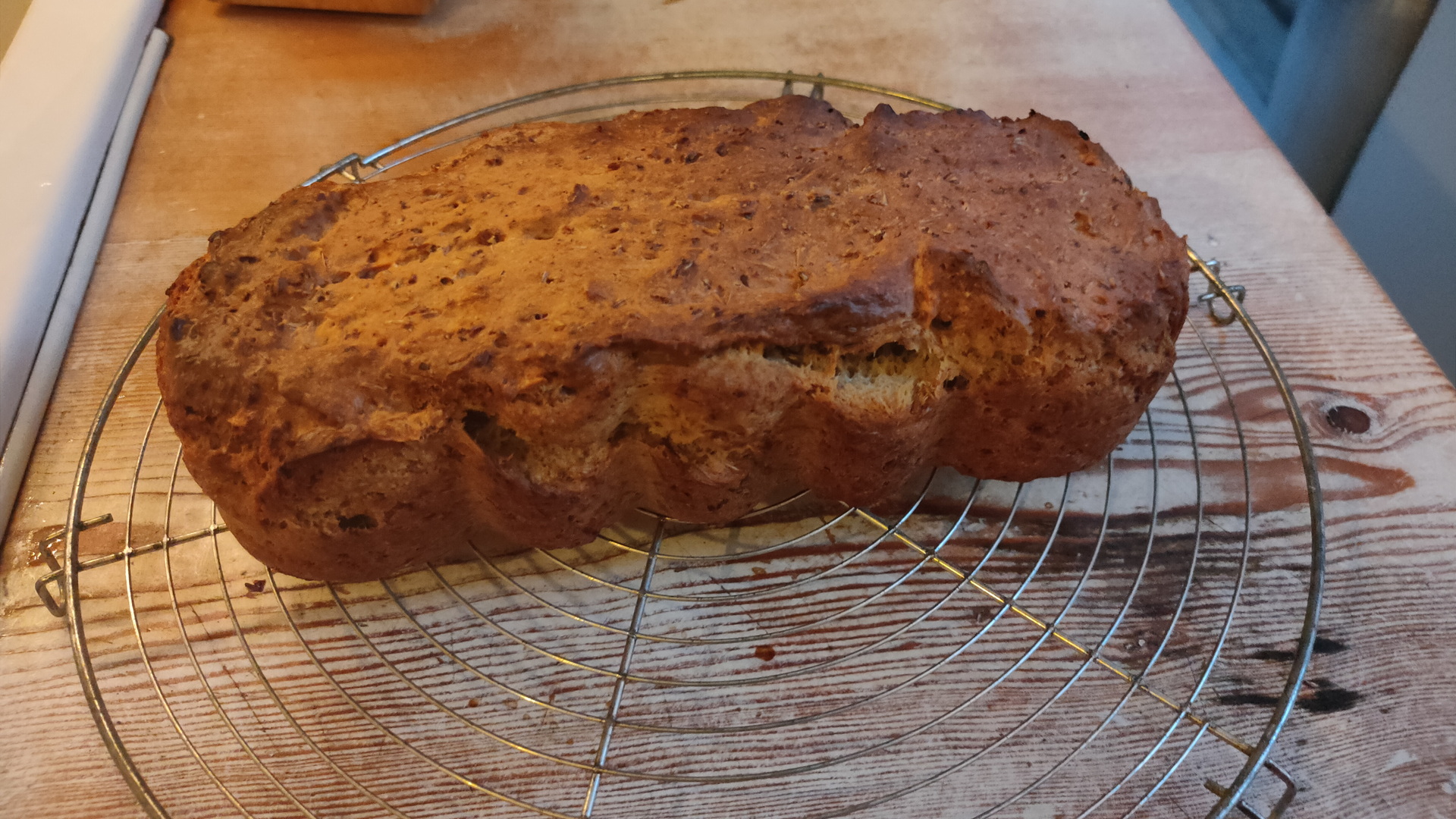
Well, let’s bake a delicious bread, very tasty with, for example, salted butter.
Preparation time : 135 minutes
Baking time : 60 minutes
What do you need
225 grams of spent grain from the brewing
400 grams of flour
200 ml beer ( I use Leffe Blond)
7 grams of baker’s yeast
50ml olive oil
Put the brewer’s grains in the food processor. (Removes the sharp edges of the malt.)
Put the yeast and a little sugar in the beer. This causes the yeast to become active.
Knead all ingredients together until it becomes an airy ball.
Then let this dough rise for an hour and a half in a warm place in a bowl that is covered with plastic.
Then knead the dough briefly and let it rest for another half hour.
Preheat the oven to 200ยบ C.
Pour the batter into a greased baking pan.
Then place the dough in the center of the oven.
After about an hour the bread should be ready. You can check this by knocking on the bread. If it sounds hollow, the bread is ready.
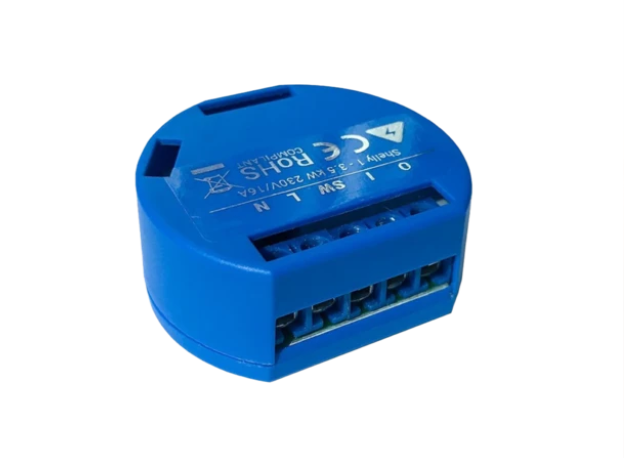
I love shellies, easy to implement and hacker friendly.
MQTT out of the box.
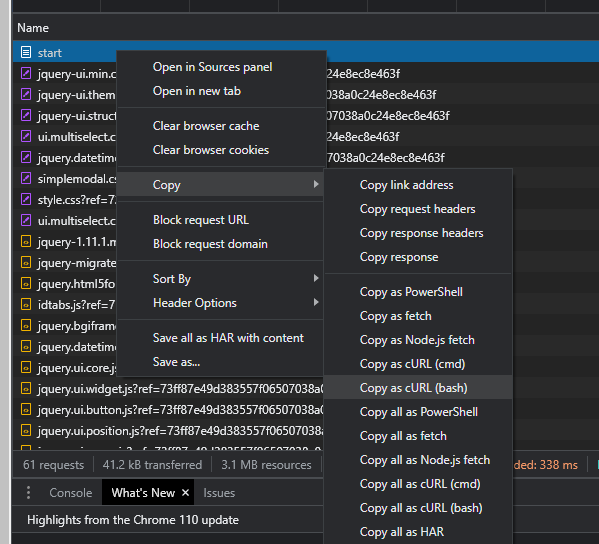
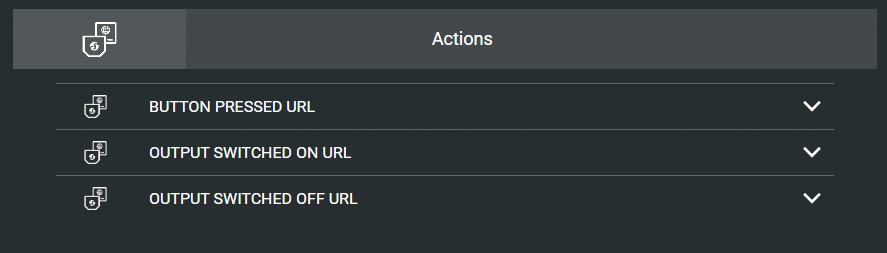
Curl in and out – you can switch it on/off using curl, but it can send a http command also.
I’ve used this with Domoticz and Home Assistant.
It has a webinterface, with timers, and there is also a client for Android/Iphone
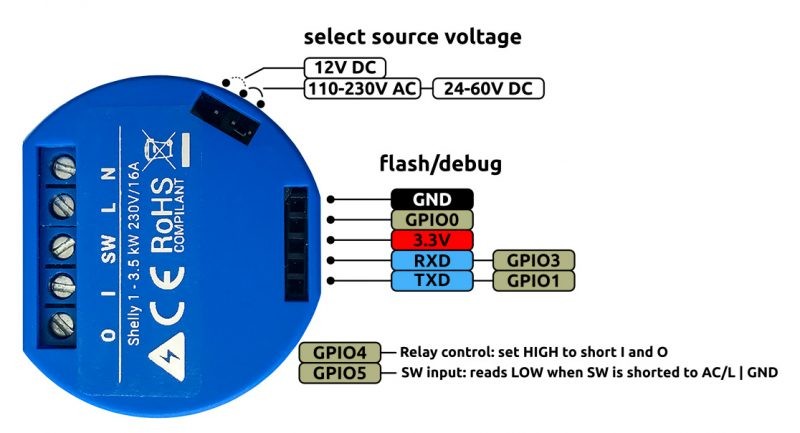
You’ve got some own gpio pins to your disposal and the unit is flash-able!
curl -X POST https://shellydevice/device/relay/control -d "channel=IDHERE&turn=on&id=ID&auth_key=AUTH"
The device is not isolated from the mains. To flash it, the mains must be disconnected.
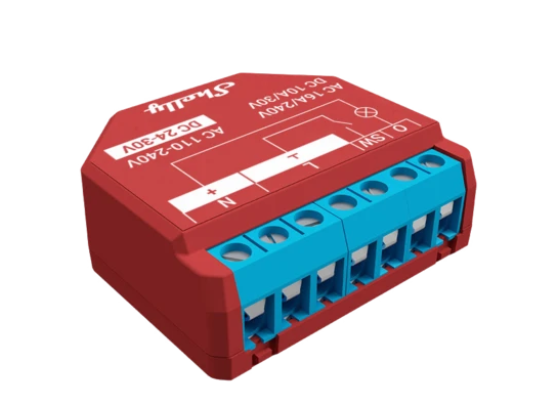
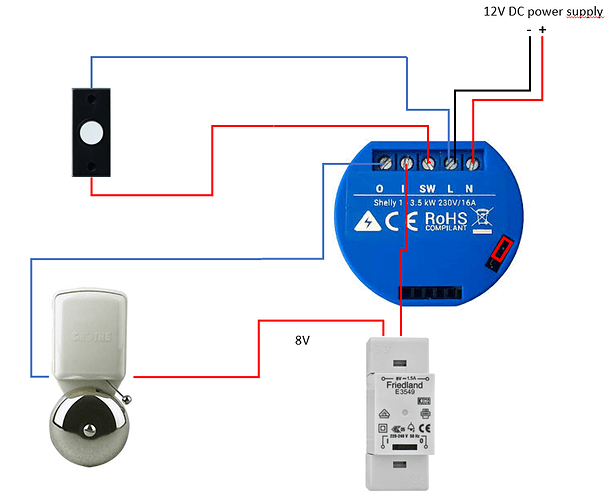
SHELLY 1
I use this for simple on/off switches around the house.
Using it with a physical switch and MQTT (Nodered)
SHELLY 2 PM
Same as above but this one has a build in power meter
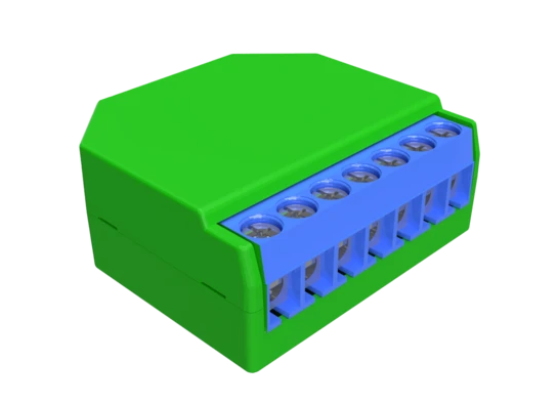
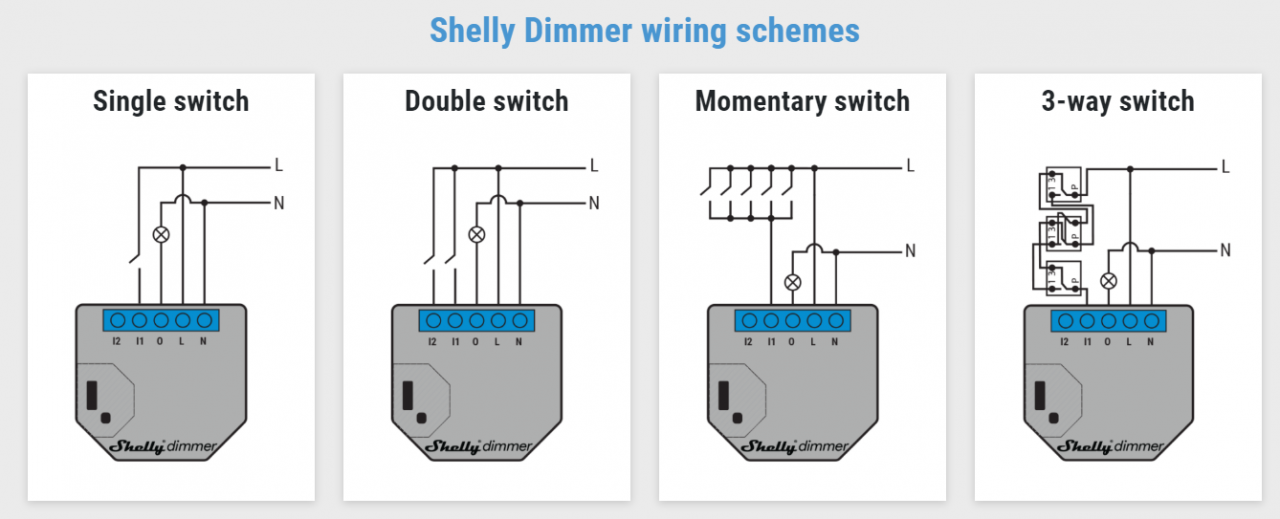
SHELLY DIMMER
Generic dimmer
Dimmer with low voltage rotary encoder!
https://www.instructables.com/Shelly-Dimmer-Wall-Switch-With-Rotary-Knob-and-Hom/
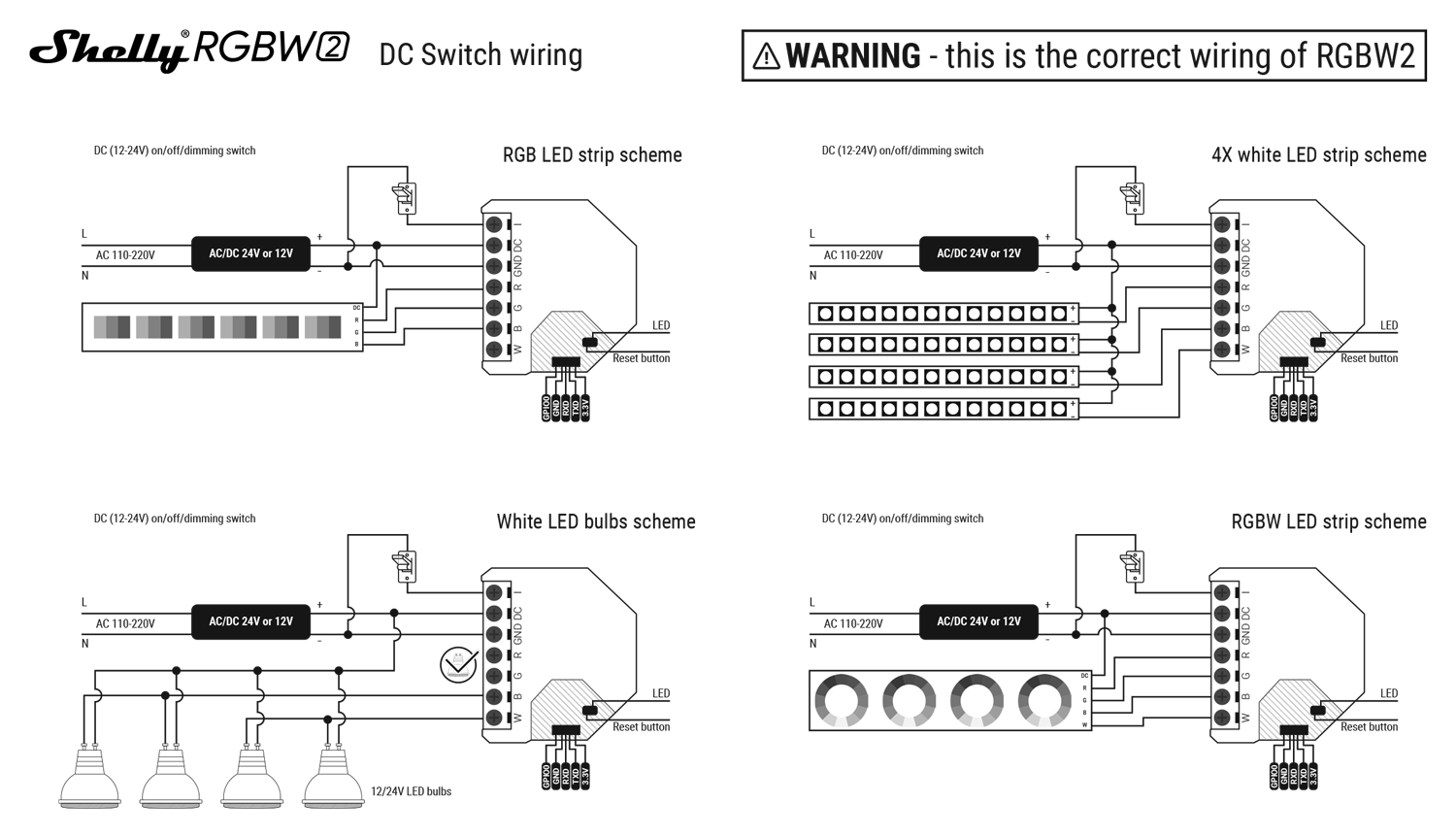
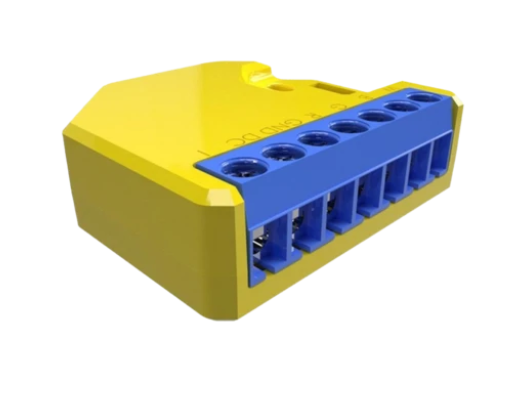
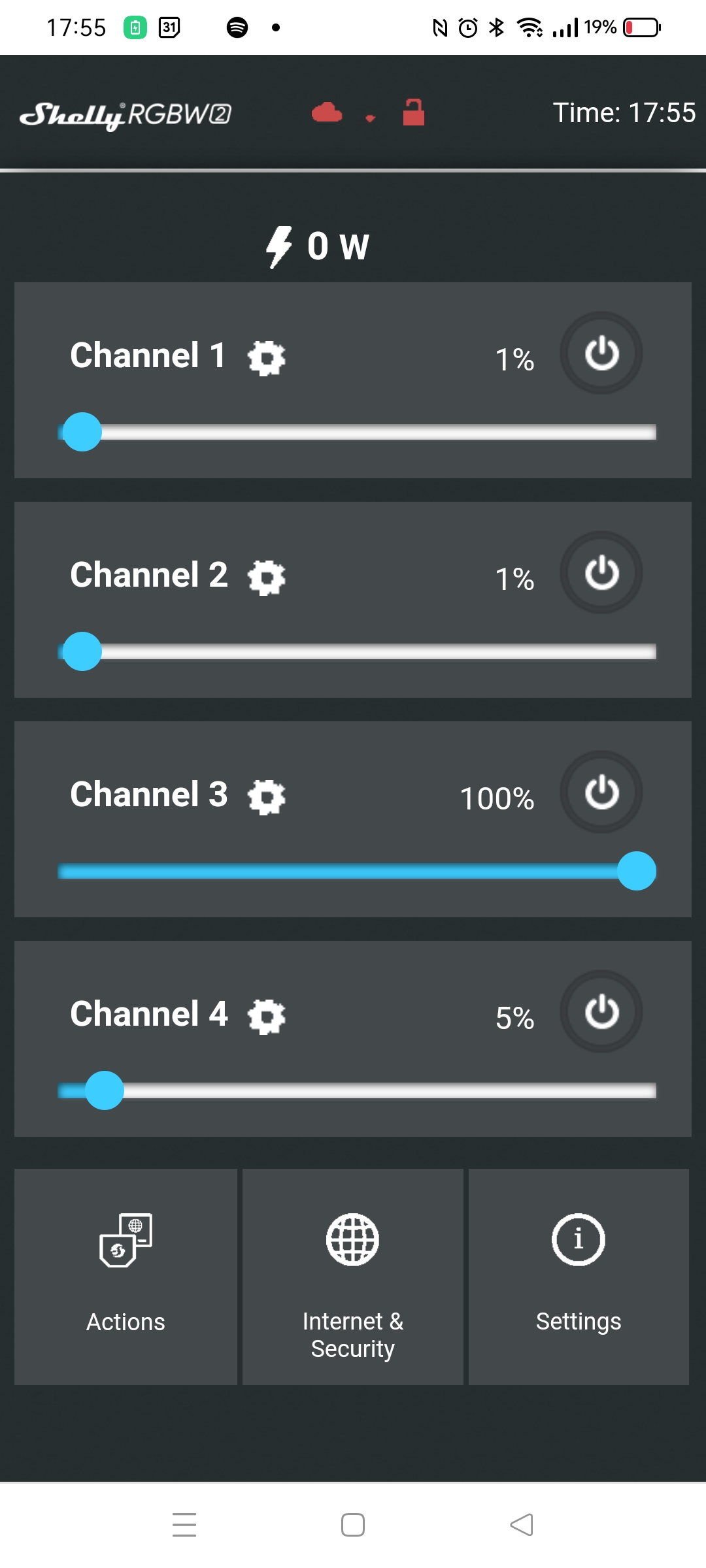
SHELLY RGBW2
A RGBW / 4 Channel controller
You can connect RGB strips, but also dimmable white strips in 4 channels. 12V or 24V.
NOTE! : There is a common 12V connection, and GND will be controlled!

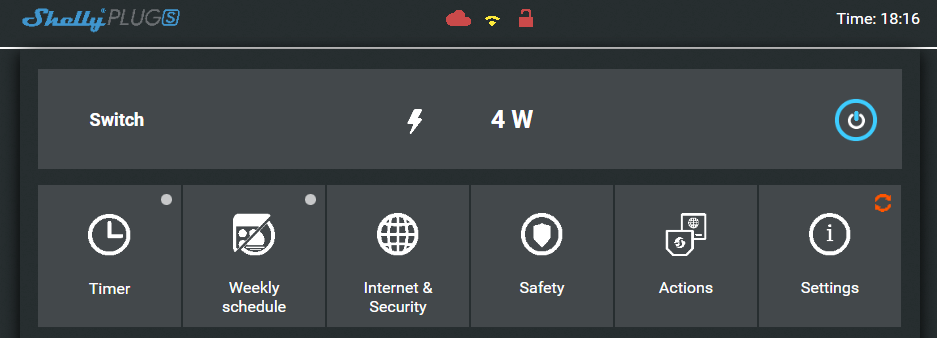
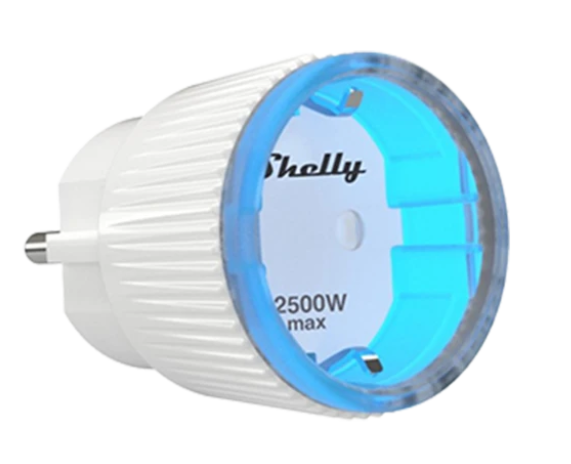
SHELLY PLUG S
I love these small wall plugs, i’ve used these also to find power consuming devices around the house.
For example, i made a nodered flow, to see if the washing machines are running or not.
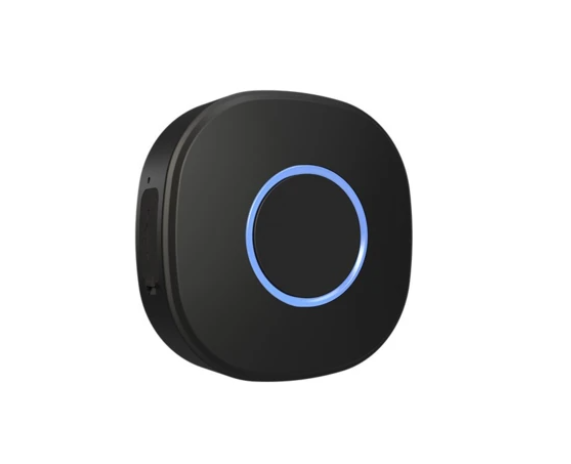
SHELLY BUTTON
This became my all purpose alarm thinghy
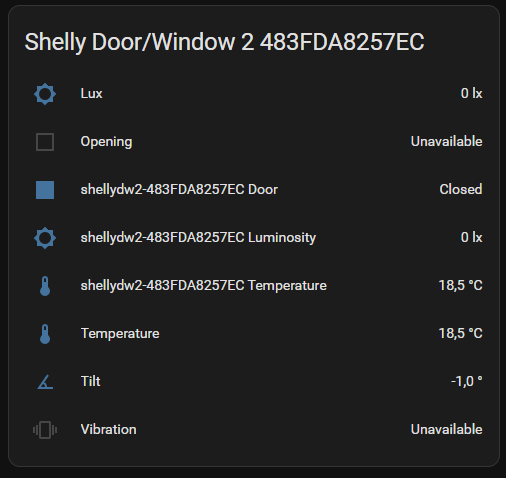
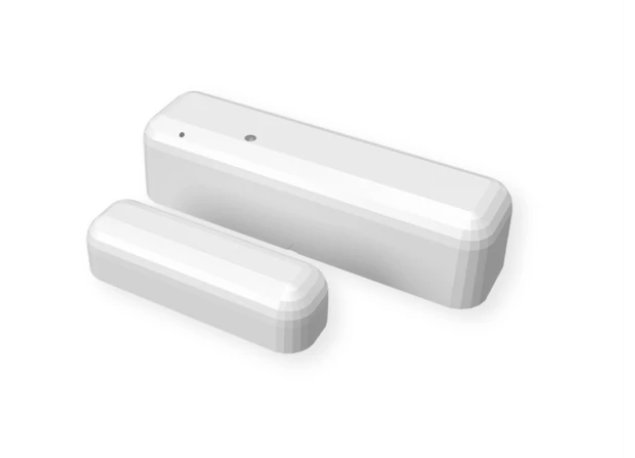
SHELLY DOORSENSOR
A door sensor WITH temperature and light sensor build in!
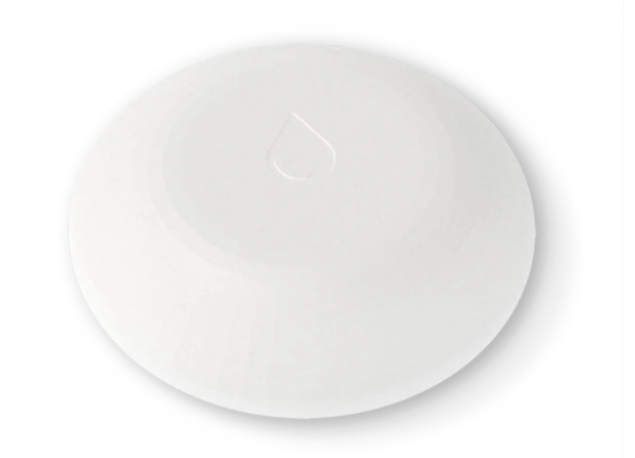
SHELLY WATER SENSOR
This one lays below our washing machine
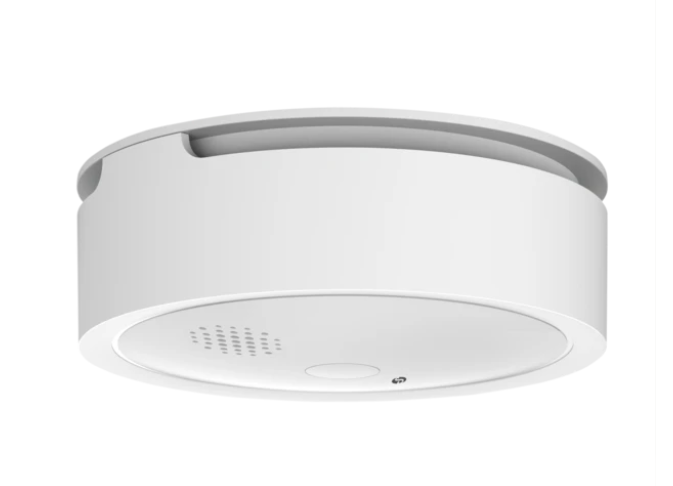
SHELLY SMOKE ALARM
(Preordered)
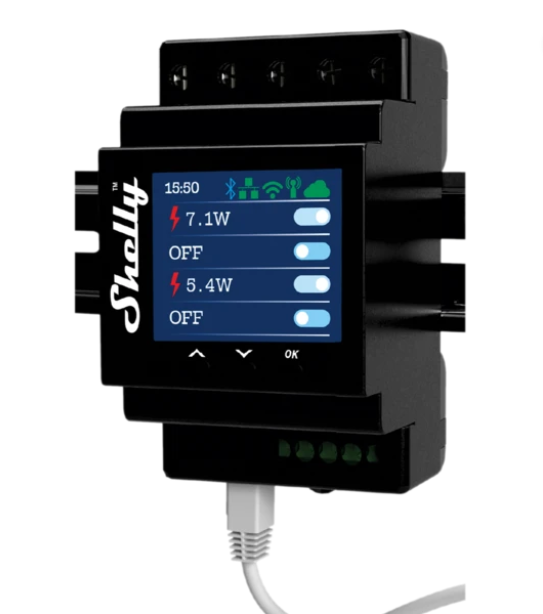
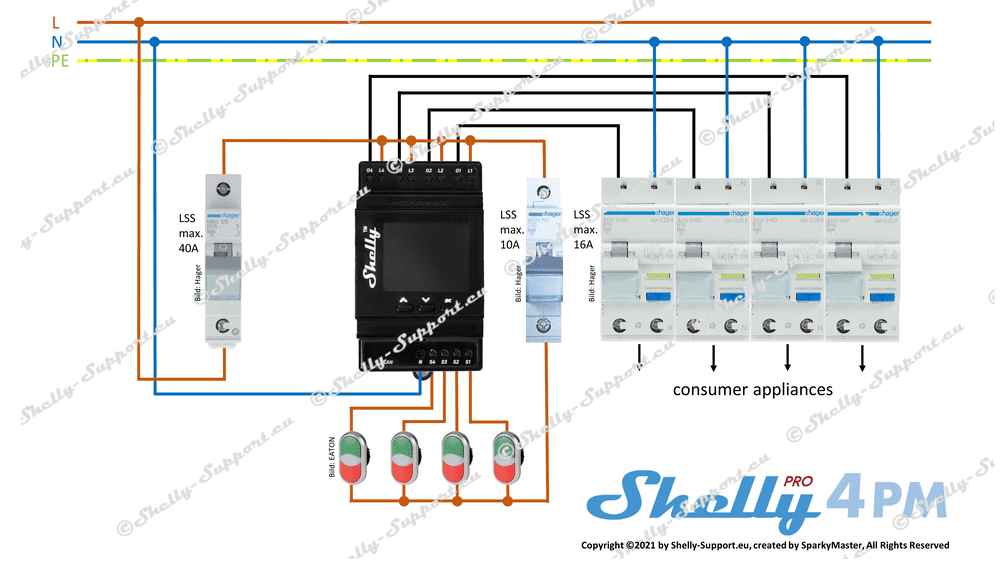
SHELLY PM4
A four channel power measure/switch for your fuse box
https://www.thingiverse.com/thing:5756154
Very nice .. printable cases for your shellies!
I did a lot of lasercutting at Fablab Utrecht, but they stopped a few years ago, and I moved to Hilversum.
I loved making this at this Fablab.
Then i bought a mini engraver, which you can attach to your 3D printer.
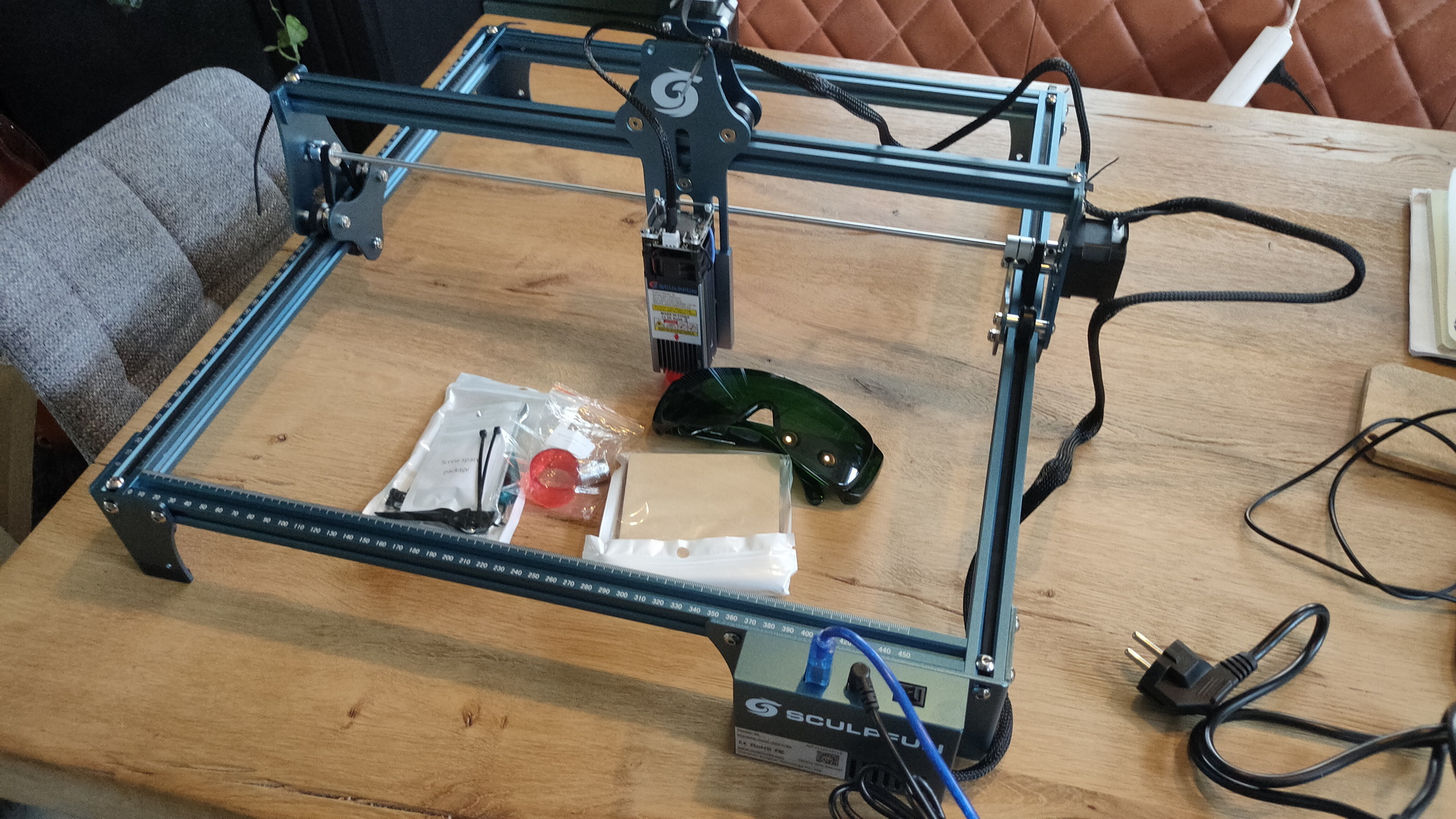
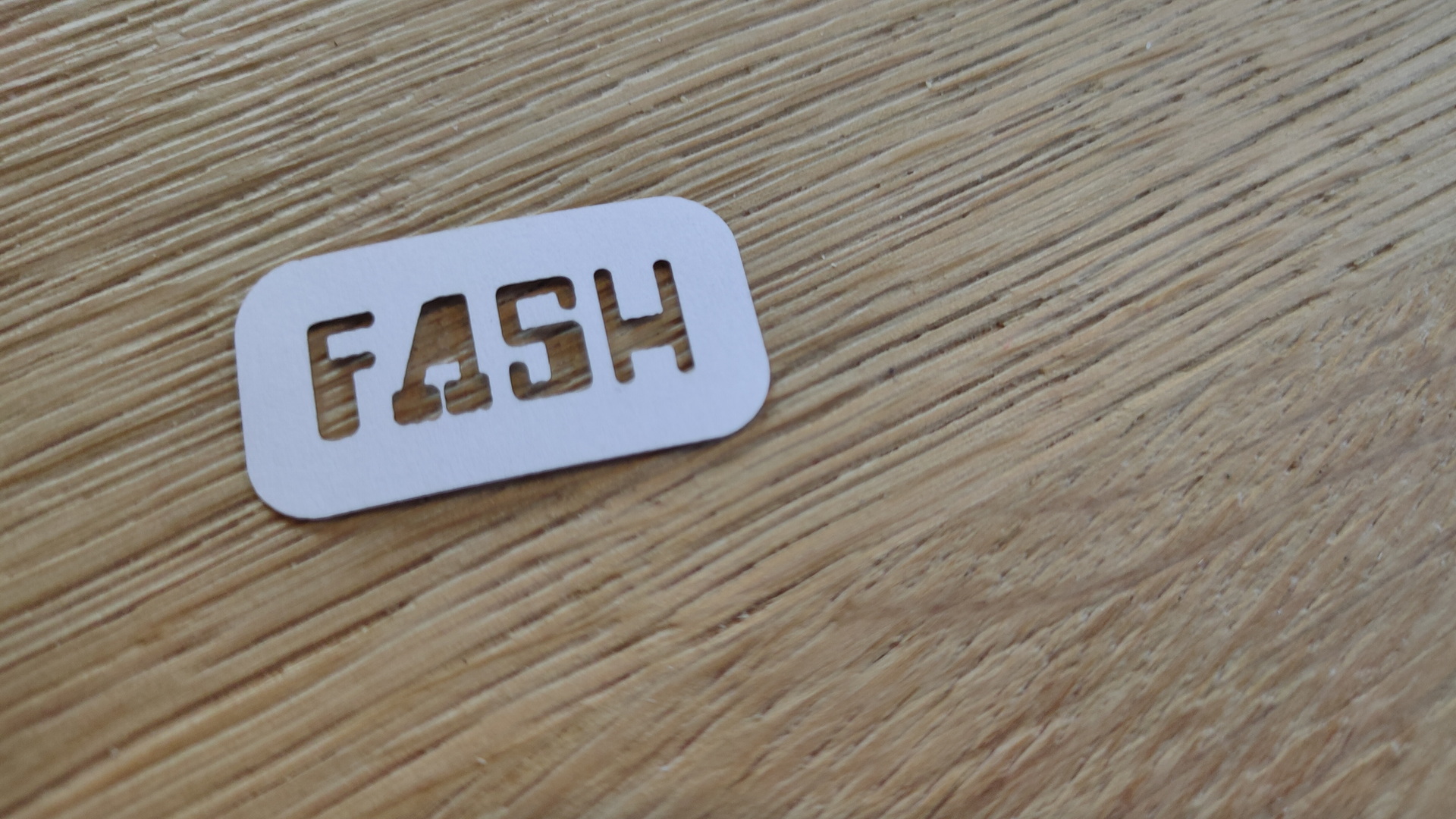
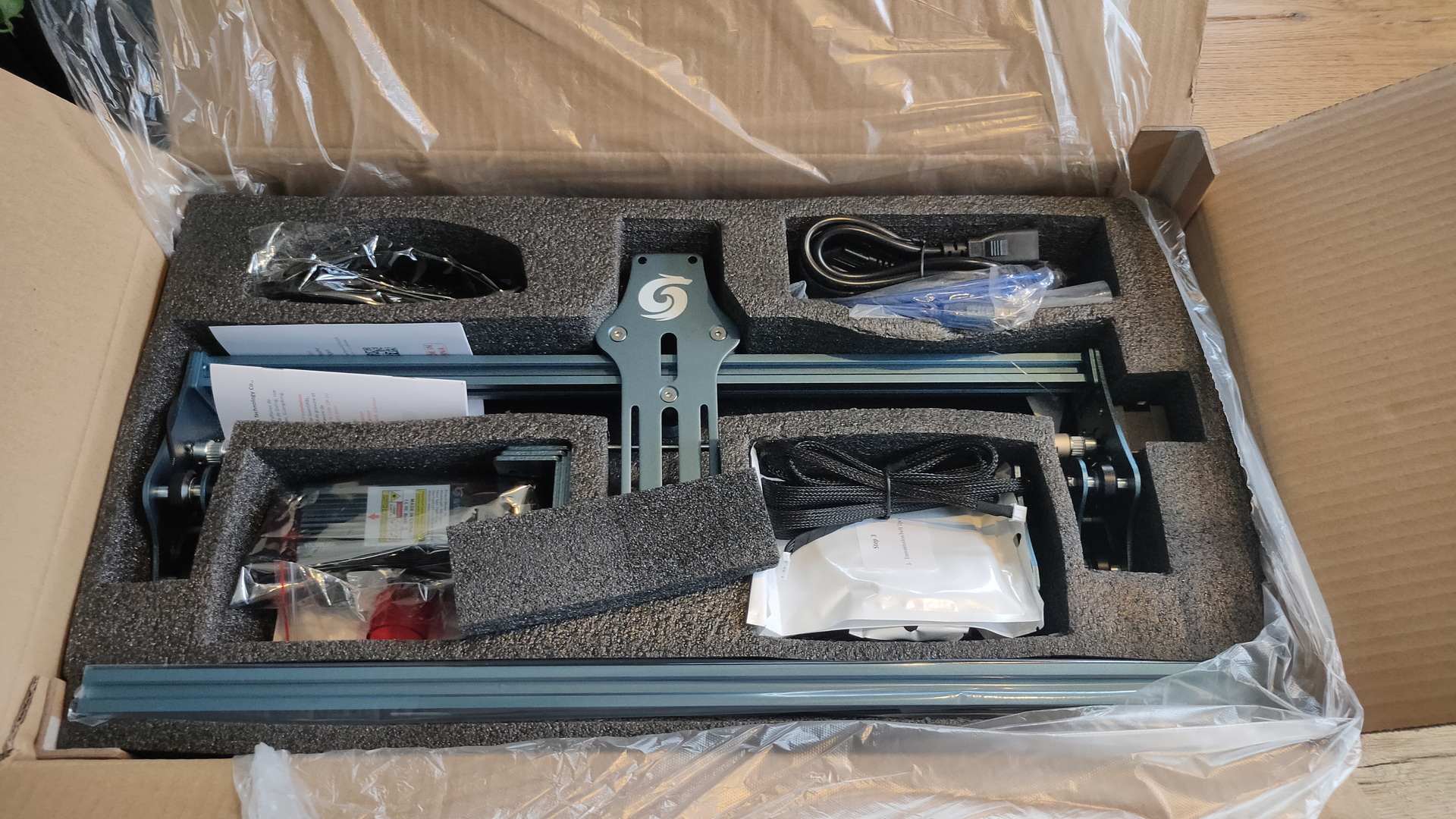
But I really wanted a cutter, so there it is … the Sculptfun S9


This laser module has a new optical design, so it can cut wood as thick as 10+ mm.
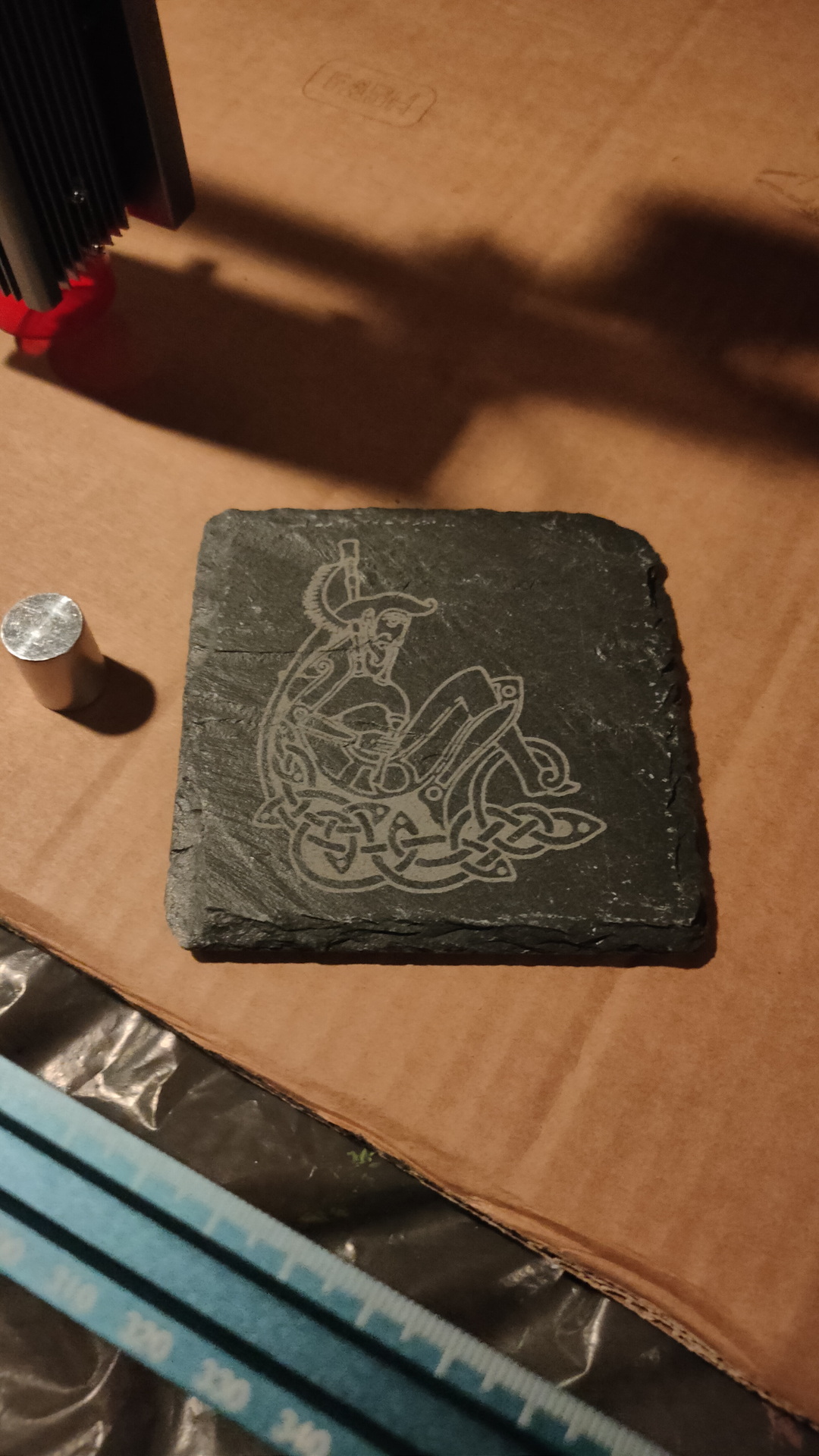
It can engrave metal, cut non-transparant acrylic, leather and more.
Software:
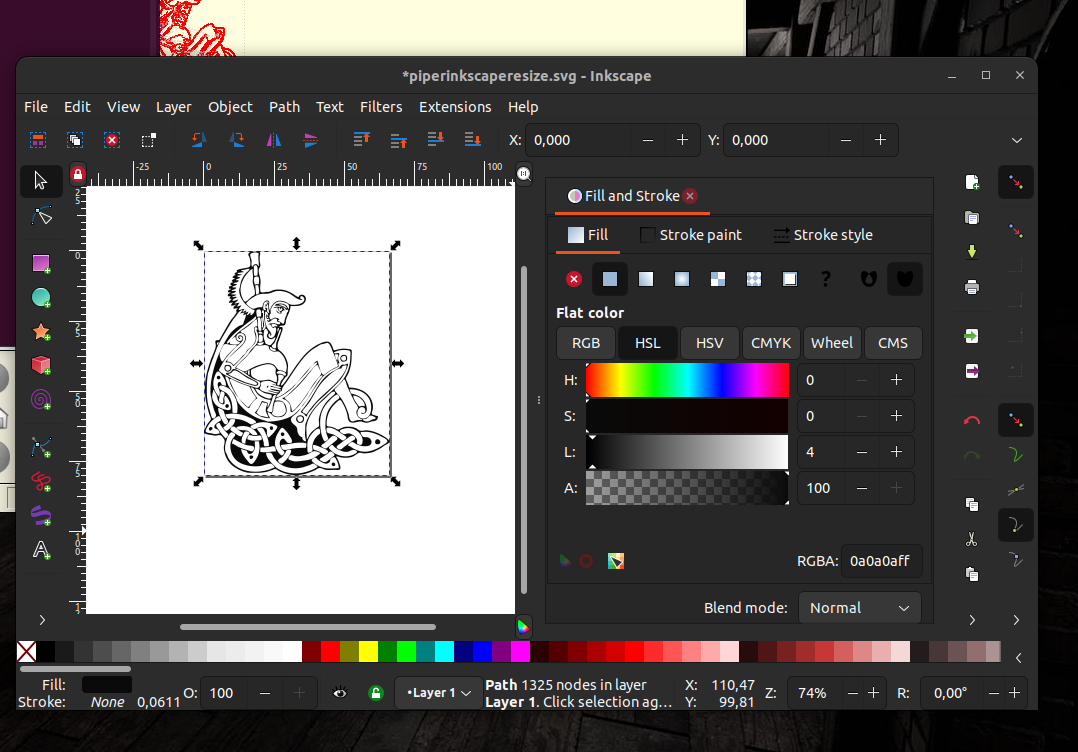
I’m using Inkscape, with the lasercutter tool plugin from Jtech.
https://jtechphotonics.com/
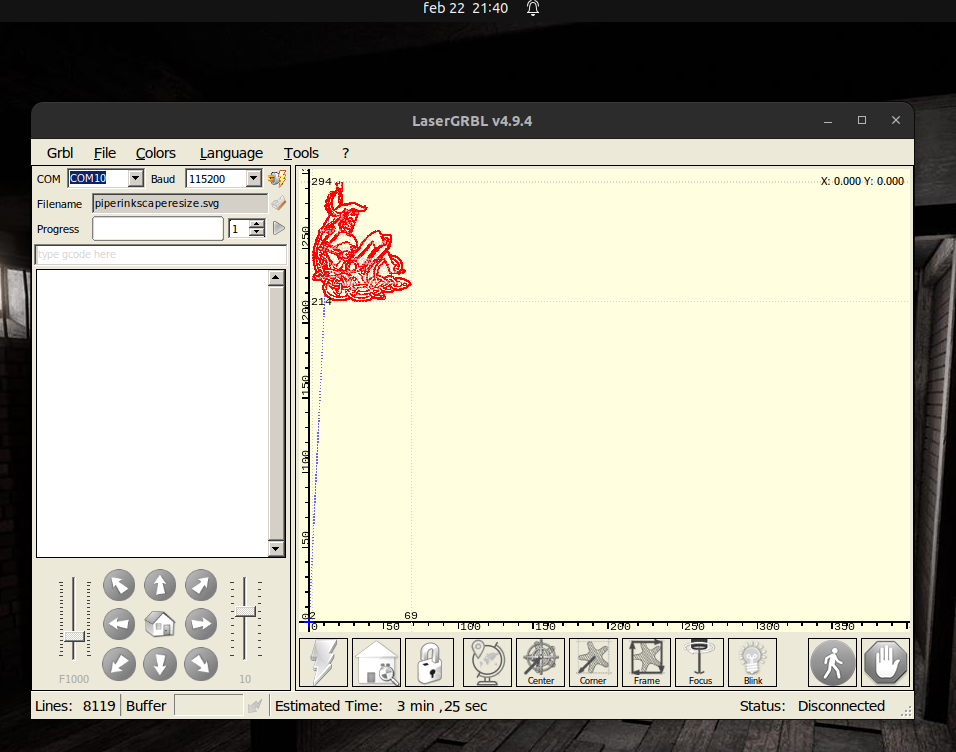
I’ve also tested with LaserGRBL, which can be run under linux using Wine.
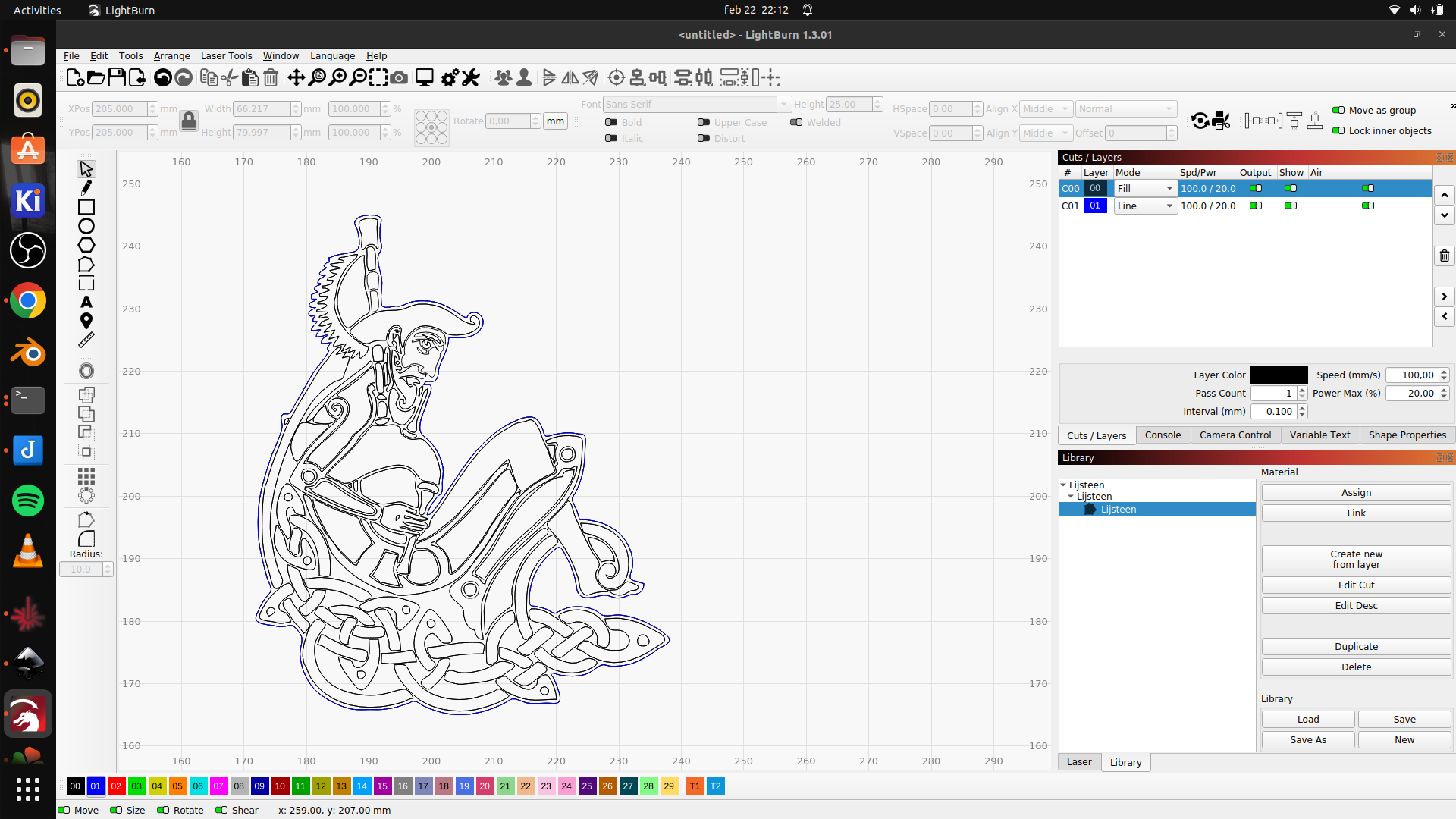
I’m trail testing LightBurn. (Native Linux App)
I will post my findings and test on this post.
UPDATE: 20230221
| Speed | 3000 mm/s |
| Laser Power | 100% |
| Lines per mm | 10 |
UPDATE: 20230306
Calibrate your machine! .. But NOT as found on YouTube using a 10x10mm or 1 inch by 1 inch. square.
As big as you can. This is far more precise!
My list of settings (Work in progress)
I have to check mm/s versus mm/minute!
| Material | Speed | Power | Lines/mm | Passes |
| Slate (engrave) (using lasergrbl) | 3000 mm/s | 100% | 10 | 1 |
| 3mm Plywood (cut) | 20 mm/s | 90% | x | 8? |
| Craftpaper | 1500mm/s | 70% | x | 1 |
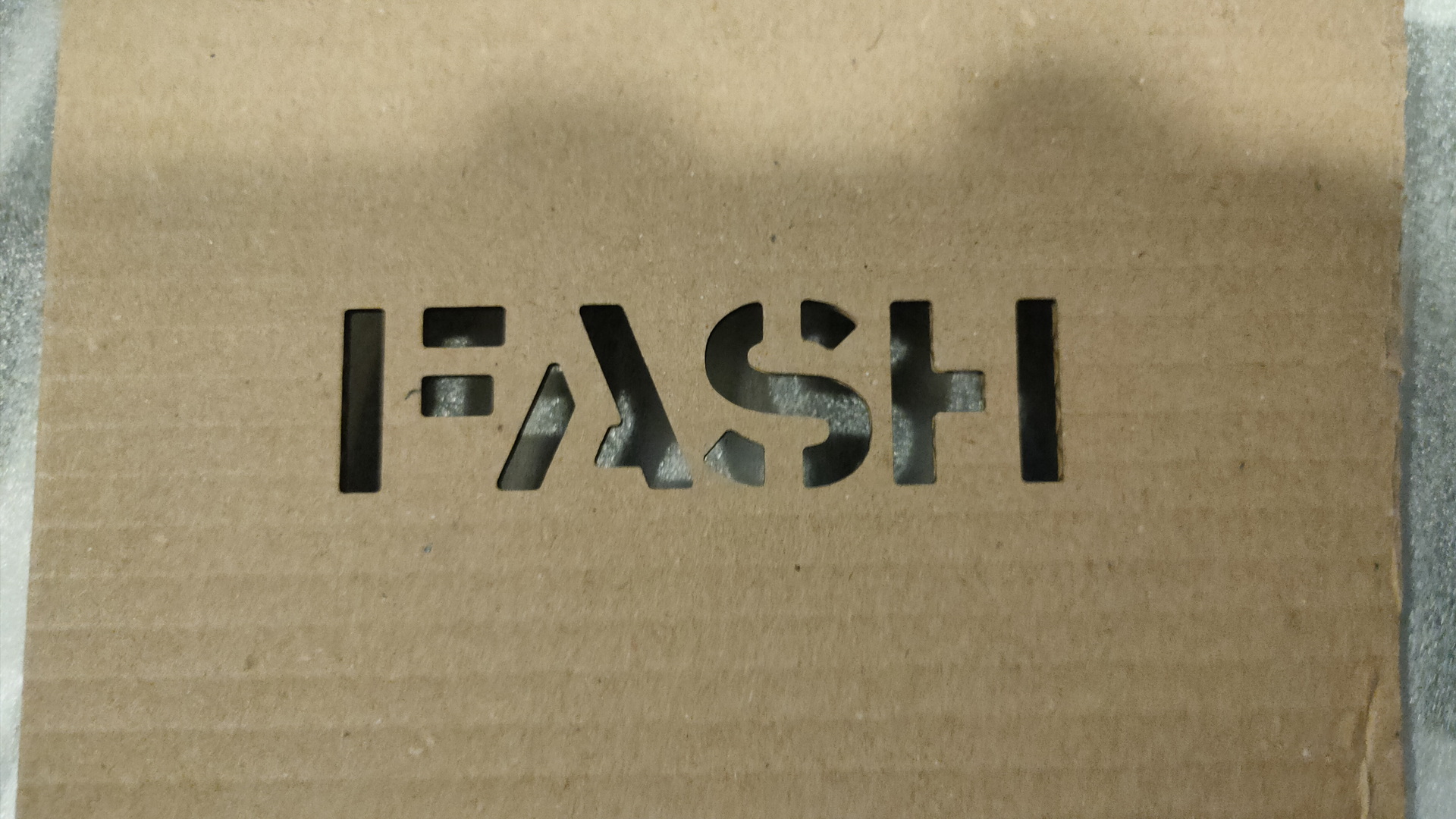
| Cardboard | 10 mm/s | 100% | x | 4 |
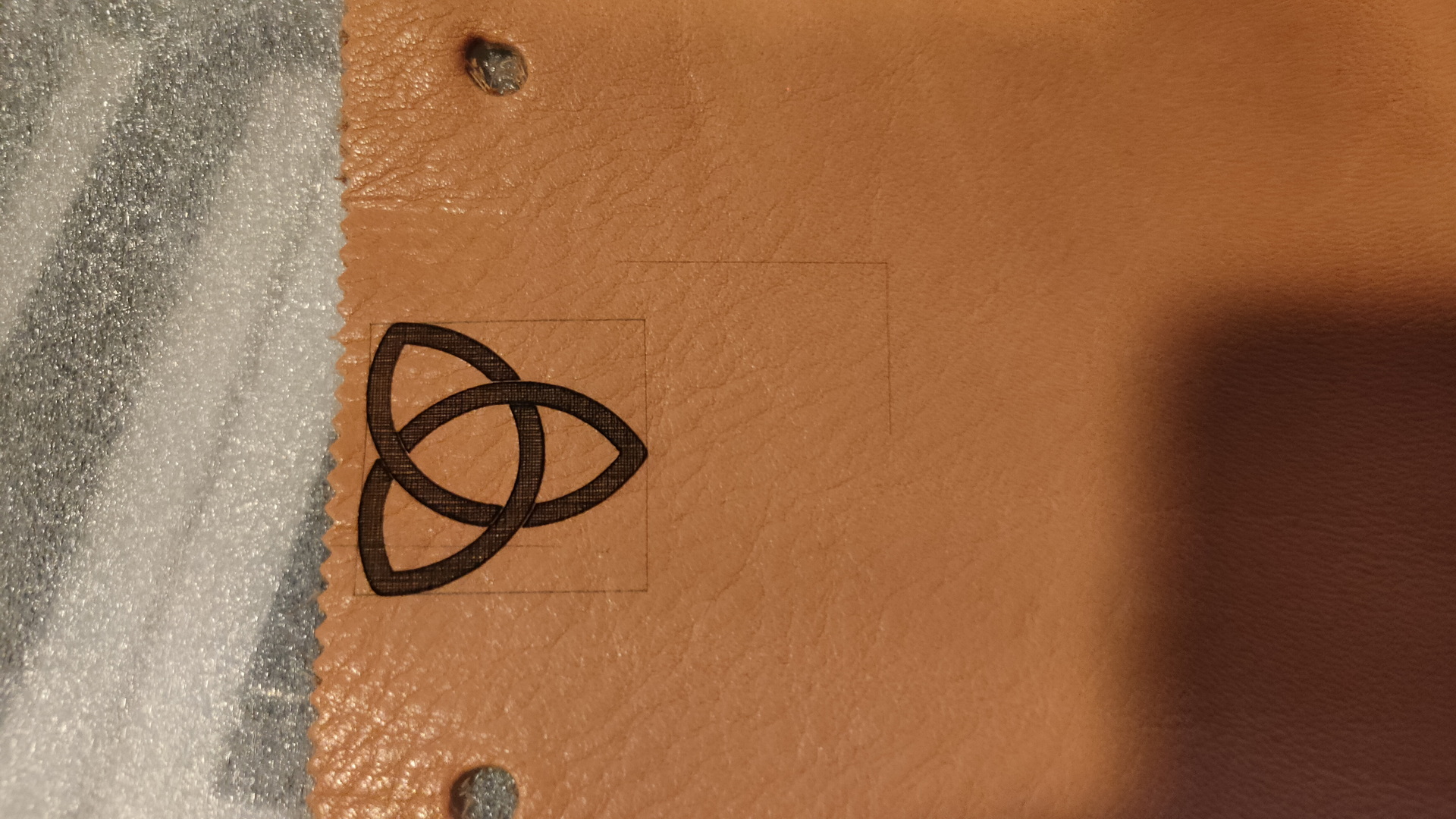
| Leather | ||||
| Cork (6mm) | ||||


Old files, own created stuff, downloaded stuff. Sometimes there are no viewers anymore, or you thrown devices away.
(I will add to this when i find more information)
These are the tools i’ve used to convert them to a newer format.
NOTE: Converting will always impact the quality
IMAGES
LBM (amiga)
ilbmtoppm < test.LBM | pnmtopng - > test.png
RAM (video files)
ffmpeg -i file.ram file.mp4 or ffmpeg -i file.ram file.gif
Own DVD’s
NOTE: VOB files are mpg, to keep same quality i use stream copy (-c copy) , besides mpg iยดd like to have movies in a web streamable format like MP4, so i DO convert these
ffmpeg -i "concat:VTS_01_1.VOB|VTS_01_2.VOB|VTS_01_3.VOB" -f mpeg -c copy output.mpeg
Flash/SWF
http://www.swffileplayer.com/
https://flasharch.com/en/downloads
.. and record with OBS
AMR ( Adaptive Multi-Rate audio codec )
ffmpeg -i folkband.amr -ar 22050 folkband.mp3
3GP
ffmpeg -i pipes.3gp -vcodec h264 -c:a aac pipes.mp4 If your 3gp is recent and has a x264 tag (check with mediainfo) then you can convert lossless with ffmpeg -i 10026202.3gp -c:v copy -c:a copy 10026202.mp4
QTVR (need to get a better solution for this)
I’ve used this for rendered scenes
ffmpeg -i ../test.mov %02d.png ffmpeg -i %02d.png -vf "tile=1x24,transpose=1" qtvrmovie.png
FLV
ffmpeg -i filename.flv -c:v libx264 -crf 19 -strict experimental filename.mp4
WEBP (Not a old media format, but i dont like webp format.)
This script converts to images or animated gif depending on the number of frames
#!/bin/bash
ls *webp | while read file; do
duration=$(webpinfo -summary "$file" | grep Duration | head -1 | sed -e 's/.* \([0-9]*\)$/\1/')
frames=$(webpinfo -summary "$file" | grep frames | head -1 | sed -e 's/.* \([0-9]*\)$/\1/')
if [ "$duration" == "0" ] ; then duration=50 ;fi
echo "DUR $duration : FRM $frames"
dur=$( echo "$duration / 100" | bc )
if [ $frames == "1" ] ; then convert $file png/$file.jpg
else
for i in $(seq -f "%05g" 1 $frames)
do
webpmux -get frame $i $file -o $file.$i.webp
dwebp $file.$i.webp -o $file.$i.png
done
fi
convert $file.*.png -colorspace srgb +dither -delay $dur -loop 0 gif/$file.gif
rm $file.[0-9]*.png *webp.[0-9]*.webp
done
(Old and new notes, i will keep adding info)
A install step stopped .. find a .step file and remove this
[nginx@nextcloud nextcloud]$ rm /mnt/fileserver/updater-ocv0dxmv6vpg/.step
Login page loop: directory rights wrong
This server was running nginx drwxrwx---. 2 root apache 6 Jan 3 18:19 wsdlcache drwxrwx---. 2 root apache 16384 Jan 3 18:19 session drwxrwx---. 2 root apache 6 Jan 3 18:19 opcache fixed with: chown root:nginx /var/lib/php/session chown root:nginx /var/lib/php/opcache chown root:nginx /var/lib/php/wsdlcache
Other things to check (Generic)
Migrating users to a complete new nextcloud instance keeping IDs
Get a list of users
su - apache -s /bin/bash -c " source /opt/rh/rh-php72/enable; cd /var/www/html/nextcloud ;./occ user:list 2>/dev/null | grep -v admin ; exit" > listofusers
Sync and check users
Rsync data and use occ command to scan files into database
#!/bin/bash
cd /root
#set -x
templist=templist.$$
./getlistusers > userlistsvr1
cat userlistsvr1 > /tmp/$templist
cat userlistsvr2.new >> /tmp/$templist
cat /tmp/$templist | cut -f2 -d: | sort | uniq -c | grep " 2 " | cut -c 10- > /tmp/deze.$$
cat /tmp/deze.$$ | while read ; do
echo "User $REPLY"
oldtest=0
newtest=0
old=$(cat userlistsvr2 | grep "$REPLY" | awk '{ print $2 }' | sed s/://g)
new=$(cat userlistsvr1 | grep "$REPLY" | awk '{ print $2 }' | sed s/://g)
test -d /var/data/owncloud/data/$old/files/ && oldtest=1
test -d /var/data/owncloud/nextcloud/$new/files/ && newtest=1
if [ $oldtest -eq 1 ] ; then echo " found old dir - $old" ; fi
if [ $newtest -eq 1 ] ; then echo " found new dir - $new" ; fi
if [ $oldtest -eq 1 ] && [ $newtest -eq 1 ] ; then echo " both found - ready to sync"
rsync -va /var/data/owncloud/data/$old/files/ /var/data/owncloud/nextcloud/$new/files/
echo " RUN occ files:scan $new ############################"
su - apache -s /bin/bash -c " source /opt/rh/rh-php72/enable; cd /var/www/html/nextcloud ;./occ files:scan $new"
fi
echo " "
done
rsync -va /var/data/owncloud/data/root/files/xyz/ /var/data/owncloud/nextcloud/38842e24-5d0d-11e9-dbdb-0001a4ab950f/files/
su - apache -s /bin/bash -c " source /opt/rh/rh-php72/enable; cd /var/www/html/nextcloud ;./occ files:scan 38842e24-5d0d-11e9-dbdb-0001a4ab950f"
Some directories on my fileserver are encrypted using ecryptfs.
eCryptfs is a POSIX-compliant enterprise cryptographic stacked filesystem for Linux. eCryptfs stores cryptographic metadata in the header of each file, so that encrypted files can be copied between hosts; the file will be decrypted with the proper key in the Linux kernel keyring. There is no need to keep track of any additional information aside from what is already in the encrypted file itself. You may think of eCryptfs as a sort of “gnupg as a filesystem”.
Example crypted directory using filename encryption
ECRYPTFS_FNEK_ENCRYPTED.FWYQ.y58tWRY7EQqyVPxxMk11BuiLpk8jXCQ8BRz0z5p9C2Pu2HZg-mmv---/ECRYPTFS_FNEK_ENCRYPTED.FWYQ.y58tWRY7EQqyVPxxMk11BuiLpk8jXCQ-Jx6RlQrLhDhdZ9IrcCOAE-- ECRYPTFS_FNEK_ENCRYPTED.FWYQ.y58tWRY7EQqyVPxxMk11BuiLpk8jXCQ8BRz0z5p9C2Pu2HZg-mmv---/ECRYPTFS_FNEK_ENCRYPTED.FWYQ.y58tWRY7EQqyVPxxMk11BuiLpk8jXCQ.cE4XNdvLLui2EamsqU2rE-- ECRYPTFS_FNEK_ENCRYPTED.FWYQ.y58tWRY7EQqyVPxxMk11BuiLpk8jXCQ8BRz0z5p9C2Pu2HZg-mmv---/ECRYPTFS_FNEK_ENCRYPTED.FWYQ.y58tWRY7EQqyVPxxMk11BuiLpk8jXCQ1J..MuVpsw6kaCgwYCwJXk--
Adhoc mounting
You can use the same dir for mounting!
Filenames are encrypted also.
Use umount go back to the crypted state
NOTE: You can write files to the crypted dir, if you are NOT using filename encryption, you can’t see which one is crypted and which is not.
Use the script below to get hints of the readable files!
mount -t ecryptfs securedir securedir Passphrase: Select cipher: 1) aes: blocksize = 16; min keysize = 16; max keysize = 32 2) blowfish: blocksize = 8; min keysize = 16; max keysize = 56 3) des3_ede: blocksize = 8; min keysize = 24; max keysize = 24 4) twofish: blocksize = 16; min keysize = 16; max keysize = 32 5) cast6: blocksize = 16; min keysize = 16; max keysize = 32 6) cast5: blocksize = 8; min keysize = 5; max keysize = 16 Selection [aes]: Select key bytes: 1) 16 2) 32 3) 24 Selection [16]: Enable plaintext passthrough (y/n) [n]: Enable filename encryption (y/n) [n]: y Filename Encryption Key (FNEK) Signature [xxxxxxxxxxxxxxxxxx]: Attempting to mount with the following options: ecryptfs_unlink_sigs ecryptfs_fnek_sig=xxxxxxxxxxxxxxxxxx ecryptfs_key_bytes=16 ecryptfs_cipher=aes ecryptfs_sig=xxxxxxxxxxxxxxxxxxx Mounted eCryptfs
Crypting disks for travel/backup
For this i’m using Luks
The Linux Unified Key Setup (LUKS) is a disk encryption specification created by Clemens Fruhwirth in 2004 and was originally intended for Linux.
While most disk encryption software implements different, incompatible, and undocumented formats , LUKS implements a platform-independent standard on-disk format for use in various tools. This not only facilitates compatibility and interoperability among different programs, but also assures that they all implement password management in a secure and documented manner
Formatting a disk and mounting
cryptsetup luksFormat /dev/sdb1
WARNING!
========
This will overwrite data on /dev/sdb1 irrevocably.
Are you sure? (Type uppercase yes): YES
Enter passphrase for /dev/sdb1:
Verify passphrase:
root@workstation:~# cryptsetup luksOpen /dev/sdb1 crypto
Enter passphrase for /dev/sdb1:
root@workstation:~# mkfs.ext4 /dev/mapper/crypto
mke2fs 1.44.1 (24-Mar-2018)
Creating filesystem with 244188672 4k blocks and 61054976 inodes
Filesystem UUID: 844eb9ee-d4da-4dfd-9d94-b62987e96b93
Superblock backups stored on blocks:
32768, 98304, 163840, 229376, 294912, 819200, 884736, 1605632, 2654208,
4096000, 7962624, 11239424, 20480000, 23887872, 71663616, 78675968,
102400000, 214990848
Allocating group tables: done
Writing inode tables: done
Creating journal (262144 blocks): done
Writing superblocks and filesystem accounting information: done
root@workstation:~# mount /dev/mapper/crypto /backup/
Umount and close
umount /backup cryptsetup luksClose crypto
File crypt checker (checks for data files which COULD be crypted)
#!/bin/bash
find secure -type f -exec file {} \;| egrep -v "ASCII text|MS Windows shortcut|ISO-8859 text|image data|PDF document|PC bitmap|Composite Document File|WebM|ISO Media|Microsoft Word|HTML| Microsoft Excel|Matroska|vCard|Microsoft ASF|Web/
P|RIFF|MPEG|RealMedia|UTF\-8 Unicode|Zip archive data|Macromedia Flash|RAR archive|EPUB document|Adobe Photoshop Image|AppleDouble|OpenType|empty|gzip compressed data|MS Windows|OpenDocument|Paint Shop Pro|executable|PostScript document|
Rich Text|audio data|SVG Scalable|UDF filesystem|very short file|Web Open Font Format|IFF |TrueType|BeautifulWatches|MTS:" > data-or-not
OR
File crypt checker ( When the directory is in crypted state )
All files should be raw data
#!/bin/bash
find secure -type f -exec file {} \;| egrep -v data$ > notcrypted-files
We have been to Limburg for a few days. Visiting the Kasematten, La Trappe brewery, Fortifications in and around Maastricht, Thermenmuseum, Castles and more.
(We even slept in a Castle and a Castlegate)
We also visited brewery Bosch, a brewery where time has stood still since the 70’s (Many tools are even from the 1920’s.)
Well worth a visit!
https://www.brouwerijbosch.nl/en


Openscad can be found here https://openscad.org/
Openscad source
sliderWithMax =40; // [80]
difference() {
union() {
linear_extrude(height=1.4)
difference() {
hull() {
circle(d=6,$fn = 100);
translate([sliderWithMax-2,0]) circle(d=4,$fn = 100);
}
translate([4,0]) for (i=[0:sliderWithMax/2-3]) translate([i*2,0]) circle(d=1,$fn = 100);
}
cylinder(d=6.7, h=3.8, $fn=100);
}
translate([0,0,-1]) cylinder(d=2.5, h=3.8+2, $fn=100);
translate([0,0,-1]) cylinder(d=4.7, h=1+1, $fn=100);
translate([0,0,3.8-2+1]) cylinder(d=4.7, h=2+1);
}
Today working on the backend engine and screens like this.
All text will be generated, and send from the server.
A local version to try in your browser: (optimized for 1920×1080 press F11!)
<link rel="preconnect" href="https://fonts.googleapis.com">
<link rel="preconnect" href="https://fonts.gstatic.com" crossorigin>
<link href="https://fonts.googleapis.com/css2?family=Indie+Flower&family=Tangerine&display=swap" rel="stylesheet">
<style>
body {
background: url("background.jpg");
height: 1080px;
width: 100%;
text-align: center;
margin: auto;
font-family: 'Tangerine', cursive;
color:#000;
}
/* The Modal (background) */
.modal {
display: none; /* Hidden by default */
position: fixed; /* Stay in place */
z-index: 1; /* Sit on top */
padding-top: 100px; /* Location of the box */
left: 0;
top: 0;
width: 100%; /* Full width */
height: 100%; /* Full height */
overflow: auto; /* Enable scroll if needed */
background-color: rgb(0,0,0); /* Fallback color */
background-color: rgba(0,0,0,0.4); /* Black w/ opacity */
}
/* Modal Content */
.modal-content {
background-image: url("note.jpg"); /* The image used */
height: 788px; /* You must set a specified height */
background-position: center; /* Center the image */
background-repeat: no-repeat; /* Do not repeat the image */
margin: auto;
padding: 20px;
}
/* The Close Button */
.close {
position: absolute; /*Can also be `fixed`*/
color: #ff0000;
font-size: 40px;
right: 550px;
font-weight: bold;
}
.close:hover,
.close:focus {
color: #000;
text-decoration: none;
cursor: pointer;
}
.topcontent {
width: 400px;
height: 200px;
font-family: 'Indie Flower', cursive;
font-size: 40px;
position: absolute; /*Can also be `fixed`*/
left: 0;
right: 350;
top: -440;
bottom: 0;
margin: auto;
/*Solves a problem in which the content is being cut when the div is smaller than its' wrapper:*/
max-width: 100%;
max-height: 100%;
overflow: auto;
}
.playercontent {
width: 400px;
height: 200px;
font-family: 'Indie Flower', cursive;
font-size: 40px;
position: absolute; /*Can also be `fixed`*/
left: 0;
right: 300;
top: -340;
bottom: 0;
margin: auto;
/*Solves a problem in which the content is being cut when the div is smaller than its' wrapper:*/
max-width: 100%;
max-height: 100%;
overflow: auto;
}
.content {
width: 400px;
height: 200px;
font-family: 'Indie Flower', cursive;
font-size: 40px;
position: absolute; /*Can also be `fixed`*/
left: 0;
right: 0;
top: 100;
bottom: 0;
margin: auto;
/*Solves a problem in which the content is being cut when the div is smaller than its' wrapper:*/
max-width: 100%;
max-height: 100%;
overflow: auto;
}
</style>
</head>
<body>
<!-- Trigger/Open The Modal -->
<button id="myBtn">Incoming message</button>
<!-- The Modal -->
<div id="myModal" class="modal">
<div class="topcontent">HQ</div>
<div class="playercontent">Spy #1</div>
<div class="content">We need the code now! Look for a yellow key</div>
<!-- Modal content -->
<div class="modal-content">
<span class="close">close</span>
</div>
</div>
<script>
// Get the modal
var modal = document.getElementById("myModal");
// Get the button that opens the modal
var btn = document.getElementById("myBtn");
// Get the <span> element that closes the modal
var span = document.getElementsByClassName("close")[0];
// When the user clicks the button, open the modal
btn.onclick = function() {
modal.style.display = "block";
}
// When the user clicks on <span> (x), close the modal
span.onclick = function() {
modal.style.display = "none";
}
// When the user clicks anywhere outside of the modal, close it
window.onclick = function(event) {
if (event.target == modal) {
modal.style.display = "none";
}
}
</script>