Revisiting the Spotify Cube

In the past I posted about my genre selector for Spotify using a cube.

UPDATE: 20240501 below – using esphome
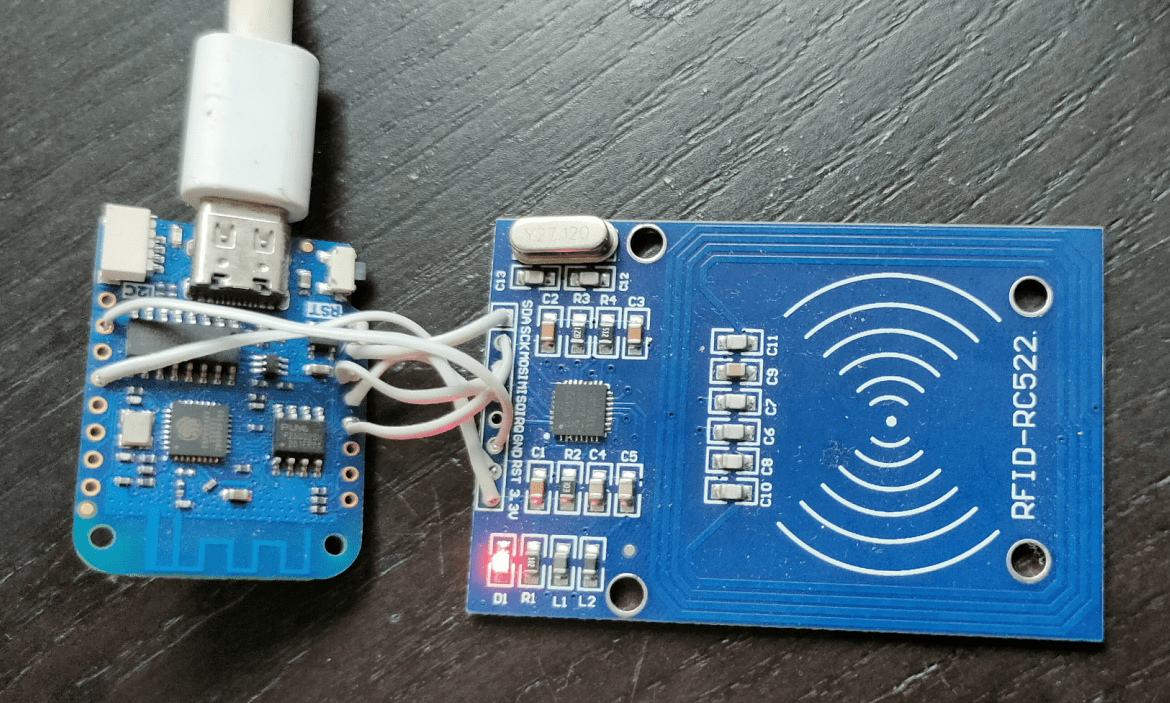
Most was done using NodeRed and a python script.

Now, I’ve moved it to Home Assistant using a single automation.
(Maybe the Arduino sketch can be made with Esphome also.
But I don’t have time for that)
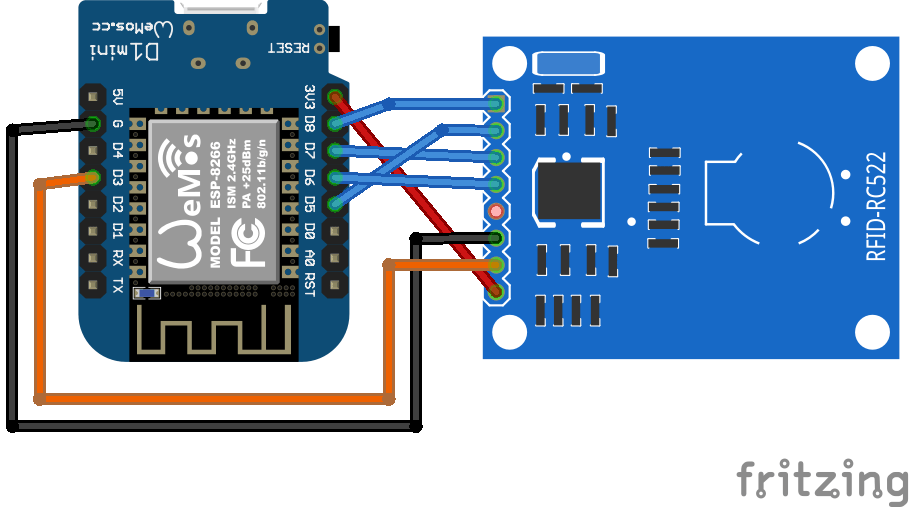
It still uses the Arduino sketch as before, which uses Mqtt to post the RFID code to Mosquitto.

My new Home Assistant automation

alias: SpotifyCube
description: ""
trigger:
  - platform: mqtt
    topic: spotify/rfid/id
condition:
  - condition: template
    value_template: "{{ trigger.payload in playlistkeys.keys() }}"
action:
  - service: media_player.play_media
    target:
      entity_id: media_player.spotify_fash
    data:
      media_content_type: playlist
      media_content_id: spotify:user:spotify:playlist:{{ playlistkeys.get(trigger.payload) }}
variables:
  playlistkeys:
    "70539770": 2KeRLMmGMxI5UgzE7m0iCx
    "70277626": 37i9dQZF1EQmK1rjZuPGDx
    "69229050": 0SOay3RkjojjevrF5lHMOx
    "70015482": 37i9dQZF1DX9HwI3Crikcx
    "69753338": 0bJvpsn0TDZwIDUjz4d75x
    "69491194": 5f8w3UHlD9Ozz6Y4VHs6kx

Some notes about above script:

  • The MQTT topic is configured in the sketch below
  • The playlist keys are at the bottom
    “RFIDID”: playliststring as can be found in web spotify
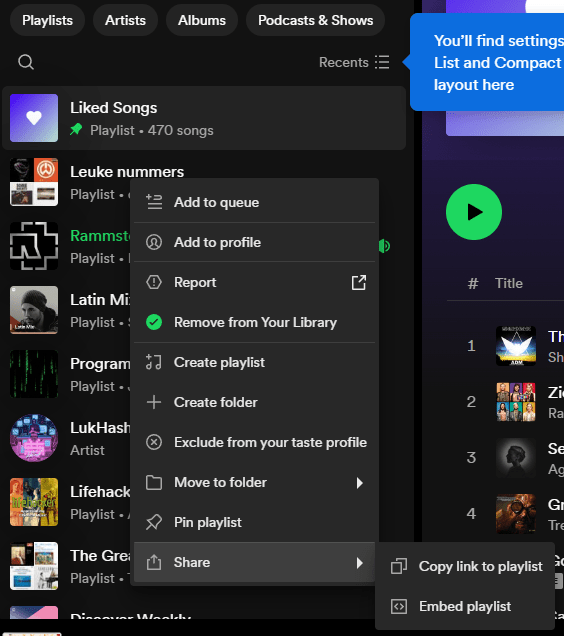
Pasted link

Arduino Code

#include <Arduino.h>
#include <SPI.h>
#include <MFRC522.h>
#include <ESP8266WiFi.h>
#include <WiFiClient.h>
#include <PubSubClient.h>

#define SS_PIN 15
#define RST_PIN 0

MFRC522 mfrc522(SS_PIN, RST_PIN);
unsigned long cardId = 0;

WiFiClient net;
PubSubClient client(net);
const char* mqtt_server = "IPMQTTBROKER";
const char* ssid = "MYSSID";
const char* password = "MYWIFIPASSWORD";

void setup() {

  Serial.begin(115200);
  SPI.begin();
  mfrc522.PCD_Init();
  WiFi.mode(WIFI_AP_STA);
  WiFi.begin(ssid, password);

  client.setServer(mqtt_server, 1883);
     delay(100);
    client.setCallback(callback);
      delay(100);
    client.subscribe("spotify/rfid/in/#");
}

void reconnect() {
  while (WiFi.waitForConnectResult() != WL_CONNECTED) {
  }

  while (!client.connected()) {
    String clientId = "NodeMCUClient-";
    clientId += String(random(0xffff), HEX);

    if (!client.connect(clientId.c_str(), "rfidclient", "...")) {
      Serial.print("failed, rc=");
      Serial.print(client.state());
      delay(5000);
    }

  }
  client.subscribe("spotify/rfid/in/#");
}

void callback(char* topic, byte* payload, unsigned int length) {
    String topicStr = topic;
      byte value = atoi((char*)payload);
}

void loop() {
    if (!client.connected()) {
    reconnect();
  }
  client.loop();

  if (!mfrc522.PICC_IsNewCardPresent()) {
    return;
  }

  if (!mfrc522.PICC_ReadCardSerial()) {
    return;
  }

  cardId = getCardId();
  char buffer[10];
  sprintf(buffer, "%lu", cardId);
  client.publish("spotify/rfid/id", buffer);

  uint8_t control = 0x00;
  do {
    control = 0;
    for (int i = 0; i < 3; i++) {
      if (!mfrc522.PICC_IsNewCardPresent()) {
        if (mfrc522.PICC_ReadCardSerial()) {
          control |= 0x16;
        }
        if (mfrc522.PICC_ReadCardSerial()) {
          control |= 0x16;
        }
        control += 0x1;
      }
      control += 0x4;
    }

    delay(0);
  } while (control == 13 || control == 14);

  reconnect();
  client.publish("spotify/rfid/id", "0");
  delay(500);

  mfrc522.PICC_HaltA();
  mfrc522.PCD_StopCrypto1();
}

unsigned long getCardId() {
  byte readCard[4];
  for (int i = 0; i < 4; i++) {
    readCard[i] = mfrc522.uid.uidByte[i];
  }

  return (unsigned long)readCard[0] << 24
    | (unsigned long)readCard[1] << 16
    | (unsigned long)readCard[2] << 8
    | (unsigned long)readCard[3];
}

ESPHOME Config same as above

esphome:
  name: rfidtag
  friendly_name: rfidtag

esp8266:
  board: d1_mini

mqtt:
  broker: 192.168.1.1

# Enable logging
logger:

# Enable Home Assistant API
api:
  encryption:
    key: "xxxxxxxxxxxxxxx="

ota:
  password: "xxxxxxxxxxxxxx"

wifi:
  ssid: !secret wifi_ssid
  password: !secret wifi_password

  # Enable fallback hotspot (captive portal) in case wifi connection fails
  ap:
    ssid: "Rfidtag Fallback Hotspot"
    password: "xxxxxxxxxxx"

captive_portal:
    
spi:
  clk_pin: D5
  miso_pin: D6
  mosi_pin: D7
rc522_spi:
  cs_pin: D8
  update_interval: 1s
  on_tag:
    then:
      - mqtt.publish:
          topic: spotify/rfid/id
          payload: !lambda 'return x;'
  on_tag_removed:
    then:
      - mqtt.publish:
          topic: spotify/rfid/idremoved
          payload: !lambda 'return x;'
Adding a VGA terminal to my 6502

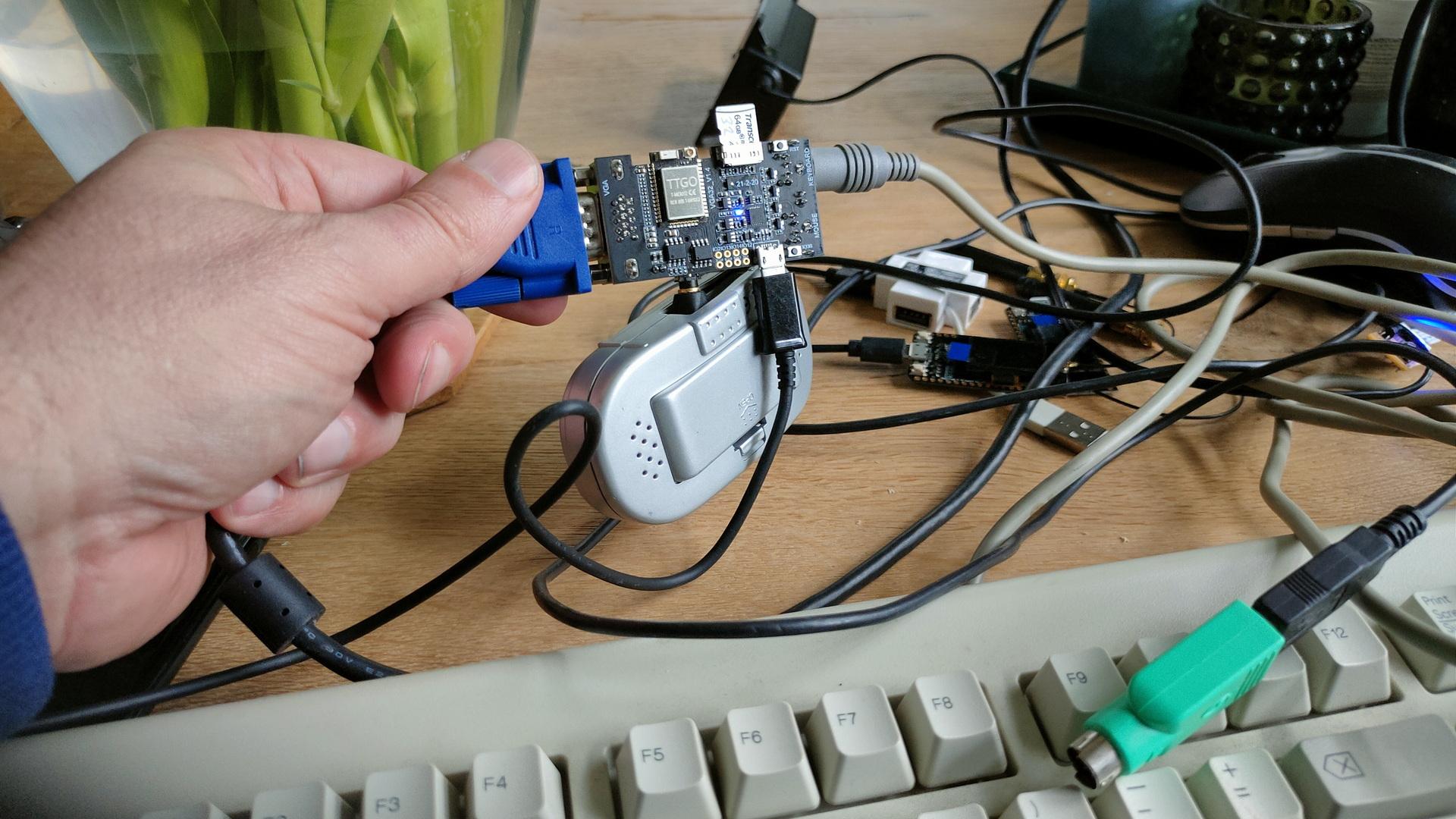
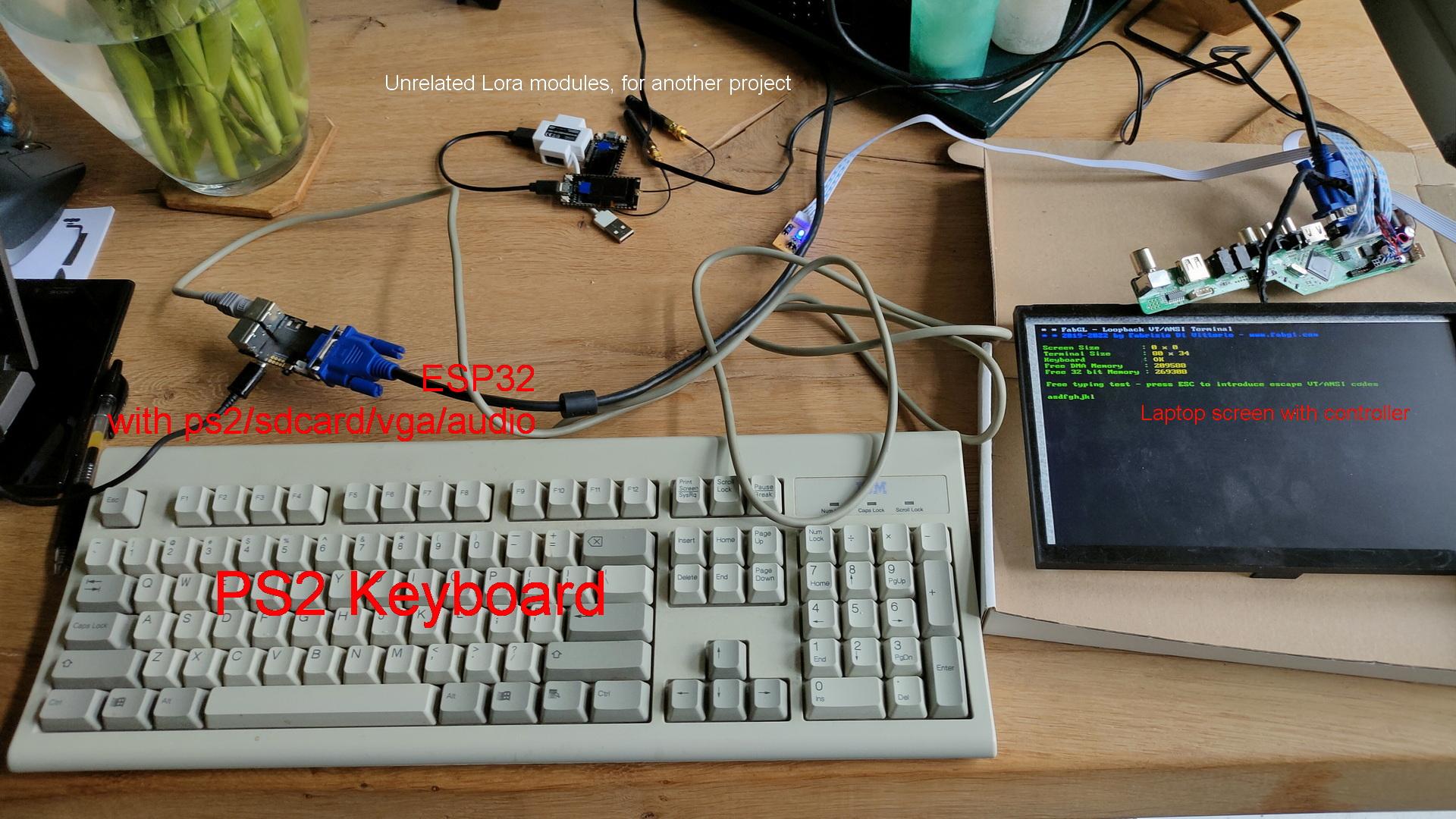
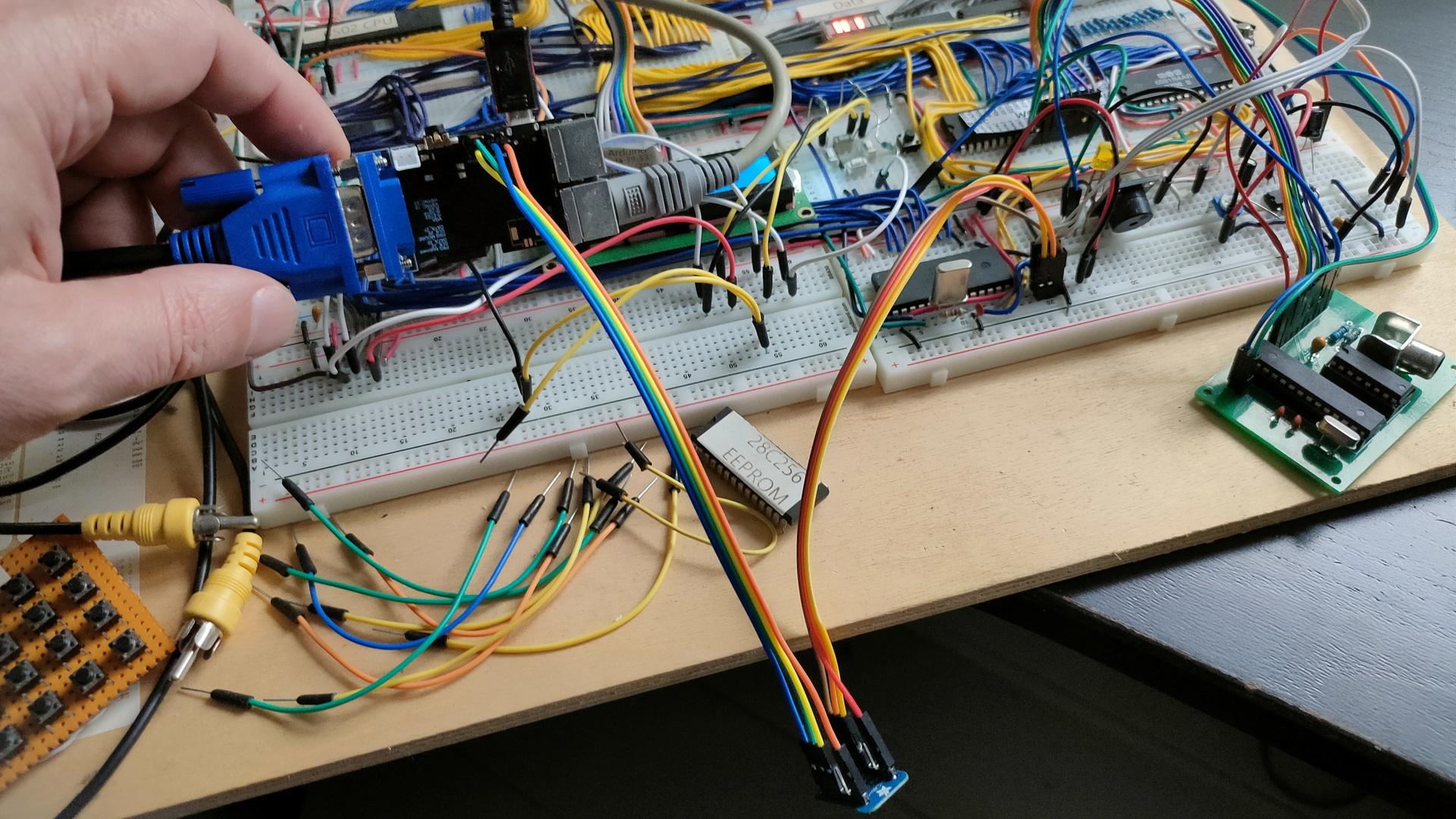
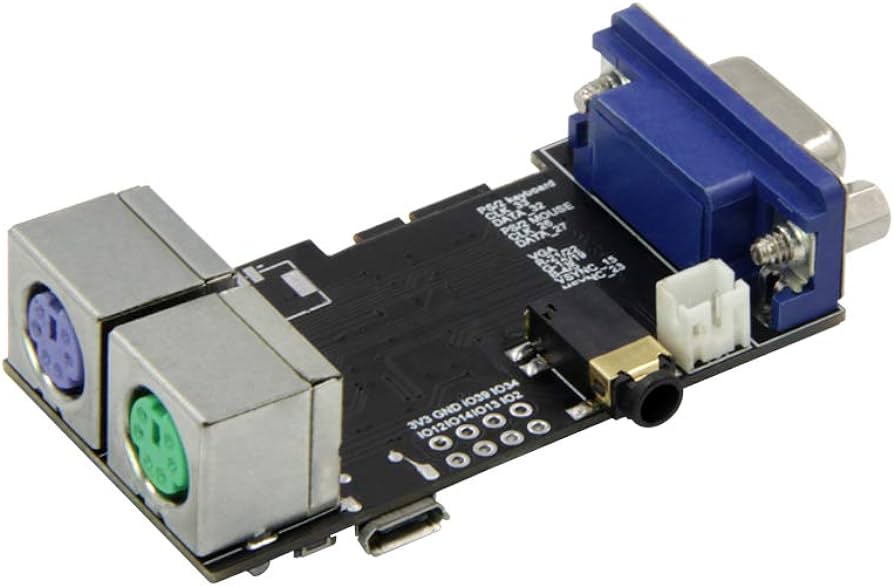
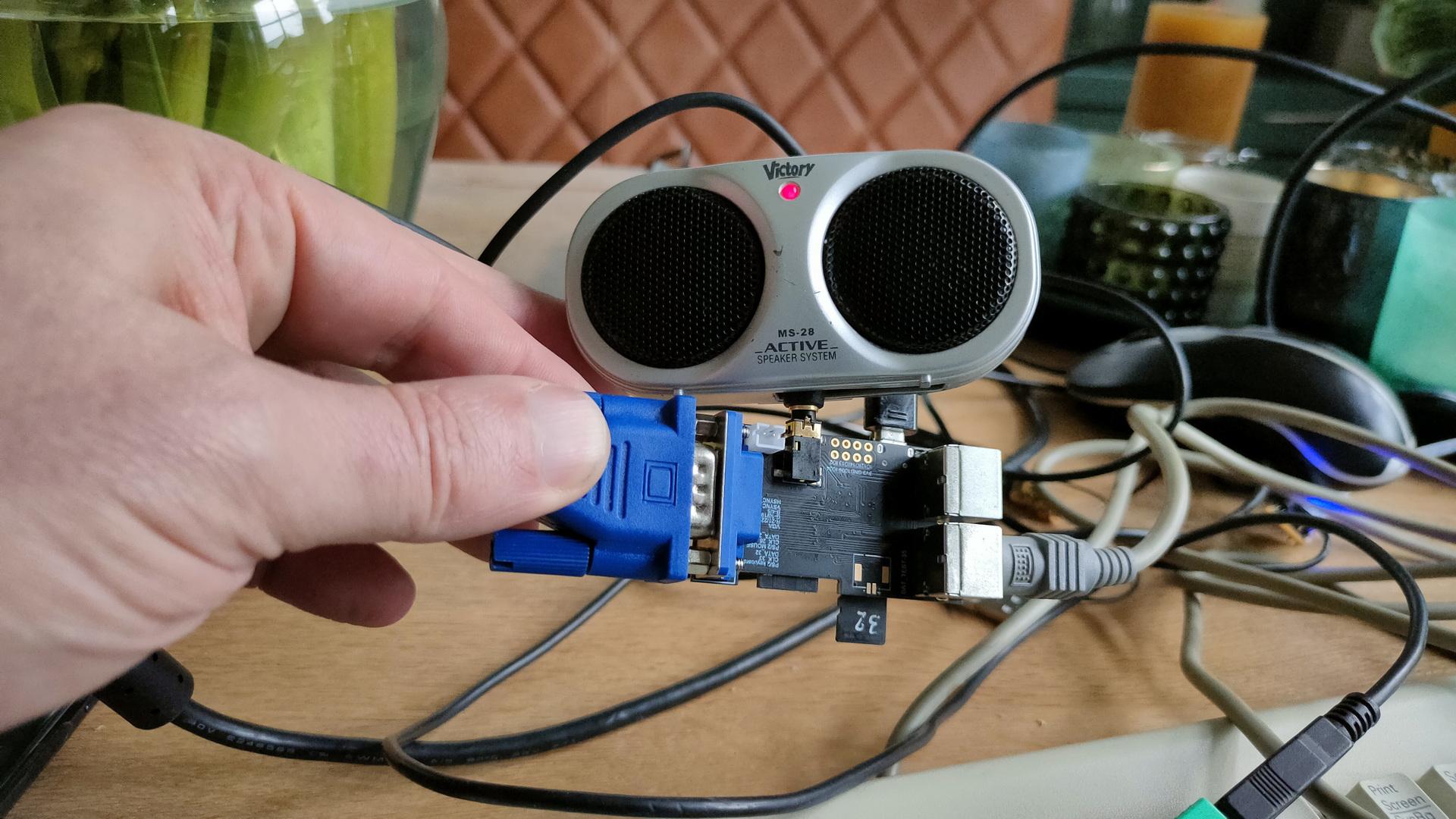
Using a LilyGo TTGO ESP32 VGA32, I’m connecting my breadboard 6502 to a serial vga terminal with its own keyboard.

Due to a lot of moving around, new places, new homes I dumped a lot of terminal hardware.
Also are those old terminals too big and use too much power.

I’m going to use this DIY screen.
https://www.henriaanstoot.nl/2021/03/24/broken-or-slow-laptop-screen-still-works/

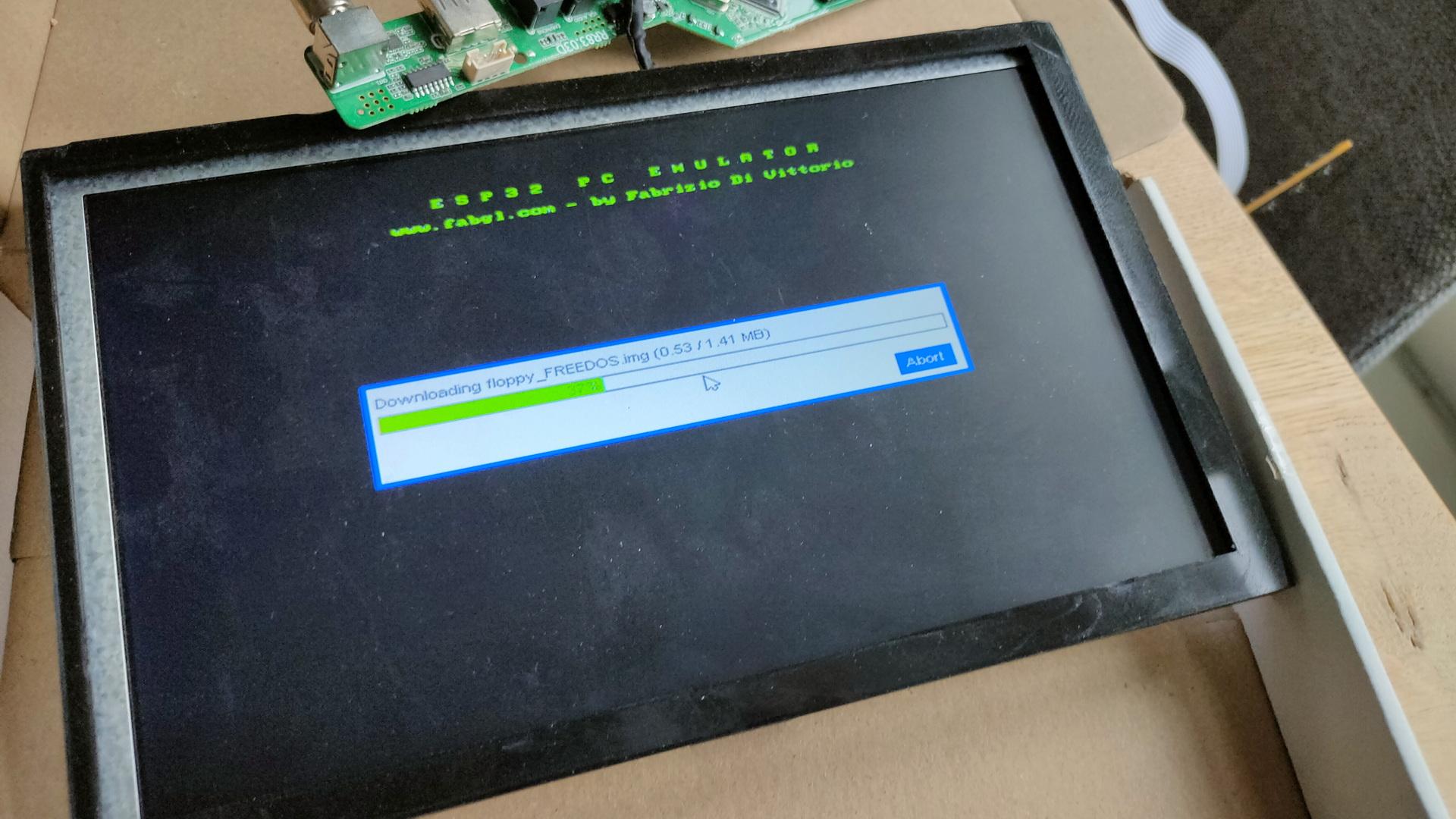
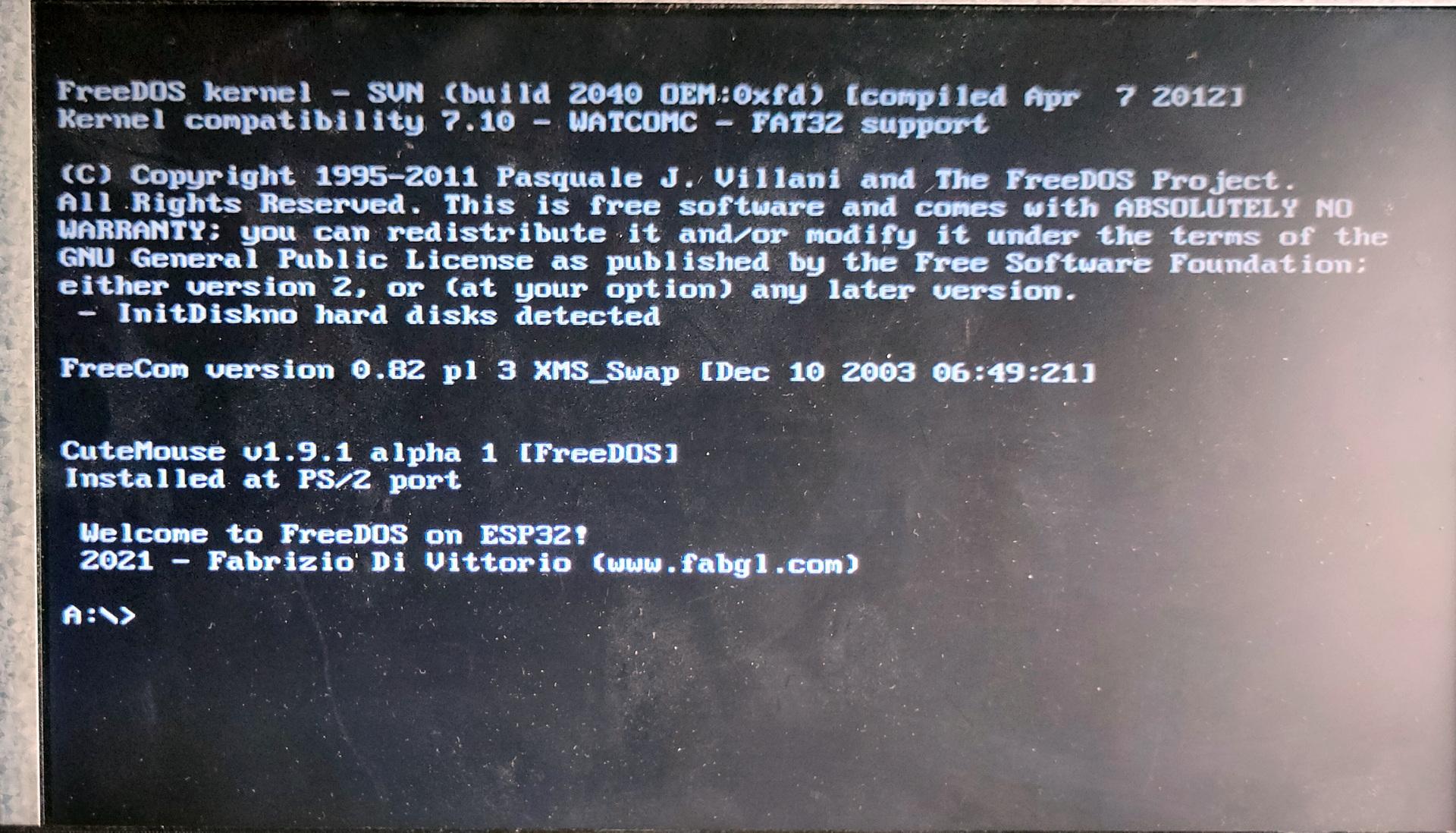
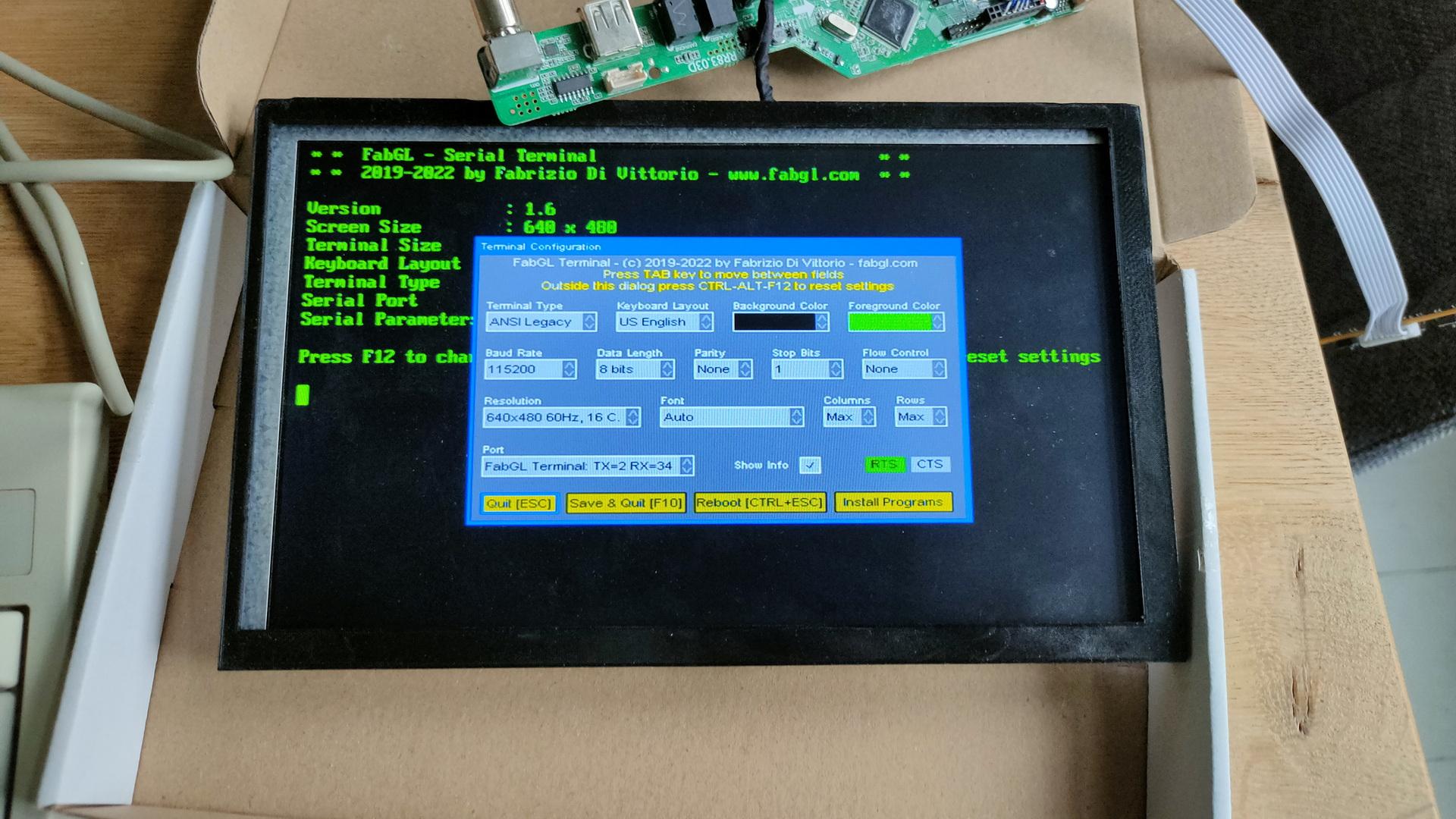
Using the Libraries from Fabrizio Di Vittorio, named FabGL, you can transform this device into a dumb terminal, game device, VIC-20, a 8086 pc and more.
There are even some projects to turn this into a C64.

But the main thing I want to do: A simple terminal.
(I probably revisit the other options again at a later stage)

My Wozmon bios has bare minimum support for serial communication, so i have to do some bitbanging.
(6502 is using a 6551 ACIA)

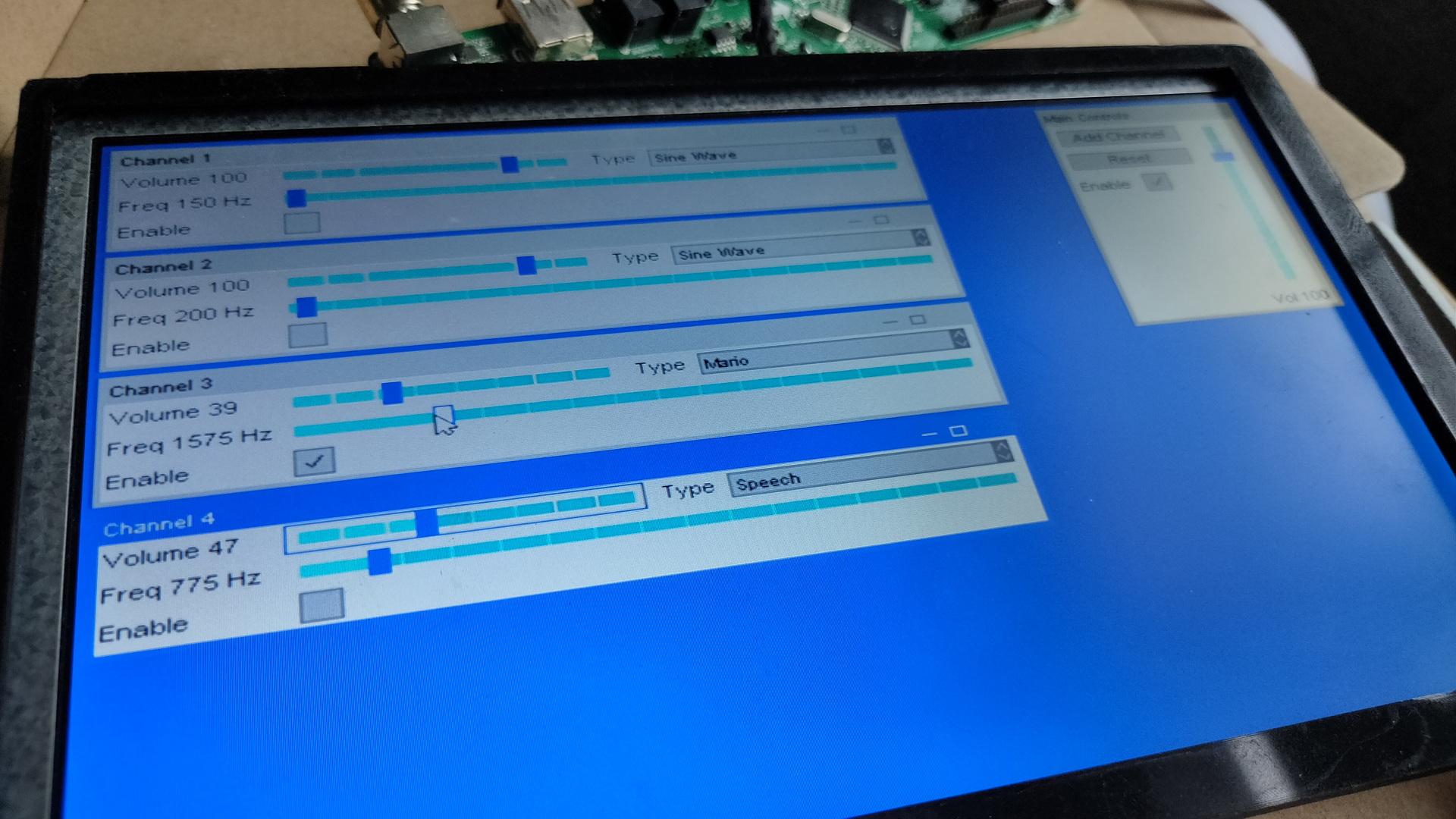
Sound from the ESP32 VGA board.

  • Chipset: TTGO Micro32 (ESP32 240Mhz dual core processor)
  • Flash memory: 4MB
  • SRAM: 520KB
  • Built-in Bluetooth
  • Built-in Wi-Fi
  • Supply voltage: 3.3V DC or 5V DC
  • GPIO voltage: 3.3V*
  • USB to serial converter: CP2102 or CH9102F (drivers)
  • VGA connection
  • PS/2: keyboard connection
  • PS/2: mouse connection
  • Built-in Li-ion/Li-Po battery charging circuit: TP4054 chip can charge up to 500mA

My google-fu is still strong (and Tunepal ramblings)

Google-Fu : (informal) Skill in using search engines (especially Google) to quickly find useful information on the Internet.

I was thinking of a famous piece of music, but what was it?

Whistling it, while using Shazam or Tunepal, didn’t work.

So I googled “well known classical part repeats sped up and transposes”

The second link was a Reddit link named : “Need help finding a song that starts very slow and builds to be frantic!”

First YT link in there: In the Hall of the Mountain King (Peer Gynt) by Edvard Grieg

Epic tune!

“In the Hall of the Mountain King” is a piece of orchestral music composed by Edvard Grieg in 1875 as incidental music for the sixth scene of act 2 in Henrik Ibsen’s 1867 play Peer Gynt. It was originally part of Opus 23 but was later extracted as the final piece of Peer Gynt, Suite No. 1, Op. 46.

I’ve used Tunepal many times, it’s great for folkies!

Sometimes it works also on classical pieces, because they were arranged into folk music.

https://tunepal.org/

I bought the Android app, because I liked it so much.

Tunepal is a search-by-playing search engine for traditional Irish, Welsh, Scottish, Breton, American marching band and Canadian tunes.
By playing a 12-second extract from a traditional tune on an instrument such as the flute or fiddle, you can:

  • Retrieve score matches from a database of over 24,000 music scores
  • View and playback, share and download the score
  • Find and play other recordings of the tune from a collection of over 30 million recordings

Tunepal is a search-by-playing search engine for traditional Irish, Welsh, Scottish, Breton, American marching band and Canadian tunes.

On the Record page, click the Tunepal logo or tap the screen if your computer has a touch screen. Start playing straight away. Don’t wait for the countdown to complete. Tunepal works best if there is no silence at the start of the recording.

Tunepal works best with “legato” style instruments such as the tin-whistle, flute, concertina, accordion, pipes and fiddle. It doesn’t work very well with “plucked string” instruments such as the banjo and harp.

To find a tune using Tunepal, first make sure you have a PC microphone connected to your computer or use the phone app

If your instrument uses a different “fundamental note” to the usual D (for example you are playing a C flute) or you are playing a tune in an unusual key, then you can adjust the transcription algorithm by choosing a different “fundamental” from the settings page.

You can filter the search results from the settings page to limit searches to certain tunebooks or time signatures.

Home Assistant and Harmony Hub Scripts

I’ve got a Logitech Harmony Hub to IR control devices.

When adding this to your home assistant, you initially only get the Activities.

But I want to add single button presses.
I was going to re-visit my IR remote project.
(The IR blaster and the IR wemos, see previous posts)

Thanks to Duncan I had a second look at this solution

Check the files using the file editor.
Search for /homeassistant/harmony_xxxxxxxx.conf

It will show the Hub devices and their capabilities.

Short example below

{
    "Activities": {
        "-1": "PowerOff",
        "42652474": "Watch TV",
        "43054933": "Squeeze",
        "43054959": "Watch Netflix",
        "43072690": "Switch",
        "43073688": "Spotify",
        "43557114": "Kodi",
        "49494467": "Tv on",
        "52476284": "Boxon",
        "52476285": "Boxoff"
    },
    "Devices": {
        "Google Chromecast": {
            "commands": [],
            "id": "67134460"
        },
        "LG TV": {
            "commands": [
                "PowerOff",
                "PowerOn",
                "PowerToggle",
                ".",
                "-",
                "0",
 -----------8<----------------------------- SNIP SNAP
               "SportsMode"
            ],
            "id": "67134658"
        },
        "Onkyo AV Receiver": {
            "commands": [
                "PowerOff",
                "PowerOn",
 -----------8<----------------------------- SNIP SNAP
                "VolumeLevelUp5Step"
            ],
            "id": "67134459"
        },
        "arcadyan DVR": {
            "commands": [
                "PowerToggle",
 -----------8<----------------------------- SNIP SNAP
                "TV"
            ],
            "id": "67134775"
        }
    }
}

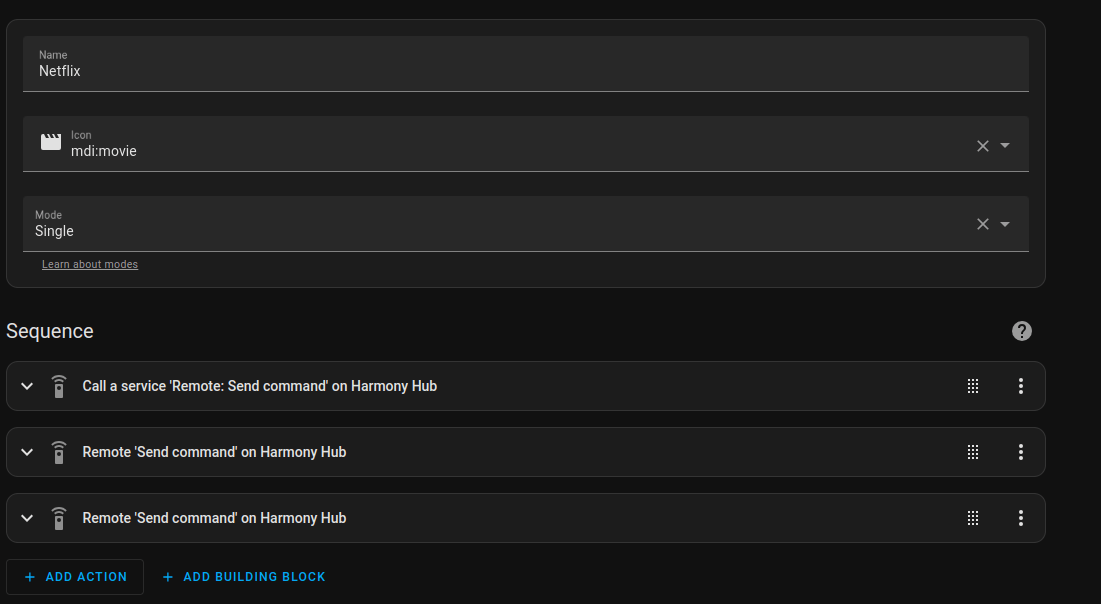
Lets create a Script for this

See the IDs above to refer to commands below.

alias: Netflix
sequence:
  - service: remote.send_command
    target:
      device_id: 7e82a825decabedbc98a0b5ce2ac5d78
    data:
      num_repeats: 1
      delay_secs: 0.4
      hold_secs: 1.2
      command: PowerOn
      device: "67134658"
  - service: remote.send_command
    metadata: {}
    data:
      num_repeats: 1
      delay_secs: 0.4
      hold_secs: 0
      command: InputStb/Dvr
      device: "67134459"
    target:
      device_id: 7e82a825decabedbc98a0b5ce2ac5d78
  - service: remote.send_command
    metadata: {}
    data:
      num_repeats: 1
      delay_secs: 0.4
      hold_secs: 0
      command: Netflix
      device: "67134658"
    target:
      device_id: 7e82a825decabedbc98a0b5ce2ac5d78
mode: single

Add these scripts to buttons

type: entities
entities:
  - script.allmediaoff
  - script.netflix
  - script.tvon

Some nice google matching tests.

Step one, change your main DNS resolver to that one from your provider or 1.1.1.1 (cloudflare)

Goto https://www.hawking.org.uk/ in your browser

Check youtube, facebook and more.

Set you DNS to 8.8.8.8 (google)

Do the same (even in a incognito browser).

I haven’t seen a Hawking recommendation on YT for ages, I just checked a website with information on another machine.
And my YT stream showed …. Stephen Hawking!

Kodi camera stream push playlist

Below is a solution when you want to stream IP camera’s in Kodi/Libreelec .

You can push these commands using Nodered, Bash script or whatever.

First make some camera scripts in your profile directory.

Examples:

# Kodi on Linux/Raspberry
# Place a file cam1.m3u in .kodi/userdata/profiles/(kodiprofile)/playlists/video/
rtsp://admin:secretpass@192.168.1.123:88/videoMain

#and another one in cam2.m3u (another example mjpeg example)
http://192.168.1.124:8000/stream.mjpg

#For windows it is in
C:\Users\(Username)\AppData\Roaming\Kodi\userdata\profiles\(kodiprofile)\playlists\video

Enable http access in Kodi and run the playlist using curl

curl -i -X POST -H "Content-Type: application/json" -d '{"jsonrpc":"2.0","method":"Player.Open","params":{"options":{"shuffled":false,"repeat":"off"},"item":{"file":"special://profile/playlists/video/cam2.m3u"}},"id":"1"}' http://KODISERVERIP:8080/jsonrpc

A bash loop script

while true; do
curl -i -X POST -H "Content-Type: application/json" -d '{"jsonrpc":"2.0","method":"Player.Open","params":{"options":{"shuffled":false,"repeat":"off"},"item":{"file":"special://profile/playlists/video/cam1.m3u"}},"id":"1"}' http://KODISERVERIP:8080/jsonrpc
sleep 10
curl -i -X POST -H "Content-Type: application/json" -d '{"jsonrpc":"2.0","method":"Player.Open","params":{"options":{"shuffled":false,"repeat":"off"},"item":{"file":"special://profile/playlists/video/cam2.m3u"}},"id":"1"}' http://KODISERVERIP:8080/jsonrpc
sleep 5
done

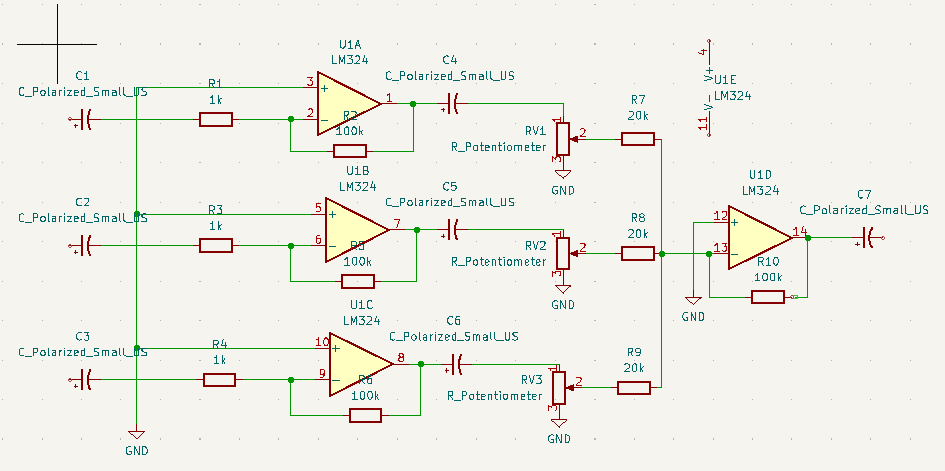
Three channel mixer for ay-3-8910 is almost done.

At the back the 8 pin single channel lm368 amplifier.
At the front the 3 channel setup.
I still have to tweak the resistors, and potmeters.
Then I can make a permanent PCB, and figure out the connections to the 6502.

At the moment, the Arduino Nano is playing some real sound samples by using the registers of the sound chip.
The music is being played by sending the register dumps directly to the chip.

Much like i’ve been using SID register dumps to play songs in another project.

This is version 0.1 .. do not use.
If its wrong, or can do better please mail me.
Oh it needs a 1k resistor from the 20K’s to ground I think.

Watching Movies – Noticing Rik Mayall

I’m a big fan of Rik Mayall and Ade Edmondson.

(Bottom, Dangerous (Danger) Brothers, Young Ones, Black Adder etc)

I love the live shows, I’ve mentioned that before.

Today we were watching a movie, just one in our collection.
It was American Werewolf in London.
I knew there were some great practical effects in there.
(All pre CGI)

Then I saw a face a few seconds. Damn could it be Rik?

Yes it is ..

But I know he did several movies

  • Drop dead fred
  • Guest House Paradiso
  • Harry Potter

Welllllll, I more identify with Ade.

Bald, mostly interested in being drunk, and playing in a folkband. 🙂

What to do when waiting for your ribs on the smoker. (Programming some python)

This time I used a rub with the following ingredients:
Seasalt, garlic, brown sugar, mustard seeds, paprica, cilantroseeds, black pepper, red pepper, oregano, thyme and cumin.

Doing a simple 3-2-1 smoke session, so .. what to do in dose 6 hours?

Lets make something using a Sense hat and Python.
Same HAT I used for my xmas ornament thingy in our tree.

  • Generate a large maze (80×80 for now)
  • Paint the maze using colors on the SenseHat
  • Read joystick movement and scroll the maze accordingly, keeping the player in the middle

Now I have to paint my ribs with BBQ sauce, and leave it in the smoker for yet another hour. (Nice glazing)

Next steps for the maze:

Use a better way to generate (reverse backtracking as I made for my other maze thing)

Wall collision detection is nearly completed.

Better placement “birth” of player in the maze.

# # # # # # # # # # # # # # # # # # # # 

# R D . . . . . R D . . . . R R D R D # 

# D L . . . . . U D . . . . U . R U D # 

# D . . . . R R U R D . . R U U L . D # 

# R D . . . U . . . R R D U . . U L D # 

# . R D R R U . . . . . D U . . . U L # 

# . . D U L . . . . . D L U . . . . . # 

# . . R R U . . . . . R R U . . . . . # 

# . . . . . . . . . . . . . . . . . . # 

# . . . . . . . . . . . . . . . . . . # 

# . . . . . . . . . . . . . . . . . . # 

# . . . . . . . . . . . . . . . . . . # 

# . . . . . . . . . . . . . . . . . . # 

# . . . . . . . . . . . . . . . . . . # 

# . . . . . . . . . . . . . . . . . . # 

# . . . . . . . . . . . . . . . . . . # 

# . . . . . . . . . . . . . . . . . . # 

# . . . . . . . . . . . . . . . . . . # 

# . . . . . . . . . . . . . . . . . . # 

# # # # # # # # # # # # # # # # # # # #