Tag Archives: retro

Amstrad/Sinclair PC200 dualscreen

While doing some wood work, routing and painting. I managed to have some time to experiment with my PC200.

The Amstrad PC20 / Sinclair PC200 was a home computer created by Amstrad in late 1988. The machine was available in two versions, Sinclair PC200 and Amstrad PC20. (US/UK?)

In addition to MS-DOS 3.3 and PPC Organiser (a memory-resident suite of utilities), the PC20/PC200 was supplied with GEM. (I do not have those disks)
https://en.wikipedia.org/wiki/GEM_(desktop_environment)

The limited CGA graphical capabilities and PC speaker sound output were greatly inferior compared to other home computers of the time.
I has a modulator to connect a TV and could do hercules graphics on a sub-9 interface.

I got this computer a long time ago. (I still have to post pictures of my collection and getting them out of storage)

Info about this machine:

Build in 1988, Intel 8086 @ 8Mhz 512KB memory 3.5″ Floppy drive
TV Modulator Pal 640×200 CGA and Hercules

PC200

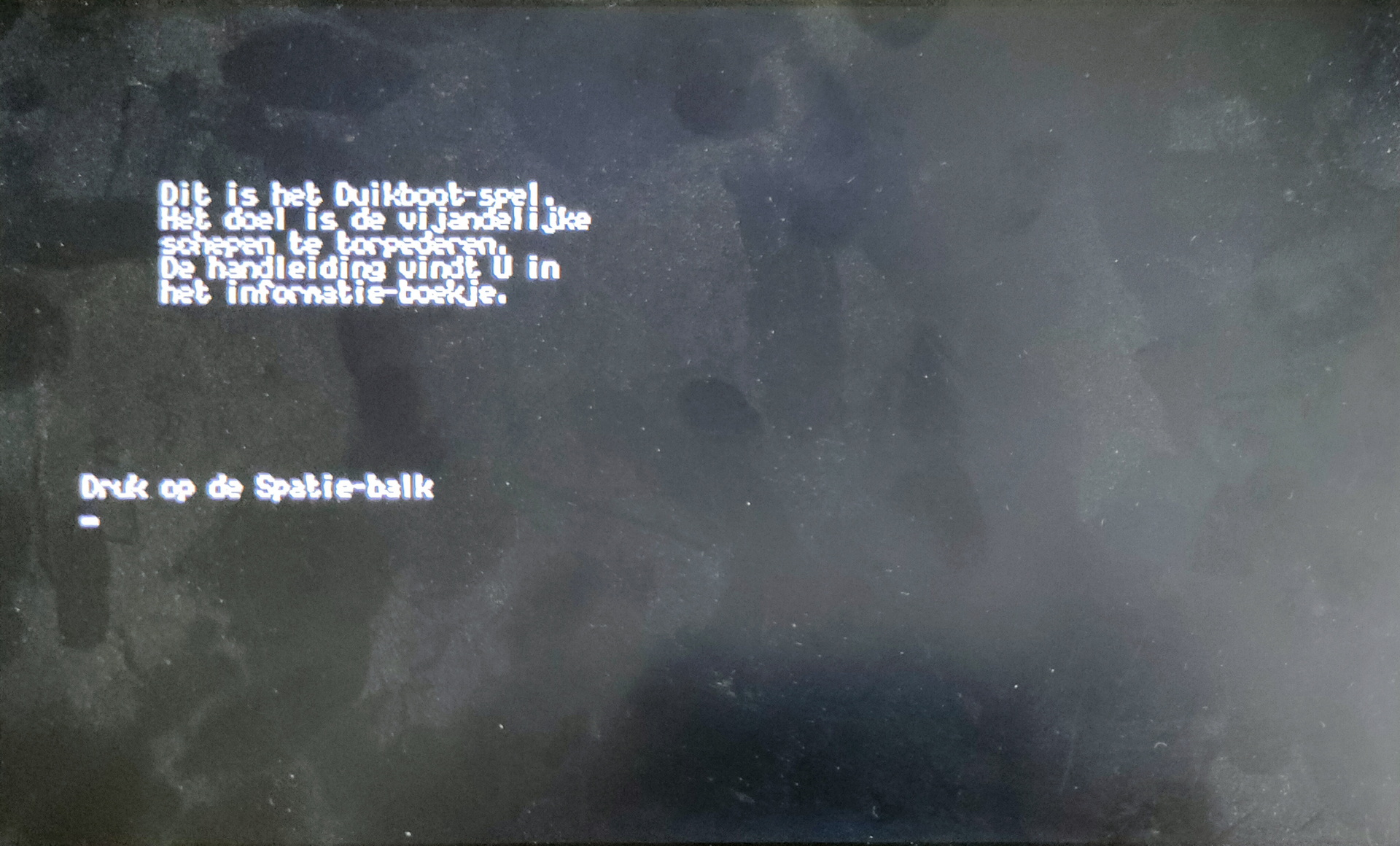
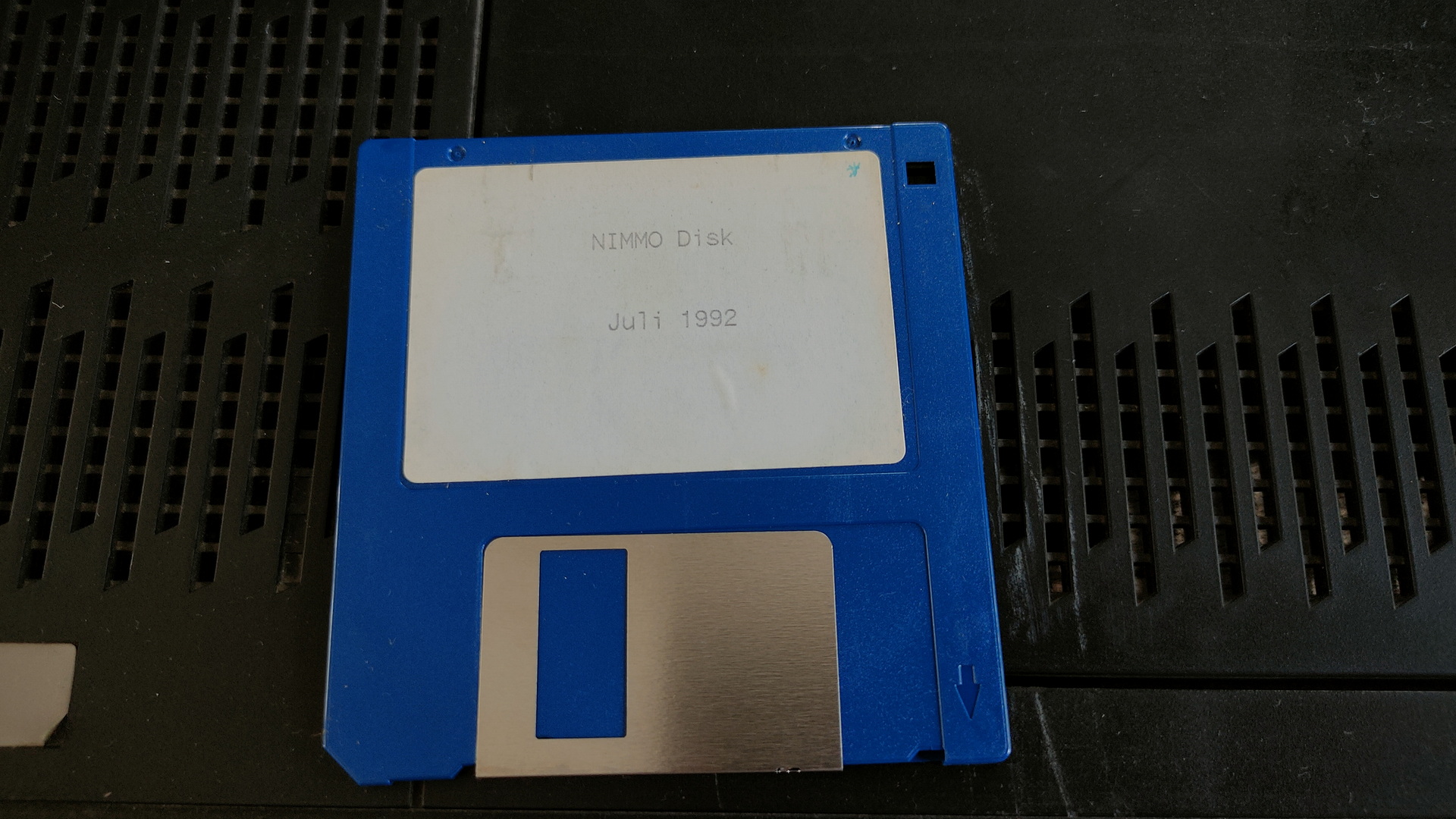
It still had a floppy in its drive, NIMMO Disk Juli 1992
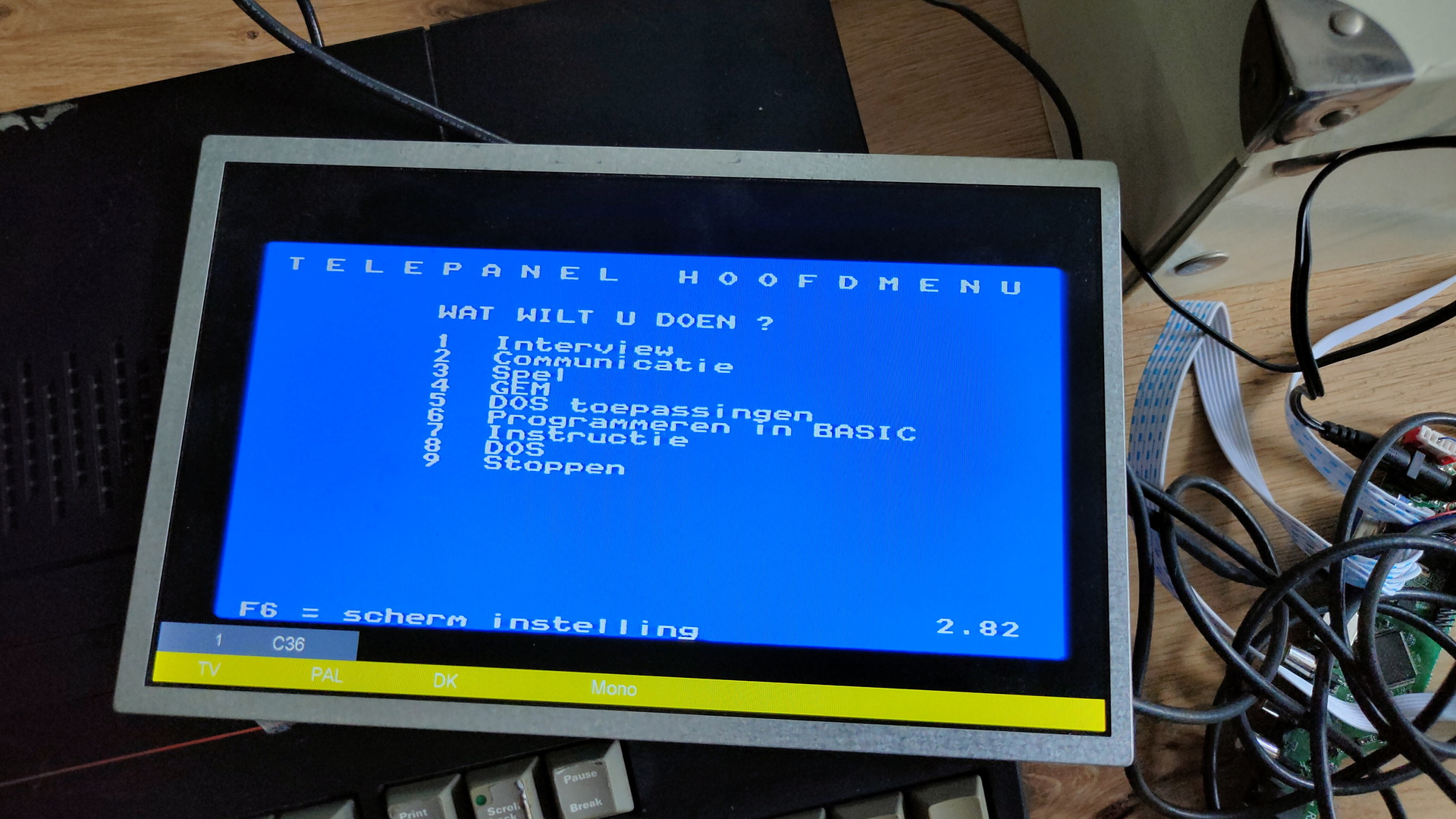
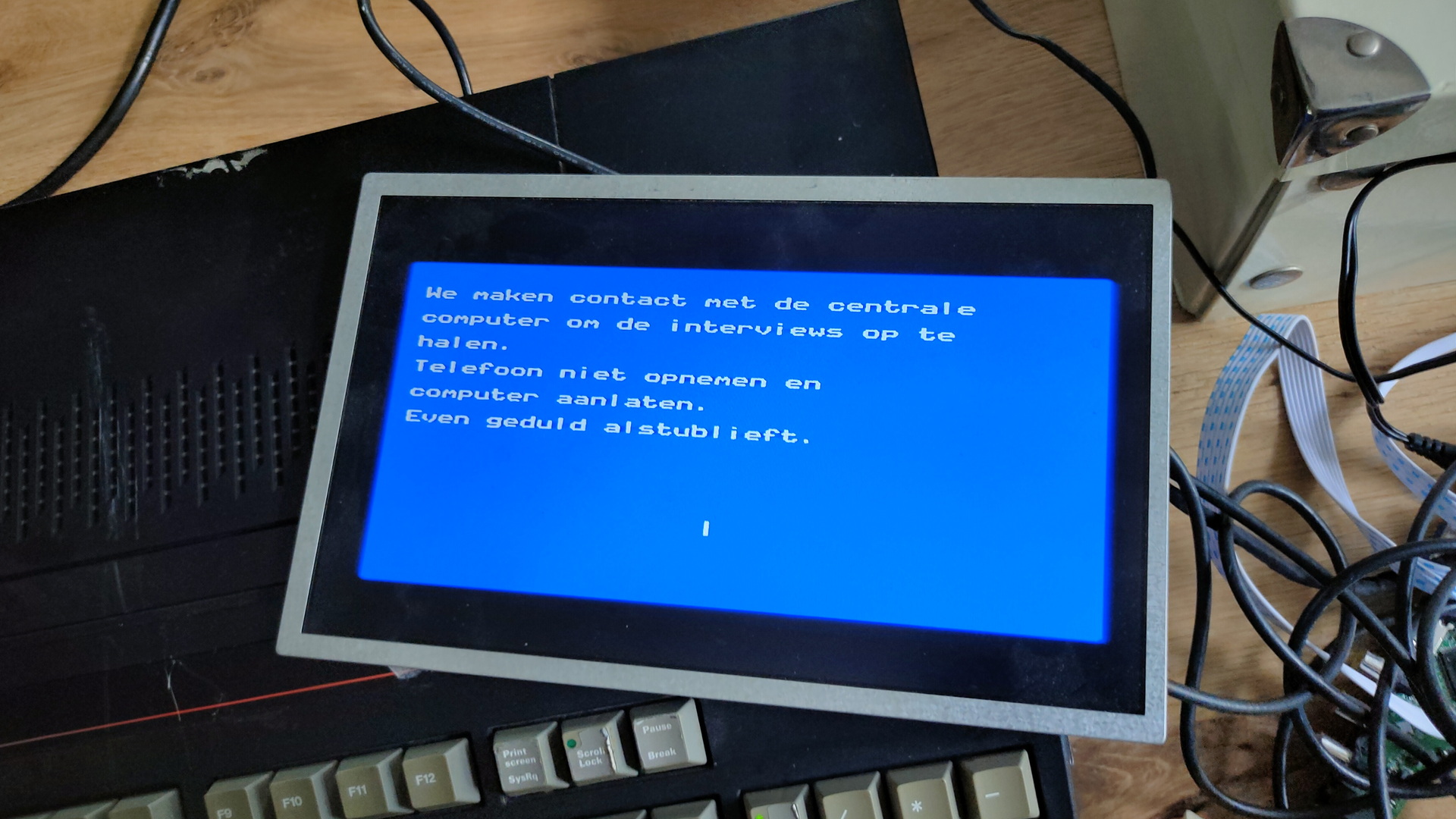
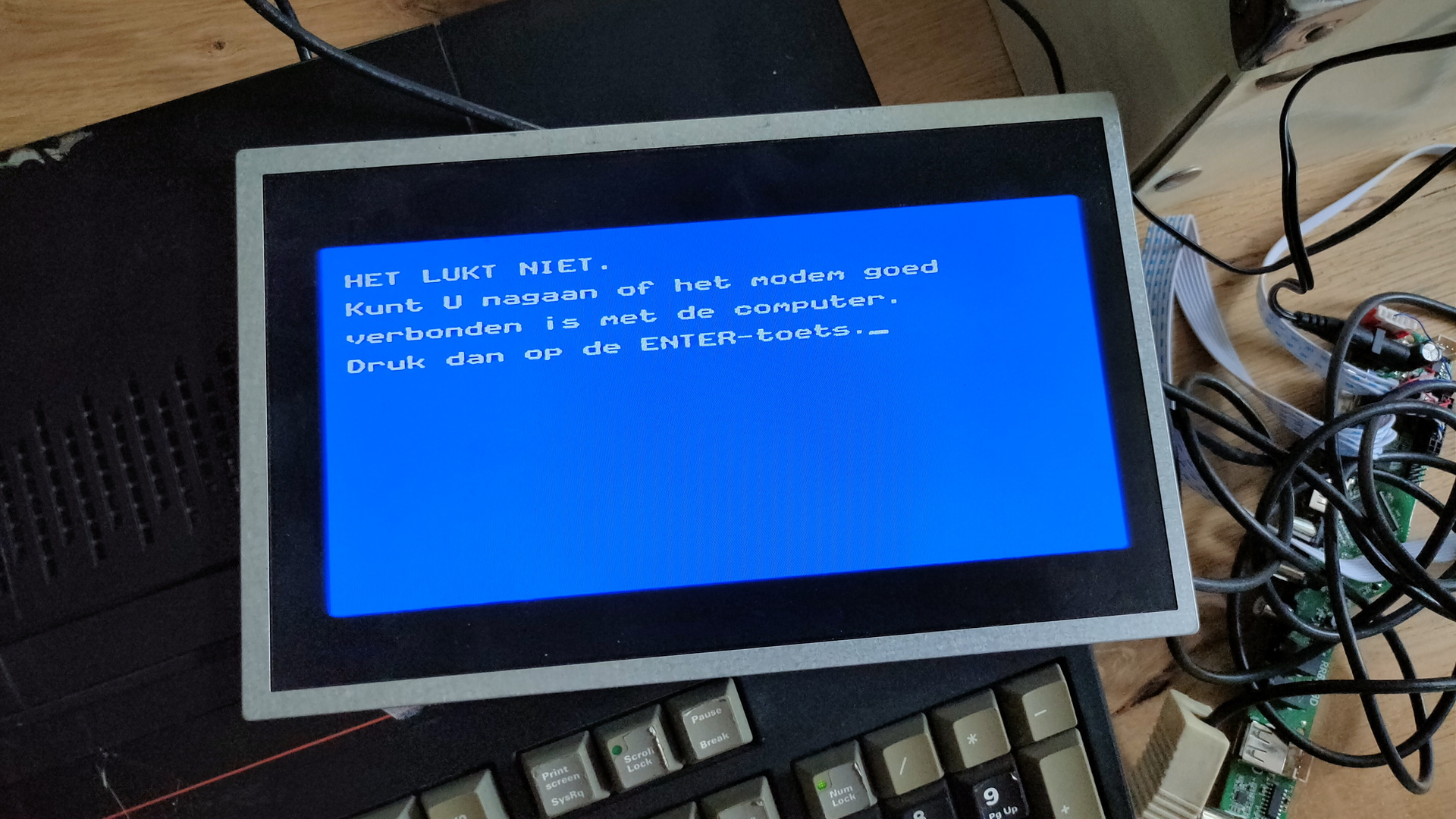
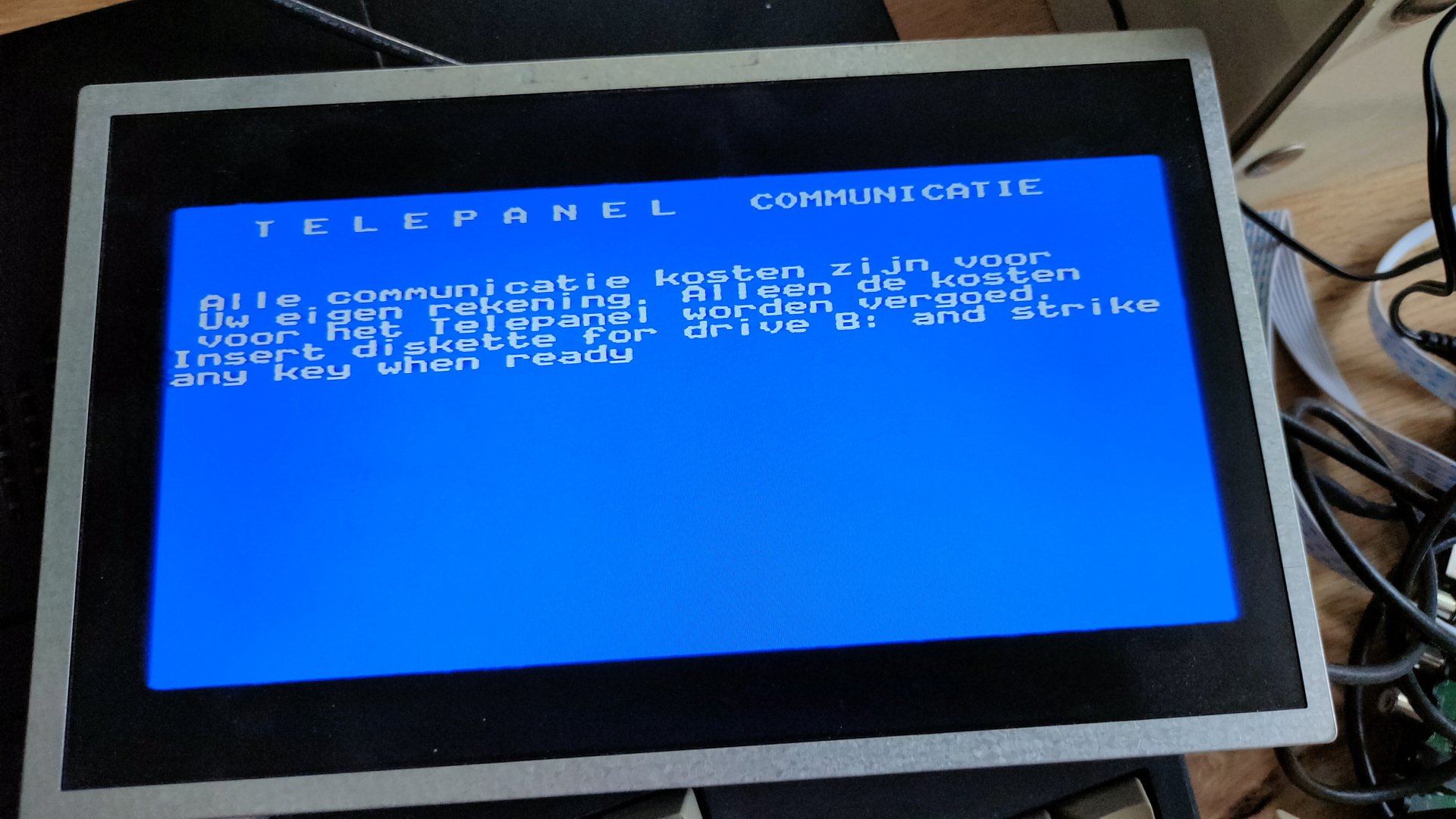
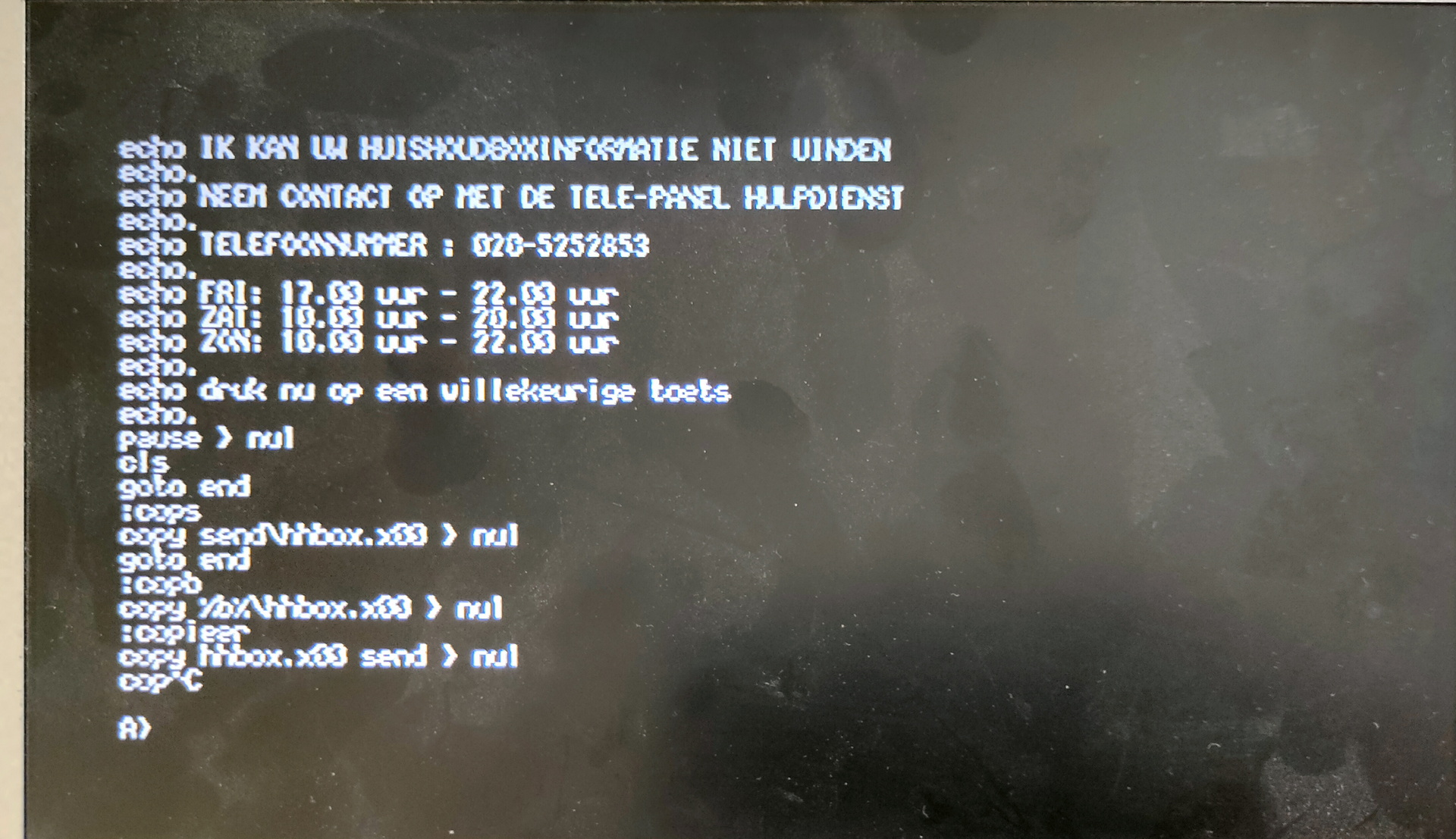
Apparently this machine was used with a modem to do some interviewing for the University Amsterdam using Telepanel/Interview!

The ROM has several language options which you could set with dipswitches.

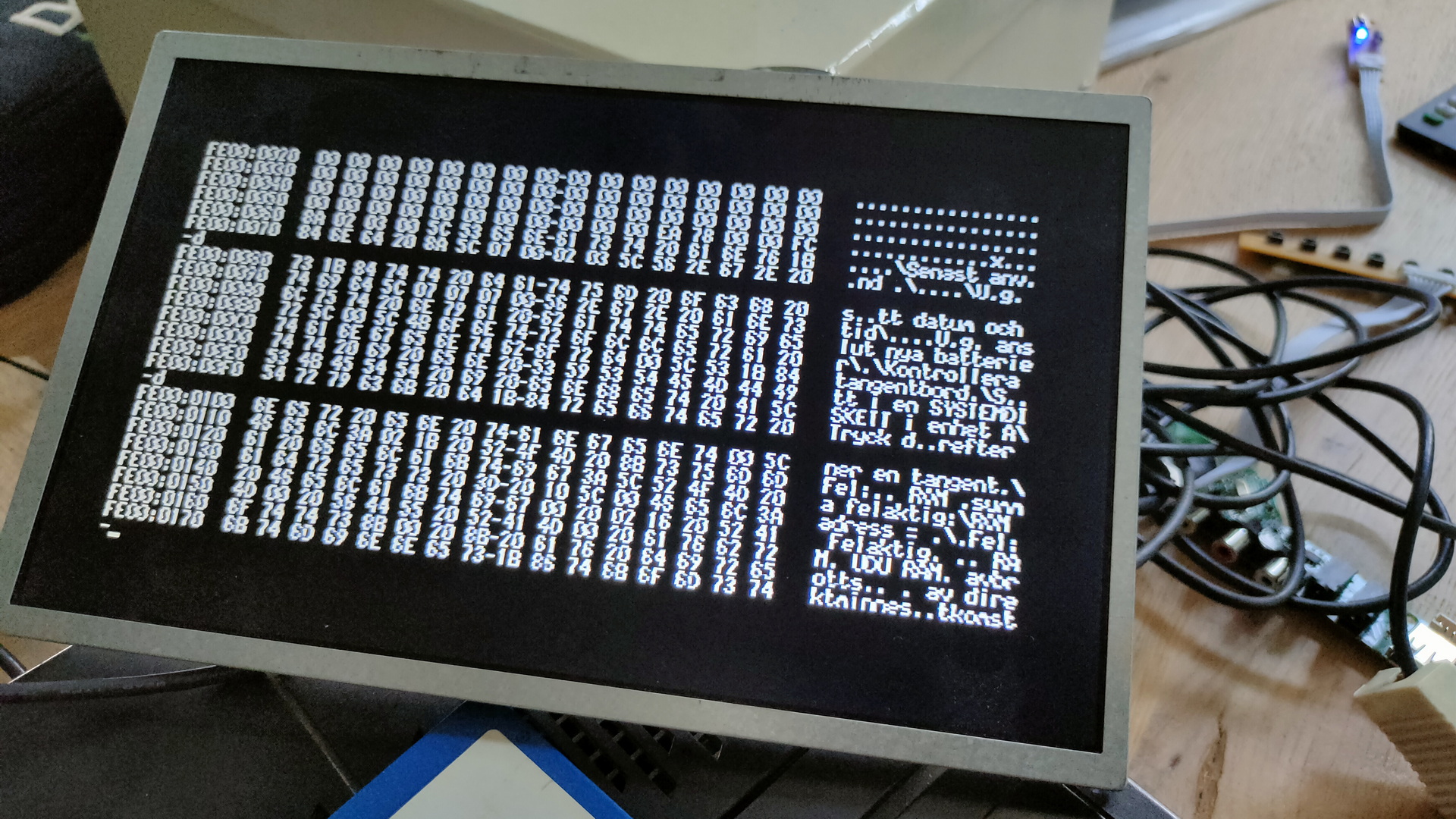
Debug part of ROM

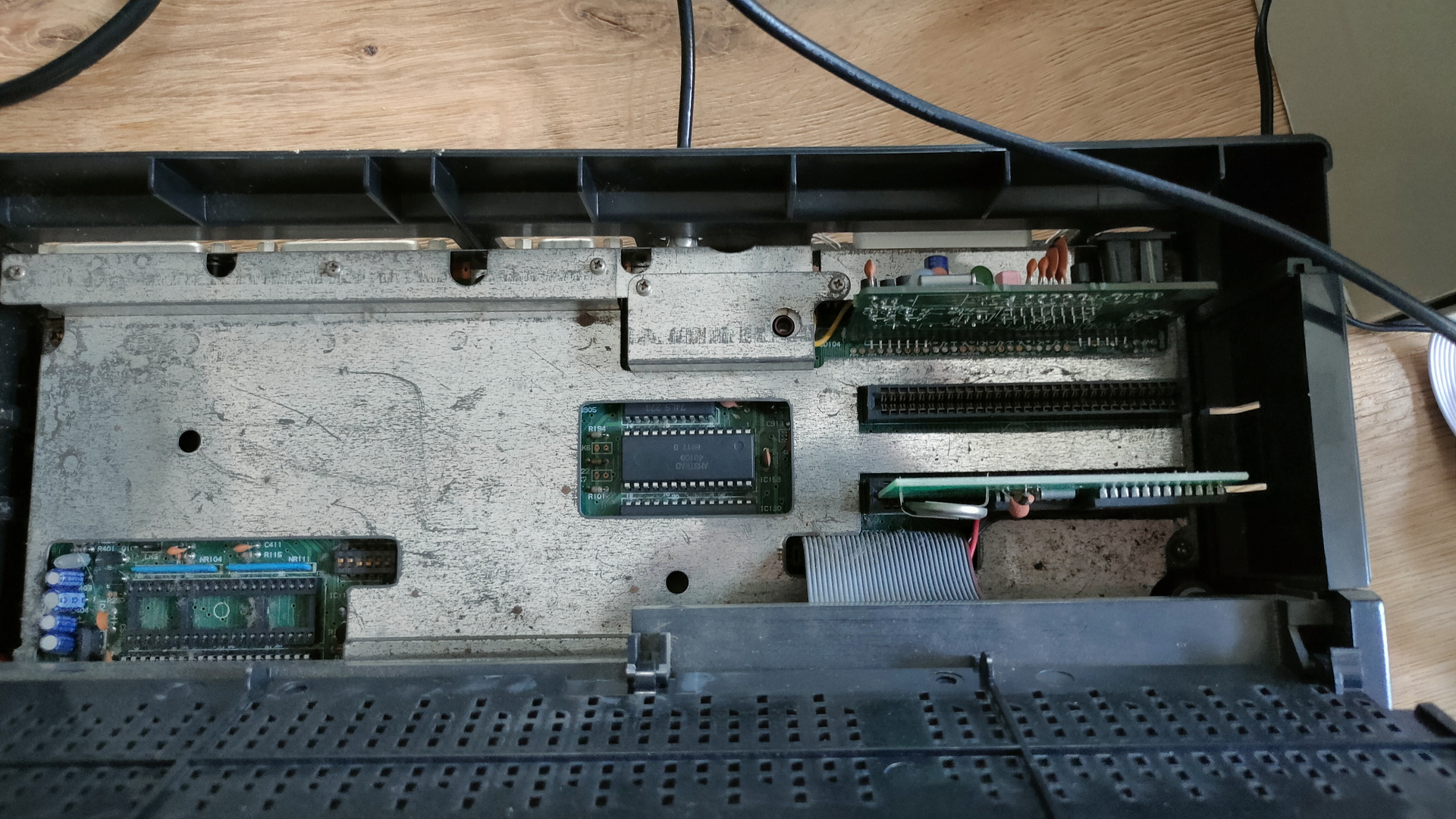
Besides the machine having a “amiga” like case, it has two ISA slots behind a little trapdoor! How cool is that!

Dirty view of the ISA slots (One containing a RTC card)

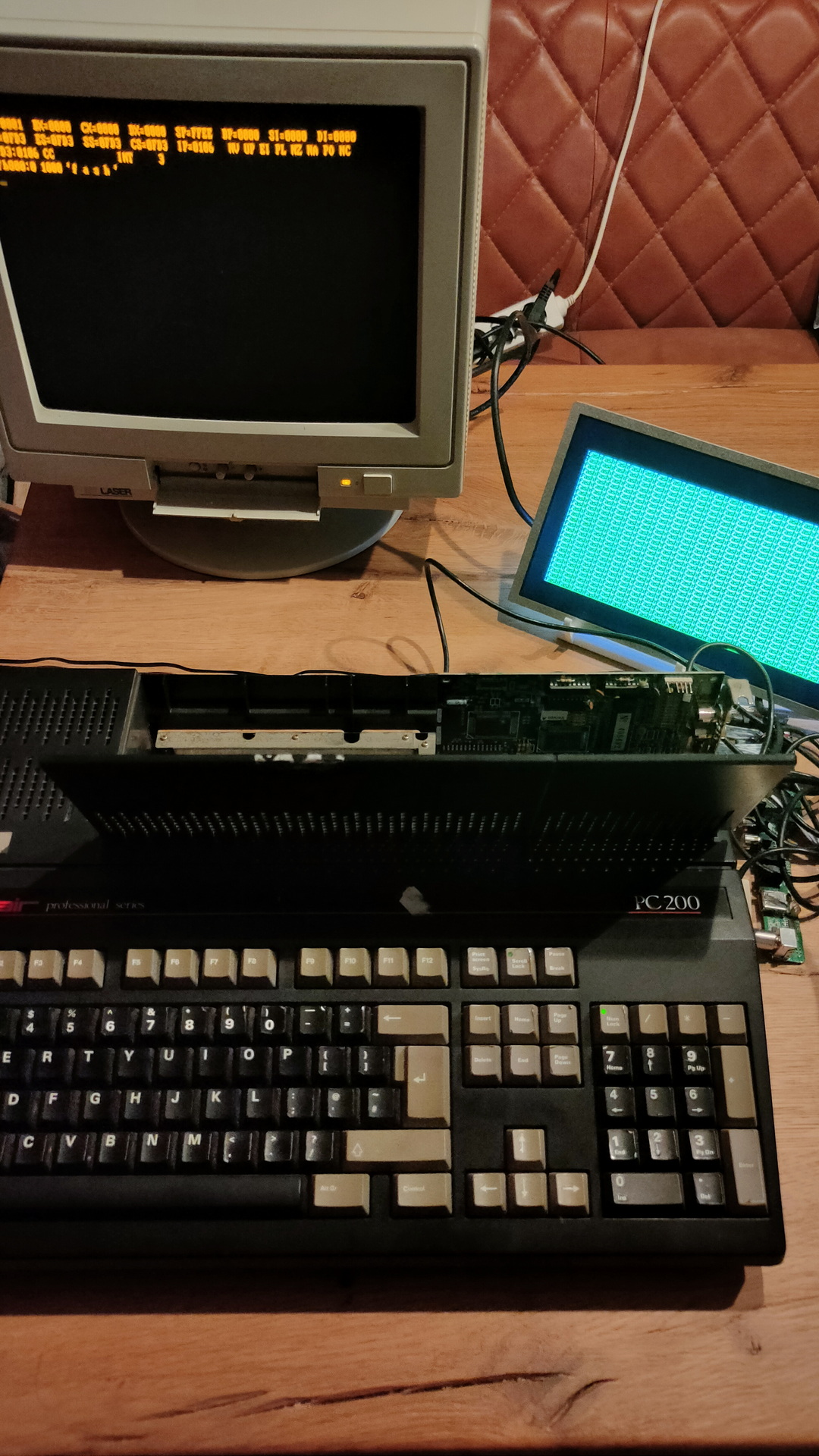
Enabling only CGA on the machine and plugging in a Hercules card, you can do Multiscreen!
CGA and MDA addresses don’t conflict!
And if the ROM supports it .. dual screens baby!

Left Hercules and Right CGA

I used a debug command to fill the right screen

f b800:0 1000 ‘f a s h’

Cool little machine

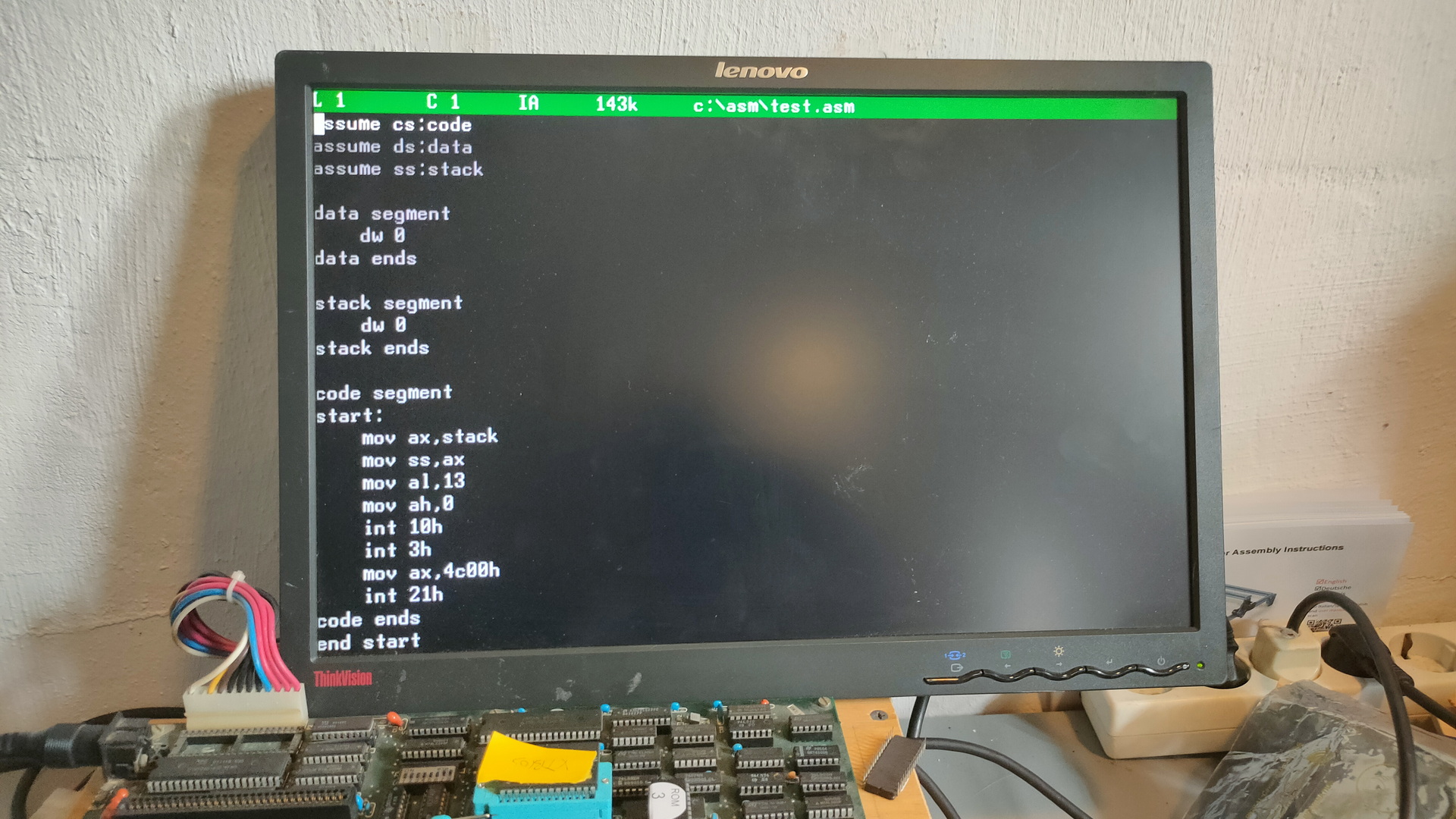
Running old masm/precompiled machine code crashes. I’ll have to look into that.


Bios Extension boot and bootsector programs.

Followup on

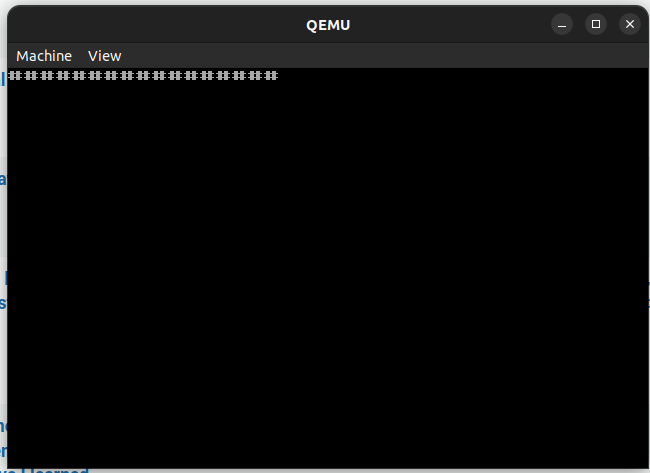
Today two boot projects.
One using a bios extension, so it chip based.
Second is a floppy disk boot program. (Creating a test situation to get our old Boot floppy demo working. ( That one without using an operatingsystem like ms-dos.

Creating a Secondary Bios ROM

NAME mycode
.model small
ORG 0h

.code
	dw 0AA55h ;  Magic header your bios is looking for
	db 16     ; lenght of this rom in 512 bytes == 8k
	jmp short clear ; jmp to program

ORG 20h                 ; start of program
	
clear:  mov cx,10       ; clear, set keyboard led and print 10 # chars
	mov ah,0ah
	mov al,31h
	int 10h
	mov bh,0
	mov cx,1
start:	mov al, 11000000b
        out 80h, al
print:  mov cx,10
	mov ah,0ah
	mov al,"#"
	int 10h
loop1:  nop           ; loop until doomsday
	jmp loop1
	db -68        ; This makes the checksum 0
                      ; steps to take: edit source, make this byte entry 0
                      ; compile using make.bat in dosbox
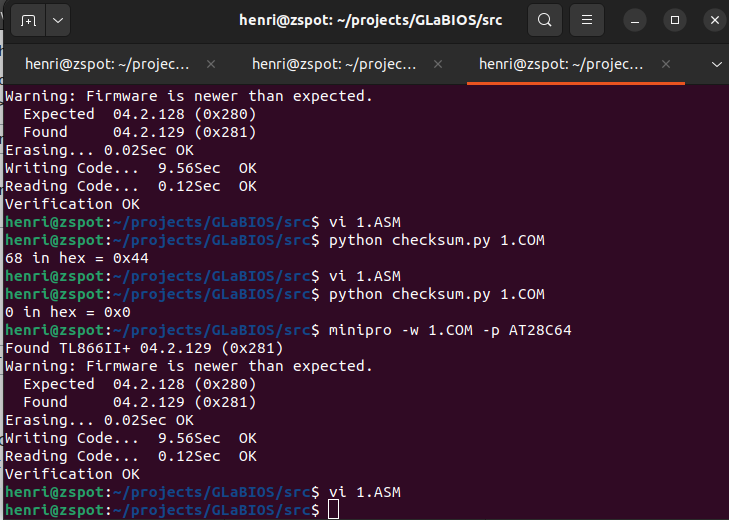
                      ; check checksum using my python script
                      ; output was 68 hex 0x44
                      ; edit asm file place -68 to make the checksum 0x00 again
                      ; compile and burn to ROM
ORG 2000h             ; create end of rom 0000h-1fffh = 8K
END

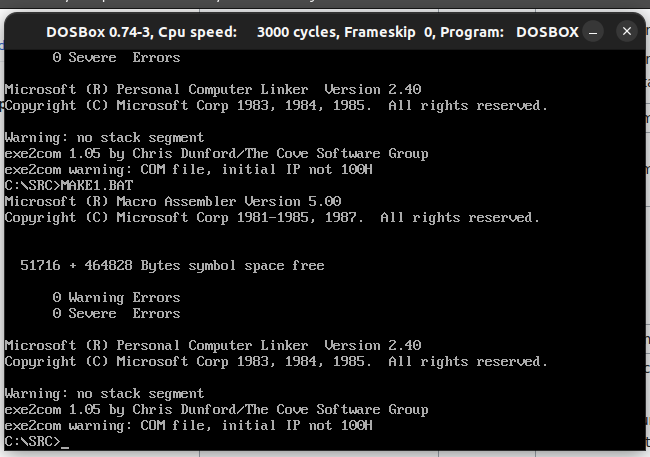
make.bat in dosbox

@ECHO OFF
MASM /DARCH_TYPE="T" /DCPU_TYPE="V" 1;
LINK 1;
EXE2COM 1.EXE

Python script here: https://www.henriaanstoot.nl/2023/06/20/bios-hacking/

Write EEprom

minipro -w 1.COM -p AT28C64

Part 2 – Bootsector program !

Allmost the same as above, but booting from a Floppy disk.

Video mode info : https://stanislavs.org/helppc/int_10-0.html

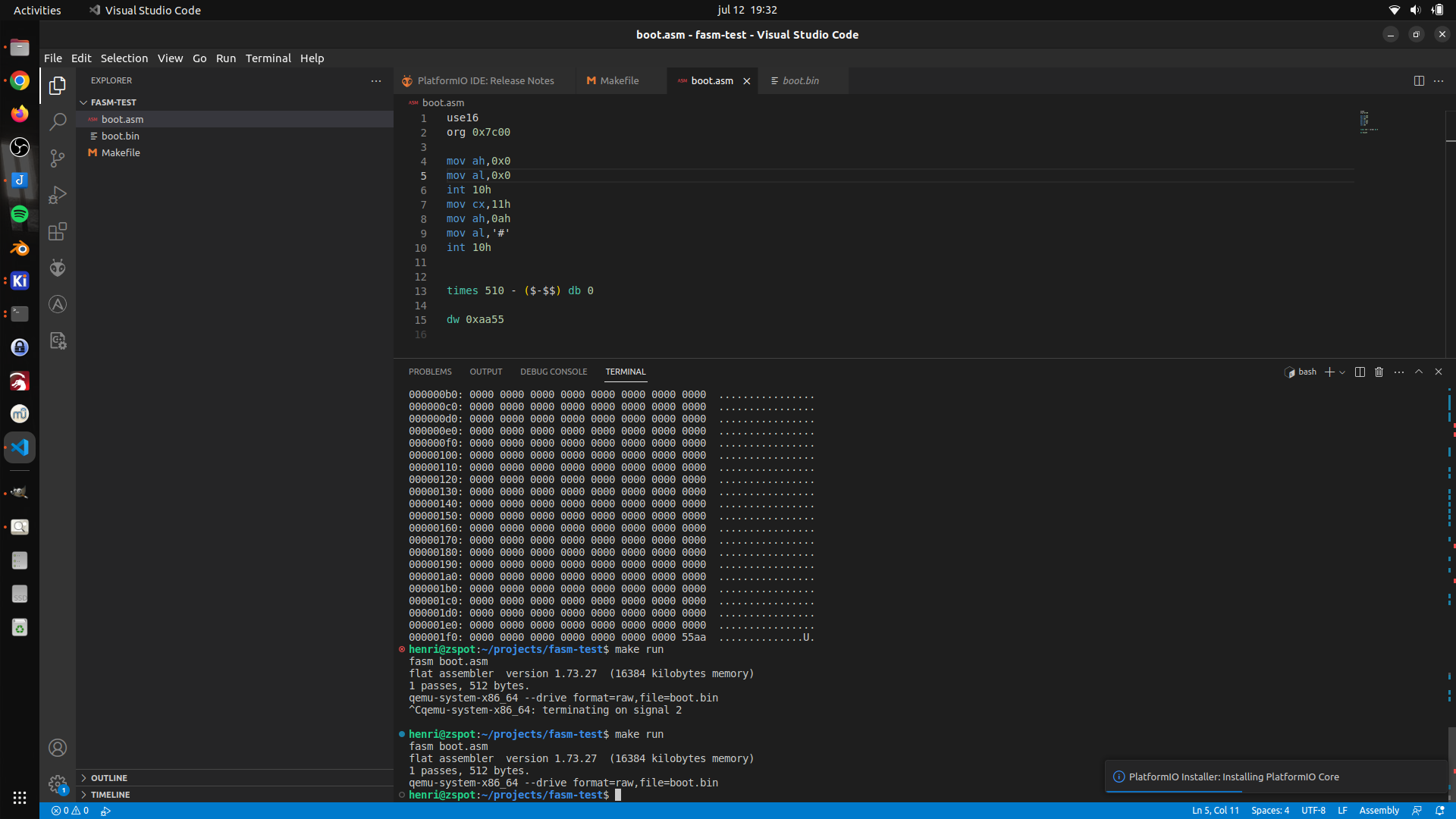
Assembly code

use16              ; 16 bits 
org 0x7c00         ; start address ( change? )

mov ah,0x0         ; ah 0h - video mode 
mov al,0x0         ; al 0h - mode 0 - 40x25 chars
int 10h            ; scree routines 
mov cx,11h         ; 11 chars
mov ah,0ah         ; ah 0ah - print char mode
mov al,'#'         ; choose char as #
int 10h            ; execute 


times 510 - ($-$$) db 0 ; fill rest 512 bytes sector

dw 0xaa55 ; magic bytes 

ISA prototyping board – IO chips

Followup on

UPDATE 20230702 20230703 20230714

While working on a Lidar project, my mouser components came in.

Now I have to find a IO address decoder schematic I made a while ago.

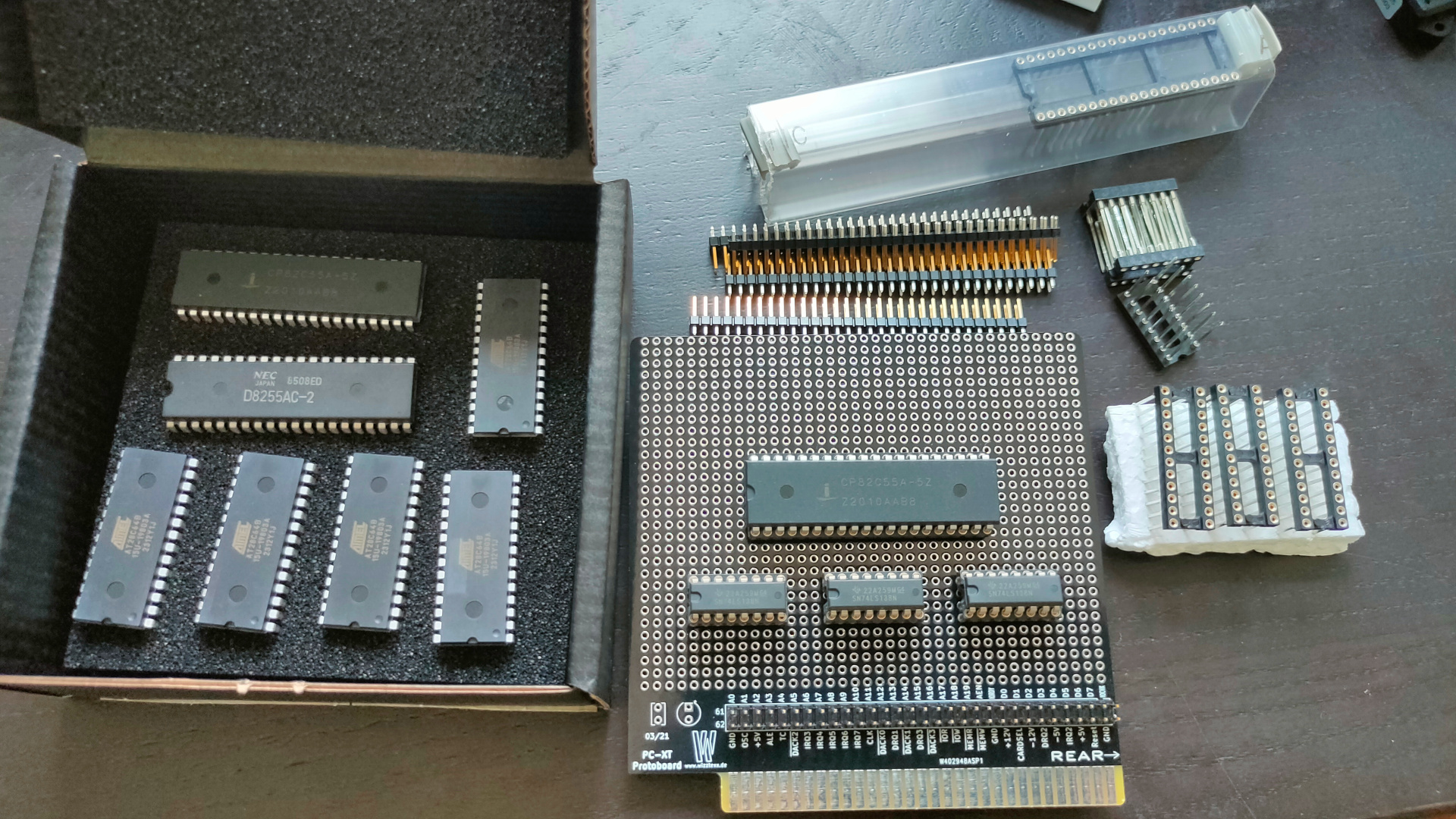
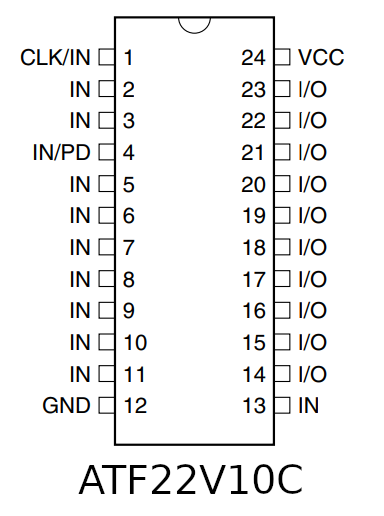
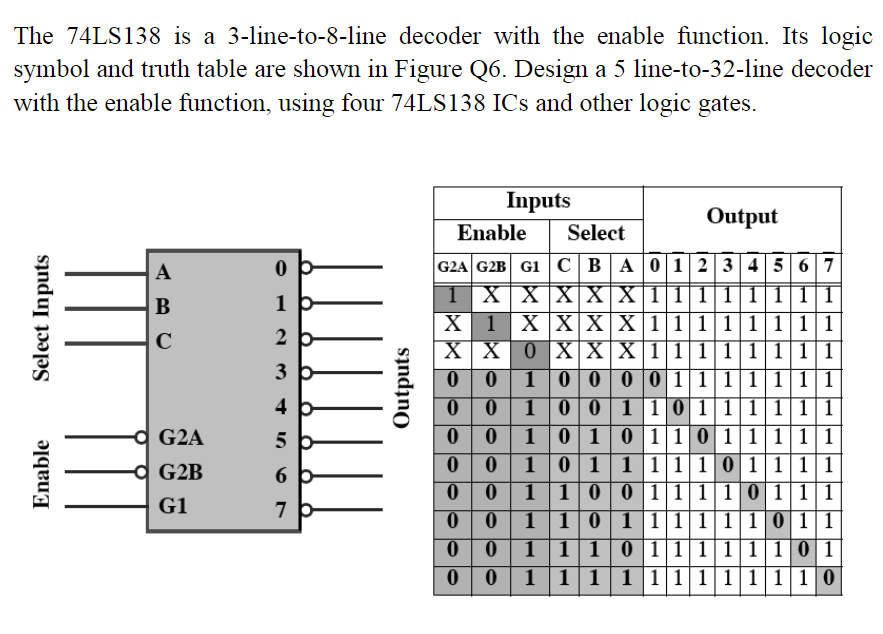
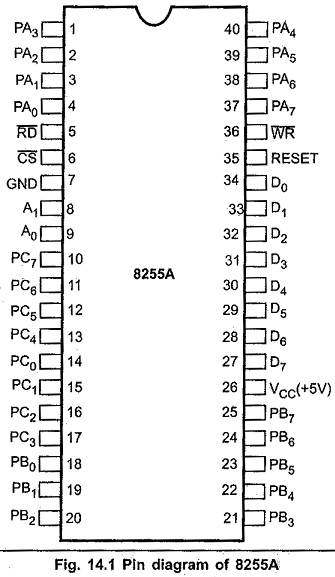
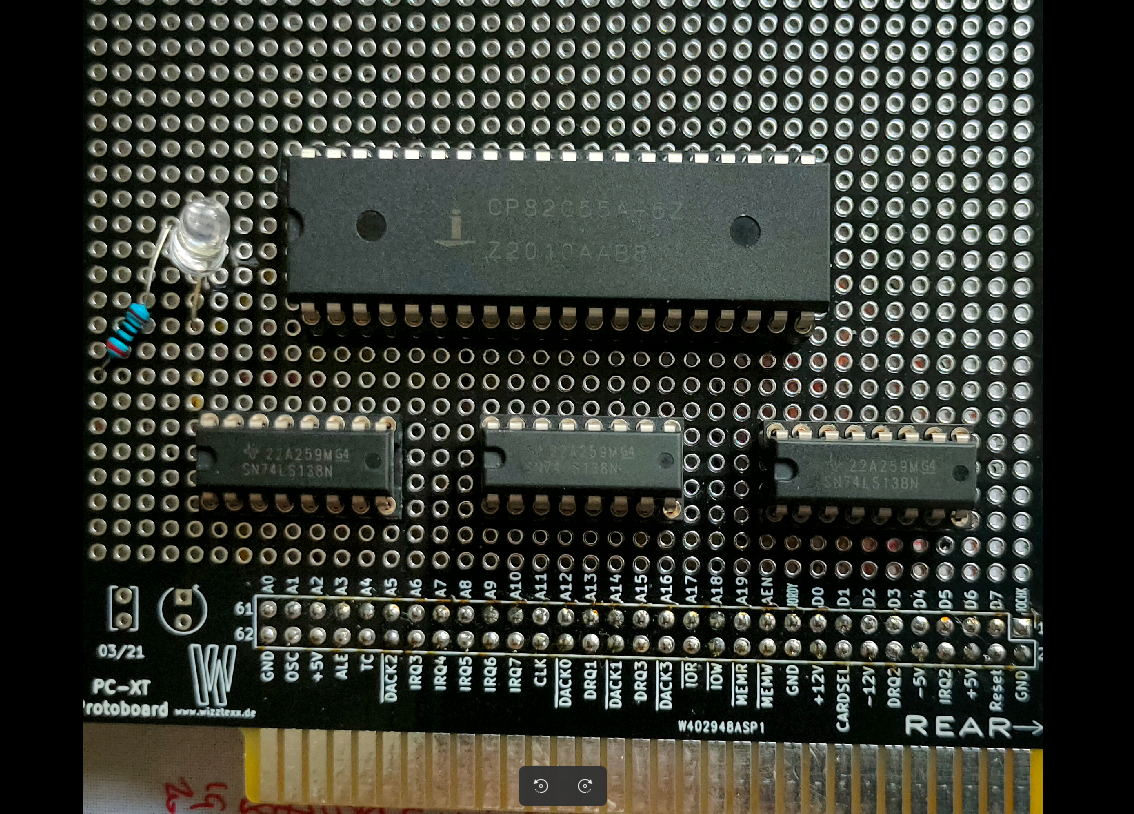
This ISA board is going to have a Wirewrapped setup. There is a 8255 IO chip, and uses 3x 74138 for IO address decoding, OR i will use a setup i’ve made for my 6502 using an atf22v10.

What to controll using this 8255? First some Leds, later a LCD display.

Below the 3 mentioned IC’s

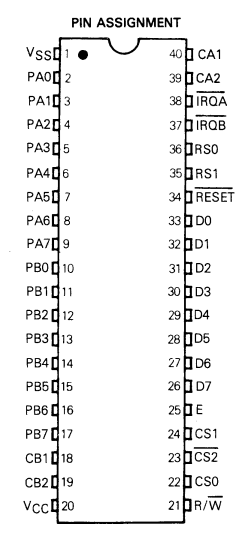
The 8255 is a chip like the 6522 used in my DIY 6502 elsewhere on my site.

Overview of comparable IO chips. ( Not interchangeable due to bus timing!)
Most of them have 8 data lines and 2x 8 IO bi-directional lines.

CHIPNOTES
65226502 based machines
82558088/8068 based machines
Z84C2008Z80 (called PIO)
81558085 / 8088
852068000 amiga
68216800

6821 example

UPDATE 20230702

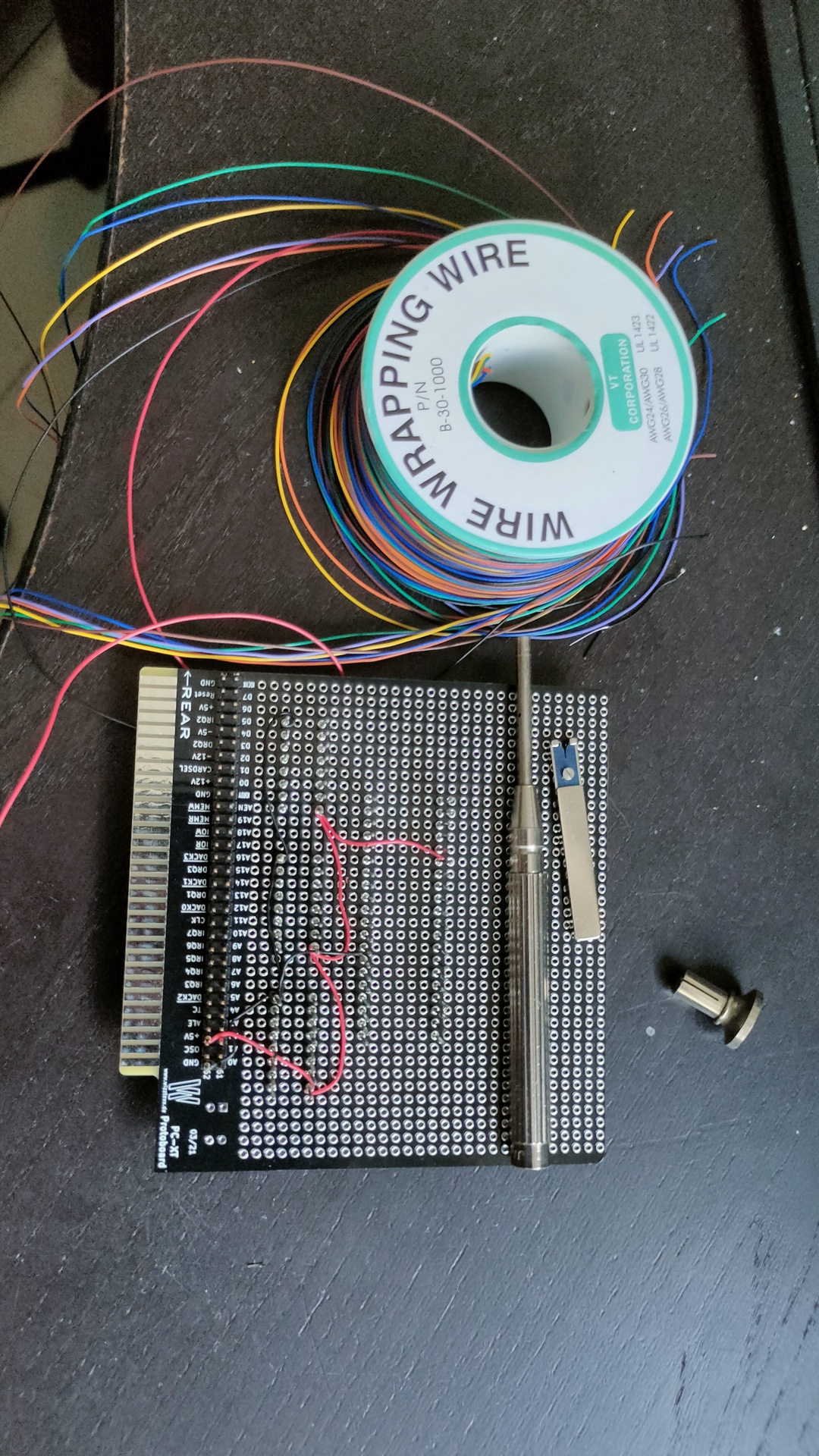
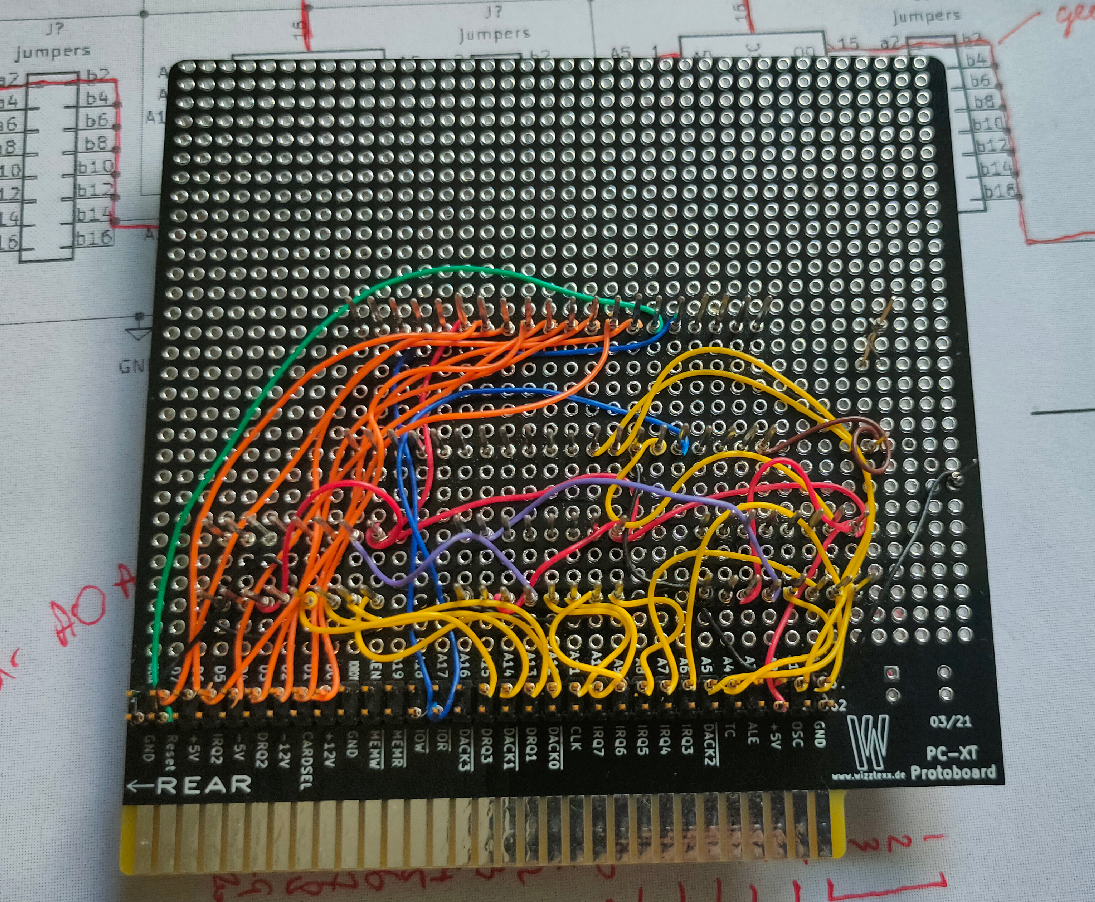
Started wirewrapping, luckily i’ve got a big choice of colors. That makes finding the right signals a breeze.

UPDATE 20230703

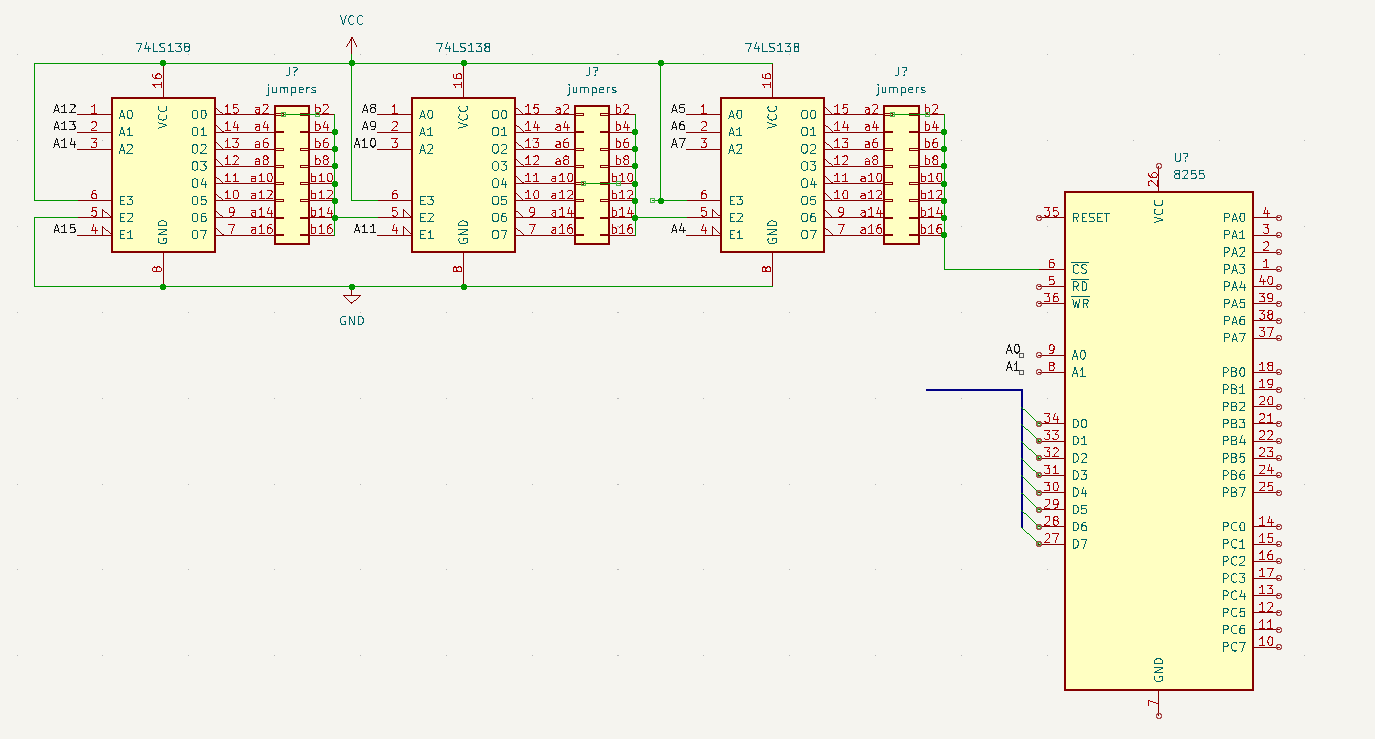
Found my schematic

Above uses 3 74138 decoders, address can be “programmed” using jumpers (not used on my prototype board) . Address 0400h in above example.

A15 – 0
A14,13,12 – decodes to OUT-0
A11 – 0
A10,9,8 – decodes to OUT-4
A7 – 0
A6,5,4 – decodes to OUT-0
A3 and A2 are not used (see note)
A1 and A0 are register select on the 8255

Address 0000,0100,0000,xxrr
xx can be a 0 or 1
the 8255 can be controlled using
0400h 0401h 0402h
but also
0404h 0405h 0406h
0408h 0409h ….
040Ch ……

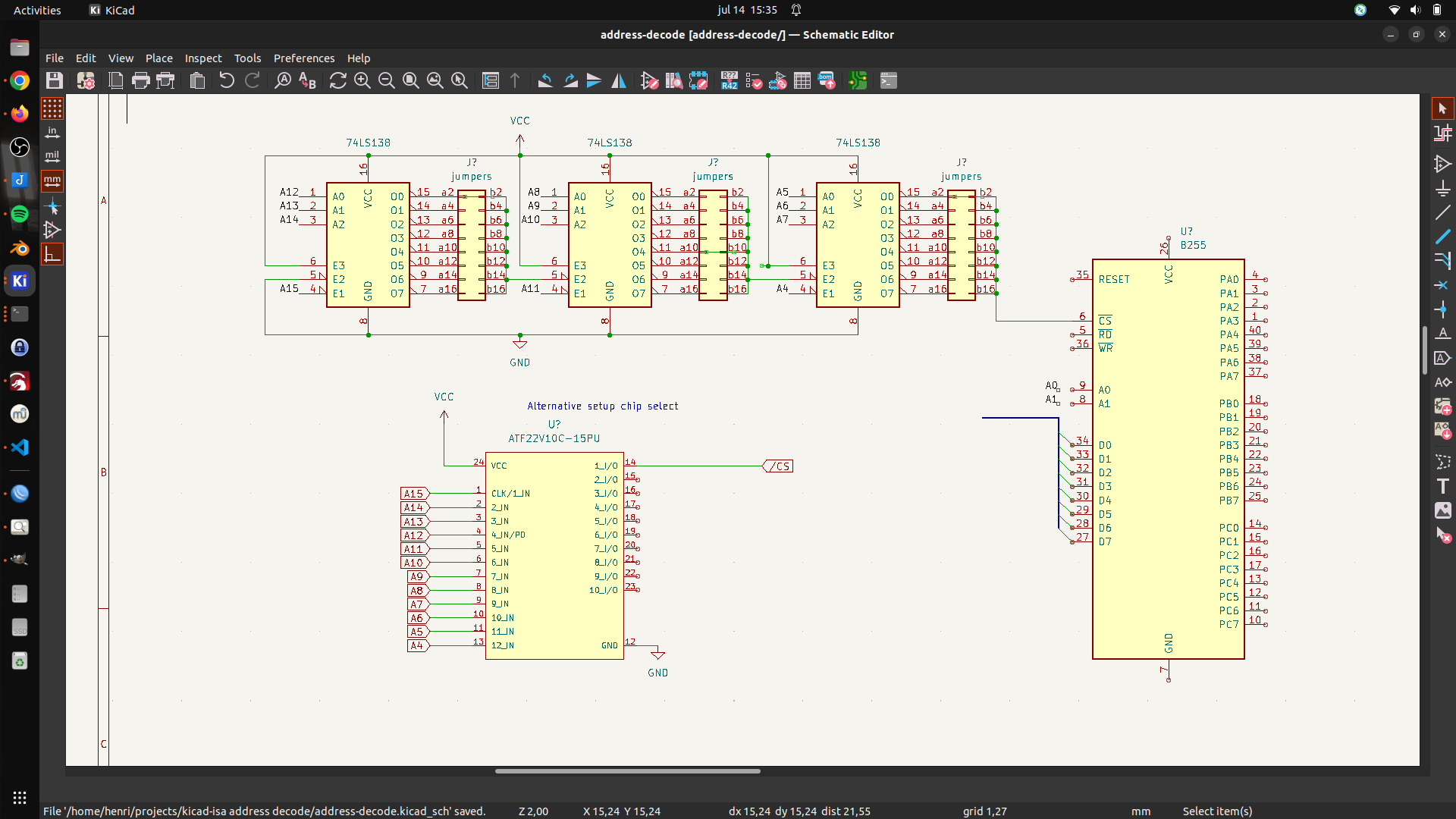
UPDATE 20230714 – Alternative address decode test with ATF22V10

UPDATE 20230803

UPDATE

Miswired second 74138.
Tested with below code

mov dx,503h # control register
mov al,80h # output port a,b,c as standard IO/output
out dx,al # 16 bit IO mapped IO out
mov dx,500h # data register
mov al,0  # 0/ff all on/all off
out dx,al

Micro cassettes with computer programs.

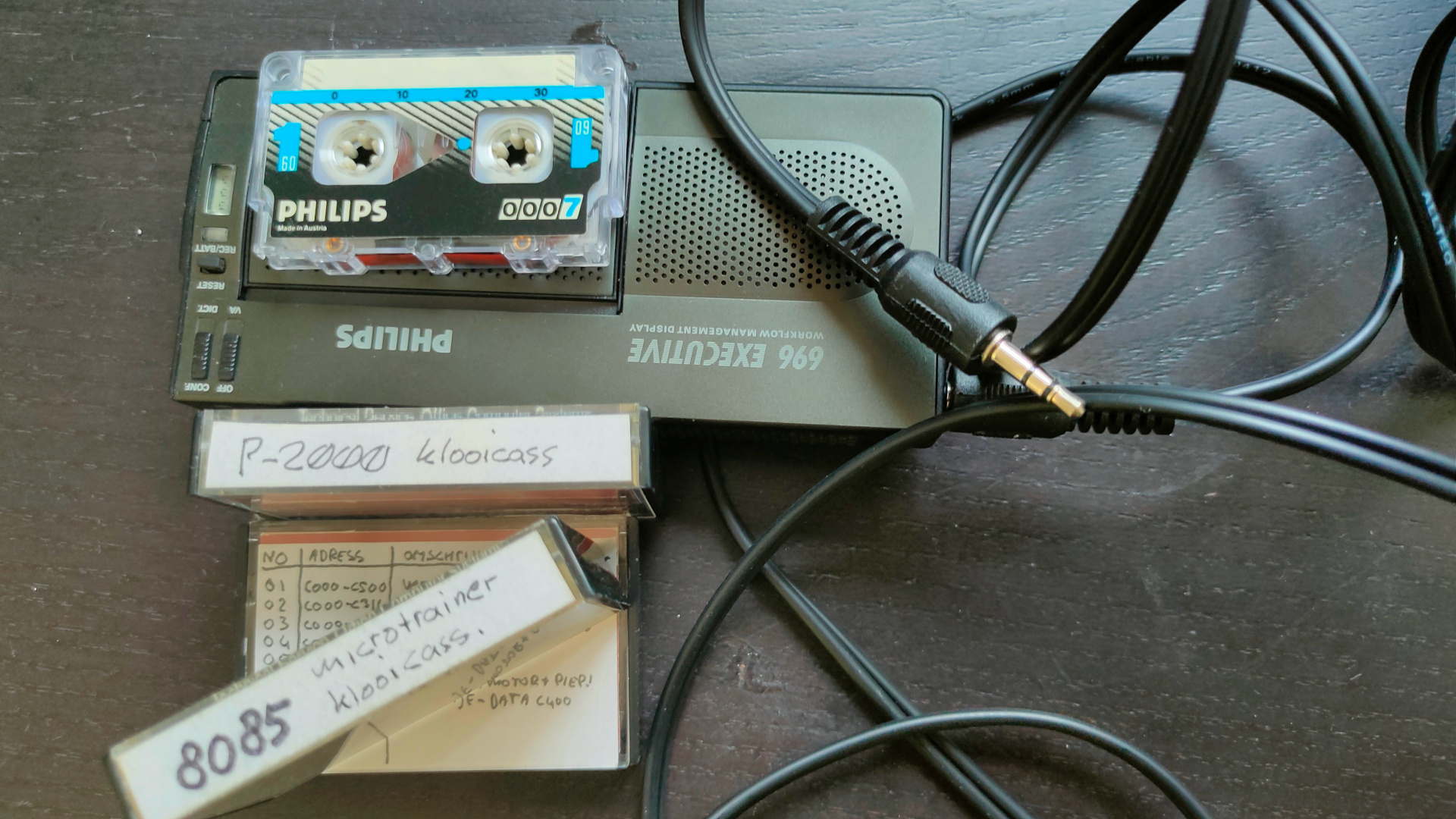
I’ve got some micro cassettes with programs for P2000 and the Microtrainer (SDK-85).

Lets try to get this into executable code again.

(I sold my Philips P2000 last year before I found these tapes)

I bought a Cassette player (voice memo recorder) from Marktplaats (dutch ebay), and a mini jack cable (2.5mm to 3.5mm)

There are two things i’m going to try.

Converting the recorded audio into executable code using python or Puredata.
And making a print to connect the tape player to the SDK-85.

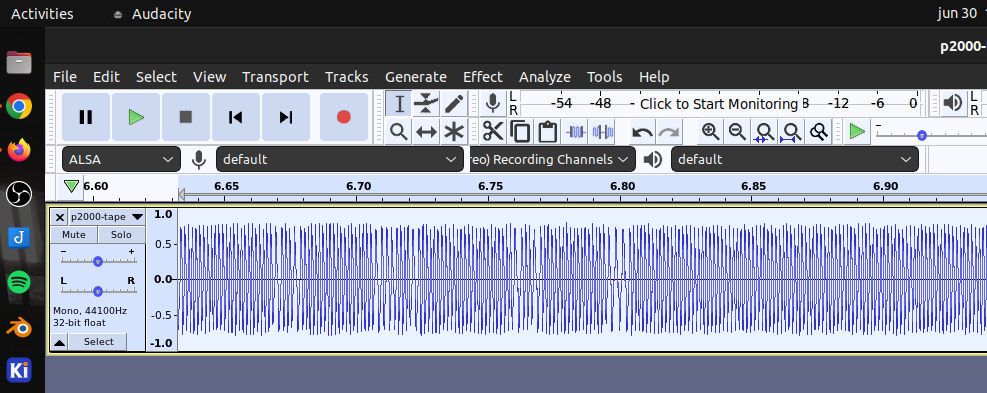
Connecting the player to a soundcard gave me:
Signed 16bit 44.1 kHz

(there are simular projects like this for C64 tapes and alike)
So there will be FFT tricks involved.

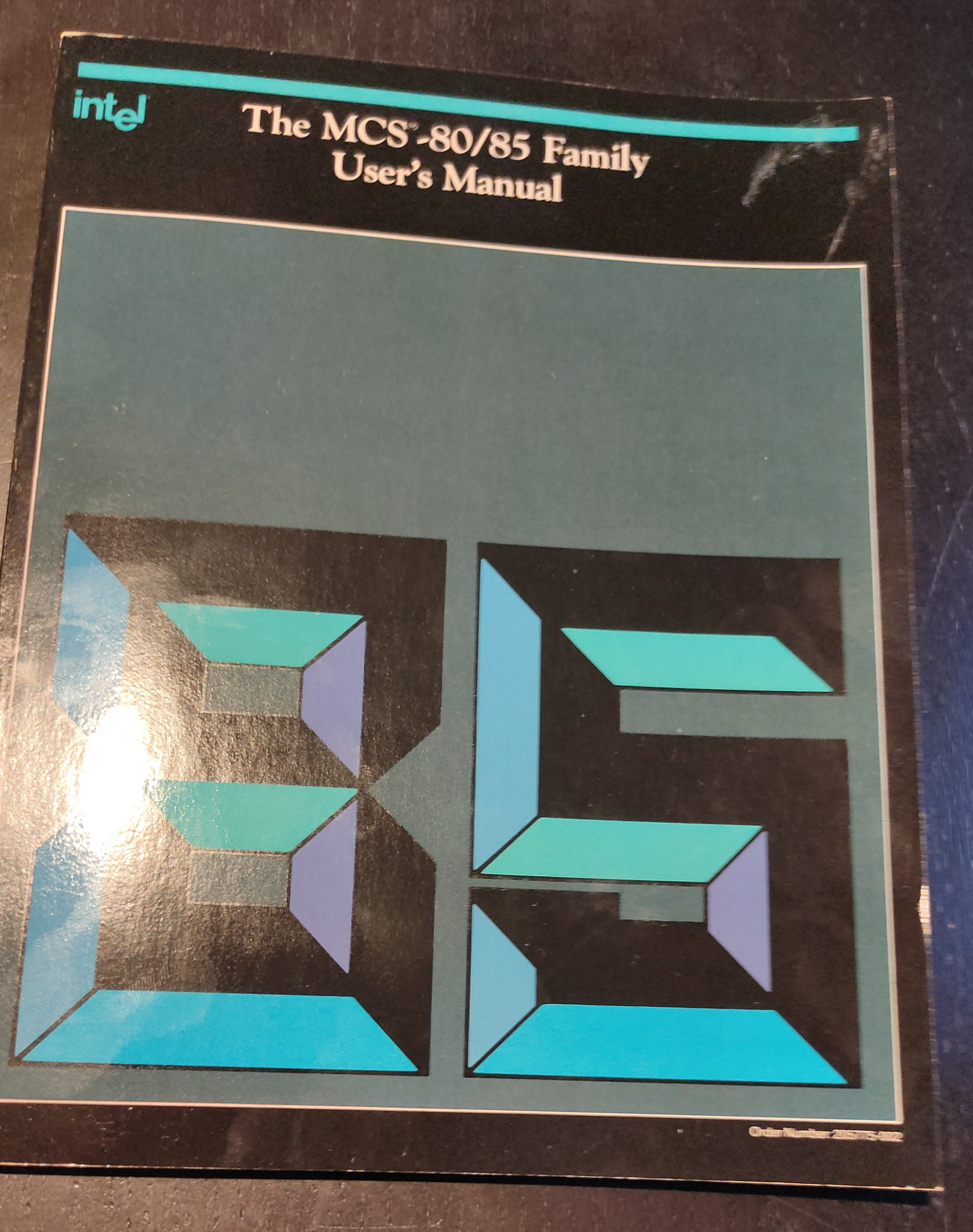
While browsing though this book:

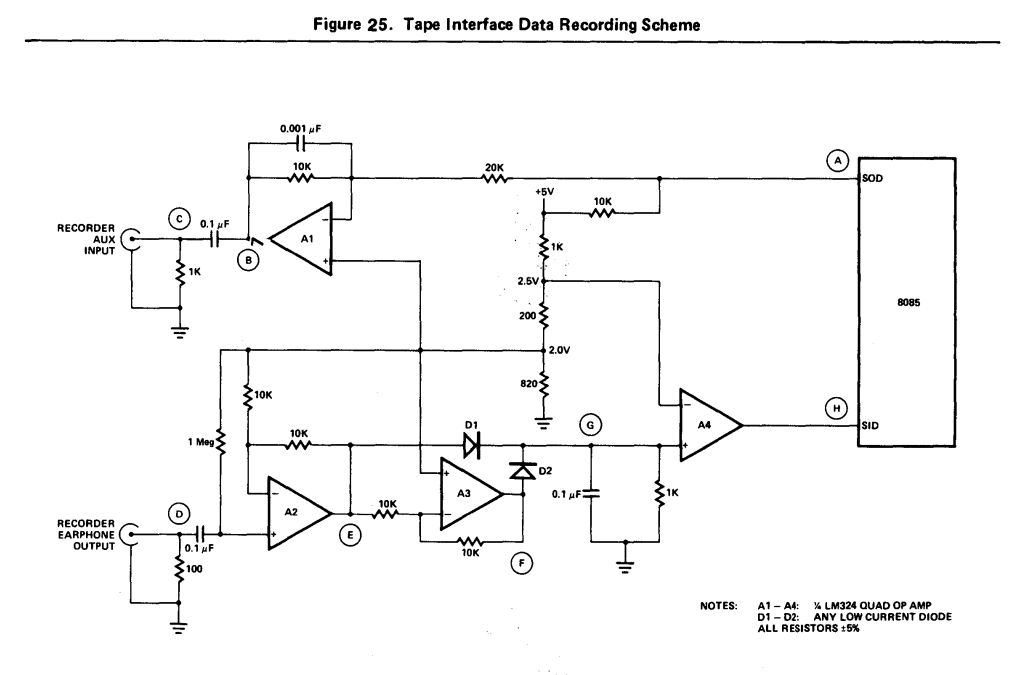
I found this schematic: (page A1-39)

So that’s next to build

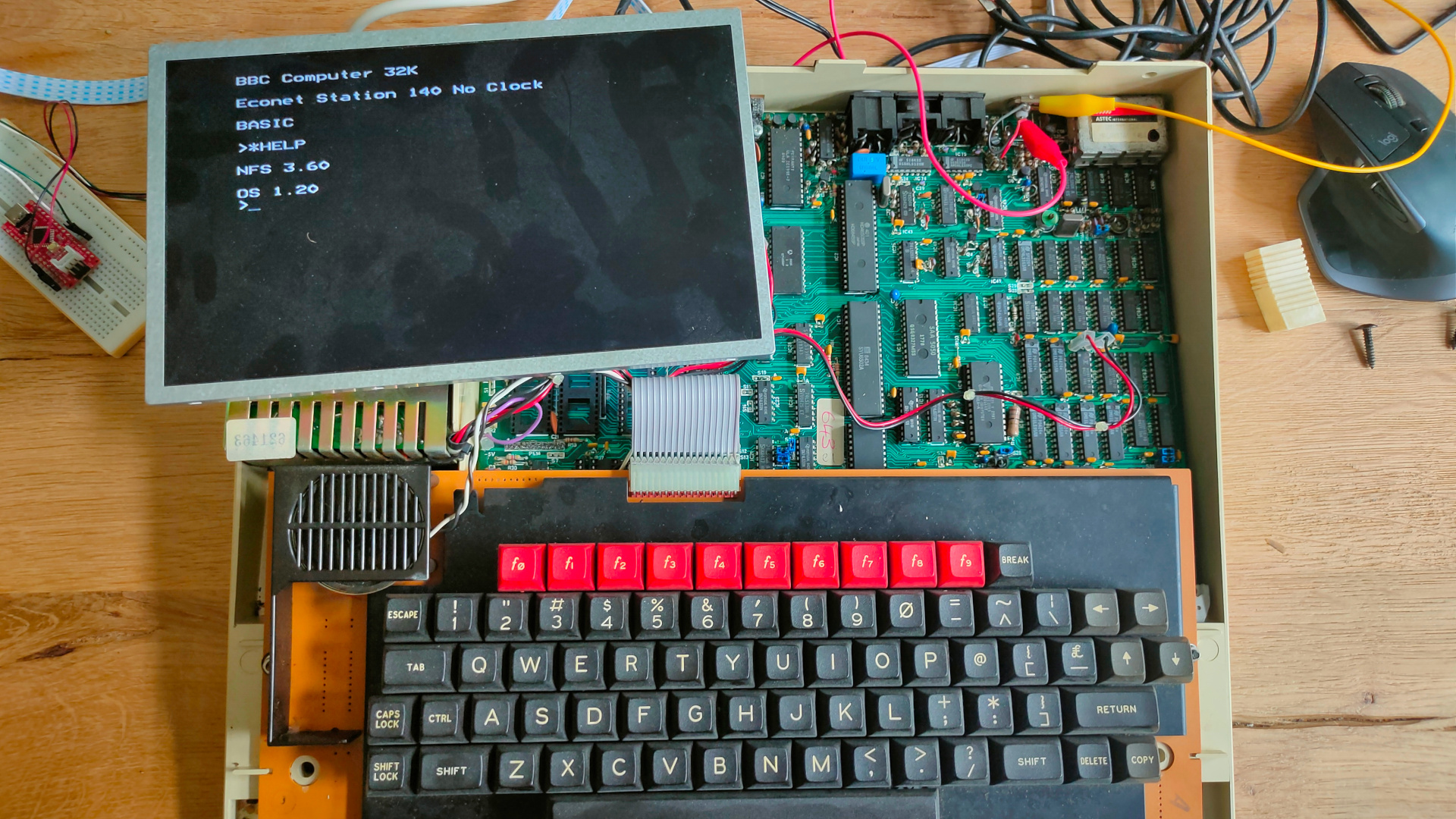
Machine code Monitor in ROM on real BBC Acorn Hardware

My BBC Acorn model B is working again. The original monitor is still dead.

Time to play with some machine code and ROMs.

My machine has a NFS rom installed. (NetFS)

Econet was Acorn Computers’s low-cost local area network system, intended for use by schools and small businesses. It was widely used in those areas, and was supported by a large number of different computer and server systems produced both by Acorn and by other companies.

I found a ROM online called Gremlin. It is a 16K rom file. But at the moment I only got some 28C64 (8k) or 28C256 (32k) eeproms.

32k it is. But de beeb having address line A14 floating high, I need to flash the upper 16k of the 32k ROM.

So I made the 16K rom into a 32K using cat

cp Gremlin\ v1.21\ \(1983\)\(Computer\ Concepts\).rom 16k.rom
cat Gremlin\ v1.21\ \(1983\)\(Computer\ Concepts\).rom >> 16k.rom

minipro -w 16k.rom -p AT28C256

I got the rom from this page:
https://acorn.huininga.nl/pub/unsorted/roms/Gremlin%20v1.21%20(1983)(Computer%20Concepts).rom

Below booting straight into the monitor program.

Manual:

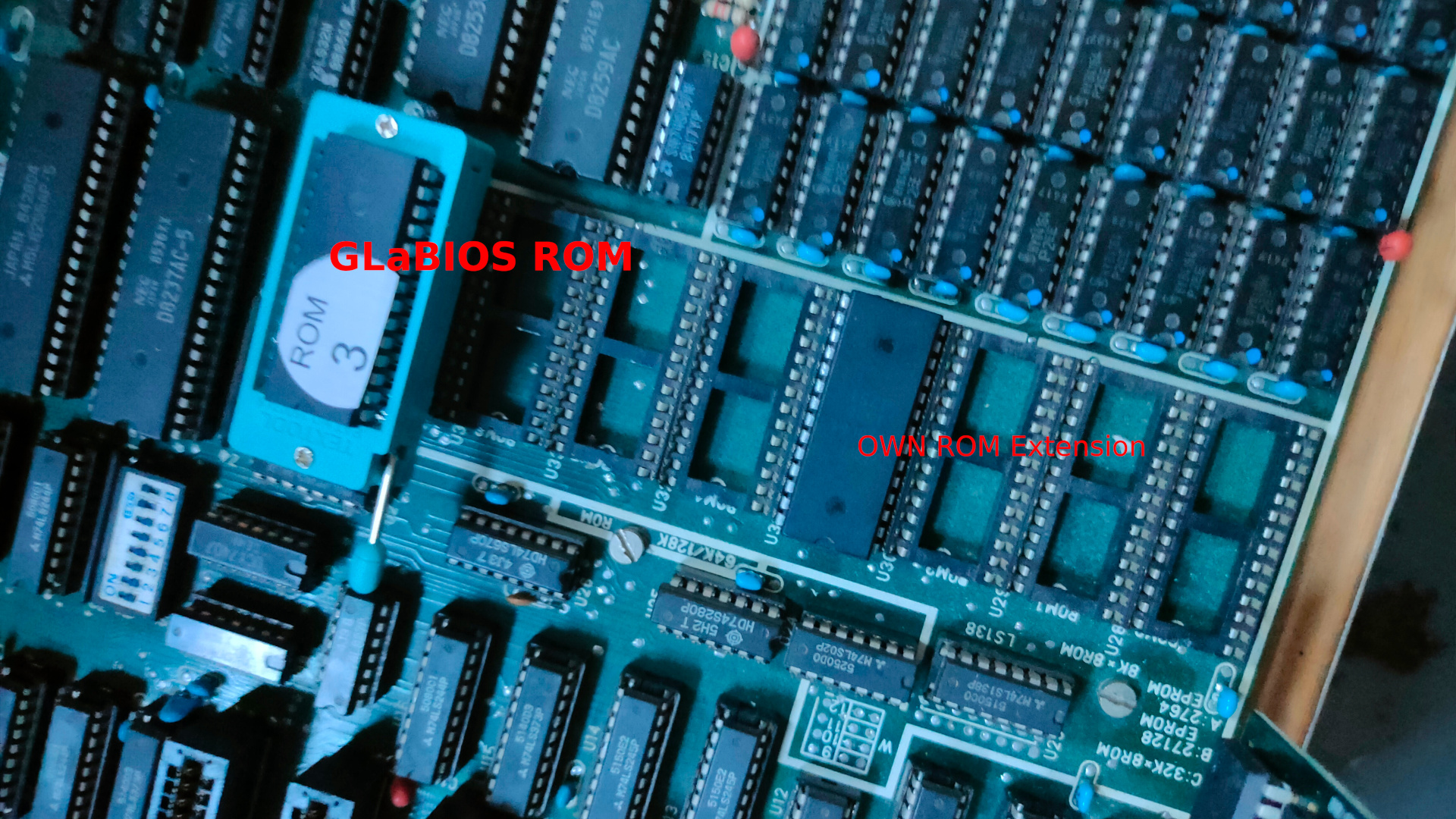
GLaBios and own code

Altered glabios to run code at F600:0000 instead of basic rom.
(Needs to have code to check if rom exists)

My test code and generating rom is below:
It should set leds on the keyboard to on .. we will see tomorrow.

NAME mycode
.model small
ORG 0h

.code
start:	mov al, 11000000b
        out 80h, al
loop1:  nop
	jmp loop1
ORG 1fffh ; end of rom
	db 0
END

makefile is:

@ECHO OFF
MASM /DARCH_TYPE="T" /DCPU_TYPE="V" MYROM;
LINK MYROM;
EXE2COM MYROM.EXE
REN MYROM.COM MYROM.ROM

That looks okay!

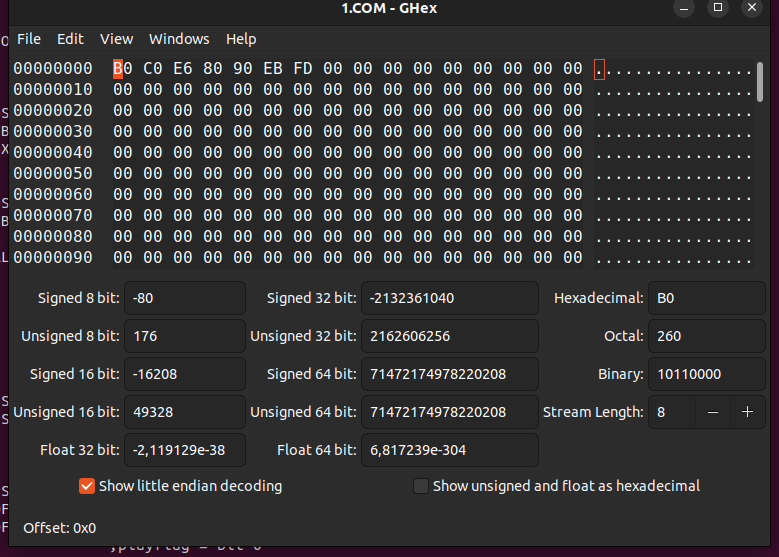
MOV AL = B0
C0 = 11000000
OUT = E6
80h = 80h
90 = NOP
EB = relative jump
FD = -3 to NOP instruction

Checking faulty chips/hardware

When I fix old hardware I often use a flir camera.

My brother gave me his CAT S60 mobile phone. Which has a flir camera, he used it when he was a voluntary fireman.

Forward-looking infrared (FLIR) cameras, typically used on military and civilian aircraft, use a thermographic camera that senses infrared radiation

Soo .. when testing hardware. I do the following.

  • Clean the motherboard
  • Check chip pins
  • Press all chips/ic’s in their sockets
  • Test the power supply disconnected. ( Most will give a higher voltage when nothing is connected )
  • Measure the resistance of the board (sometimes)
  • Check if the machine can be started.

Now it gets interesting. Sometimes nothing happens. Sometimes the machine runs like it suppose to do.

But old hardware can be faulty or connections are bad. IC’s run hot and they stop working. ( Untill they are cooled enough or they stop forever šŸ™ )

So I start monitoring the temperature when I boot the machine. Sometimes components heat up very fast. I use my finger and the flir camera.

These are pictures from my 8088. Nothing runs hot

Old mystery motherboard and Bios hacking – followup

The board seems to be a X Golden Board, except for the missing logo on the motherboard.

Downloaded pcxtbios and compiled the eproms native in linux. So i don“t have to use dosbox any more.
https://github.com/virtualxt/pcxtbios

cd pcxtbios
edit make_linux.sh if needed
./make_linux.sh

and you should end up with
eproms/27512/basicfc.rom
eproms/27512/basicf8.rom
eproms/27512/basicf6.rom
eproms/27512/pcxtbios.rom
eproms/27512/basicfa.rom
eproms/27128/basicfc.rom
eproms/27128/basicf8.rom
eproms/27128/basicf6.rom
eproms/27128/pcxtbios.rom
eproms/27128/basicfa.rom
eproms/27256/basicfc.rom
eproms/27256/basicf8.rom
eproms/27256/basicf6.rom
eproms/27256/pcxtbios.rom
eproms/27256/basicfa.rom
eproms/ibmxt/u18.rom
eproms/ibmxt/u19.rom
eproms/2764/basicfc.rom
eproms/2764/basicf8.rom
eproms/2764/basicf6.rom
eproms/2764/pcxtbios.rom
eproms/2764/basicfa.rom

I didn’t have enough 28C64, but the 28C256 has the same pinout. It just lacks A14 and A13

So I flashed the compiled ROMs for basic to different Eeproms

minipro -w ./2764/basicfc.rom -p AT28C64
minipro -w ./2764/basicf6.rom -p AT28C64
minipro -w ./27256/basicfa.rom -p AT28C256
minipro -w ./27256/basicf8.rom -p AT28C256

These roms need to be placed in sockets ROM6,5,4,3

ROM7 (BIOS)fe00:0-ffff:ffff
ROM6 Basicfc00:0000-fdff:ffff
ROM5 Basicfa00:0000-fbff:ffff
ROM4 Basicf800:0000-f9ff:ffff
ROM3 Basicf600:0000-f7ff:ffff

Machine Code monitor/editor

I tried to find a machine code monitor for 8088 rom, but did not have any luck there.

I tried mumon88, but that didn“t work.

PCem and bootdisks.

PCem (short for PC Emulator) is an IBM PC emulator for Windows and Linux that specializes in running old operating systems and software that are designed for IBM PC compatibles. Originally developed as an IBM PC XT emulator, it later added support for other IBM PC compatible computers as well.

The big difference with PCem and Dosbox is the fact that you can configure many systems from 8088 to pentium, soundcards and graphic cards (like hercules, CGA, EGA VGA and alike)
You won’t start in MS-DOS, you can boot from a virtual floppy, just what i needed!

Update : Typing boot disk.img in dosbox works

I’ve installed PCem using:

cd pcem/
sudo apt-get install libsdl2-dev
sudo apt-get install libopenal-dev
tar xzvf ../PCemV17Linux.tar.gz 
./configure 
make clean
make
# first start (complains about roms, but creates ~/.pcem/...
./pcem 
cd ~/.pcem/roms
# git clone roms
git clone https://github.com/BaRRaKudaRain/PCem-ROMs.git
mv PCem-ROMs/* ./
rm -rf PCem-ROMs

Below a simple example, booting a floppy with a custom made bootsector.
I’m still searching for our bootblock demo, which uses VGA graphics and a music loader using Soundblaster.
We made this around the 90’s, and i have never seen a demo then booting a demo without dos.
Scrollers, music, starfields etc.

NOTE: Dos calls can’t be used, that’s not loaded. So NO int 21h software functions!

Running a bootblock program, there is NO ms-dos being loaded.

The disk image I created using my real original 5.25″ floppy, and converted this with my Fluxengine.

One of the other bootblock thingy’s I made, An amiga guru meditation error. (below a old capture)
When a corrupted disk or faulty software was booted using a amiga you often could see an error like this, now you could have it on you PC!

Original screen capture of a Guru Meditation.
You can see, mine is a little different, because of the font spacing and color.

PCem info

Systems / motherboards emulated :
8088

    AMI XT clone
    Atari PC3
    Compaq Portable Plus
    DTK Clone XT
    (c)Anonymous Generic Turbo XT BIOS
    IBM PC
    IBM PCjr
    IBM XT
    Juko XT clone
    NCR PC4i
    Phoenix XT clone
    Schneider Euro PC
    Tandy 1000
    Tandy 1000HX
    Thomson TO16 PC
    Toshiba T1000
    VTech Laser Turbo XT
    Zenith Data SupersPort
    Xi8088

8086

    Amstrad PC1512
    Amstrad PC1640
    Amstrad PC2086
    Amstrad PC3086
    Amstrad PC5086
    Amstrad PPC512/640
    Compaq Deskpro
    Olivetti M24
    Sinclair PC200/Amstrad PC20
    Tandy 1000SL/2
    Toshiba T1200
    VTech Laser XT3

286

    AMI 286 clone
    Award 286 clone
    Bull Micral 45
    Commodore PC30-III
    Compaq Portable II
    Dell System 200
    Epson PC AX
    Epson PC AX2e
    GW-286CT GEAR
    IBM AT
    IBM PS/1 Model 2011
    IBM PS/2 Model 30-286
    IBM PS/2 Model 50
    IBM XT Model 286
    Samsung SPC-4200P
    Samsung SPC-4216P
    Toshiba T3100e
    Tulip AT Compact

386SX

    Acermate 386SX/25N
    AMI 386SX clone
    Amstrad MegaPC
    DTK 386SX clone
    Epson PC AX3
    IBM PS/1 Model 2121
    IBM PS/2 Model 55SX
    KMX-C-02
    Packard Bell Legend 300SX
    Samsung SPC-6033P

386DX

    AMI 386DX clone
    Compaq Deskpro 386
    IBM PS/2 Model 70 (type 3)
    IBM PS/2 Model 80
    MR 386DX clone
    Samsung SPC-6000A

486

    AMI 486 clone
    AMI WinBIOS 486 clone
    Award SiS 496/497
    Elonex PC-425X
    IBM PS/2 Model 70 (type 4)
    Packard Bell PB410A

Socket 4/5/7 (Pentium)

    ASUS P/I-P55TVP4
    ASUS P/I-P55T2P4
    Award 430VX PCI
    Epox P55-VA
    Intel Advanced/EV (Endeavor)
    Intel Advanced/ZP (Zappa)
    Intel Premiere/PCI (Batman's Revenge)
    Packard Bell PB520R (Robin LC)
    Packard Bell PB570 (Hillary)

Super Socket 7 (K6-2/III)

    FIC VA-503+

Socket 8 (Pentium Pro)

    Intel VS440FX

Slot 1 (Pentium II)

    Gigabyte GA-686BX

Graphics cards emulated :

    3DFX Voodoo Graphics
    3DFX Voodoo 2
    ATI Graphics Pro Turbo (Mach64 GX)
    ATI Video Xpression (Mach64 VT2)
    ATI VGA Edge-16 (ATI-18800)
    ATI VGA Charger (ATI-28800)
    CGA
    Cirrus Logic CL-GD5429
    Cirrus Logic CL-GD5430
    Cirrus Logic CL-GD5434
    Compaq CGA
    Diamond Stealth 32 (Tseng ET4000/w32p)
    Diamond Stealth 3D 2000 (S3 ViRGE/325)
    Hercules
    Hercules InColor
    IBM EGA
    IBM VGA
    MDA
    MDSI Genius
    Number Nine 9FX (S3 Trio64)
    OAK OTI-037
    OAK OTI-067
    Olivetti GO481 (Paradise PVGA1A)
    Paradise Bahamas 64 (S3 Vision864)
    Phoenix S3 Trio32
    Phoenix S3 Trio64
    Plantronics ColorPlus
    S3 ViRGE/DX
    Sigma Color 400
    Trident TVGA8900D
    Trident TGUI9400CXi
    Trident TGUI9440
    Trigem Korean VGA (Tseng ET4000AX)
    Tseng ET4000AX
    Wsye 700

Sound cards emulated :

    AdLib
    AdLib Gold
    Ensoniq AudioPCI
    GameBlaster
    Gravis UltraSound
    Sound Blaster v1.0
    Sound Blaster v1.5
    Sound Blaster MCV
    Sound Blaster v2.0
    Sound Blaster Pro v1
    Sound Blaster Pro v2
    Sound Blaster Pro MCV
    Sound Blaster 16
    Sound Blaster AWE32
    Sound Blaster PCI128
    Windows Sound System